
1. Introdución
This manual provides instructions for the proper use and care of your Portronics Twins One In-Ear Earbuds. Please read this manual thoroughly before using the product to ensure optimal performance and longevity.
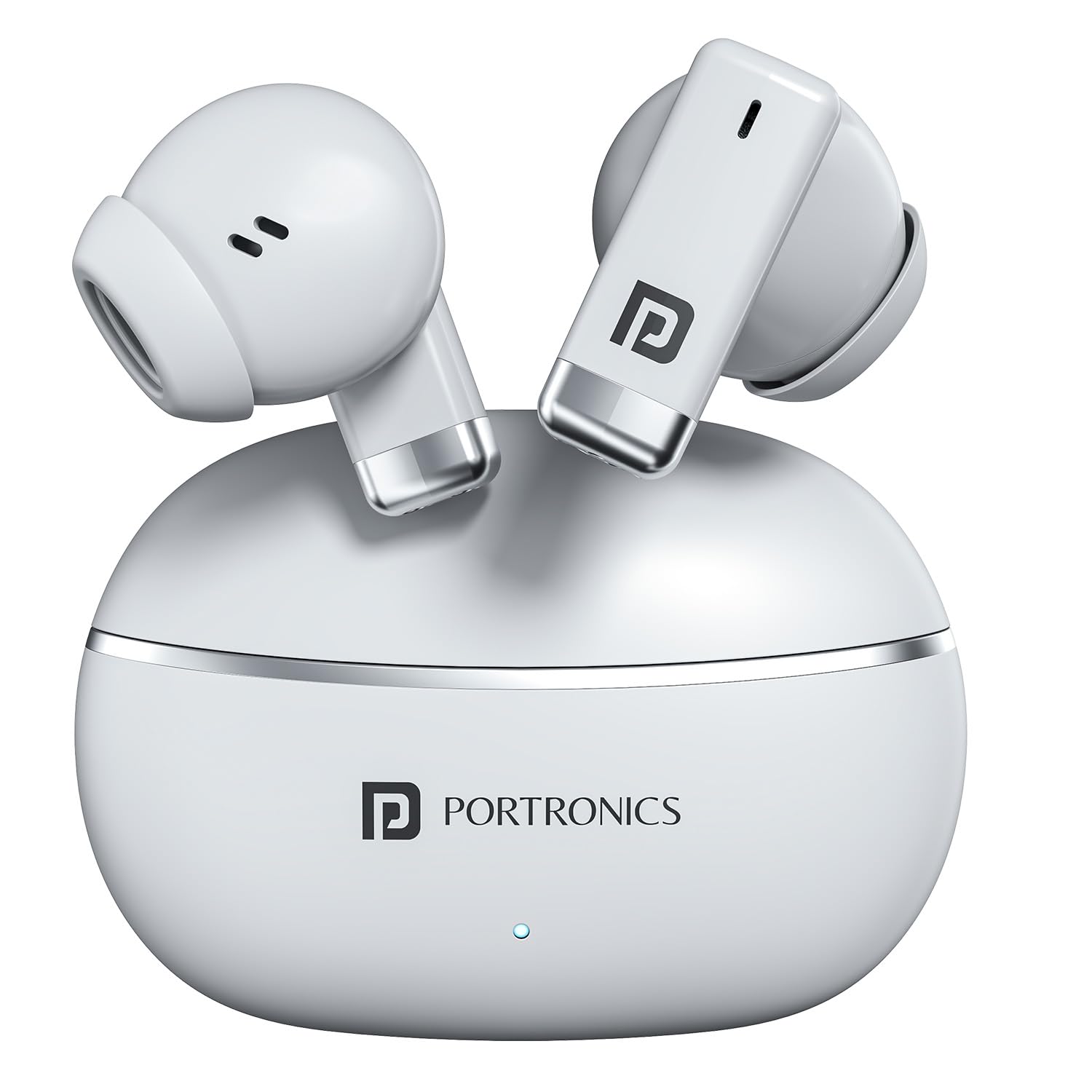
Image: Portronics Twins One Earbuds and Charging Case. This image displays the white earbuds and their compact charging case, highlighting the product's design.
2. Que hai na caixa
Verifica que todos os elementos estean presentes no paquete:
- Smart TWS Earbuds (2 units)
- Cable de carga (1 unidade)
- Documentation (1 unit)
3. Configuración
3.1. Carga dos auriculares e da funda
Antes do primeiro uso, carga completamente os auriculares e a caixa de carga.
- Coloque os auriculares na caixa de carga.
- Conecta o cable de carga tipo C fornecido ao porto de carga da carcasa e a unha fonte de alimentación USB.
- As luces indicadoras da caixa mostrarán o estado da carga. Unha vez cargada completamente, as luces indicarán a finalización ou apagaranse.

Image: Portronics Twins One Type-C Fast Charging. This image illustrates the Type-C charging port on the earbud case and highlights the fast charging capability.
3.2. Emparejamento cun dispositivo
The earbuds use Bluetooth v5.3 for wireless connection.
- Asegúrate de que os auriculares estean cargados.
- Abre a caixa de carga. Os auriculares entrarán automaticamente no modo de emparellamento (as luces indicadoras poden parpadear).
- No teu dispositivo (teléfono intelixente, tableta, portátil), activa o Bluetooth.
- Busca "Portronics Twins One" in the list of available Bluetooth devices.
- Select "Portronics Twins One" to connect. Once connected, a voice prompt will confirm successful pairing.

Image: Portronics Twins One Bluetooth Connectivity. This image shows the earbuds and case alongside a smartphone displaying music, emphasizing stable Bluetooth connection.
4. Instrucións de funcionamento
4.1. Toca Controis
Os auriculares inclúen controis táctiles intelixentes para varias funcións:
- Reproducir/Pausa: Toca un só auricular en calquera dos auriculares.
- Próxima pista: Toca dúas veces no auricular dereito.
- Pista anterior: Toca dúas veces no auricular esquerdo.
- Responder/Finalizar chamada: Un só toque en calquera dos auriculares durante unha chamada entrante.
- Rexeitar a chamada: Manter premido calquera dos auriculares durante unha chamada entrante.
- Activar o asistente de voz: Toca tres veces en calquera dos auriculares.

Image: Portronics Twins One Soft Touch Control. This image highlights the touch-sensitive area on the earbuds and lists various control functions like play, pause, track skipping, and call management.
4.2. Game Mode and Music Mode
The earbuds offer dual modes for optimized audio performance:
- Modo de xogo: Provides low-latency audio for a synchronized gaming experience.
- Modo de música: Enhances sound tuning for music playback, delivering rich bass and clear audio.
Refer to the specific product documentation for instructions on how to switch between Game Mode and Music Mode, as this may vary.

Image: Portronics Twins One Dual Performance Modes. This image shows the earbuds with icons for Gaming Mode and Music Mode, indicating the ability to switch between optimized audio experiences.
4.3. Asistente de voz
Activate your device's voice assistant (e.g., Google Assistant, Siri) directly from the earbuds using the touch controls.

Image: Portronics Twins One Voice Assistant Activation. This image depicts a user wearing the earbuds and shows prompts for activating voice assistants like Google Assistant and Siri with a simple tap.
5. Mantemento
5.1. Limpeza
Limpa os auriculares e a funda de carga regularmente para garantir un rendemento e unha hixiene óptimos.
- Usa un pano suave, seco e sen fiapos para limpar os auriculares e a funda.
- Non empregue produtos de limpeza abrasivos, alcol nin disolventes químicos.
- Gently remove any earwax or debris from the earbud mesh using a small, soft brush.
5.2. Resistencia á auga
The Portronics Twins One earbuds are designed with IPX5 water resistance, making them resistant to sweat, splashes, and light rain. They are not designed for submersion in water.
- Non mergulles os auriculares na auga intencionadamente.
- Dry the earbuds thoroughly before placing them back in the charging case if they become wet.
- O estuche de carga non é resistente á auga.

Image: Portronics Twins One Water Resistant IPX5. This image shows the earbuds with water splashing around them, indicating their rainproof, splashproof, and sweatproof capabilities.
5.3. Almacenamento
Cando non estean en uso, garde os auriculares no seu estoxo de carga para protexelos e mantelos cargados.
6 Solución de problemas
| Problema | Posible Solución |
|---|---|
| Os auriculares non se emparejan |
|
| Só funciona un auricular |
|
| Volume baixo ou mala calidade de son |
|
| Os auriculares non se cargan |
|
7. Especificacións
| Característica | Detalle |
|---|---|
| Marca | Portronics |
| Nome do modelo | Twins One |
| Número de modelo | POR-2685 |
| Cor | Branco |
| Colocación do oído | En Orella |
| Factor de forma | En Orella |
| Tipo de controlador de audio | Controlador dinámico de 13 mm |
| Versión Bluetooth | 5.3 |
| Duración media da batería | Ata 30 horas (con funda de carga) |
| Método de control | Toca |
| Nivel de resistencia á auga | IPX5 (resistente á auga) |
| Material do recinto | Plástico ABS |
| Peso do elemento | 100 gramos |
| Porto de carga | Tipo-C |
| Dispositivos compatibles | Cellphones, Laptops, Desktops, Tablets, Smart Speaker, Television, Car Audio Systems, Gaming Consoles |
| País de Orixe | China |
8. Garantía e soporte
8.1. Información da garantía
The Portronics Twins One In-Ear Earbuds come with a 1 ano de garantía desde a data de compra. Esta garantía cobre defectos de fabricación. Conserve o recibo de compra para reclamacións de garantía.
For detailed warranty terms and conditions, please refer to the official Portronics website or the documentation included in your package.
8.2. Atención ao cliente
For any assistance, technical support, or warranty claims, please contact Portronics customer service:
- Correo electrónico: help@portronics.com
- Teléfono: +91 9555-245-245 (10 AM - 6 PM)
- Portal de soporte: https://support.portronics.com
When contacting support, please have your product model number (POR-2685) and proof of purchase ready.

