
Introdución
The Roku Hiro 32-inch 720p HD Smart TV offers an integrated Roku streaming experience. This television features an HD display for clear picture quality and speakers with enhanced audio. It supports Bluetooth for private listening with headphones and includes Wi-Fi for internet connectivity. The Roku operating system provides a customizable home screen, access to numerous streaming channels, and automatic updates, making it suitable for various living spaces.
O que hai na caixa
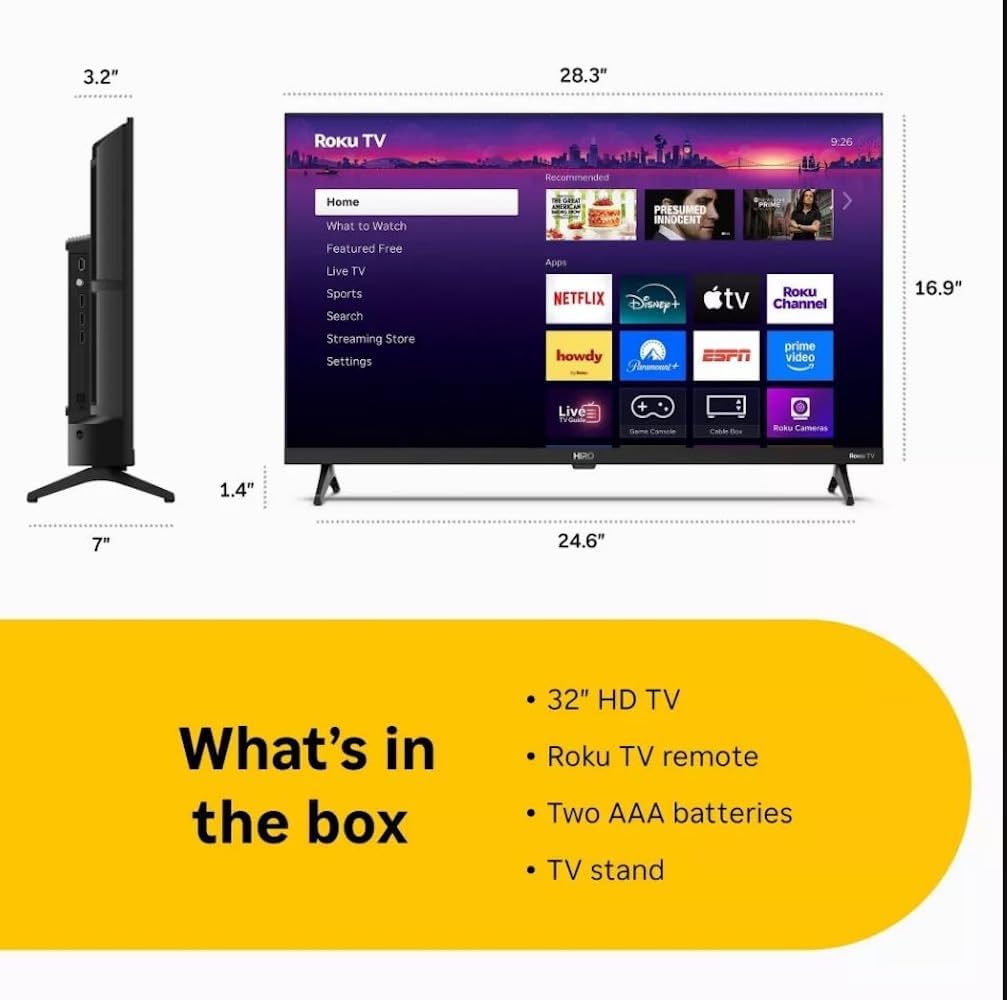
Diagram showing the dimensions of the Roku Hiro 32-inch TV and a list of included accessories: 32-inch HD TV, Roku TV remote, two AAA batteries, and TV stand.
- Hiro 32" 720p HD Smart TV Flat Screen LED Television with Roku TV
- Control remoto
- Soporte de TV
- Cable de alimentación
- Guía de usuario
Configuración
1. Instalación do stand
Carefully place the TV screen-down on a soft, clean surface to prevent damage. Align the TV stand with the designated slots on the bottom of the TV. Secure the stand using the provided screws. Ensure the stand is firmly attached before proceeding.
2. Dispositivos de conexión

Traseira view of the Roku Hiro TV, showing the input/output ports including USB, HDMI, and antenna connections.
- Potencia: Conecta o cable de alimentación á entrada de alimentación do televisor e despois a unha toma de corrente.
- HDMI: Connect external devices such as Blu-ray players, game consoles, or cable boxes to the HDMI ports. This TV features 3 HDMI ports.
- USB: Use the USB port for media playback from a USB drive.
- Audio óptico: Connect an external sound system using an optical audio cable for enhanced sound.
- Antena/Cable: Conecte unha antena ou unha fonte de televisión por cable á entrada RF para canles por aire ou por cable.
3. Configuración inicial
After connecting all necessary cables, power on the TV. Follow the on-screen instructions to:
- Seleccione o seu idioma.
- Conéctate á túa rede wifi.
- Activa a túa conta de Roku (ou crea unha nova).
- Scan for available channels if an antenna is connected.
Instrucións de funcionamento
Funcións de control remoto

Close-up of the Roku TV remote control, highlighting buttons for TV power, volume, mute, sleep timer, instant replay, options, and app shortcuts.
- Botón de encendido: Acende ou apaga o televisor.
- Pad direccional (D-Pad): Navega polos menús e selecciona elementos.
- Botón Aceptar: Confirma as seleccións.
- Botón de inicio: Volve á pantalla de inicio de Roku.
- Botón Atrás: Volve á pantalla anterior.
- Subir/Baixar o volume: Axusta o volume do televisor.
- Botón de silencio: Silencia ou activa o son do televisor.
- Botóns de acceso directo da aplicación: Direct access to popular streaming services (e.g., Netflix, Disney+, Apple TV+, Prime Video).
- Temporizador de sono: Configura un temporizador para que o televisor se apague automaticamente.
- Reprodución instantánea: Jumps back a few seconds in supported content.
- Opcións: Accesses additional settings or information for the current content.
Navigating the Roku OS

The Roku TV home screen interface, showing recommended content and various streaming applications.
The Roku home screen provides access to all your streaming channels, inputs, and settings. Use the D-Pad on your remote to navigate through the menu options on the left and the app grid on the right. You can customize the order of your channels by highlighting an app, pressing the * (Options) button, and selecting 'Move channel'.
Contido en streaming
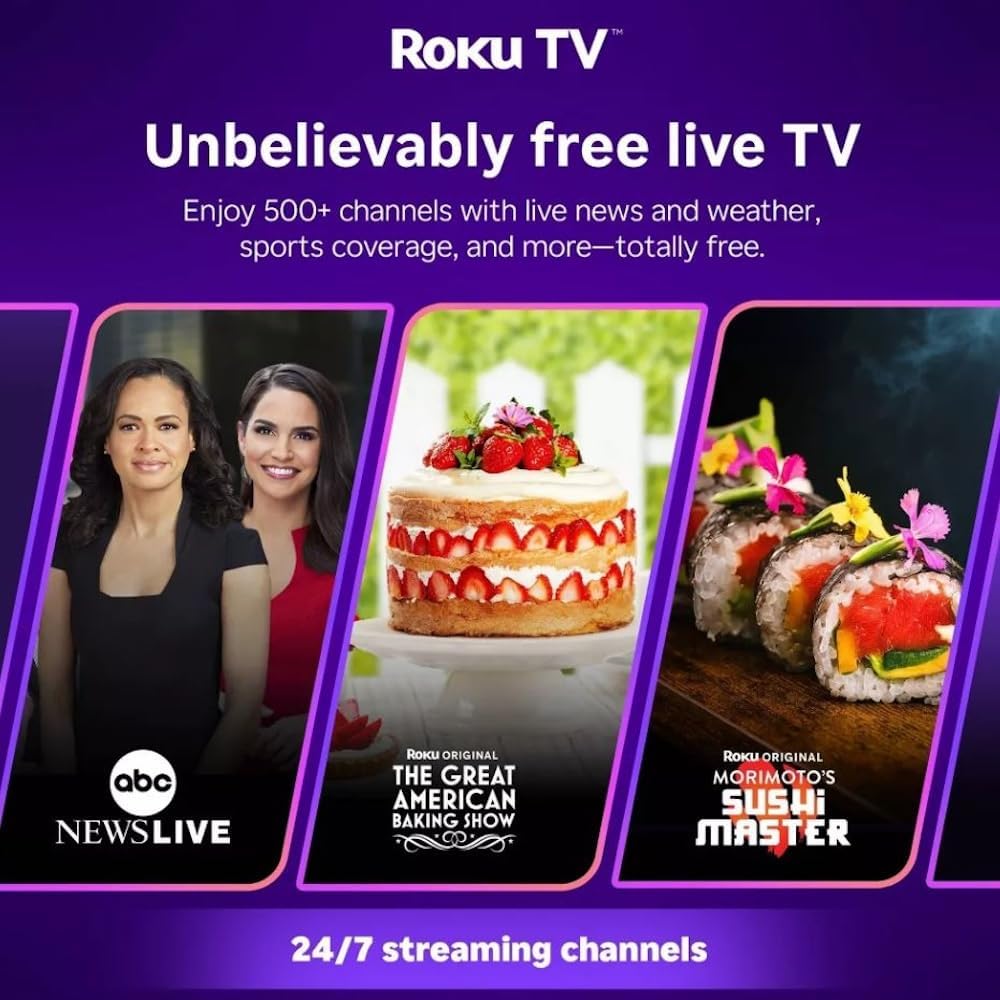
Roku TV interface promoting free live TV channels, featuring examples like ABC News Live, The Great American Baking Show, and Morimoto's Sushi Master.
Access a wide range of streaming services and free content through the Roku Channel Store. The Roku platform offers over 500 free channels, including live television, movies, and news. Use the 'Search' function on the home screen to find specific titles or channels.
Funcións de audio

Roku Hiro TV displaying the home screen with various streaming apps, emphasizing enhanced audio quality.
The TV features enhanced audio quality. For private listening, you can pair Bluetooth headphones directly with the TV. Navigate to Settings > Remotes & devices > Bluetooth devices > Pair new device to connect your headphones.
Mantemento
Limpeza do televisor
- Desconecte sempre o televisor antes de limpalo.
- Usa un pano suave e sen fiapos para limpar con coidado a pantalla e a carcasa.
- Para marcas difíciles, espolvoree lixeiramenteampEnxugue o pano con auga ou cun limpador de pantallas suave e non abrasivo. Non pulverice o limpador directamente sobre a pantalla.
- Evite o uso de produtos químicos agresivos, esponxas abrasivas ou solventes.
Actualizacións de software
The Roku TV automatically checks for and installs software updates when connected to the internet. To manually check for updates, go to Configuración > Sistema > Actualización de software.
Resolución de problemas
| Problema | Solución |
|---|---|
| Sen poder | Asegúrate de que o cable de alimentación estea conectado correctamente tanto ao televisor como a unha toma de corrente que funcione. Proba cunha toma diferente. |
| Sen imaxe, pero hai son | Comprobe a fonte de entrada. Prema o botón Casa button on the remote and select the correct input. Ensure all HDMI cables are securely connected. |
| Sen son, pero si imaxe | Check the volume level and ensure the TV is not muted. If using external audio, verify connections and settings. |
| Non se pode conectar á wifi | Verifica o teu contrasinal wifi. Reinicia o enrutador e o módem. Vai a Configuración > Rede > Configurar conexión to reconfigure. |
| O control remoto non funciona | Substitúa as pilas do mando a distancia. Asegúrate de que non haxa obstrucións entre o mando a distancia e o sensor de infravermellos do televisor. |
Especificacións
| Nome do modelo | H32C2C4 |
| Tamaño da pantalla | 32 polgadas |
| Tecnoloxía de visualización | LED |
| Resolución | 720 p |
| Taxa de actualización | 60 Hz |
| Sistema Operativo | Roku OS |
| Tecnoloxía de conectividade | Bluetooth, HDMI, Optical Audio, USB, Wi-Fi |
| Total Number of HDMI Ports | 3 |
| Total de portos USB | 1 |
| Dimensións do produto (P x A x A) | 3.2" D x 28.3" W x 16.9" H |
| Peso do elemento | 7.5 libras |
| Voltage | 120 voltios (CA) |
| Tipo de montaxe | Soporte de mesa |
| Cor | Negro |
Información da garantía
This Roku Hiro TV is covered by a 90-day Replacement Warranty. Please retain your proof of purchase for any warranty claims. For detailed terms and conditions, refer to the warranty documentation included with your product or visit the official Roku support websitio.
Apoio
For further assistance, troubleshooting guides, or to contact customer support, please visit the official Roku support website. You can find comprehensive FAQs and contact information there.