
Introdución
Thank you for choosing the Cillso Smartwatch. This manual provides detailed instructions on how to set up, operate, and maintain your device. This smartwatch features a 1.95-inch HD display, Bluetooth calling capabilities, IP68 water resistance, comprehensive health monitoring including SpO2 and sleep tracking, over 100 sports modes, and integrated Alexa for voice control. Please read this manual carefully to ensure optimal performance and longevity of your smartwatch.
Configuración
1. Carga do reloxo intelixente
Before initial use, fully charge your smartwatch. Connect the provided charging cable to the charging port on the back of the watch and to a standard USB power adapter (not included). A full charge typically takes approximately 2 horas. The watch has a Batería de 300 mAh, proporcionando 5-7 days of normal use e ata 30 days of standby time.

Image: The smartwatch display indicating a 1.95-inch screen, 2 hours charging time, 5-7 days normal use, 30 days standby time, and a 300mAh battery capacity.
2. Instalación e emparellamento da aplicación
- Descarga a aplicación: Scan the QR code in the quick start guide or search for the companion app (e.g., 'GloryFit' as suggested by watch dial image) in your smartphone's app store (Android or iOS).
- Rexistrarse/Iniciar sesión: Siga as instrucións en pantalla para crear unha conta ou iniciar sesión.
- Emparellar o reloxo intelixente: Ensure Bluetooth is enabled on your smartphone. Open the app, navigate to the device section, and select 'Add Device'. Choose your Cillso Smartwatch from the list of available devices. Confirm the pairing request on both your phone and the smartwatch.
Instrucións de funcionamento
1. Navegación básica
- Pantalla táctil: Desliza o dedo cara arriba, abaixo, á esquerda ou á dereita para navegar polos menús e as notificacións. Toca para seleccionar elementos.
- Botón lateral: Press the side button to return to the home screen or to wake up the display.
2. Chamadas por Bluetooth
O reloxo intelixente é compatible Bluetooth 5.3 calling, allowing you to make and receive calls directly from your wrist when connected to your smartphone. It features a micrófono incorporado and supports rexistros de chamadas e ata 100 contactos.
- Responder chamadas: When an incoming call notification appears, tap the green phone icon to answer.
- Rexeitando chamadas: Toca a icona do teléfono vermello para rexeitar unha chamada entrante.
- Facer chamadas: Accede ao teclado numérico ou á lista de contactos do teu reloxo intelixente para iniciar unha chamada.
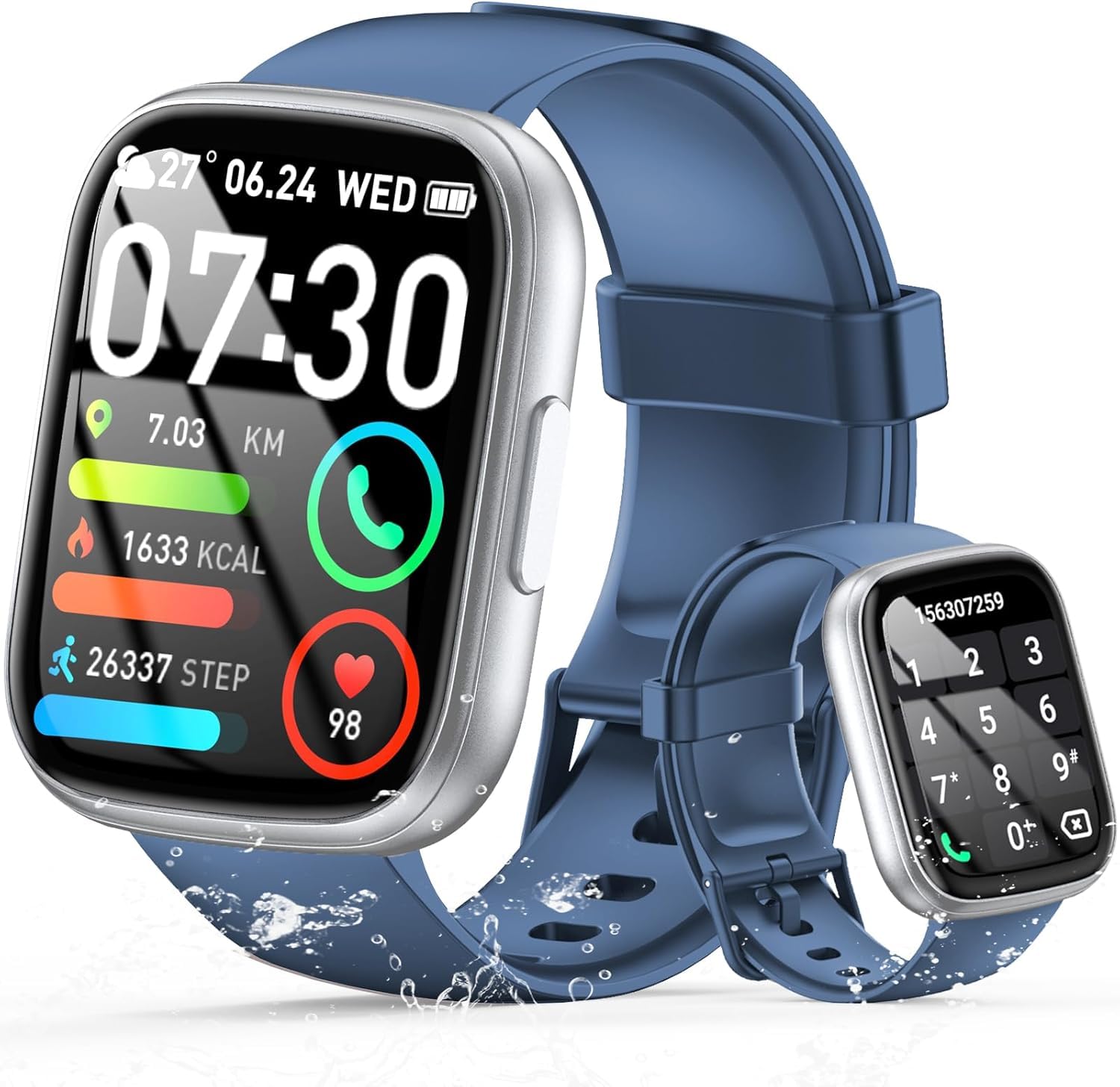
Image: The smartwatch displaying an incoming call, along with icons for built-in mic, Hi-Fi Spectra, call records, and 100 contacts. Examples of dial pad and contact list are also shown.
3. Monitorización da saúde
The smartwatch provides continuous health monitoring features to help you track your well-being.
- Monitorización da frecuencia cardíaca: The watch continuously monitors your heart rate throughout the day. View your heart rate data on the watch or in the app.
- Monitorización de osíxeno no sangue (SpO2): Mide os teus niveis de saturación de osíxeno no sangue.
- Monitorización do sono: Tracks your sleep patterns, including deep sleep, light sleep, and wake times, to provide insights into your sleep quality.

Image: Visual representation of heart rate, blood oxygen (SpO2), and sleep monitoring graphs and data on the smartwatch and a person sleeping while wearing the watch.
4. Modos deportivos
O reloxo intelixente é compatible over 100 sports modes to accurately track your workouts. Common modes include running, basketball, climbing, skipping, swimming, and badminton. It tracks metrics such as steps, distance, calories burned, and exercise duration.

Image: A person cycling with the smartwatch, illustrating various sports modes like running, basketball, climbing, skipping, swimming, and badminton. Also shows tracking for steps, distance, and calories.
5. Integración con Alexa
Con Alexa integrated, you can use voice commands to control music playback, check weather, set alarms, and more directly from your smartwatch.
6. Personalized Watch Dials
Customize your smartwatch with over 200 stylish watch faces available through the companion app. You can also upload your favorite photos to create personalized watch dials. The display features wide color gamut, AM LED technology, and color accuracy.

Imaxe: A presentación dos reloxos intelixentesasing multiple personalized watch dial options, highlighting wide color gamut, AM LED, and color accuracy features.
7. Multifunctional Features
- Control de música: Reproduce, pausa, salta pistas e axusta o volume da música que se reproduce no teu teléfono intelixente conectado.
- Control da cámara: Remotely control your smartphone's camera to frame, focus, and snap photos or start/stop video recording.
- Espertador: Configura alarmas para espertarte ou lembrarte de eventos importantes.
- Outras características: Includes weather forecasts, stopwatch, timer, and more.

Image: The smartwatch displaying interfaces for music control, remote camera control, and alarm clock settings, along with icons for other features like temperature, weather, and microphone.
Mantemento
1. Limpeza
Wipe the smartwatch regularly with a soft, dry cloth. For stubborn dirt, use a slightly damp un pano e despois secar completamente. Evitar o uso de produtos químicos agresivos ou materiais abrasivos.
2. Resistencia á auga (IP68)
The Cillso Smartwatch is IP68 resistente á auga, meaning it is protected against dust ingress and can withstand immersion in water up to 1.5 meters for up to 30 minutes. It is suitable for daily use, hand washing, and light rain. However, it is not recommended for hot showers, saunas, or diving, as steam and high water pressure can compromise the seal.
3. Coidado da batería
- Evita temperaturas extremas, que poden prexudicar a duración da batería.
- Cargue o dispositivo completamente antes de longos períodos de inactividade.
- Use só o cable de carga proporcionado.
Resolución de problemas
- O reloxo non se acende: Asegúrate de que o reloxo estea completamente cargado. Conéctao ao cargador durante polo menos 30 minutos.
- Non se pode emparellar co teléfono: Make sure Bluetooth is enabled on your phone and the watch is within range. Restart both devices and try pairing again through the app.
- Datos sanitarios inexactos: Asegúrate de levar o reloxo ben axustado ao pulso, nin demasiado axustado nin demasiado solto. Limpa os sensores con regularidade.
- Notificacións non recibidas: Check app permissions on your phone to ensure the companion app has access to notifications. Verify that notifications are enabled within the app settings.
- Alexa not responding: Ensure the watch is connected to your phone and has an active internet connection. Check Alexa settings within the companion app.
Especificacións
| Número de modelo | B0GQGYDJS7 |
| Marca | Cillso |
| Tamaño da pantalla | 1.95 polgadas |
| Tecnoloxía de conectividade | Bluetooth 5.3 |
| Clasificación de resistencia á auga | IP68 |
| Capacidade da batería | 300 mAh (polímero de litio) |
| Tempo de carga | Aprox. 2 horas |
| Duración da batería en uso normal | 7-10 días |
| Tempo de espera | Ata 30 días |
| Capacidade de almacenamento da memoria | 1 GB |
| Entrada da interface humana | Micrófono, pantalla táctil |
| Compoñentes incluídos | Cable de carga |
Garantía e Soporte
Warranty information for your Cillso Smartwatch is typically provided with your purchase documentation. Please refer to those materials for details regarding warranty coverage and terms. For technical support, product inquiries, or assistance with troubleshooting beyond this manual, please contact Cillso customer service through the contact information provided with your product or on the official Cillso websitio.