
NIIMBOT D11H
NIIMBOT D11H Label Maker Instruction Manual
Modelo: D11H
Introdución
Thank you for choosing the NIIMBOT D11H Label Maker. This portable thermal label printer is designed for efficient and clear label printing for various organizational needs in home, office, and small business environments. This manual provides detailed instructions for setup, operation, and maintenance to ensure optimal performance of your device.

Image: A user operating the NIIMBOT D11H label maker with a smartphone, demonstrating its compact size and app-based functionality. The image highlights the device's portability and ease of use for creating various labels.
O que hai na caixa
Comprobe o contido do paquete ao desembalar:
- NIIMBOT D11H Label Maker
- 3 Rolls of Label Tapes (14x30mm clear, 14x40mm white, 12x40mm green)
- Extra 6 Rolls of Mixed Label Paper (White 0.47" x 1.57", Clear 0.47" x 4.29", 0.55" x 1.18")
- Cable de carga USB (tipo C)
- Manual de usuario (este documento)

Image: A collection of NIIMBOT label rolls in different sizes and colors, illustrating the variety of labels included with the D11H label maker.
Produto rematadoview
The NIIMBOT D11H is a compact, portable thermal label printer. It features a 300 DPI print resolution for clear text and graphics, a 1500mAh battery, and a Type-C USB port for charging. It connects via Bluetooth to your mobile device for label design and printing.

Image: A visual comparison between the NIIMBOT D11 and D11H models, highlighting the D11H's improved specifications such as 1500mAh battery, 300dpi resolution, Type-C USB, and 50mm/s printing speed.
Configuración
1. Cargando o dispositivo
Before first use, fully charge the label maker. Connect the provided USB Type-C cable to the charging port on the device and to a standard USB power adapter (not included).
- O indicador luminoso de carga mostrará o estado de carga.
- Unha carga completa adoita tardar aproximadamente de 2 a 3 horas.
2. Instalación de rolos de etiquetas
- Open the label compartment cover by sliding it open or pressing the release button (refer to device diagram if available).
- Insert the label roll with the printing surface facing upwards, ensuring the labels feed smoothly into the printer mechanism.
- Peche a tapa do compartimento firmemente ata que encaixe no seu lugar.
- Ensure a small portion of the label tape extends out of the printer's output slot.
3. Descarga de aplicacións e conexión Bluetooth
- Descarga a aplicación: Busca "NIIMBOT" or "NIIM" in your mobile app store (iOS App Store or Google Play Store) and download the official application.
- Turn On the Label Maker: Manteña premido o botón de acendido ata que se acenda o indicador luminoso.
- Activar Bluetooth: Asegúrate de que o Bluetooth estea activado no teu dispositivo móbil.
- Conectar a través da aplicación: Open the NIIMBOT app. The app will automatically search for nearby NIIMBOT devices. Select your D11H from the list to pair. Note: Do not pair directly through your phone's Bluetooth settings; connect only via the NIIMBOT app.
- Once connected, the app will display the device status.
Instrucións de funcionamento
1. Acendido/apagado
- Encendido: Press and hold the power button for approximately 2 seconds. The indicator light will illuminate.
- Apagado: Manteña premido o botón de acendido durante aproximadamente 2 segundos ata que o indicador luminoso se apague.
2. Creating and Editing Labels
Use the NIIMBOT app to design your labels:
- Open the NIIMBOT app and ensure your D11H is connected.
- Select a template or create a new label from scratch.
- The app offers various features including text, symbols, logos, barcodes, QR codes, images, and time stamps.
- Customize font, size, alignment, and other label properties.
- The D11H supports automatic calibration, meaning the first label will not be wasted during printing.

Image: An illustration showing the NIIMBOT D11H's self-calibration feature, which automatically rewinds the first label to prevent waste, ensuring efficient use of label paper.
3. Impresión de etiquetas
- After designing your label in the app, tap the "Print" button.
- Confirm the number of copies and other print settings.
- The label maker will print the labels. The D11H prints at a speed of 50mm/s.
- Arranca a etiqueta impresa ao longo do bordo serrado.
Note: This label maker produces monochrome printouts, meaning it only prints in black text.

Imaxe: Primeiro plano view of the NIIMBOT D11H printing a label, emphasizing its 300 dpi high-resolution thermal printing capability for clear and sharp text.
Mantemento
1. Limpeza do cabezal de impresión
- Asegúrate de que o dispositivo estea apagado antes de limpalo.
- Abra o compartimento das etiquetas.
- Limpe suavemente o cabezal de impresión cun hisopo de algodónampcon alcohol isopropílico.
- Allow the print head to dry completely before closing the cover and powering on the device.
2. Almacenamento
- Garde a etiquetadora nun lugar fresco e seco, lonxe da luz solar directa e de temperaturas extremas.
- Remove label rolls if the device will not be used for an extended period.
Resolución de problemas
| Problema | Causa posible | Solución |
|---|---|---|
| O dispositivo non se acende | Batería baixa; Avaría do dispositivo | Charge the device; Contact customer support if issue persists. |
| Non se pode conectar a través de Bluetooth | Bluetooth not enabled; Incorrect pairing method; App issue | Ensure Bluetooth is on; Connect via NIIMBOT app only; Restart app and device. |
| Mala calidade de impresión | Dirty print head; Incorrect label orientation; Low battery | Clean the print head; Reinstall label roll correctly; Charge the device. |
| Labels not feeding | Label roll incorrectly installed; Empty roll; Jammed mechanism | Reinstall label roll; Replace with new roll; Check for obstructions. |
| First label wasted | Automatic calibration not functioning | Ensure the app and firmware are updated. The D11H model is designed to prevent this. |
Especificacións
- Modelo: NIIMBOT D11H
- Resolución de impresión: 300 DPI
- Tecnoloxía de impresión: Impresión térmica
- Conectividade: Bluetooth
- Capacidade da batería: 1500 mAh
- Porto de carga: USB tipo C
- Velocidade de impresión: 50 mm/s
- SO compatible: iOS, Android (via NIIMBOT App)
- Cor de impresión: Monochrome (Black text only)
- Calibración automática: Supported (no first label waste)
Aplicacións
The NIIMBOT D11H label maker is suitable for a wide range of labeling tasks:
- Organización da casa: Labeling kitchen containers, storage boxes, pantry items.
- Uso da oficina: Organizando files, folders, stationery, cables.
- Pequenas empresas: Product labeling, price tags, inventory management, jewelry labels.
- Uso persoal: Labeling cosmetics, medicine, gifts, school supplies.

Image: Demonstrates various uses of the NIIMBOT D11H labels, including organizing kitchen items, setting reminders for medication, and labeling office supplies.
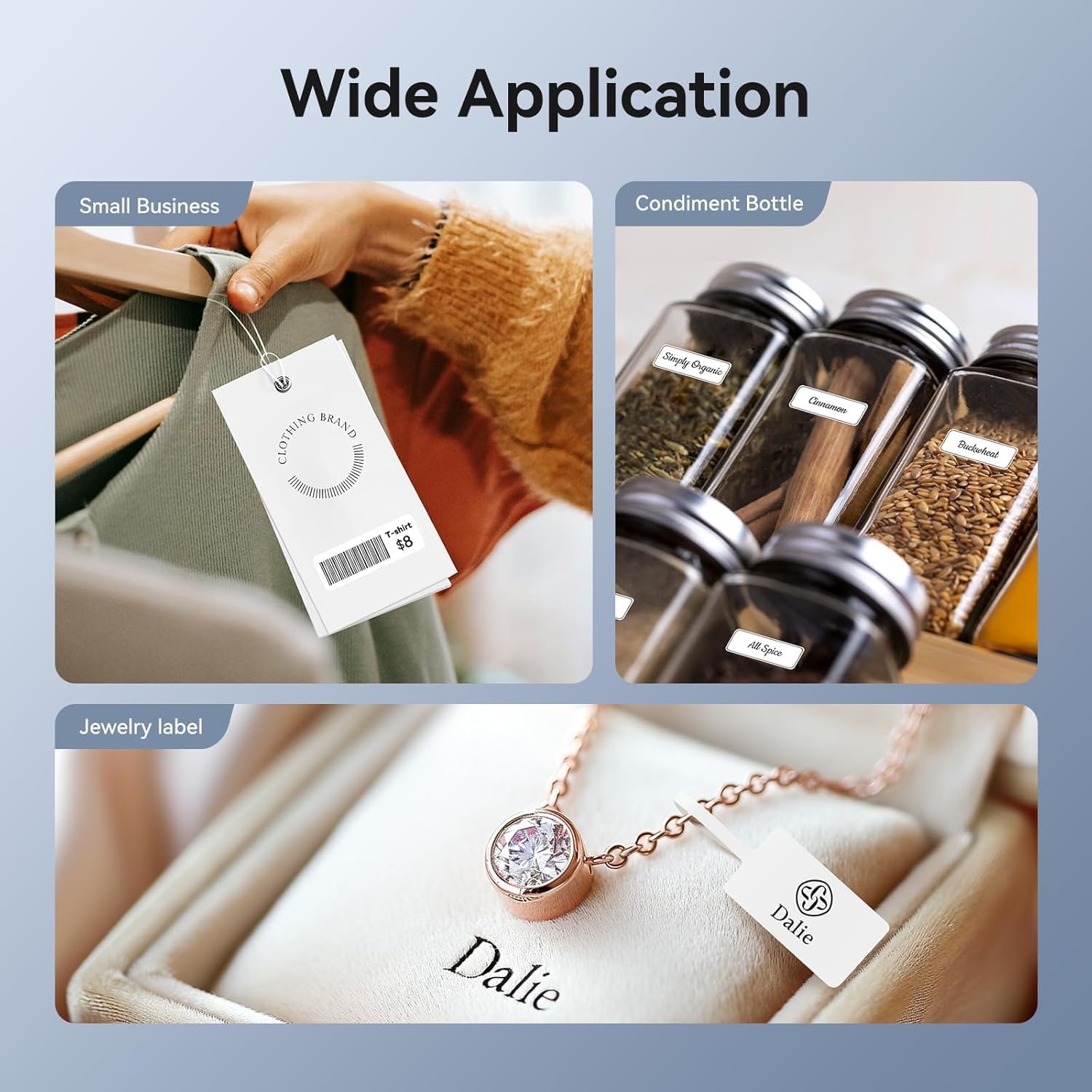
Image: Shows the versatility of the NIIMBOT D11H for small business applications, such as creating price tags for clothing, labeling condiment bottles, and making elegant jewelry labels.

Imaxe: Unha exposición de colaxeasing diverse labeling applications for the NIIMBOT D11H, covering kitchen organization, office filing, cosmetic storage, gift personalization, stationery identification, and medicine management.
Garantía e Soporte
NIIMBOT products typically come with a standard manufacturer's warranty. Please refer to the warranty card included in your package or visit the official NIIMBOT websitio web para coñecer os termos e condicións específicos da garantía.
For technical support, troubleshooting assistance, or warranty claims, please contact NIIMBOT customer service through their official website or the contact information provided in your product packaging. When contacting support, please have your product model (D11H) and purchase details ready.
Ask a question about this manual
Ask about setup, troubleshooting, compatibility, parts, safety, or missing instructions. Manuals+ will review the question and use this page’s manual context to help answer it.