
Introdución
This manual provides essential information for the safe and efficient use of your Xiaomi 55-inch 4K UHD Smart Quantum MagiQ S Mini LED Google TV. Please read these instructions thoroughly before operating the device and retain them for future reference.
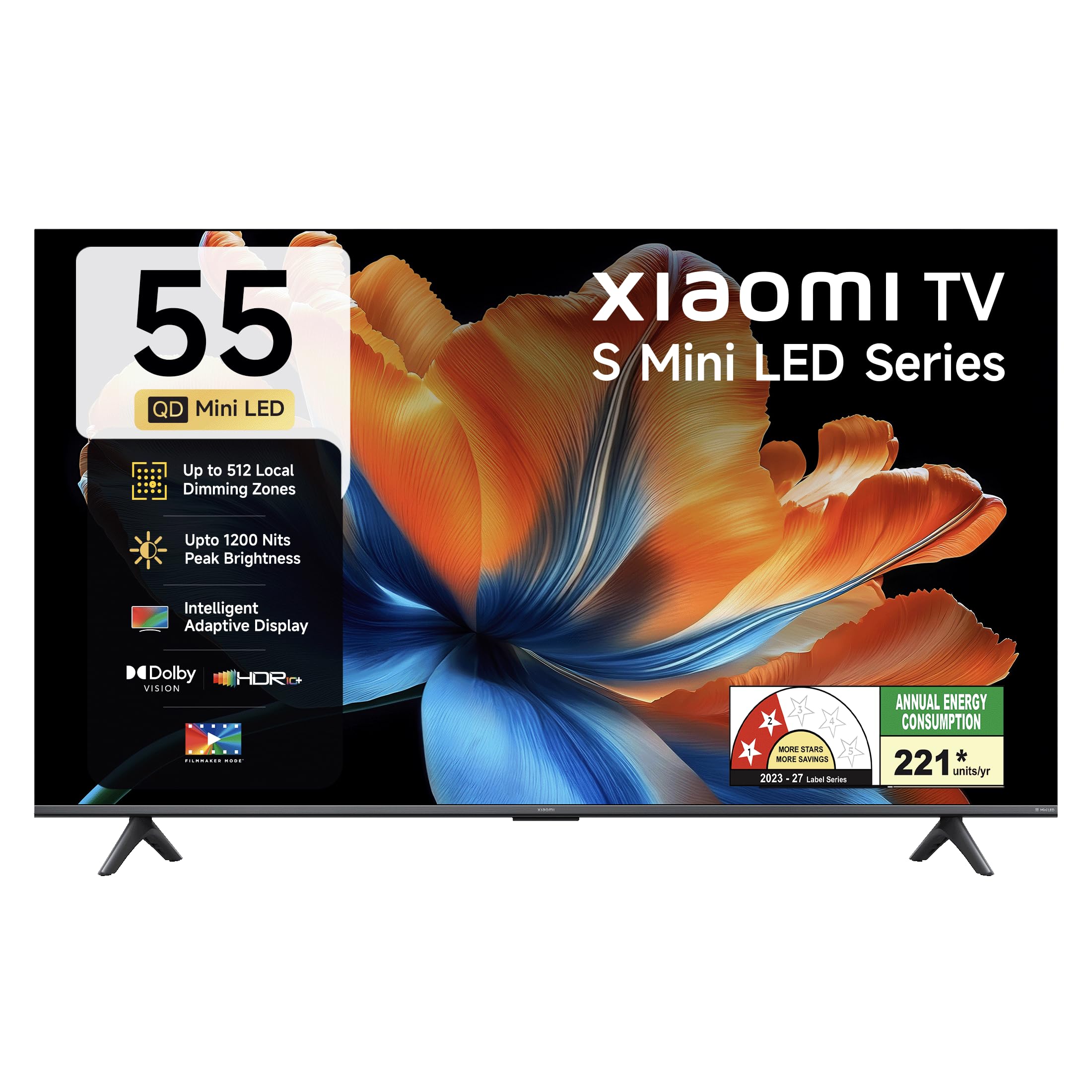
Imaxe: Fronte view of the Xiaomi 55-inch 4K UHD Smart Quantum MagiQ S Mini LED Google TV, showcasino seu deseño de bisel delgado.
Guía de configuración
1. Desembalaxe e compoñentes incluídos
Carefully remove all items from the packaging. Ensure all components listed below are present and undamaged.

Image: Contents of the product box, including the TV unit, remote control, user manual, two stand units, four screws, two AAA batteries, and a power cord.
- 1 LED TV Unit
- 1 Control remoto
- 1 Manual de usuario (este documento)
- 2 Stand Units
- 4 Screws for stand installation
- 2 pilas AAA (para o mando a distancia)
- 1 cable de alimentación
2. Instalación do soporte ou montaxe na parede
Your television supports both table-top stand installation and wall mounting. Choose the method suitable for your environment.
- Para a instalación do soporte: Attach the two provided stand units to the bottom of the TV using the four screws. Ensure they are securely fastened.
- Para montaxe en parede: Use a compatible VESA wall mount (sold separately). Follow the instructions provided with your wall mount kit. Ensure the wall can support the TV's weight.
3. Conectando Dispositivos Externos
Connect your external devices such as set-top boxes, gaming consoles, or audio systems to the TV's ports.

Imaxe: Traseira view of the TV highlighting connectivity ports: Optical, Earphone, AV In, 3 HDMI ports (one with eARC), 2 USB 2.0 ports, Antenna, and Ethernet.
- Portos HDMI (x3): Connect gaming consoles, Blu-ray players, or set-top boxes. One port supports eARC for enhanced audio return channel functionality.
- Portos USB (x2): Conecta dispositivos de almacenamento USB para a reprodución multimedia.
- Porto Ethernet: Para conexión a internet por cable.
- Saída óptica: Para conectar sistemas de son externos.
- Entrada AV: Para conectar dispositivos antigos que usan vídeo composto e audio estéreo.
- Antena: For connecting a terrestrial or cable antenna.
4. Acendido e configuración iniciais
After connecting all necessary cables, plug the power cord into an electrical outlet. Press the power button on the remote control or the TV to turn it on. Follow the on-screen instructions for initial setup, which typically includes:
- Selección da lingua
- Conexión de rede (Wi-Fi ou Ethernet)
- Inicio de sesión na conta de Google
- Exploración de canles
Operating Your Xiaomi Smart TV
1. Funcións de control remoto
O mando a distancia incluído permite acceder a todas as funcións do televisor. Insira as dúas pilas AAA no mando a distancia, asegurándose de manter a polaridade correcta.

Image: Xiaomi remote control, featuring dedicated quick access buttons for popular streaming services and Google Assistant voice control.
- Botón de encendido: Acende ou apaga o televisor.
- Botón do Asistente de Google: Activa o control por voz para buscar contido, controlar dispositivos domésticos intelixentes e moito máis.
- Pad de navegación: Úsase para navegar por menús e seleccionar elementos.
- Subir/Baixar o volume: Axusta o volume de audio.
- Canle arriba/abajo: Cambia as canles de televisión.
- Botóns de acceso rápido: Dedicated buttons for Netflix, Prime Video, YouTube, Disney+ Hotstar, SonyLIV, and Live TV.
- Botón de silencio: Silencia o son do televisor.
2. Google TV Interface and Applications
Your TV runs on the Android 14 OS with Google TV, offering a personalized content experience. Access a wide range of applications from the Google Play Store.

Image: The PatchWall interface, providing customized content recommendations and curation from various streaming platforms.
- Content First UI: Organizes content from all your streaming services in one place.
- Pro persoalfiles: Crear un profesional individualfiles para recomendacións personalizadas.
- Aplicacións compatibles: Pre-installed and downloadable apps include Netflix, Prime Video, YouTube, Zee5, JioCinema, SonyLiv, and more.
- Asistente de Google: Use voice commands for navigation, search, and smart home control.
3. Axustes de imaxe e son
Optimice o seu viewing and listening experience through various picture and sound modes.
Configuración da imaxe:
- Modo cineasta: Disables post-processing effects to display content as intended by the director.
- Dolby Vision: Enhances HDR content with dynamic metadata for optimized image quality frame by frame.
- HDR10+: Uses dynamic data to enhance every frame, providing an immersive viewexperiencia ing.
- Modo confort ocular: Reduces blue light and flicker for a more comfortable viewexperiencia ing.
- MEMC Engine: Motion Estimation, Motion Compensation technology for smoother motion in fast-paced scenes.
- AI Picture Optimization Engine: Advanced AI algorithms analyze content in real-time to enhance clarity, contrast, and color reproduction.

Image: Filmmaker Mode, designed to preserve original colors, contrast, and motion for an authentic cinematic experience.

Image: Dolby Vision technology, optimizing image quality with deeper blacks and brighter highlights.

Image: HDR10+ dynamic frame-by-frame tuning, ensuring consistent detail across dark and bright scenes.

Image: Eye Care Mode, providing flicker-free visuals with DC Dimming and reduced blue light for comfortable viewing.
Configuración de audio:
- Potencia de saída de 34 vatios: Powerful built-in box speakers.
- Audio Dolby: Ofrece un son rico, claro e potente.
- DTS-X & DTS Virtual:X: Ofrece audio envolvente e multidimensional.
- Xiaomi Sound: Preset audio configurations developed for optimal sound quality.

Image: Xiaomi Sound, offering tailored audio experiences through expert-developed configurations.
4. Connectivity and Streaming
Your TV offers versatile connectivity options for seamless streaming and device integration.
- Wi-Fi de dobre banda: Connects to 2.4GHz and 5GHz wireless networks.
- Bluetooth: Conecta auriculares sen fíos, altofalantes ou outros accesorios Bluetooth.
- Google Cast integrado: Stream content directly from compatible apps on your smartphone or tablet.
- Apple AirPlay 2: Transmite contido desde dispositivos Apple.
- Miracast: Mirror your Android device's screen wirelessly.

Image: Stream content from your phone using Google Cast or Apple AirPlay 2.
Coidados e Mantemento
Un coidado axeitado garante a lonxevidade e o rendemento óptimo do teu televisor.
- Limpeza da pantalla: Limpa a pantalla con suavidade cun pano suave e sen pelusa. Para as marcas difíciles, usa unha solución de limpeza específica para pantallas aplicada ao pano, non directamente á pantalla.
- Limpeza corporal: Wipe the TV's frame and back panel with a soft, dry cloth. Avoid abrasive cleaners or solvents.
- Ventilación: Asegúrate de que haxa unha circulación de aire axeitada arredor do televisor. Non bloquees as aberturas de ventilación.
- Apagado: Always turn off the TV and unplug it from the power outlet before cleaning or if it will be unused for an extended period.
- Actualizacións de software: Periodically check for and install software updates to ensure optimal performance and security.
Solución de problemas comúns
Refer to this section for solutions to common operational problems.
| Problema | Solución |
|---|---|
| A televisión non se acende | Ensure the power cord is securely plugged into both the TV and a working electrical outlet. Check if the power outlet is active. Try pressing the power button on the TV itself. |
| Sen imaxe, pero hai son | Check the input source. Ensure the connected device (e.g., set-top box) is turned on and functioning. Try a different HDMI cable or port. |
| Sen son, pero si imaxe | Check the volume level and ensure the TV is not muted. Verify audio output settings (e.g., internal speakers, external sound system). Check audio cables for external devices. |
| O control remoto non responde | Replace the AAA batteries in the remote control. Ensure there are no obstructions between the remote and the TV. Re-pair the Bluetooth remote if necessary (refer to TV settings). |
| Non se pode conectar á wifi | Ensure your Wi-Fi router is on and working. Re-enter the Wi-Fi password. Try restarting both the TV and the router. Check if other devices can connect to the Wi-Fi network. |
Especificacións técnicas
Detailed specifications for the Xiaomi 55-inch 4K UHD Smart Quantum MagiQ S Mini LED Google TV (Model L55MC-IN).

Image: Physical dimensions and weight of the Xiaomi 55-inch TV, both with and without the stand.
| Característica | Especificación |
|---|---|
| Número de modelo | L55MC-IN |
| Tamaño da pantalla | 55 polgadas (138 cm) |
| Tecnoloxía de visualización | Mini LED |
| Resolución | 4K Ultra HD (3840 x 2160) |
| Taxa de actualización | 60 Hz (DLG 120 Hz) |
| Brillo máximo | Ata 1200 nits |
| Sistema Operativo | Android 14 OS with Google TV |
| RAM | 2 GB |
| ROM (almacenamento interno) | 32 GB |
| Saída de son | 34 vatios |
| Tecnoloxías de audio | Dolby Audio, DTS-X, DTS Virtual:X |
| Conectividade | Dual Band Wi-Fi, Bluetooth, 3 HDMI (1 eARC), 2 USB, Optical, Ethernet, AV In |
| Espello da pantalla | Google Cast, Apple AirPlay 2, Miracast |
| Características especiais | Filmmaker Mode, MEMC, Eye Comfort Mode, AI Picture Optimization Engine |
| Dimensións do produto (P x A x A) | 31.2D x 31.2W x 76.9H Centimeters (with stand) |
| Item Weight Without Stand | 11.6 quilogramos |
| Consumo de enerxía | 230 vatios |
| País de Orixe | India |
Información da garantía
Your Xiaomi TV comes with a comprehensive warranty provided by the brand from the date of purchase.
- Garantía estándar: 3-year comprehensive warranty for non-prebook customers (purchases between April 22nd - May 31st).
- Pre-book Customer Warranty: 4-year comprehensive warranty for pre-book customers (purchases between April 22nd - April 30th).
Warranty claims can be made using your Amazon invoice as proof of purchase. For detailed terms and conditions, please refer to the official Xiaomi warranty policy or contact customer support.
Atención ao cliente
For any assistance, service requests, or queries regarding your Xiaomi TV, please contact Xiaomi customer support.

Imaxe: Máis deview of Xiaomi's customer support commitments, including quick installation, prompt call-backs, and swift doorstep solutions.
- Servizos de instalación: New TV installations are typically completed within 3 hours of your appointment.
- Service Requests: Expect a call back from the support team within 60 minutes for any service request.
- On-site Support: Experts aim to arrive at your home within 24 hours of your service request.
Please visit the official Xiaomi India websitio web ou consulte a información de contacto que se inclúe na embalaxe do produto para obter os detalles de asistencia máis actualizados.