
1. Introdución
Thank you for choosing the Generic LP V57 Wireless Bluetooth Speaker. This portable speaker offers versatile audio playback options including Bluetooth, FM radio, TF card, and USB. It features a removable battery, strong bass, and an LED display, making it suitable for various indoor and outdoor activities. Please read this manual carefully before using the product to ensure proper operation and to maximize its lifespan.
2. Contido do paquete
- LP V57 Wireless Bluetooth Speaker
- Cable de carga USB
- Manual do propietario
3. Produto rematadoview
Familiarize yourself with the various components and features of your LP V57 speaker.
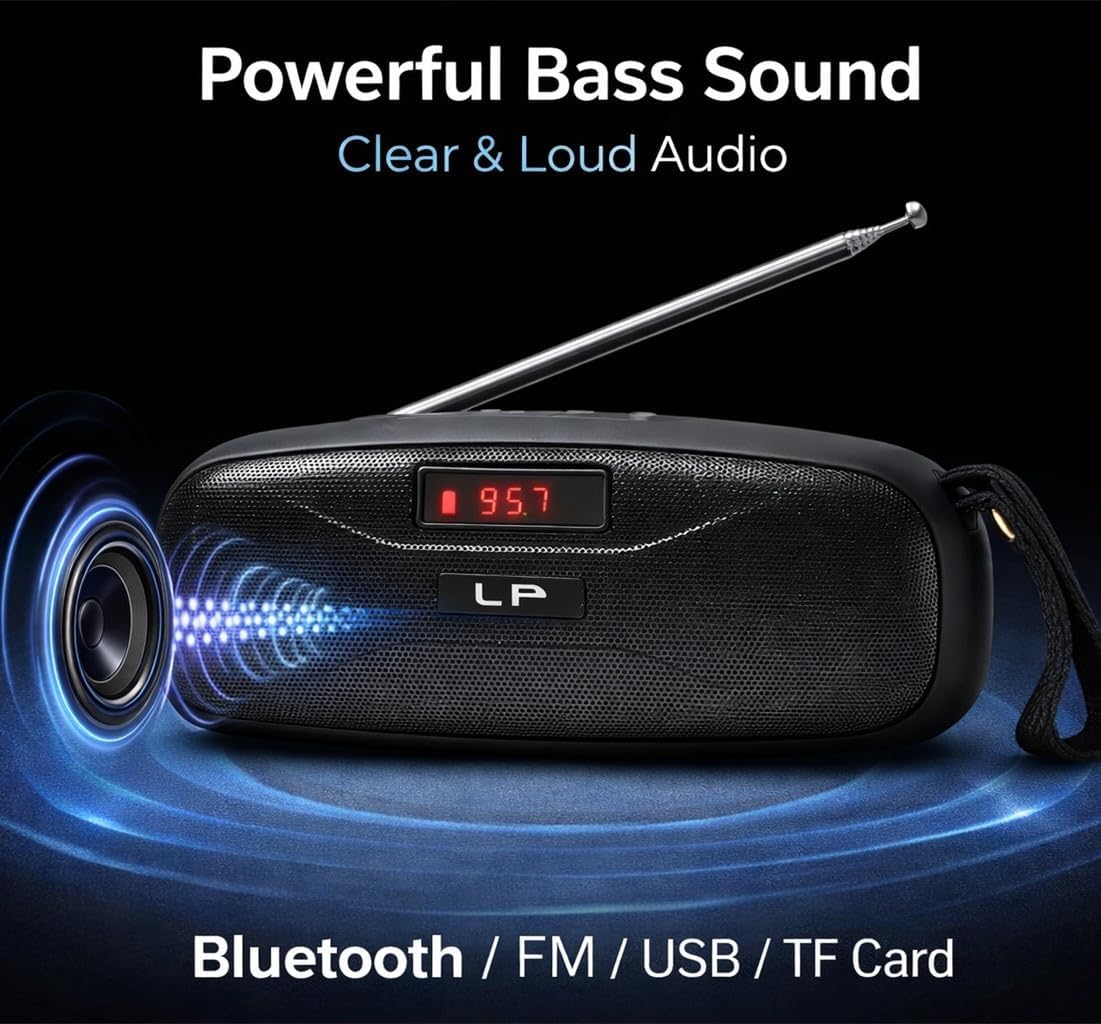
Image: The LP V57 speaker showcasing its powerful bass sound and multiple connectivity options including Bluetooth, FM, USB, and TF Card. The LED display shows '95.7'.

Image: An illustration of the LP V57 speaker highlighting its 'All-in-One' functionality with distinct icons for Bluetooth, FM radio, USB, and TF card playback.

Image: The LP V57 speaker with its back panel open, revealing the removable 1500mAh Li-ion battery compartment. An illustration of a charged battery is shown next to it.
4. Configuración
4.1 Carga da batería
- Conecta o cable de carga USB fornecido ao porto de carga do altofalante.
- Conecta o outro extremo do cable USB a un adaptador de corrente USB estándar (non incluído) ou ao porto USB dun ordenador.
- O indicador LED mostrará o estado de carga. Unha vez que estea completamente cargada, o indicador cambiará ou apagarase.
- Unha carga completa normalmente leva entre 2 e 3 horas.
4.2 Inserting TF Card / USB Drive
- Locate the TF card slot or USB port on the speaker.
- Insert your TF card (microSD) or USB flash drive with the metal contacts facing the correct direction until it clicks into place.
- The speaker will automatically switch to TF card or USB mode and begin playing music if files están presentes.
5. Instrucións de funcionamento
5.1 Encendido/apagado
- To power on, slide the power switch to the 'ON' position. The LED display will light up.
- Para apagar, deslice o interruptor de alimentación á posición "OFF".
5.2 Selección de modo
Press the 'M' (Mode) button to cycle through available modes: Bluetooth, FM Radio, TF Card, and USB.
5.3 Modo Bluetooth
- Turn on the speaker and switch to Bluetooth mode. The LED display will show 'BLUE' or a similar indicator, and you will hear an audible prompt.
- Activa o Bluetooth no teu dispositivo móbil (teléfono intelixente, tableta, etc.).
- Busca Bluetooth devices and select 'LP V57' from the list.
- Unha vez emparellado, escoitarás un son de confirmación e agora poderás reproducir audio desde o teu dispositivo a través do altofalante.
Modo de radio FM 5.4
- Estende a antena para unha mellor recepción do sinal.
- Switch the speaker to FM Radio mode. The LED display will show the frequency.
- Mantén premido o botón "Reproducir/Pausa" para buscar e gardar automaticamente as emisoras de FM dispoñibles.
- Usa os botóns "Anterior" e "Seguinte" para navegar entre as emisoras gardadas.
5.5 TF Card / USB Playback Mode
- Insert a TF card or USB drive containing MP3 audio files. The speaker will automatically detect and switch to the corresponding mode.
- Use o botón "Reproducir/Pausa" para pausar ou retomar a reprodución.
- Usa os botóns "Anterior" e "Seguinte" para saltar pistas.
5.6 Control de volume
Press and hold the 'Previous' button to decrease volume. Press and hold the 'Next' button to increase volume.
6. Información da batería
The LP V57 speaker is equipped with a removable 1500mAh Li-ion battery. This design allows for extended usage time and easy replacement if needed.
- Duración da batería: A fully charged battery provides several hours of playback, depending on volume level and usage mode.
- Substitución: To replace the battery, carefully open the battery compartment cover on the back of the speaker, remove the old battery, and insert a new compatible 1500mAh Li-ion battery. Ensure correct polarity.
- Eliminación: Dispose of used batteries responsibly according to local regulations. Do not dispose of batteries in general household waste.
7. Mantemento
- Limpeza: Usa un pano suave e seco para limpar o exterior do altofalante. Non empregues produtos de limpeza abrasivos nin disolventes.
- Almacenamento: Garde o altofalante nun lugar fresco e seco, lonxe da luz solar directa e de temperaturas extremas.
- Exposición á auga: This speaker is not waterproof. Avoid exposing it to water or high humidity.
8 Solución de problemas
| Problema | Causa posible | Solución |
|---|---|---|
| O altofalante non se acende | A batería está esgotada | Cargue o altofalante durante polo menos 30 minutos. |
| Sen son | Volume is too low; Incorrect mode selected; Device not paired (Bluetooth) | Increase volume; Switch to correct mode (Bluetooth, FM, TF, USB); Re-pair Bluetooth device. |
| Recepción de radio FM deficiente | Antena non estendida; Zona de sinal débil | Fully extend the antenna; Try moving the speaker to a different location. |
| A tarxeta TF/USB non se reproduce | Card/drive not inserted correctly; Incompatible file formato; Corrompido files | Re-insert card/drive; Ensure files are MP3 format; Try a different card/drive. |
9. Especificacións
- Marca: Xenérico
- Modelo: V57
- Conectividade: Bluetooth, FM Radio, TF Card, USB
- Batería: Removable 1500mAh Li-ion
- Dimensións (L x W x H): 18 x 7 x 7 cm
- Característica especial: Pantalla LED lixeira
- Cor: Negro
10. Garantía e soporte
Please note that this product is provided with Sen garantía as per the manufacturer's specifications.
For any operational questions or issues not covered in this manual, please refer to the retailer where the product was purchased for further assistance.