
1. Introdución
Thank you for choosing the WOOX MX0294 34-inch Ceiling Fan. This manual provides essential information for the safe installation, operation, and maintenance of your new ceiling fan. Please read these instructions thoroughly before installation and keep them for future reference.
2. Instrucións de seguridade
- Asegúrese de desconectar a fonte de alimentación principal antes da instalación, mantemento ou limpeza.
- A instalación debe ser realizada por un electricista cualificado de acordo coas normas eléctricas locais.
- The mounting structure must be capable of supporting the weight of the fan (minimum 15 kg).
- Ensure all electrical connections are secure and comply with local regulations.
- Non introduza obxectos nas aspas do ventilador mentres este estea en funcionamento.
- Manteña os nenos lonxe do ventilador durante o funcionamento.
- Este ventilador está deseñado só para uso en interiores.
3. Contido do paquete
Comprobe que todos os compoñentes estean presentes e non estean danados:
- Carcasa do motor do ventilador de teito
- Fan Blades (3 x ABS, maple leaf type)
- Kit de luces LED
- Mando a distancia con soporte de parede
- Soporte de montaxe e hardware
- Manual de instrucións
4. Configuración e instalación
Follow these steps for proper installation of your WOOX MX0294 ceiling fan.
4.1 Montaxe do ventilador
Secure the mounting bracket to a ceiling joist or a suitable support structure. Ensure the bracket is firmly attached and can support the fan's weight.
4.2 Conexións de cableado
Connect the electrical wires from the ceiling to the fan's wiring according to the provided wiring diagram. Ensure all connections are tight and insulated.
4.3 Attaching the Fan Body and Blades
Carefully lift the fan motor housing and attach it to the mounting bracket. Secure it with the provided screws. Then, attach the three ABS blades to the motor housing.
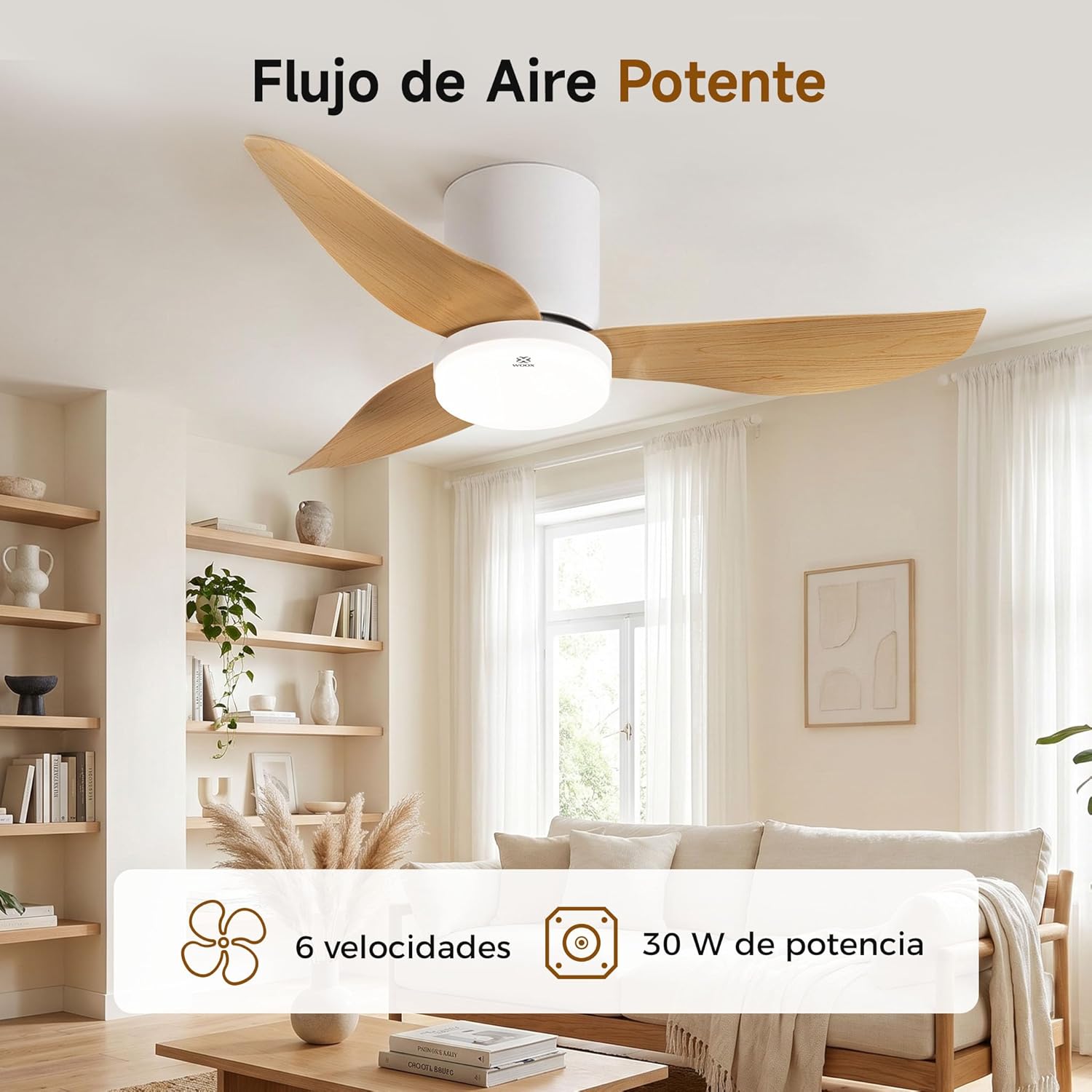
Image: The WOOX MX0294 ceiling fan installed, demonstrating powerful airflow. This image shows the fan's overall appearance and its ability to circulate air effectively.
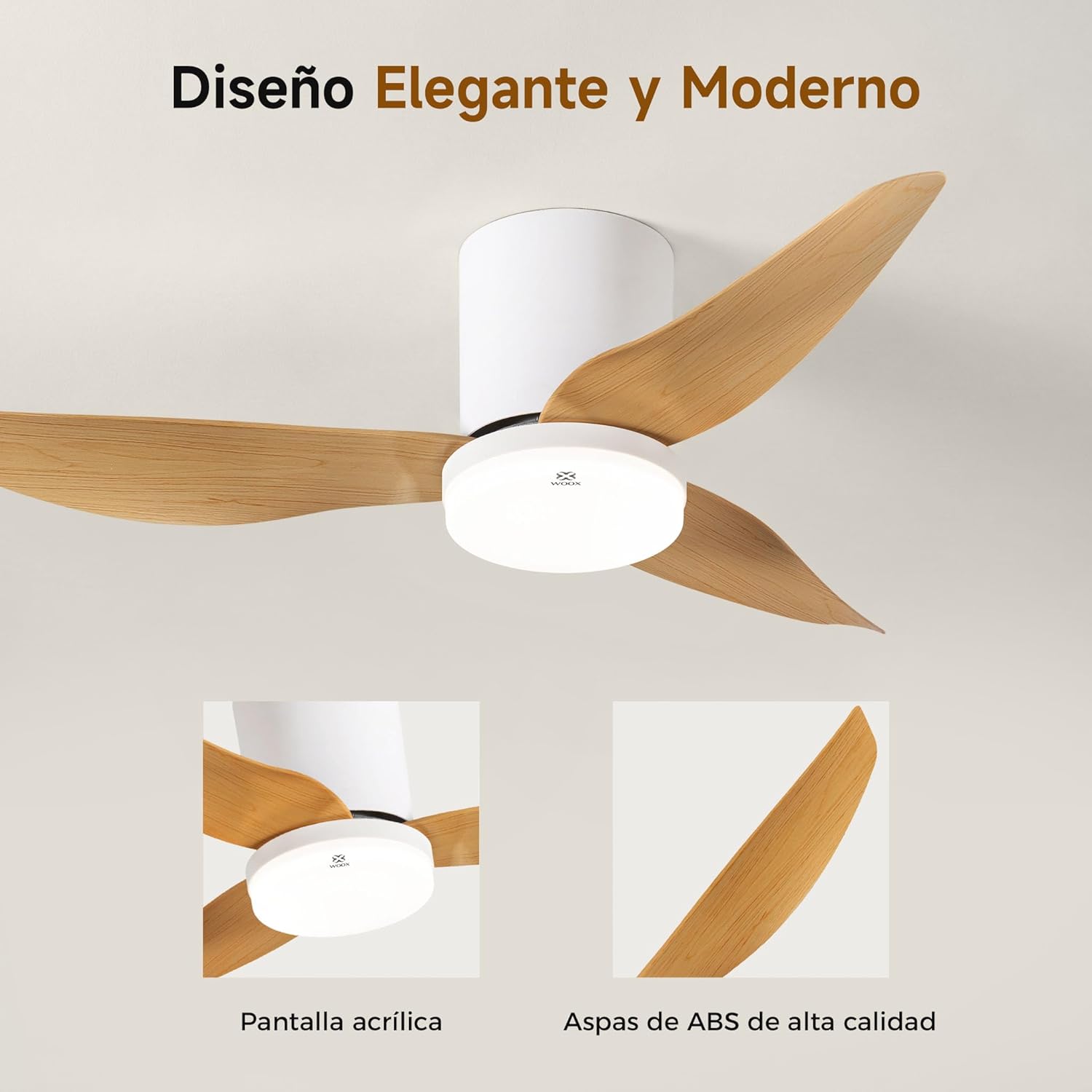
Imaxe: Unha detallada view of the WOOX MX0294 ceiling fan, highlighting its elegant and modern design. The image focuses on the acrylic light screen and the high-quality ABS blades.
4.4 Installing the LED Light Kit
Connect the LED light kit to the fan's electrical connections and secure it to the bottom of the fan housing.
5. Instrucións de funcionamento
Your WOOX MX0294 ceiling fan is controlled by a smart remote control.
5.1 Funcións de control remoto

Image: The smart remote control for the WOOX MX0294 ceiling fan, showing buttons for fan speed, light control, timer, natural wind mode, and night light mode.
- Encendido/apagado: Prema o botón de acendido para acender ou apagar o ventilador e a luz.
- Velocidade do ventilador: Use the speed buttons (1-6) to adjust the fan's airflow. There are 6 adjustable speeds.
- Luz ON/OFF: Separate button to control the light.
- Temperatura da cor da luz: Cycle through 3 color temperatures: 6500K (Cool White), 4000K (Natural White), and 3000K (Warm White).
- Atenuación da luz: Adjust the brightness of the 15W LED light continuously from 0% to 100%.
- Función de temporizador: Set the fan to turn off automatically after 2 hours (2H) or 4 hours (4H).
- Inverse Function (Summer/Winter Mode): Change the direction of the fan blades to optimize air circulation for different seasons.
- Modo de vento natural: Simulates a natural breeze by varying fan speeds.
- Modo de luz nocturna: Activates a low-intensity light setting for nighttime use.

Image: The WOOX MX0294 fan light demonstrating its three adjustable color temperatures: 6500K (Cool White), 4000K (Natural White), and 3000K (Warm White).

Image: The WOOX MX0294 fan light illustrating its 15W dimmable brightness feature, allowing continuous adjustment from 0% to 100%.

Image: The WOOX MX0294 fan demonstrating its year-round inverse function, showing downward airflow for cooling in summer and upward airflow for circulating warm air in winter.
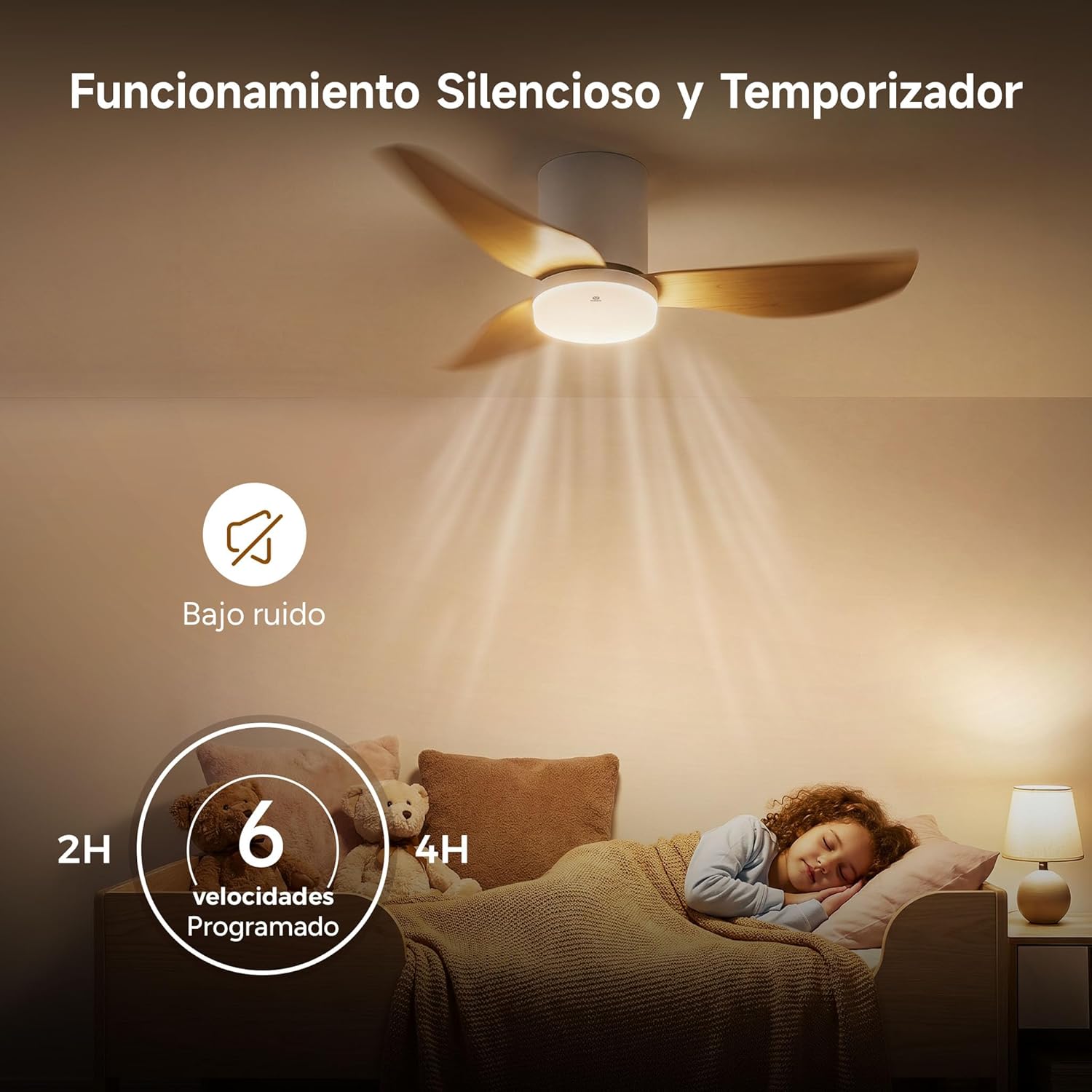
Image: The WOOX MX0294 fan highlighting its silent operation and programmable timer settings for 2 hours and 4 hours, ideal for undisturbed sleep.
6. Mantemento
Un mantemento regular garante un rendemento óptimo e unha maior duración do teu ventilador de teito.
- Limpeza: Limpar regularmente as aspas do ventilador e a carcasa do motor cun pano suave.amp pano. Non use produtos de limpeza ou disolventes abrasivos.
- Apertura: Periodically check and tighten all screws on the fan blades and mounting hardware.
- Lubricación: O motor do ventilador está lubricado permanentemente e non require lubricación adicional.
7 Solución de problemas
Se tes problemas co teu ventilador, consulta os seguintes problemas e solucións comúns:
- O ventilador non arranca:
- Comproba se a fonte de alimentación está conectada.
- Ensure the remote control batteries are working.
- Verifique que todas as conexións de cableado estean seguras.
- Fan Wobbly:
- Asegúrese de que todos os parafusos da lámina estean axustados.
- Check that the mounting bracket is securely installed.
- A luz non funciona:
- Check light wiring connections.
- Ensure the light is turned on via the remote.
- O control remoto non responde:
- Substitúe as pilas do control remoto.
- Asegúrate de que non haxa obstrucións entre o mando a distancia e o receptor do ventilador.
8. Especificacións
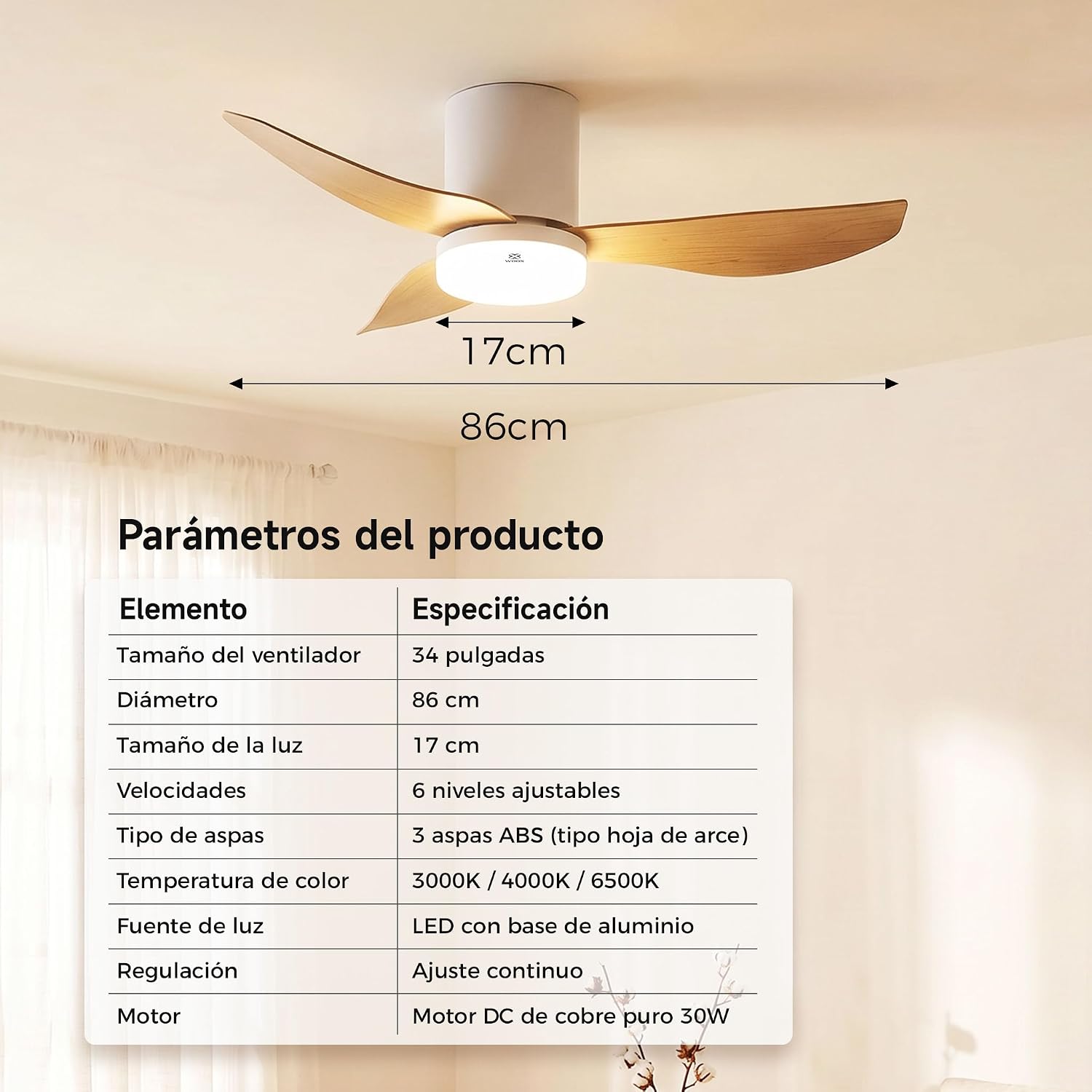
Image: A table detailing the product parameters of the WOOX MX0294 ceiling fan, including fan size, diameter, light size, speeds, blade type, color temperature, light source, dimming, and motor type.
| Parámetro | Especificación |
|---|---|
| Tamaño do ventilador | 34 polgadas |
| Diámetro | 86 cm |
| Tamaño da luz | 17 cm |
| Velocidades | 6 niveis axustables |
| Tipo de lámina | 3 ABS blades (maple leaf type) |
| Temperatura da cor | 3000K/4000K/6500K |
| Fonte de luz | LED with aluminum base (15W) |
| Atenuación | Continuous adjustment |
| Motor | Pure copper DC 30W motor |
| Dimensións do produto (P x A x A) | 40 x 40 x 114 cm (packaging/overall) |
| Cor | Branco |
9. Garantía e soporte
WOOX products are designed for quality and reliability. This product comes with a standard manufacturer's warranty against defects in materials and workmanship. Please refer to your purchase documentation for specific warranty terms and duration.
For technical support, troubleshooting assistance, or warranty claims, please contact your retailer or the WOOX customer service department. Keep your proof of purchase for warranty validation.