
1. Introdución
The Beelink SER5 5500U Mini PC is a compact and powerful desktop computer designed for various applications, including business, office tasks, creative design, and daily multitasking. It features an AMD Ryzen 5 5500U processor, high-speed DDR4 RAM, and expandable NVMe SSD storage. This manual provides essential information for setting up, operating, maintaining, and troubleshooting your Mini PC.

Image 1.1: The Beelink SER5 PRO 5500U Mini PC, a compact solution for work and entertainment.
Características principais:
- Powerful AMD Ryzen 5 5500U Processor: 6 Cores/12 Threads, up to 4.0GHz, 8MB L3 cache, built on 7nm architecture.
- High-Speed DDR4 RAM & Expandable Storage: Equipped with 16GB DDR4 RAM (expandable up to 64GB) and a 480GB M.2 NVMe SSD (expandable up to 4TB). Includes a 2.5-inch 7mm SATA HDD slot (max 2TB, not included).
- Stunning Triple 4K@60Hz Display: Supports simultaneous connection to three monitors via HDMI, DisplayPort, and Type-C (Data & Video) for 4K ultra-high-definition output.
- Ultra-Stable WiFi 6 & Bluetooth 5.2: Ensures faster speeds, lower latency, and stable connections for wireless peripherals.
- Compact Design & Efficient Cooling: Measures 4.96 x 4.44 x 1.65 inches with an optimized thermal engineering system for quiet and stable operation.

Image 1.2: The Beelink SER5 Mini PC is versatile for various applications such as home theater, education, office work, and meetings.
2. Guía de configuración
2.1 Desembalaxe e contido da embalaxe
Carefully unpack your Beelink SER5 5500U Mini PC and verify all components are present. The standard package includes:
- 1 x Beelink SER5 5500U Mini PC
- 1 x Power Adapter (US Standard)
- 1 x HDMI Cable (100CM)
- 1 soporte VESA
- 1 x Manual de usuario

Image 2.1: What's included in the Beelink SER5 Mini PC package.
2.2 Conexión de periféricos
- Conectar a pantalla: Use the provided HDMI cable or a DisplayPort/Type-C cable to connect your monitor(s) to the Mini PC. The device supports up to three 4K@60Hz displays simultaneously.
- Conectar o teclado e o rato: Plug your USB keyboard and mouse into any available USB ports. The Mini PC has USB 3.2 Gen2 and USB 2.0 ports. Wireless peripherals can be connected via Bluetooth 5.2.
- Conectar rede: For a wired connection, plug an Ethernet cable into the 2.5G LAN port. For wireless, the Mini PC supports WiFi 6.
- Conectar enerxía: Plug the power adapter into the DC-in port on the Mini PC, then connect the adapter to a power outlet.

Image 2.2: Front and rear ports of the Beelink SER5 Mini PC for connecting various devices.
2.3 Initial Power-On and Operating System Setup
- Prema o botón de acendido e apagado na parte frontal do Mini PC.
- The Mini PC comes with Windows 11 Pro pre-installed. Follow the on-screen instructions to complete the initial Windows setup, including language, region, network connection, and user account creation.
- Ensure all drivers are up to date for optimal performance. You can check for updates through Windows Update or the Beelink support websitio.
3. Instrucións de funcionamento
3.1 Funcionamento básico
Once the initial setup is complete, your Beelink SER5 5500U Mini PC is ready for use. You can perform standard desktop tasks, browse the internet, run office applications, and enjoy multimedia content.
3.2 Configuración de pantalla tripla
The Mini PC supports connecting up to three displays simultaneously for enhanced productivity or immersive entertainment. Use the HDMI, DisplayPort, and Type-C (Data & Video) ports. To configure multiple displays in Windows 11:
- Fai clic co botón dereito no escritorio e selecciona "Configuración da pantalla".
- Windows should automatically detect all connected displays.
- Arrange your displays, choose their orientation, and select display modes (e.g., Extend, Duplicate, Show only on 1).

Image 3.1: Maximize productivity with a triple screen workflow using the Beelink SER5 Mini PC.
3.3 Conectividade de rede e sen fíos
The Beelink SER5 5500U Mini PC offers robust connectivity options:
- WiFi 6: For high-speed wireless internet access. Connect to your preferred Wi-Fi network through Windows settings.
- Bluetooth 5.2: For connecting wireless peripherals such as keyboards, mice, headphones, and game controllers. Pair devices through Windows Bluetooth settings.
- LAN 2.5G: Provides a fast and stable wired network connection, ideal for demanding network tasks.

Image 3.2: Fast, stable, and seamless connectivity with WiFi 6, Bluetooth 5.2, and 2.5G LAN.
4. Mantemento
4.1 Sistema de refrixeración
The Beelink SER5 5500U Mini PC features an optimized cooling system with a cooling fan, heat sink, and full metal mesh design to ensure stable and efficient performance. To maintain optimal cooling:
- Ensure the Mini PC is placed in a well-ventilated area.
- Evite bloquear as aberturas de ventilación.
- Limpar periodicamente o po das reixas de ventilación con aire comprimido.

Image 4.1: The optimized cooling system of the Beelink SER5 Mini PC ensures stable performance.
4.2 Expansión do almacenamento
The Mini PC offers flexible storage expansion options:
- Unidade de estado sólido (SSD) M.2 NVMe: The existing 480GB M.2 NVMe SSD can be upgraded to a larger capacity, up to 4TB.
- Disco duro/SSD SATA de 2.5 polgadas: An additional 2.5-inch 7mm SATA HDD/SSD (up to 2TB) can be installed for massive internal capacity. This drive is not included and must be purchased separately.
Consult the detailed instructions for opening the chassis and installing new storage devices to avoid damage.

Image 4.2: The Beelink SER5 Mini PC offers expandable RAM and storage options.
4.3 Coidados xerais
- Keep the Mini PC away from liquids and excessive humidity.
- Evite expoñer o dispositivo a temperaturas extremas.
- Use un pano suave e seco para limpar o exterior.
5 Solución de problemas
This section addresses common issues you might encounter with your Beelink SER5 5500U Mini PC.
5.1 Sen enerxía
- Asegúrate de que o adaptador de corrente estea conectado correctamente tanto ao Mini PC como a unha toma de corrente que funcione.
- Verifica que a toma de corrente funcione conectando outro dispositivo.
- Comprobe se o adaptador de corrente presenta algún dano visible.
5.2 Sen saída de pantalla
- Confirm that the HDMI, DisplayPort, or Type-C cable is securely connected to both the Mini PC and the monitor.
- Asegúrate de que o monitor estea acendido e configurado na fonte de entrada correcta.
- Try connecting the Mini PC to a different monitor or using a different cable to rule out faulty components.
5.3 Problemas de conectividade de rede
- Cableado (LAN): Check if the Ethernet cable is properly connected. Verify your router/modem is working correctly.
- Wireless (WiFi): Ensure Wi-Fi is enabled in Windows settings. Check if you are connected to the correct network and that the password is accurate. Restart your router/modem.
5.4 Desaceleración ou conxelación do sistema
- Pecha as aplicacións innecesarias que se executan en segundo plano.
- Comprobe e instale as actualizacións pendentes de Windows.
- Ensure the cooling vents are not obstructed and the device is not overheating.
- Run a disk cleanup and defragmentation (for HDD) or TRIM (for SSD) to optimize storage.
6. Especificacións
Detailed technical specifications for the Beelink SER5 5500U Mini PC:
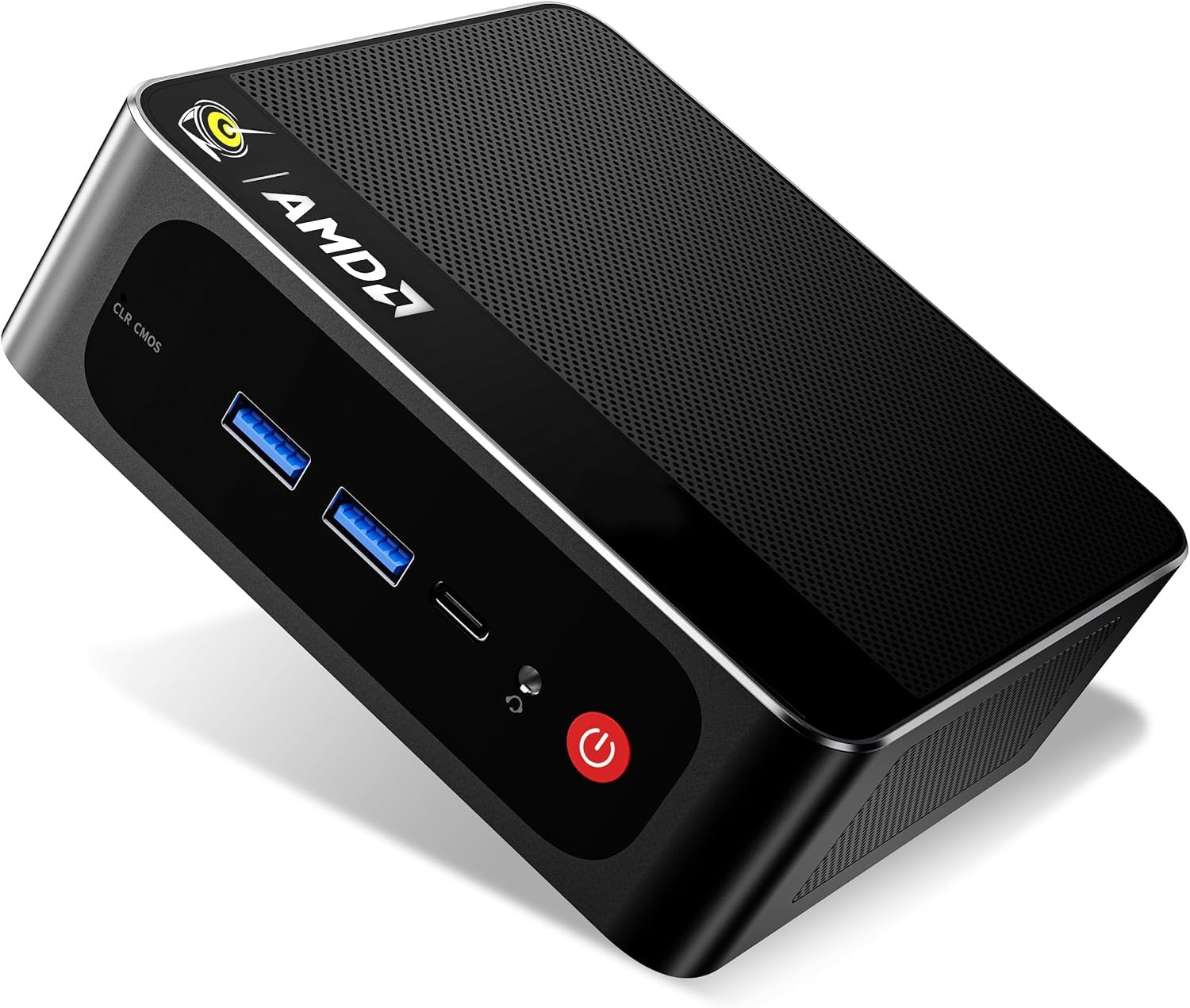
Imaxe 6.1: Acabadoview of the Beelink SER5 PRO 5500U Mini PC's core components and features.
| Característica | Detalle |
|---|---|
| Marca | Beelink |
| Nome do modelo | SER5 5500U |
| Sistema Operativo | Windows 11 Pro |
| Modelo CPU | AMD Ryzen 5 5500U (6C/12T) |
| Velocidade da CPU | 2.1 GHz (Base) - 4.0 GHz (Max Boost) |
| Coprocesador gráfico | AMD Radeon Graphics 7CUs 1800MHz |
| Memoria RAM instalada | 16 GB DDR4 (Dual-channel) |
| Tamaño máximo da memoria RAM | 64 GB |
| Velocidade da memoria | 3200 MHz |
| Descrición do disco duro | 480GB M.2 NVMe SSD |
| Ampliación de almacenamento | M.2 slot (up to 4TB), 2.5-inch 7mm SATA HDD slot (up to 2TB) |
| Saída de vídeo | HDMI, DisplayPort, Type-C (Data & Video) |
| Resolución de visualización máxima | 4K@60Hz (3840x2160) |
| Tecnoloxía de conectividade | Bluetooth 5.2, HDMI, LAN (2.5Gbps), USB, Wi-Fi 6 (802.11ax) |
| Total de portos USB | 5 (USB 3.2 Gen2, USB 2.0, Type-C) |
| Método de arrefriamento | Ventilador |
| Dimensións | 4.96 x 4.44 x 1.65 polgadas |
| Dispositivos compatibles | Headphone, Monitor, Projector, Speaker, Television, Keyboard, Mouse |
7. Garantía e soporte
7.1 Garantía do produto
The Beelink SER5 5500U Mini PC comes with a 3 ano de garantía. This warranty covers manufacturing defects and hardware malfunctions under normal use conditions. Please retain your proof of purchase for warranty claims.
7.2 Atención ao cliente
For technical assistance, troubleshooting, or warranty inquiries, please contact Beelink customer support. You can typically find support contact information on the official Beelink websitio web ou a través do vendedor onde adquiriu o produto.
If purchased through Amazon, you can reach out to the seller "THYPC-Beelink" by logging into your Amazon account, navigating to "Your Orders," and selecting "Ask Product Question" for the Beelink SER5 5500U Mini PC.
Beelink offers:
- 7D + 24H Customer Service
- 1-Year New Replacement
- 2-Year Free Repair
- Soporte técnico de por vida


