
Introdución
Thank you for choosing the Monster Open Ear BC300 Swimming Headphones. These bone conduction headphones are designed for comfort and versatility, offering both Bluetooth connectivity and an integrated MP3 player with 32GB storage. With an IPX8 waterproof rating, they are suitable for various activities, including swimming, running, and cycling, allowing you to stay aware of your surroundings while enjoying your audio.
Contido do paquete
- Monster Open Ear BC300 Swimming Headphones
- Cable de carga magnética
- Manual de usuario
Produto rematadoview
Familiarize yourself with the components and controls of your BC300 headphones.
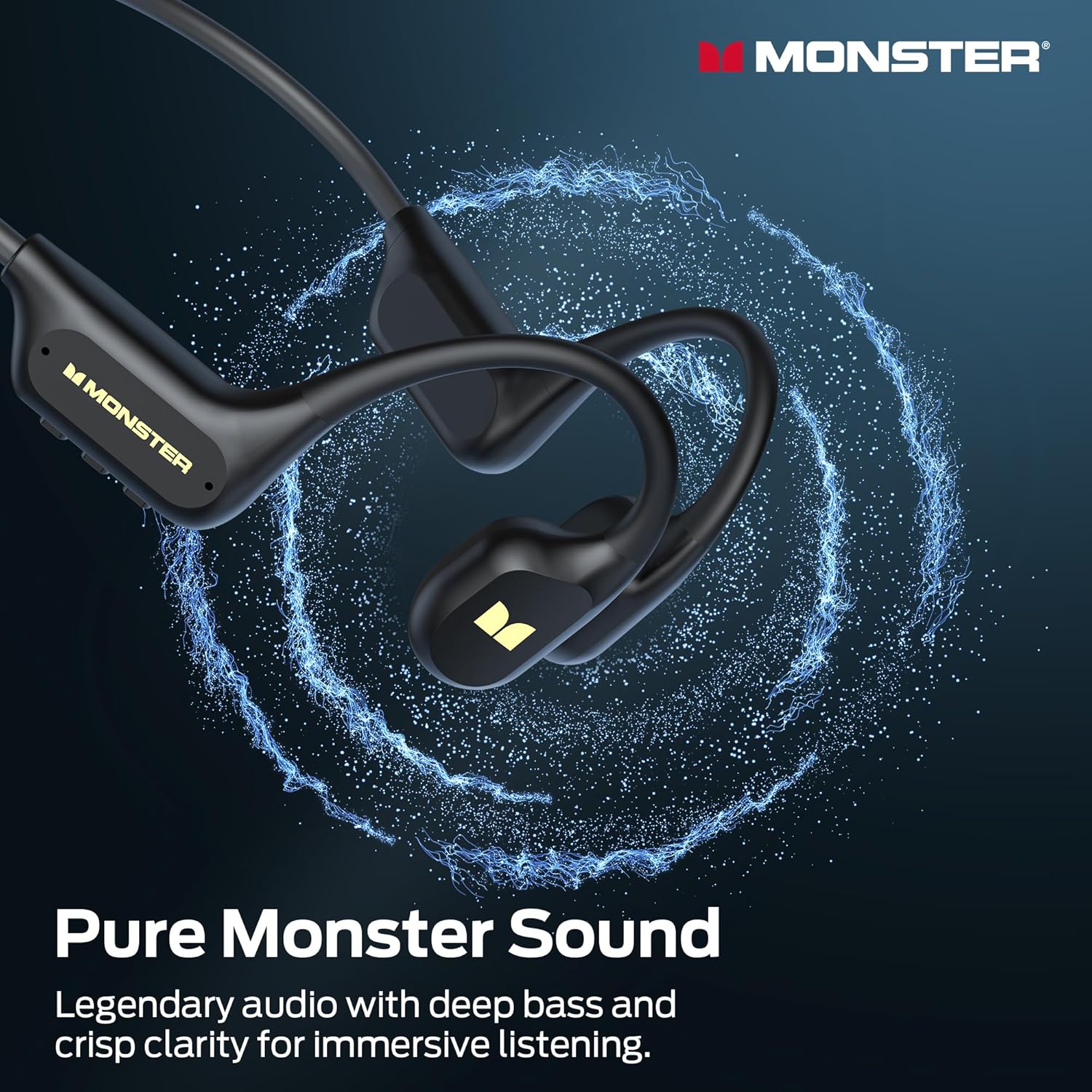
Image: The Monster BC300 headphones, showcasing their open-ear design and flexible neckband.
Controis e indicadores:
- Botón de acendido/multifunción: Power on/off, Play/Pause, Answer/End calls.
- Subir volume (+): Aumentar o volume, Pista seguinte (premer longamente).
- Baixar o volume (-): Baixar volume, Pista anterior (premer longamente).
- Botón de cambio de modo: Toggle between Bluetooth mode and MP3 mode.
- Porto de carga magnético: Para carga e transferencia de datos.
- Indicador LED: Mostra o estado da batería, da carga e da conexión.
Configuración
1. Carga dos auriculares
Antes do primeiro uso, carga completamente os auriculares.
- Conecta o cable de carga magnético ao porto de carga dos auriculares.
- Conecta o outro extremo do cable a un adaptador de corrente USB (non incluído) ou ao porto USB dun ordenador.
- O indicador LED mostrará o estado de carga (por exemplo, vermello mentres se carga, azul cando está completamente cargada).
- Unha carga completa tarda aproximadamente 2 horas e proporciona ata 10 horas de reprodución.

Image: The Monster BC300 headphones connected to a laptop via its magnetic charging cable, illustrating the charging process and data transfer capability.
2. Acendido/apagado
- Encendido: Manteña premido o botón de acendido/multifunción durante 3 segundos ata que o indicador LED parpadee en azul.
- Apagado: Press and hold the Power/Multi-function button for 5 seconds until the LED indicator flashes red and then turns off.
3. Emparellamento Bluetooth
Pair your headphones with a Bluetooth-enabled device.
- Asegúrese de que os auriculares estean apagados.
- Manteña premido o botón de acendido/multifunción durante 5-7 segundos ata que o indicador LED parpadee en vermello e azul alternativamente, indicando o modo de emparellamento.
- No teu dispositivo (teléfono intelixente, tableta, ordenador), activa o Bluetooth e busca os dispositivos dispoñibles.
- Select "Monster BC300" from the list.
- Unha vez emparellado, o indicador LED parpadeará lentamente en azul.
4. Using MP3 Mode (Internal Storage)
The headphones have 32GB of internal storage for music playback without a connected device.
Transferencia de música Files:
- Conecta os auriculares ao teu ordenador usando o cable de carga magnético.
- Os auriculares aparecerán como unha unidade de disco extraíble no teu ordenador.
- Arrastra e solta o audio que queiras files (e.g., MP3 format) into the headphone's storage folder.
- Expulsa o dispositivo do ordenador de forma segura antes de desconectar o cable.
Cambiar ao modo MP3:
- While the headphones are powered on, press the Mode Switch button to toggle between Bluetooth and MP3 modes.
- A voice prompt will indicate the current mode.
- Nota: MP3 mode is recommended for underwater use as Bluetooth signals do not transmit effectively through water.
Instrucións de funcionamento
Controis básicos:
| Función | Acción |
|---|---|
| Encendido/apagado | Press and hold Power button (3s for On, 5s for Off) |
| Reproducir/Pausa | Prema brevemente o botón de acendido |
| Subir volume | Short press '+' button |
| Baixar o volume | Short press '-' button |
| Próxima pista | Prema e manteña premido o botón "+" |
| Pista anterior | Prema longamente o botón '-' |
| Responder/Finalizar chamada | Prema brevemente o botón de acendido |
| Rexeitar a chamada | Mantén presionado o botón de acendido |
| Switch Mode (Bluetooth/MP3) | Short press Mode Switch button |
Usando os auriculares
Place the headphones with the transducers resting on your cheekbones, just in front of your ears. The neckband should rest comfortably behind your head.

Image: A person wearing the Monster BC300 headphones during a basketball game, demonstrating the secure and comfortable fit during physical activity.

Image: A person wearing the Monster BC300 headphones while cycling, showing how they fit comfortably with a helmet, maintaining open awareness of surroundings.
Underwater Use (IPX8 Waterproof)
The BC300 headphones are IPX8 rated, suitable for submersion up to 2 meters for 2 hours.
- Always switch to Modo MP3 before entering water. Bluetooth signals do not transmit effectively underwater.
- Ensure the magnetic charging port is clean and dry before and after use to prevent corrosion.
- Rinse the headphones with fresh water after swimming in chlorinated or saltwater, then dry thoroughly.

Image: A person swimming underwater while wearing the Monster BC300 headphones and goggles, demonstrating their IPX8 waterproof capability for aquatic activities.
Mantemento
- Limpeza: Limpe os auriculares cun suave, damp pano. Non use produtos químicos agresivos ou produtos de limpeza abrasivos.
- Secado: After exposure to water, especially after swimming, ensure the headphones are completely dry before charging or connecting to a computer. Gently shake off excess water and wipe with a dry cloth.
- Almacenamento: Garde os auriculares nun lugar fresco e seco, lonxe da luz solar directa e de temperaturas extremas.
- Porto de carga: Keep the magnetic charging contacts clean and free of debris to ensure proper charging and data transfer.
Resolución de problemas
| Problema | Posible Solución |
|---|---|
| Os auriculares non se acenderán. | Charge the headphones fully. Ensure the Power button is pressed and held for 3 seconds. |
| Non se pode emparellar por Bluetooth. | Asegúrate de que os auriculares estean en modo de emparellamento (vermello/azul intermitente). Desactiva e activa o Bluetooth no dispositivo. Acércate máis ao dispositivo. |
| Non hai son no modo Bluetooth. | Check volume levels on both headphones and connected device. Ensure headphones are correctly paired. Try re-pairing. |
| Sen son no modo MP3. | Ensure headphones are switched to MP3 mode. Check if music files are properly loaded onto the internal storage. Adjust volume. |
| Headphones not recognized by computer. | Ensure the magnetic charging cable is securely connected. Try a different USB port or cable. Ensure headphones are powered on. |
| Poor sound quality underwater. | Ensure you are using MP3 mode for underwater listening. Bluetooth is not effective underwater. |
Especificacións
- Modelo: E129
- Marca: Monstro
- Conectividade: Bluetooth 6.0
- Alcance Bluetooth: 10 metros
- Almacenamento interno: 32GB (up to 8,000 songs)
- Resistencia á auga: IPX8 (submersible up to 2 meters for 2 hours)
- Duración da batería: Ata 10 horas de reprodución
- Tempo de carga: Aproximadamente 2 horas
- Tipo de carga: Carga magnética
- Colocación do oído: Over Ear (Open Ear design)
- Tipo de controlador de audio: Condutor de condución ósea
- Tamaño do controlador de audio: 13 milímetros
- Tipo de control: Control de botón
- Dimensións do paquete: 15.7 x 11.99 x 5.69 cm
- Peso: 191 g
Información da garantía
The Monster Open Ear BC300 Swimming Headphones come with a 1 ano de garantía desde a data de compra. Esta garantía cobre os defectos de fabricación e a man de obra en condicións de uso normal. Non cobre os danos causados por mal uso, accidentes, modificacións non autorizadas ou desgaste normal. Conserve o comprobante de compra para reclamacións de garantía.
Apoio
For further assistance, technical support, or warranty inquiries, please contact Monster customer service through their official website or the retailer where you purchased the product. Please have your model number (E129) and proof of purchase ready.
Podes visitar a tenda oficial de Monster para obter máis información: Tenda oficial de Monster