
1. Introdución
The Thinkcar Thinkscan 689BT is a professional OE-level automotive diagnostic scanner designed for mechanics and enthusiasts. It provides fast, accurate, and comprehensive diagnostics for a wide range of vehicles. This device integrates advanced scanner functions into a compact and powerful form factor, offering extensive coverage for all vehicle electronic systems.
Key features include complete system diagnostics, support for modern CANFD and DOIP protocols, 35 professional reset functions, bidirectional control, and ECU coding capabilities. The scanner operates on an Android system with a high-resolution touchscreen and offers Bluetooth and Wi-Fi connectivity for convenience and updates.
2. Características clave
- Complete System Diagnostics: Professional OBD2 scanner with support for modern CANFD and DOIP protocols for comprehensive diagnosis of all vehicle systems.
- 35 funcións de reinicio: Includes essential resets such as Oil Reset, EPB, SAS, Airbag, ABS Bleed, TPMS, IMMO Key Matching, Gearbox Reset, and many more for daily repairs.
- Bidirectional Control and Bluetooth: Bidirectional diagnostic tool with wireless connection, allowing active tests and component control directly from the device.
- Codificación da ECU: Advanced support for ECU coding and adaptations, compatible with a wide range of global vehicles from different makes and models.
- Actualizacións gratuítas de por vida: Receive continuous updates at no additional cost, ensuring support for new vehicles and expanding maintenance functions.
3. Produto rematadoview
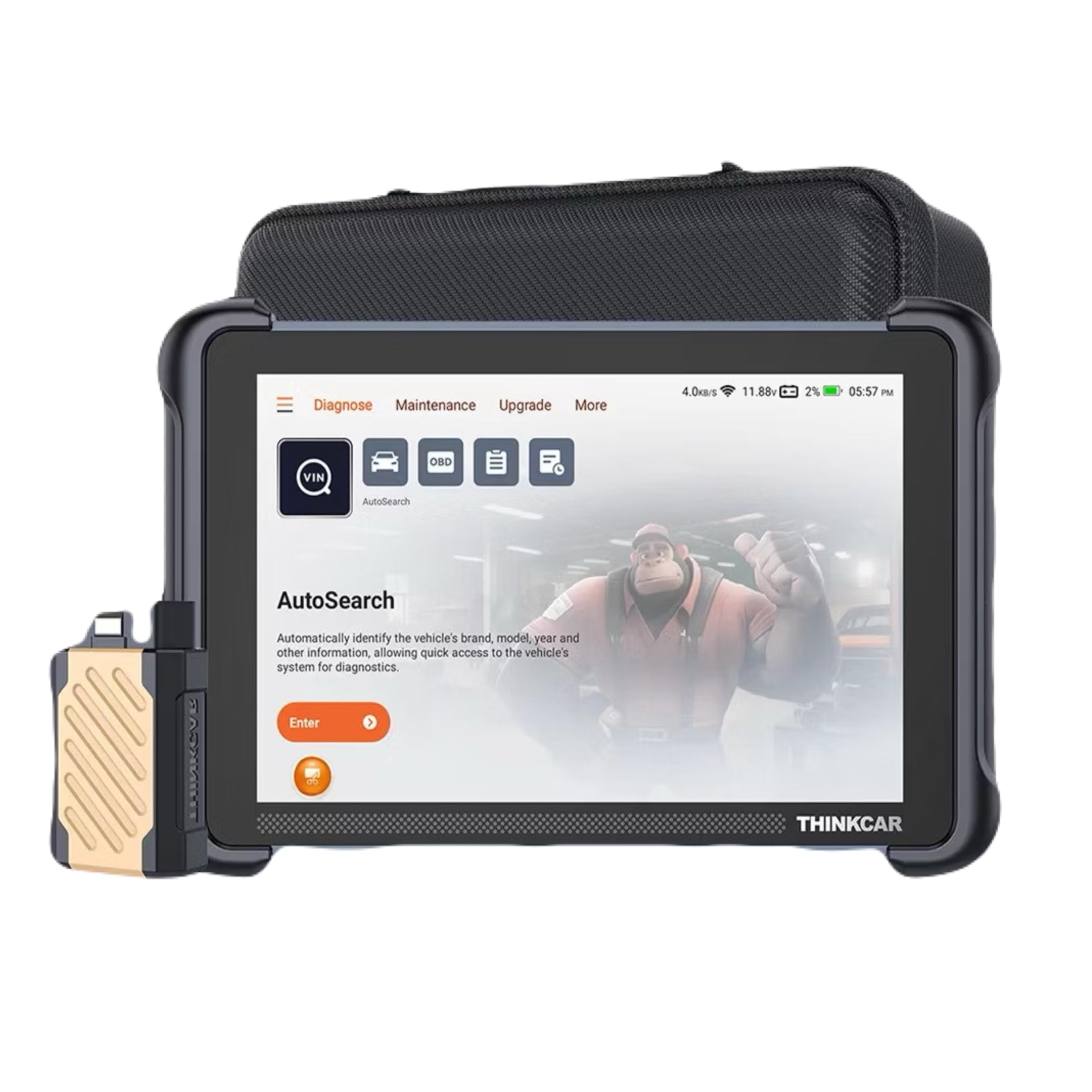
Image: The Thinkcar Thinkscan 689BT diagnostic device, showcasing its compact design and the included VCI (Vehicle Communication Interface) connector.

Image: A summary of the Thinkscan 689BT's upgraded features for 2025, highlighting full bidirectional controls, 3000+ active tests, 34+ service resets, and global vehicle coverage.
4. Configuración
- Encendido: Connect the Thinkscan 689BT to a power source using the provided AC/DC adapter or via the vehicle's OBD2 port. The device will automatically power on.
- Configuración inicial: Follow the on-screen prompts to select your preferred language (supports 28 languages), set the time zone, and connect to a Wi-Fi network for updates.
- Conexión VCI: Plug the VCI (Vehicle Communication Interface) dongle into the vehicle's OBD2 port. Ensure a secure connection. The VCI will communicate wirelessly with the Thinkscan 689BT via Bluetooth.
- Inscrición: Register your device on the Thinkcar official website or through the device's interface to activate lifetime free updates and access full functionalities.
5. Instrucións de funcionamento
5.1 Diagnóstico básico
- Conectar ao vehículo: Ensure the VCI is properly connected to the vehicle's OBD2 port and the Thinkscan 689BT is powered on and connected to the VCI via Bluetooth.
- Seleccionar vehículo: From the main menu, select 'Diagnose'. The system may automatically detect the vehicle's VIN (Vehicle Identification Number) or prompt you to manually select the vehicle make, model, and year.
- Escaneo do sistema: Choose 'Full System Scan' to perform a comprehensive diagnostic check of all available electronic control units (ECUs) in the vehicle.
- View/Borrar códigos de avaría: Despois da dixitalización, volvaview the Diagnostic Trouble Codes (DTCs) and their descriptions. You can then choose to clear the DTCs if the underlying issue has been resolved.
- Fluxo de datos en directo: Access real-time data from various sensors and components to monitor vehicle performance and identify potential issues.
5.2 Funcións de servizo de mantemento (máis de 35 reinicios)
The Thinkscan 689BT offers over 35 essential maintenance and reset functions. These functions allow you to perform common service tasks without needing specialized dealer tools.

Image: A visual representation of over 34 maintenance service functions available on the Thinkscan 689BT, including Oil Reset, EPB Reset, SAS Calibration, Airbag Reset, ABS Bleed, TPMS Reset, IMMO Key Matching, and Gearbox Reset.
To access these functions, navigate to the 'Maintenance' section on the device. Select the desired reset function and follow the on-screen instructions. Exampos inclúen:
- Reinicio do aceite: Restablece o recordatorio de vida útil do aceite despois dun cambio de aceite.
- Reinicio do EPB: Restablece o sistema de freo de estacionamento electrónico despois de substituír as pastillas de freo.
- Calibración SAS: Calibra o sensor do ángulo de dirección.
- Purgamento do ABS: Realiza procedementos de purga de freos ABS.
- IMMO Key Matching: Programs new keys or remote controls.
- Rexeneración do DPF: Inicia a rexeneración do filtro de partículas diésel.
5.3 Control bidireccional (proba activa)
Bidirectional control allows the scanner to send commands to vehicle components and systems to test their working status. This is crucial for pinpointing specific issues.
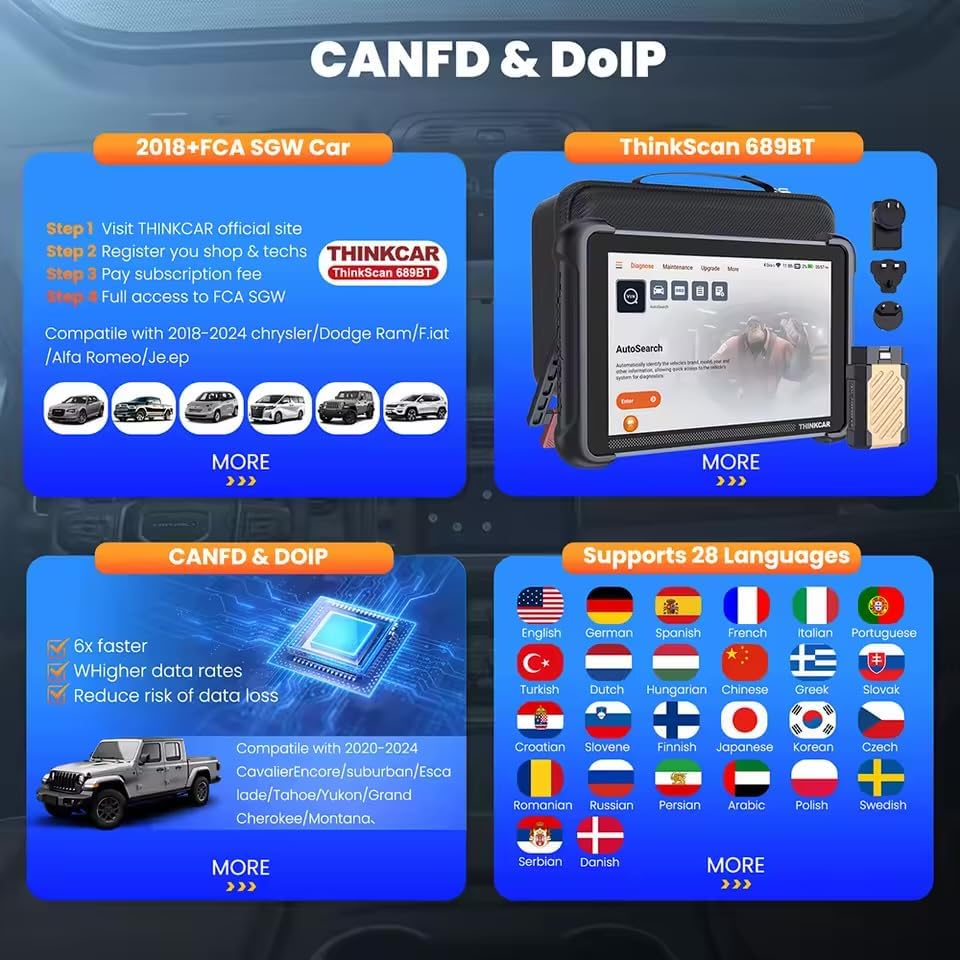
Image: An illustration of the Active Test (Bidirectional Control) feature, showing various components that can be tested, such as windows, mirrors, headlights, horns, wipers, fuel injectors, and A/C compressor.
Para realizar unha proba activa:
- Navigate to the 'Active Test' or 'Bidirectional Control' section.
- Select the system or component you wish to test (e.g., turn on the radiator fan, modulate the throttle, open/close windows, operate mirrors, turn lights on/off).
- Observe the component's response to verify its functionality.
5.4 Codificación avanzada da ECU
The Thinkscan 689BT supports advanced ECU coding and adaptations, enabling you to customize vehicle settings and optimize performance.

Image: A depiction of Advanced ECU Coding capabilities, including unfolding hidden features, optimizing vehicle performance, disabling annoying functions, and customizing OE-settings. Note: Coding functions vary by vehicle model.
ECU coding functions include:
- Unfolding hidden features.
- Optimizing vehicle performance.
- Disabling specific functions.
- Customizing OE-settings.
Nota: ECU coding functions vary significantly by vehicle make and model. Always ensure you understand the implications before making changes. Refer to the vehicle's service manual or consult a professional if unsure.
5.5 CANFD & DOIP Protocols
The Thinkscan 689BT is equipped with native support for CANFD (Controller Area Network Flexible Data-Rate) and DOIP (Diagnostics over Internet Protocol), ensuring compatibility with newer vehicles from brands like GM, BMW, and Land Rover.

Image: Details on CANFD and DOIP compatibility, showing support for 2018+ FCA SGW cars and 2020-2024 GM vehicles. It also highlights support for 28 languages, including English, Spanish, French, Portuguese, and German.
These protocols enable faster data transfer and more efficient diagnostics for modern vehicle architectures.
6. Actualizacións de software
The Thinkcar Thinkscan 689BT comes with lifetime free software updates. These updates ensure continuous support for new vehicle models, expanded diagnostic functions, and improved performance.
Para actualizar o software:
- Asegúrate de que o dispositivo estea conectado a unha rede Wi-Fi estable.
- Navigate to the 'Upgrade' or 'Update' section in the device's menu.
- Select the available updates and follow the on-screen instructions to download and install them.
- Non apagues o dispositivo durante o proceso de actualización.
7 Solución de problemas
- O dispositivo non se acende: Ensure the device is properly connected to a power source (vehicle OBD2 port or AC/DC adapter). Check for any loose connections.
- VCI not connecting via Bluetooth: Ensure the VCI dongle is securely plugged into the vehicle's OBD2 port and the vehicle's ignition is on. Restart both the Thinkscan 689BT and the VCI. Check Bluetooth settings on the scanner.
- Non se puido conectar co vehículo: Verify the vehicle's ignition is on. Ensure the VCI is correctly installed. Check if the vehicle's OBD2 port is functional. Try a different vehicle to rule out scanner issues.
- Diagnostic functions not working: Ensure the software is up to date. Verify vehicle compatibility for the specific function. Some advanced functions may require specific vehicle conditions (e.g., engine off, ignition on).
- Funcionamento lento: Ensure sufficient storage space on the device. Close unnecessary applications. A stable Wi-Fi connection is recommended for updates.
8. Especificacións
| Característica | Descrición |
|---|---|
| Marca | Thinkcar |
| Modelo | Thinkscan 689BT |
| Sistema Operativo | Android 10.0 |
| Tamaño da pantalla | 5 Inches (Touchscreen) |
| Conectividade | Bluetooth (VCI), Wi-Fi (2.4 & 5GHz) |
| Fonte de enerxía | AC/DC |
| Dimensións do produto | 41 L x 13 W x 31 H centímetros |
| Número de peza | Obd2-canfd-doip-bt |
| Compoñentes incluídos | Conxunto completo |
| Tipo de ajuste automotriz | Axuste universal |
9. Información da garantía
This product comes with a 90-day warranty from the date of purchase. The warranty covers manufacturing defects and malfunctions under normal use. Please retain your proof of purchase for warranty claims.
The warranty does not cover damage caused by misuse, accidents, unauthorized modifications, or improper maintenance.
10. Atención ao cliente
For technical assistance, troubleshooting, or warranty inquiries, please contact your retailer or the official Thinkcar support channels. Refer to the packaging or the Thinkcar official websitio para os detalles de contacto.
When contacting support, please have your product model (Thinkscan 689BT) and proof of purchase readily available.


