
1. Introdución
This manual provides detailed instructions for the safe and effective use of your DIGIERA DGW100BL 5K Digital Camera. Please read this manual thoroughly before operating the camera and retain it for future reference.
The DIGIERA DGW100BL is a versatile digital camera designed for high-quality photography and videography, featuring 5K video recording, 80MP photo resolution, a 3.0-inch IPS LCD flip screen, and advanced autofocus capabilities.
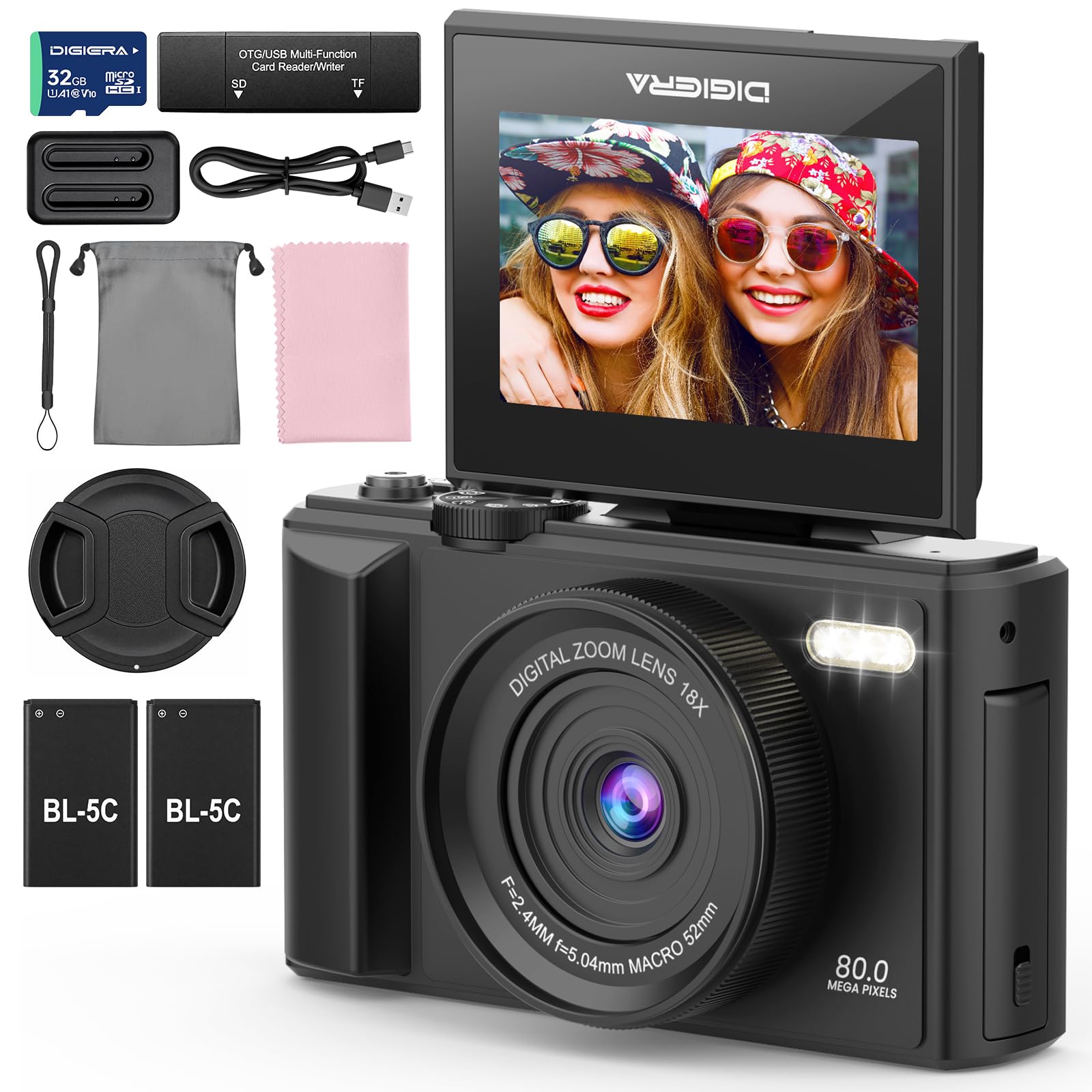
Image 1.1: The DIGIERA DGW100BL 5K Digital Camera.
2. Contido do paquete
Verifica que todos os elementos estean presentes no teu paquete:
- DIGIERA DGW100BL Camera Body
- 2 x Detachable Rechargeable Lithium-ion Batteries
- Cargador de batería
- Tarxeta SD de 32 GB
- Cable USB
- Manual de usuario
- Correa de pulso
3. Configuración
3.1. Instalación e carga da batería
- Abra a tapa do compartimento da batería situada na parte inferior da cámara.
- Insert a rechargeable lithium-ion battery, ensuring the contacts align correctly. Close the cover.
- To charge the battery, insert it into the provided external charger. Connect the charger to a power source using the USB cable. The indicator light on the charger will show charging status.
- A fully charged battery provides approximately 80 minutes of 4K video recording.
3.2. Instalación da tarxeta SD
- Locate the SD card slot, typically on the side or bottom of the camera.
- Insert the included 32GB SD card with the metal contacts facing the correct direction (refer to the diagram near the slot). Push until it clicks into place.
- To remove, gently push the SD card inward until it springs out.
3.3. Acendido/apagado
- To power on, press and hold the Power button until the screen illuminates.
- To power off, press and hold the Power button again until the screen shuts down.
3.4. Configuración inicial
Upon first power-on, you may be prompted to set the date, time, and language. Use the navigation buttons to select and confirm your preferences.
4. Funcionamento da cámara
4.1. Fotografía e gravación de vídeo básicas
The camera supports 80MP still images and 5K video recording.

Image 4.1: Demonstrating 5K video and 80MP photo capabilities.
- Modos de cambio: Use the mode dial or menu options to switch between photo, video, and playback modes.
- Facendo fotos: In photo mode, frame your shot and press the Shutter button halfway to focus, then fully to capture the image.
- Gravación de vídeos: In video mode, press the Record button to start and stop recording.
- Snapshot While Recording: You can capture still photos during video recording by pressing the Shutter button.
4.2. Modos de enfoque
The camera offers flexible focusing options:
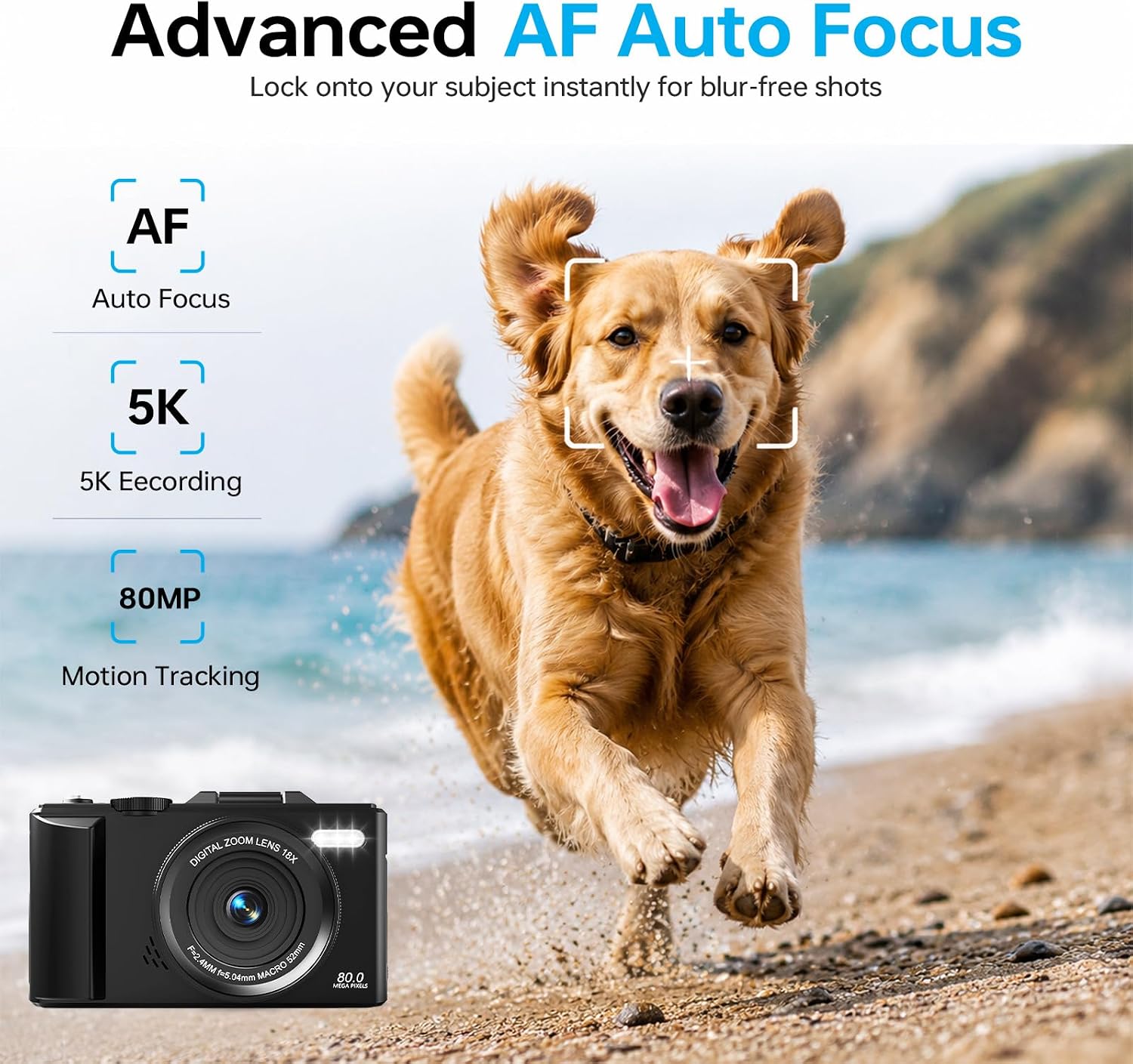
Image 4.2: Advanced Autofocus for sharp images.
- Enfoque automático (AF): The camera automatically detects and focuses on subjects. This is ideal for most situations, including moving subjects.
- Enfoque fixo: Maintains a fixed focus distance, suitable for specific scenarios where manual adjustment is not desired.
- Enfoque manual (MF): Allows you to manually adjust the focus for precise control.
4.3. Using the Flip Screen and Digital Zoom

Image 4.3: The 180° flip screen for easy selfies and vlogging.
- Voltar pantalla: The 3.0-inch IPS LCD screen can be flipped 180 degrees, making it convenient for self-portraits, vlogging, and monitoring your shots from various angles.
- Zoom dixital 18X: Use the zoom controls (usually 'W' for wide and 'T' for telephoto) to digitally zoom in or out on your subject. Note that digital zoom may reduce image quality compared to optical zoom.
4.4. Anti-Shake Technology
The built-in anti-shake technology helps to stabilize your footage and photos, reducing blur caused by camera movement, especially useful during handheld shooting or when using digital zoom.
4.5. Características especiais
- Lapso de tempo: Capture sequences of images over time to create time-lapse videos. Access this feature through the camera's menu. For extended sessions, consider connecting a power bank.
- Movemento lento: Record videos at a higher frame rate to play back in slow motion.
- Filtros creativos: Apply various artistic filters and effects directly to your photos and videos.

Imaxe 4.4: Ex.amples of built-in creative filters.
4.6. Conectividade Wi-Fi e control de aplicacións

Image 4.5: Wi-Fi transfer for instant sharing.
The camera features built-in Wi-Fi for seamless transfer of photos and videos to your smartphone via a dedicated mobile app. This also enables remote control for convenient selfies and group shots.
- Download the official DIGIERA camera app from your device's app store.
- Enable Wi-Fi on your camera and connect your smartphone to the camera's Wi-Fi network.
- Use the app to browse, transfer, and share your media, or to control the camera remotely.
4.7. External Lens Support

Image 4.6: The camera supports external 52mm wide-angle lenses (sold separately).
The camera supports external 52mm wide-angle lenses (not included) to expand your field of view, ideal for capturing landscapes or group photos.
5. Mantemento
5.1. Limpeza da cámara
- Lente: Usa un pano suave e sen pelusa ou un cepillo para lentes para eliminar o po con suavidade. Para as manchas, usa unha solución de limpeza de lentes especializada aplicada nun pano, non directamente na lente.
- Pantalla: Wipe the LCD screen with a soft, dry microfiber cloth. Avoid harsh chemicals.
- Corpo: Use a dry, soft cloth to clean the camera body. Do not use water or cleaning solvents.
5.2. Coidado da batería
- Almacene as baterías nun lugar fresco e seco cando non esteas en uso.
- Evite descargar completamente as baterías con frecuencia para prolongar a súa vida útil.
- Non expoñas as baterías a temperaturas extremas.
5.3. Almacenamento
When storing the camera for extended periods, remove the battery and SD card. Store the camera in a protective case in a dry, dust-free environment.
6 Solución de problemas
Se tes problemas coa túa cámara, consulta os seguintes problemas e solucións comúns:
| Problema | Causa posible | Solución |
|---|---|---|
| A cámara non se acende. | A batería está esgotada ou inserida incorrectamente. | Ensure battery is fully charged and correctly inserted. Try a different charged battery. |
| Cannot take photos/record videos. | SD card is full, locked, or not inserted. | Check SD card status. Ensure it is unlocked, has sufficient space, and is inserted correctly. Format the SD card if necessary (this will erase all data). |
| As imaxes son borrosas. | Enfoque incorrecto, tremor da cámara ou lente sucia. | Check focus mode. Ensure anti-shake is enabled. Clean the lens. Hold the camera steady. |
| Problemas coa conexión wifi. | Configuración incorrecta da wifi ou problemas coa aplicación. | Ensure Wi-Fi is enabled on both camera and phone. Reconnect to the camera's Wi-Fi network. Restart the camera and the app. |
| Batería de curta duración. | Frequent use of power-intensive features or old battery. | Reduce screen brightness, limit continuous recording. Ensure batteries are fully charged. Consider replacing old batteries. |
Se o problema persiste despois de probar estas solucións, póñase en contacto co servizo de atención ao cliente.
7. Especificacións
| Característica | Detalle |
|---|---|
| Nome do modelo | DGW100BL |
| Tecnoloxía do sensor fotográfico | CMOS |
| Máximo WebResolución de imaxe de cámara | 80 MP |
| Resolución de vídeo | 5K |
| Zoom dixital | 18X |
| Tamaño da pantalla | 3.0 polgadas |
| Tipo de visualización | IPS LCD (Flip Screen) |
| Estabilización da imaxe | Dixital (antivibración) |
| Modos de enfoque | Autofocus, Fixed Focus, Manual Focus |
| Soportado File Formato | JPEG (Fotos) |
| Capacidade de almacenamento da memoria | 32 GB (tarxeta SD incluída) |
| Compatible Flash Memory Type | microSD |
| Tecnoloxía de conectividade | USB, Wi-Fi |
| Tipo de batería | Detachable Rechargeable Lithium-ion |
| Duración media da batería | Approx. 80 minutes (4K recording) |
| Características especiais | Anti-Shake, Slow Motion, Wi-Fi Control, Time-Lapse, Snapshot While Recording, 5K Ultra-HD |
| Fabricante | Shenzhen Kerun E-commerce Co.,Ltd |
8. Información da garantía
This DIGIERA DGW100BL camera comes with a 1 ano de garantía do fabricante desde a data de compra. Esta garantía cobre defectos de fabricación e man de obra en condicións de uso normal. Non cobre danos causados por mal uso, accidentes, modificacións non autorizadas ou desastres naturais.
Conserve o comprobante de compra para reclamacións de garantía.
9. Atención ao cliente
For technical assistance, troubleshooting not covered in this manual, or warranty inquiries, please contact DIGIERA customer support. We offer 4/7 after-sale support to assist you.
- Correo electrónico: Refer to your product packaging or the official DIGIERA websitio para os detalles de contacto.
- Websitio: Visit the DIGIERA Store on Amazon