
Introdución
This manual provides detailed instructions for the setup, operation, and maintenance of your CASCHO Smart Watch P125. Please read this manual thoroughly before using the device to ensure proper function and longevity.
The CASCHO Smart Watch P125 is designed as a fitness tracker with a 1.85-inch HD display, Bluetooth call capabilities, AI voice control, IP68 waterproofing, and over 115 sports modes. It is compatible with both iOS and Android systems.
O que hai na caixa
Upon opening the exquisite box, verify that all the following items are included:
- CASCHO Smart Watch (P125) x 1
- Manual de instrucións x 1
- Cable de carga x 1
Configuración
1. Carga do reloxo intelixente
Before initial use, fully charge your smart watch. Connect the provided charging cable to the charging port on the back of the watch and to a standard USB power adapter (not included).
- Tempo de carga: Aproximadamente 1.5 horas para unha carga completa.
- Duración da batería: Ata 7 días de uso típico.
- Tempo de espera: Ata 30 días.

Image: The CASCHO Smart Watch connected to its charging cable, illustrating the charging process.
2. Instalación da aplicación
To unlock the full features of your smart watch, download and install the 'Da Fit' app on your smartphone. The app is compatible with both iOS (version 9.0 or above) and Android (version 9.0 or above) devices.
- Scan the QR code provided in the quick start guide (if available) or search for "Da Fit" in your phone's app store (Apple App Store for iOS, Google Play Store for Android).
- Descarga e instala a aplicación.
- Open the 'Da Fit' app and follow the on-screen instructions to create an account or log in.
3. Emparellamento de dispositivos (conexión Bluetooth)
Pair your smart watch with your smartphone via Bluetooth to enable data synchronization and call functions.
- Asegúrate de que o Bluetooth estea activado no teu smartphone.
- Open the 'Da Fit' app.
- Vaia á sección "Dispositivo" ou "Engadir dispositivo" dentro da aplicación.
- The app will search for available devices. Select "P125" or "CASCHO Smart Watch" from the list.
- Confirma a solicitude de emparellamento tanto no teléfono como no reloxo intelixente se se che solicita.
- Once connected, the watch will synchronize time and other settings with your phone.
Instrucións de funcionamento
1. Navegación básica
- Pantalla táctil: Desliza o dedo cara á esquerda/dereita, arriba/abaixo para navegar polos menús e as funcións. Toca para seleccionar.
- Botón lateral: Typically used to wake the screen, return to the home screen, or access the app list.
2. Función de chamada Bluetooth
The smart watch features a built-in microphone and speaker for direct call handling.
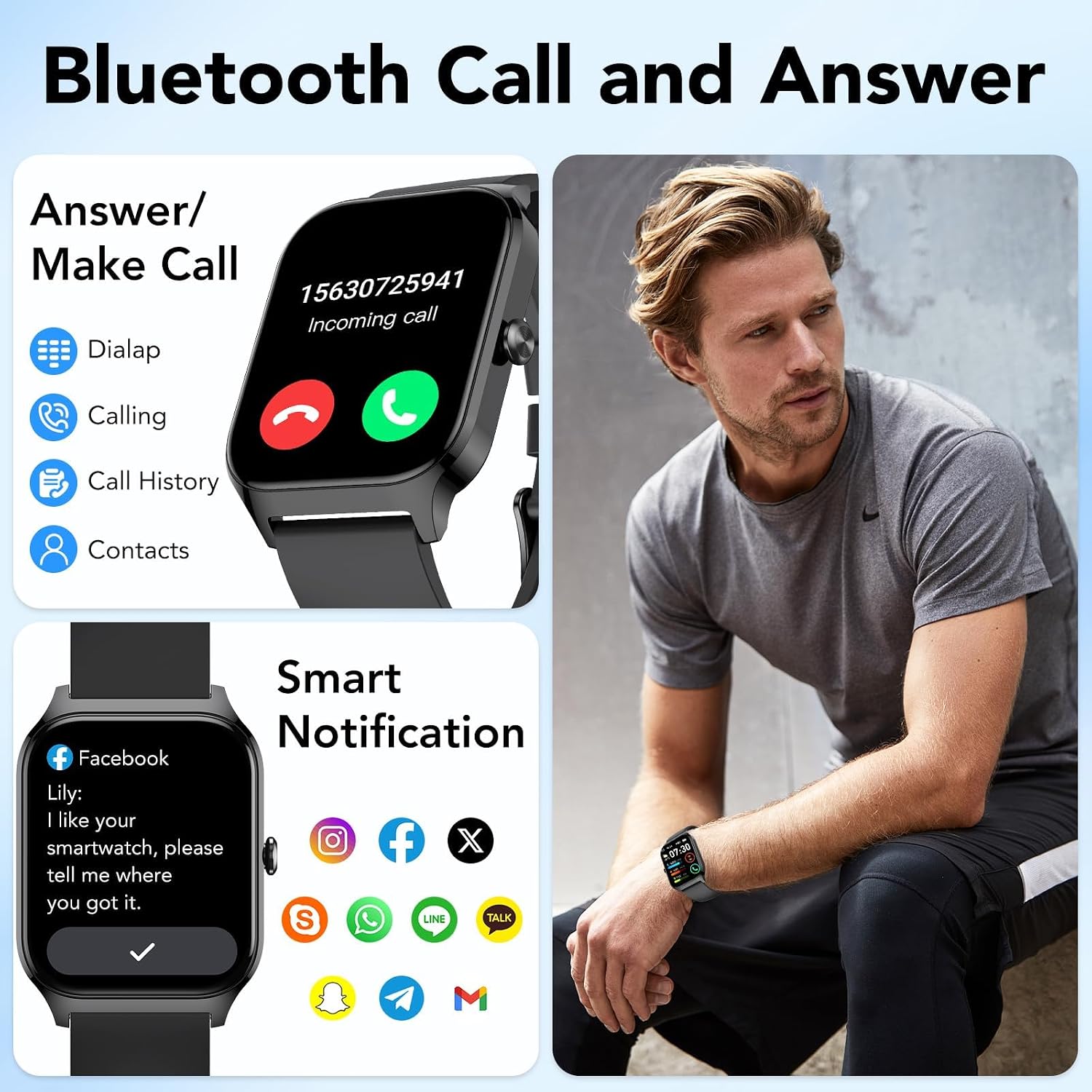
Image: The CASCHO Smart Watch screen showing options for answering/making calls, call history, and contacts, alongside a depiction of smart notifications.
- Facer chamadas: Access the dialer or contacts list on the watch to initiate a call.
- Answering/Rejecting Calls: When a call comes in, swipe or tap the corresponding icon on the watch screen to answer or reject.
- Rexistros de chamadas: View recent call history directly on the watch.
3. Asistente de voz con IA
Utilize the integrated AI voice assistant for hands-free control.
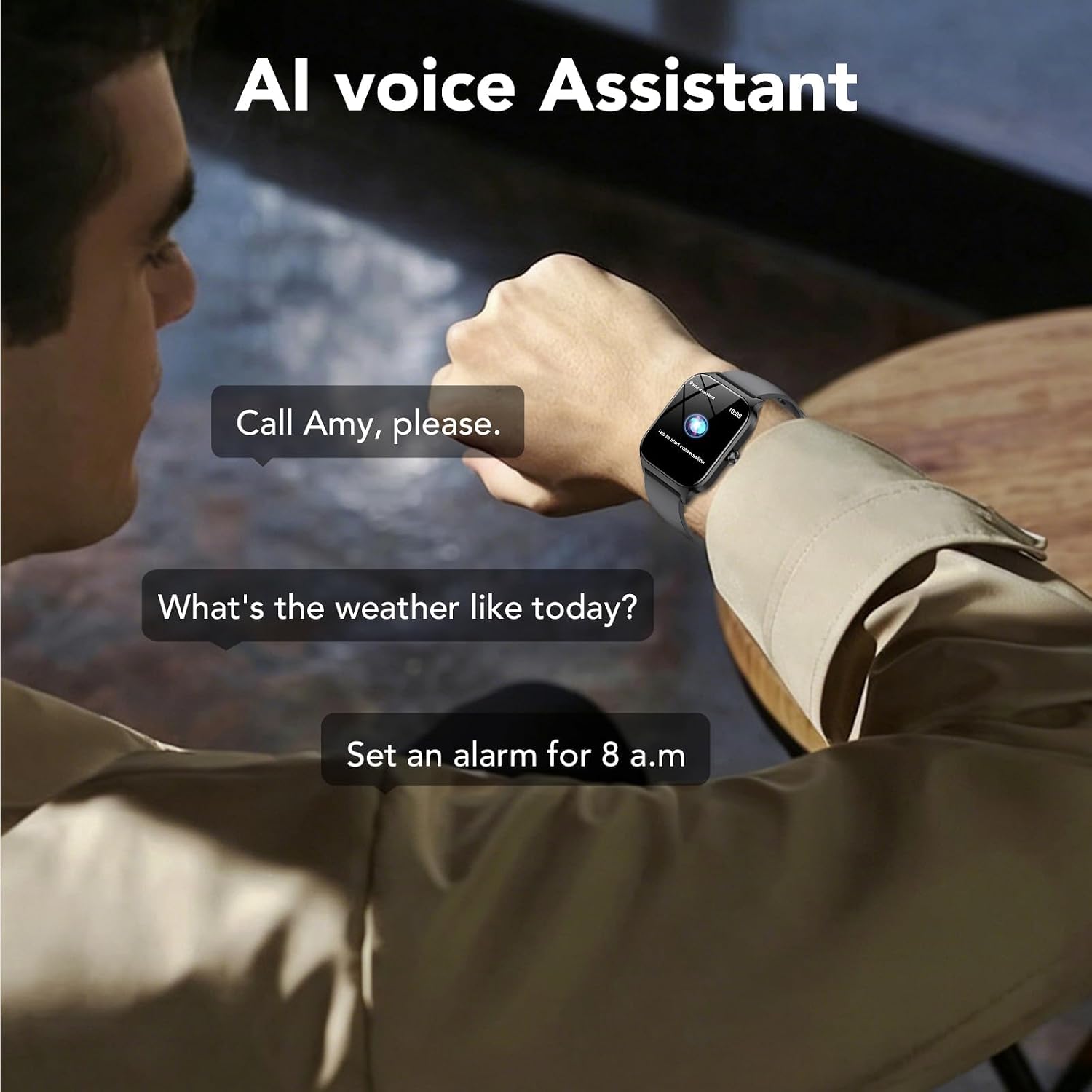
Image: A user interacting with the CASCHO Smart Watch via voice commands, demonstrating the AI voice assistant feature.
- Activate the voice assistant (refer to the watch interface or app settings for activation method).
- Speak commands such as "Call [Contact Name]", "What's the weather like today?", or "Set an alarm for 8 a.m.".
4. Personalización das esferas do reloxo
Personalize your watch with various watch faces.

Image: The CASCHO Smart Watch screen showing a selection of customizable watch faces and options to upload personal photos.
- Through the 'Da Fit' app, you can select from over 200 online dials.
- You can also upload your own photos to use as a custom watch face background.
5. Modos deportivos e seguimento da actividade
The watch supports over 115 sports modes and tracks various fitness metrics.

Image: Visual representation of the CASCHO Smart Watch tracking various sports activities, including running, cycling, and climbing, along with activity data.
- Seguimento da actividade: Monitors steps, calories burned, and active distance.
- Modos deportivos: Select your activity (e.g., Basketball, Climbing, Cycling, Fitness, Hiking) to track specific workout data.
- Intelligent Exercise Recognition: The watch may automatically detect certain activities.
6. Monitorización da saúde
The watch provides 24-hour health tracking features.

Image: The CASCHO Smart Watch displaying real-time data for heart rate, blood oxygen (SpO2), and sleep patterns, including awake, light sleep, and deep sleep durations.
- Monitorización da frecuencia cardíaca: Rexistra continuamente a túa frecuencia cardíaca.
- Monitorización de osíxeno no sangue (SpO2): Mide os niveis de saturación de osíxeno no sangue.
- Monitorización do sono: Tracks your sleep patterns, including awake time, light sleep, and deep sleep.
- Saúde da muller: Specific tracking features available through the app.
Nota: Este dispositivo non é un dispositivo médico. Os datos sanitarios son só de referencia e non se deben usar para diagnósticos ou tratamentos médicos.
7. Notificacións intelixentes
Recibe notificacións do teu teléfono intelixente directamente no teu reloxo.
- Enable app notifications in the 'Da Fit' app settings to receive alerts for calls, messages, and social media apps (e.g., Facebook, Instagram, WhatsApp).
8. Características adicionais

Image: The CASCHO Smart Watch highlighting its multifunctional capabilities, including Bluetooth 5.3, music control, camera control, IP68 waterproof rating, breathing exercises, find phone, 112+ sport modes, message reminder, weather report, and sedentary reminder.
- Control de música: Controla a reprodución de música no teu smartphone.
- Control da cámara: Usa o reloxo como obturador remoto para a cámara do teléfono.
- Cronómetro e temporizador: Ferramentas integradas para actividades de cronometraxe.
- Alarma: Configura alarmas directamente desde o teu reloxo.
- Calendario: View calendar events.
- Recordatorio de sedentarismo: Avisa para que te movas despois de períodos de inactividade.
- Exercicios de respiración: Sesións de respiración guiada para a relaxación.
- Buscar teléfono: Localiza o teu teléfono intelixente emparellado.
- Informe meteorolóxico: Obtén información meteorolóxica actual.
Mantemento
1. Resistencia á auga (IP68)
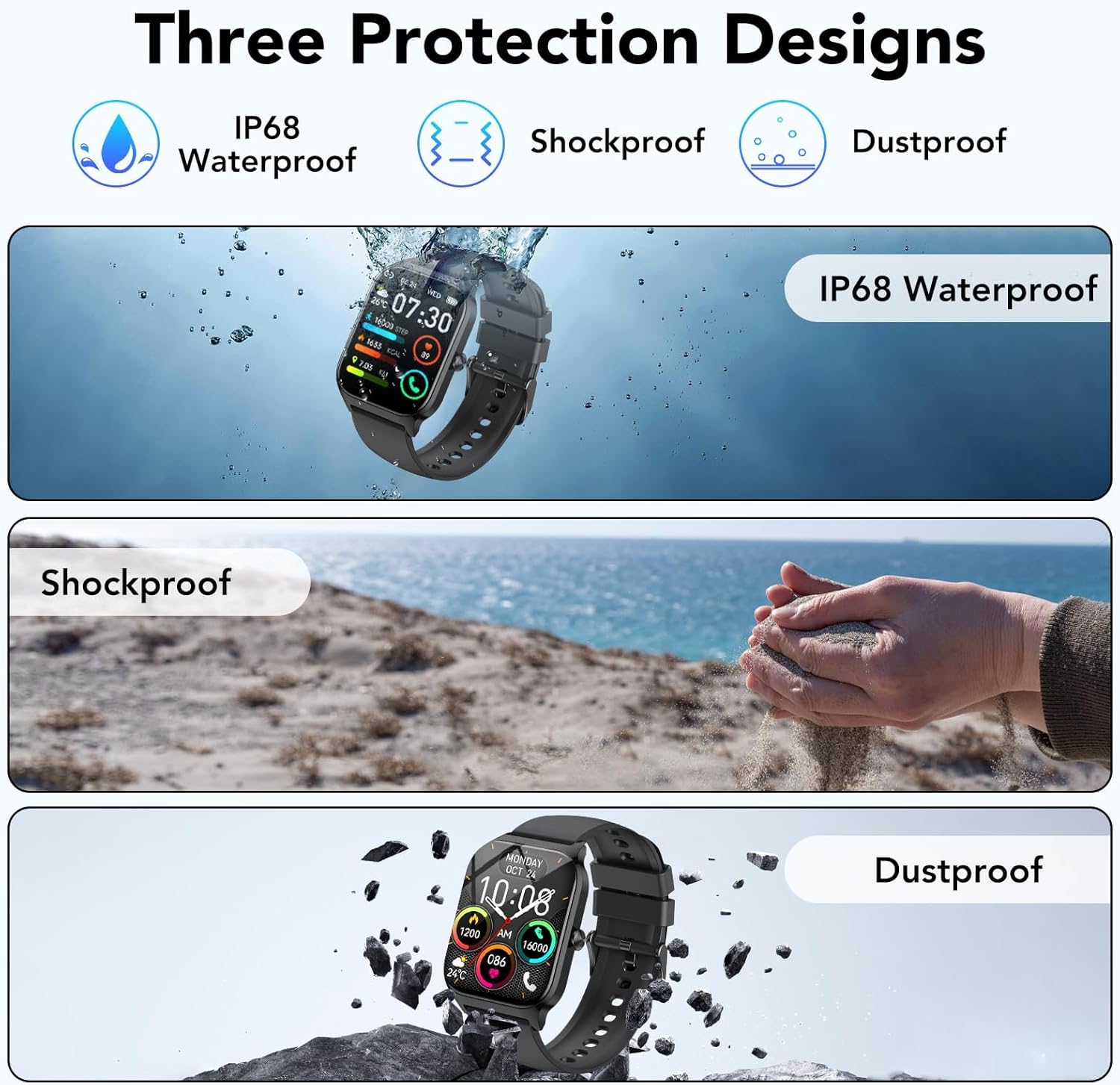
Image: The CASCHO Smart Watch highlighting its IP68 waterproof, shockproof, and dustproof protection designs.
The CASCHO Smart Watch P125 is IP68 waterproof, meaning it is resistant to dust and can withstand immersion in water up to 1.5 meters for up to 30 minutes. It is suitable for daily use, such as hand washing, rain, and swimming in shallow water.
- NON use the watch in hot water, saunas, or steam rooms.
- NON press buttons underwater.
- Avoid prolonged exposure to saltwater. Rinse with fresh water and dry thoroughly after exposure.
2. Limpeza
- Limpa a pantalla e a carcasa do reloxo cun pano suave eamp pano.
- Limpe os contactos de carga regularmente para garantir unha carga axeitada.
- Evite o uso de produtos químicos agresivos ou materiais abrasivos.
3. Coidado da batería
- Evita temperaturas extremas, que poden afectar a duración da batería.
- Non deixes o reloxo completamente descargado durante períodos prolongados.
- Use só o cable de carga proporcionado.
Resolución de problemas
| Problema | Posible Solución |
|---|---|
| O reloxo non se acende | Asegúrate de que o reloxo estea completamente cargado. Conéctao ao cargador durante polo menos 30 minutos. |
| Non se pode emparellar co teléfono intelixente |
|
| Notificacións non recibidas |
|
| Datos sanitarios inexactos |
|
| Batería de curta duración |
|
Especificacións
| Característica | Detalle |
|---|---|
| Nome do modelo | P125 |
| Marca | CASCHO |
| Tamaño da pantalla | 1.85 polgadas |
| Tipo de visualización | Digital, HD Full-Touch TFT Color Display |
| Tecnoloxía de conectividade | Bluetooth 5.3 |
| Dispositivos compatibles | Smartphones (Android 9.0+, iOS 9.0+) |
| Sistema Operativo | Wear OS 1.0 (Note: This may refer to a generic OS classification; actual OS is typically proprietary for this device type.) |
| Capacidade da batería | 300 mAh |
| Duración da batería (media) | 7 días |
| Tempo de espera | 30 días |
| Tempo de carga | 1.5 horas |
| Nivel de resistencia á auga | Impermeable IP68 |
| Tipo de material da banda | Silicona |
| Ancho de banda | 22 milímetros |
| Lonxitude da banda | 25.5 centímetros |
| Características especiais | Bluetooth Calls, AI Voice Assistant, 115+ Sports Modes, Heart Rate, SpO2, Sleep Monitor, Music/Camera Control, Notifications, Sedentary Reminder, Breathing Exercises, Find Phone, Weather Report, Custom Dials. |
| Entrada da interface humana | Micrófono, pantalla táctil |
| GPS | Sen GPS |
Información da garantía
Segundo as especificacións do produto, existe NON explicit warranty description provided for the CASCHO Smart Watch P125. Please refer to your point of purchase or local consumer protection laws for information regarding returns or defects.
Apoio
If you encounter any issues not covered in this manual or require further assistance, please contact CASCHO customer support through the official website or the 'Da Fit' app's support section. Provide your model number (P125) and a detailed description of the issue for efficient support.


