Evolution Digital Manuals & User Guides
Evolution Digital provides Android TV set-top boxes, IP hybrid devices, and managed Wi-Fi solutions for broadband service providers.
About Evolution Digital manuals on Manuals.plus
Evolución dixital is a leading provider of integrated video products and whole-home Wi-Fi solutions for global service providers. The company specializes in turnkey Android TV set-top boxes, IP hybrid devices, and OpenSync-enabled Wi-Fi 6 mesh beacons and routers. These products are designed to help operators deliver high-performance broadband, video, and voice services to subscribers.
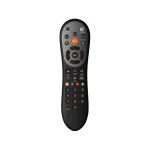
Working closely with Internet Service Providers (ISPs) and cable operators, Evolution Digital deploys hardware such as the EVO PRO remote, eBOX, and various GPON Wi-Fi mesh systems. While the company primarily operates in the business-to-business sector supplying network operators, their hardware is widely used in residential settings for home entertainment and internet connectivity.
Evolution Digital manuals
Manuais máis recentes de manuals+ elaborado para esta marca.
evolution DIGITAL Pasos para as instrucións de sincronización e programación de control remoto
Guía do usuario do descodificador Evolution Digital HD
Guía de inicio rápido de Evolution Digital DMS2002U
Guía do usuario do descodificador Evolution Digital HD
Guía do usuario e instrucións de programación do control remoto Evolution HD uDTA
Especificacións e características do descodificador híbrido Evolution Digital eBOX IP
Guía de instalación rápida de Evolution Digital SG0006D2VA GPON WiFi6 2+2
Evolution Digital support FAQ
Preguntas frecuentes sobre manuais, rexistro e asistencia técnica para esta marca.
-
How do I pair my Evolution Digital EVO PRO remote?
Long press the Home and Back buttons simultaneously until the red light flashes quickly, then release; the remote is now in pairing mode.
-
How do I reset my Evolution Digital router?
Use a sharp object or pin to press and hold the reset button on the device to restore factory settings.
-
Where can I get technical support for my Evolution Digital equipment?
As Evolution Digital supplies equipment primarily to Internet Service Providers, you should typically contact your local cable or internet provider for troubleshooting and support.
-
What does the WPS button do on my router?
The WPS button allows you to easily connect WPS-enabled devices to your Wi-Fi network without typing the password.