1. Introdución
This manual provides essential instructions for the safe and efficient operation, setup, and maintenance of your Ohaus ES50R ES Industrial Bench Scale. The Ohaus ES50R is designed for industrial weighing applications, offering a capacity of 50 kg (110 lb) with a readability of 20 g (0.05 lb). Please read this manual thoroughly before using the scale to ensure proper functionality and to prevent damage.
2. Información de seguridade
Observe sempre as seguintes precaucións de seguridade:
- Do not overload the scale beyond its maximum capacity of 50 kg (110 lb).
- Ensure the scale is placed on a stable, level surface to achieve accurate readings.
- Operate the scale only with the specified 120 V power supply.
- Evite expoñer a báscula a temperaturas extremas, humidade ou luz solar directa.
- Non mergullo a balanza en auga ou outros líquidos.
- Keep the scale clean and free from dust and debris.
- Only qualified personnel should perform repairs or maintenance beyond routine cleaning.
3. Contido do paquete
Verifique que estean presentes todos os compoñentes ao desembalar:
- Ohaus ES50R ES Industrial Bench Scale unit
- Power Adapter (for 120 V operation)
- Manual de usuario (este documento)
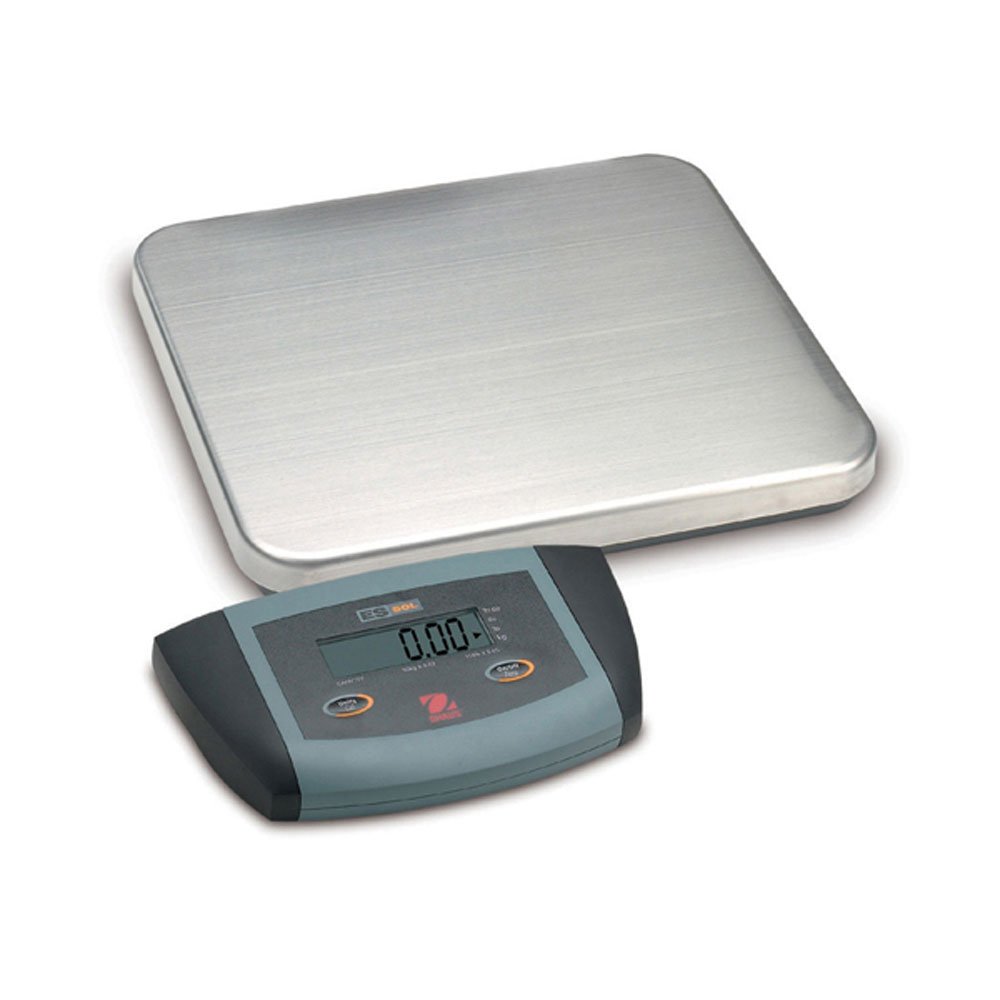
Figura 1: Ohaus ES50R ES Industrial Bench Scale. This image shows the complete bench scale unit, including the weighing platform and the display unit.
4. Configuración
- Desembalaxe: Retire con coidado todos os compoñentes da embalaxe. Garde a embalaxe para futuros transportes ou almacenamentos.
- Colocación: Place the scale on a firm, level, and stable surface, free from vibrations, drafts, and rapid temperature changes. Ensure adequate space around the scale for safe operation.
- Conexión de alimentación: Connect the power adapter to the scale's power input port. Plug the adapter into a standard 120 V AC power outlet.
- Encendido inicial: Preme o ON/OFF button to power on the scale. The display will perform a self-test and then show "0.00" or "0.0".
- Nivelación: If your scale includes adjustable feet, rotate them until the bubble in the spirit level (if present) is centered.
5. Instrucións de funcionamento
5.1 Pesaxe básica
- Ensure the scale is powered on and the display shows "0.00" or "0.0".
- Place the item to be weighed gently in the center of the weighing platform.
- Wait for the display to stabilize. The stable weight reading will be shown on the large LCD display.
- Remove the item from the platform. The display should return to zero.
5.2 Función de tara
The tare function allows you to subtract the weight of a container, so only the net weight of the contents is displayed.
- Coloque un recipiente baleiro na plataforma de pesaxe.
- Preme o TAREAR button. The display will reset to "0.00" or "0.0", indicating the container's weight has been tared.
- Add the material to be weighed into the container. The display will show the net weight of the material.
- To clear the tare, remove the container from the platform and press the TAREAR botón de novo.
5.3 Características especiais
- Apagado automático: The scale is equipped with an auto shut-off feature to conserve power. If no activity is detected for a set period, the scale will automatically turn off.
- Pantalla grande: The LCD display provides clear and easy-to-read weight indications.
- Apagado manual: To manually turn off the scale, press and hold the ON/OFF botón ata que a pantalla se apague.
6. Mantemento
6.1 Limpeza
To maintain accuracy and prolong the life of your scale:
- Disconnect the scale from the power supply before cleaning.
- Wipe the scale surfaces with a damp pano e un deterxente suave.
- Non empregue produtos de limpeza abrasivos, solventes nin produtos químicos agresivos.
- Ensure no liquid enters the scale's internal components.
- Seque ben a báscula despois de limpala.
6.2 Calibración
Regular calibration ensures the accuracy of your scale. Refer to the full technical manual or contact Ohaus customer support for detailed calibration procedures. Calibration typically requires certified weights.
7 Solución de problemas
| Problema | Causa posible | Solución |
|---|---|---|
| A escala non se acende. | No power supply; faulty power adapter. | Check power connection and outlet. Ensure power adapter is functioning correctly. |
| Lecturas inexactas. | Scale not level; unstable surface; overload; calibration required. | Ensure scale is level and on a stable surface. Do not exceed capacity. Perform calibration if necessary. |
| Display shows "Err" or error code. | Sobrecarga; avaría interna. | Remove weight from platform. If error persists, power cycle the scale. If still present, contact customer support. |
| Auto shut-off too soon/not at all. | Auto shut-off settings. | Refer to the full technical manual for adjusting auto shut-off settings, if available. |
8. Especificacións
| Característica | Detalle |
|---|---|
| Modelo | ES50R |
| Marca | Ohaus |
| Capacidade | 50 kg / 110 lb |
| Lexibilidade | 20 g / 0.05 lb |
| Tipo de visualización | LCD (Large Display) |
| Características especiais | Auto Shut Off, Manual Shutdown |
| Factor de forma | Escala de banco |
| Fonte de alimentación | 120 V AC (via adapter) |
| Dimensións do produto | 15 x 13 x 5.5 polgadas |
| Peso do elemento | 9.64 libras |
| Fabricante | COLE-PARMER |
9. Garantía
The Ohaus ES50R ES Industrial Bench Scale comes with a 1 ano de garantía from the date of purchase. This warranty covers defects in materials and workmanship under normal use. It does not cover damage resulting from misuse, accident, unauthorized modification, or operation outside the specified environmental and electrical limits. For warranty claims, please retain your proof of purchase and contact Ohaus customer support.
10. Atención ao cliente
For technical assistance, service, or to inquire about replacement parts, please contact Ohaus customer support. Visit the official Ohaus website for the most up-to-date contact information and additional resources.
Nota: Always provide your product model number (ES50R) and serial number (if applicable) when contacting support.


