1. Introdución e finalview
The Pelican Storm iM2950 Protective Case is engineered to provide superior protection for your valuable equipment. Constructed from proprietary HPX Polymer resin, this case is designed to resist impacts, even in extreme conditions. Its robust design ensures your contents remain secure and protected from water, dust, and crushing forces. This manual provides essential information for the proper setup, operation, and maintenance of your iM2950 case.
2. Características clave
- Construción duradeira: Made from HPX Polymer resin for extreme impact resistance.
- Impermeable e a proba de po: Ensures contents are protected from environmental elements.
- Press and Pull Latches: Secure and easy-to-operate latches for reliable closure.
- Rugged In-Line Wheels: Facilitates easy transport of heavy equipment.
- Molded-In Lockable Hasps: Provides additional security options for your valuables.
- Asas de agarre suave: Three double-layered handles for comfortable carrying.
- Dimensións interiores: 29" x 18" x 10.5" to accommodate various equipment.

Figure 2.1: Pelican Storm iM2950 Protective Case, closed view.
3. Setup and Foam Customization
The Pelican Storm iM2950 case comes equipped with multiple layers of pre-scored foam, allowing for precise customization to fit your specific gear. This 'pick-and-pluck' foam system enables you to create custom compartments for optimal protection.
- Planifica o teu deseño: Arrange your equipment inside the case to determine the best layout. Ensure adequate spacing between items and from the case walls.
- Mark the Foam: Using a marker or chalk, carefully trace the outline of each item onto the top layer of foam.
- Arranca a escuma: Gently pull out the pre-scored foam sections corresponding to your marked outlines. For deeper items, remove additional layers of foam as needed.
- Proba de axuste: Place your equipment into the customized foam to ensure a snug and secure fit. Adjust as necessary.
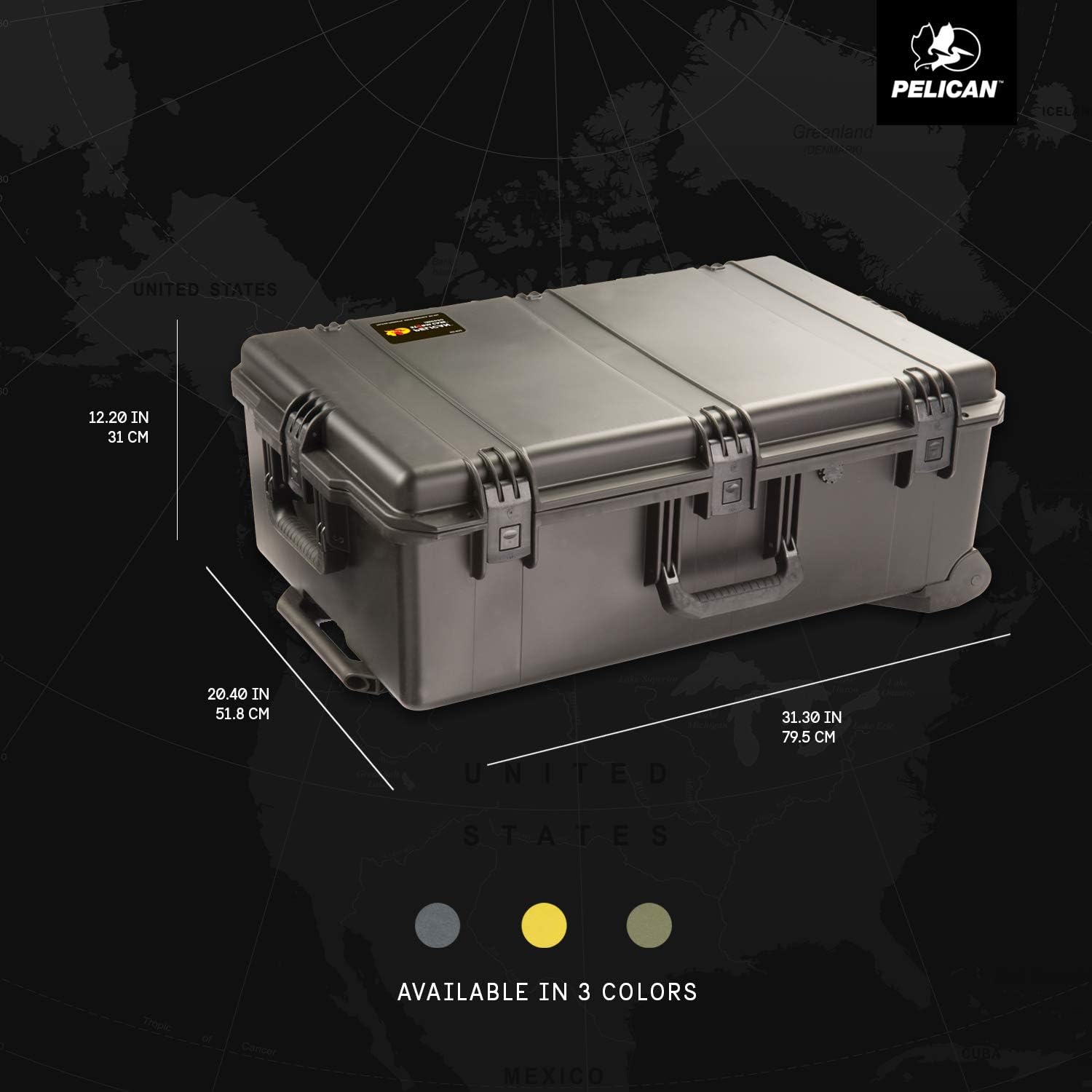
Figura 3.1: Interior view of the Pelican Storm iM2950 case with foam, highlighting customizable space.
4. Instrucións de funcionamento
4.1 Opening and Closing Latches
The iM2950 case features robust Press and Pull latches designed for secure closure and ease of use.
- Para abrir: Locate the 'PRESS' button on each latch. Press the button firmly and then pull the latch upwards to release it from the case body. Repeat for all latches.
- Pechar: Align the lid with the base of the case. Press each latch down firmly until it clicks into place. Ensure all latches are securely fastened to maintain the case's waterproof and crushproof integrity.
4.2 Using the Wheels and Handles
The case is equipped with rugged in-line wheels and multiple handles for convenient transport.
- Rolando: Tilt the case onto its wheels and use the retractable handle (if applicable to your model) or one of the fixed handles to pull the case.
- Transportando: Utilize the three double-layered, soft-grip handles located on the top and sides of the case for comfortable lifting and carrying.
5. Mantemento
Regular maintenance ensures the longevity and performance of your Pelican Storm iM2950 case.
- Limpeza: Clean the exterior of the case with mild soap and water. Avoid harsh chemicals that may damage the polymer.
- Inspección do selo: Periodically inspect the O-ring seal around the lid for any signs of wear, cracks, or debris. A clean, intact O-ring is crucial for maintaining the waterproof seal.
- Funcionalidade do pestillo: Ensure all latches operate smoothly. If a latch becomes stiff, clean it and apply a small amount of silicone-based lubricant.
- Inspección de rodas: Check the wheels for debris, wear, or damage. Clean any accumulated dirt or hair from the wheel axles to ensure smooth rolling.
6 Solución de problemas
If you encounter issues with your Pelican Storm iM2950 case, consider the following:
- Difficulty Opening/Closing Latches: Ensure no debris is obstructing the latch mechanism. Clean and lubricate if necessary.
- Fuga de auga: Verify the O-ring seal is clean, properly seated, and undamaged. Ensure all latches are fully engaged.
- Stiff Wheels: Clean any obstructions from the wheel axles. If wheels are damaged, contact Pelican support for replacement parts.
7. Especificacións
| Característica | Detalle |
|---|---|
| Dimensións do produto | 31.3 x 20.4 x 12.2 polgadas |
| Dimensións interiores | 29" x 18" x 10.5" |
| Profundidade da tapa | 2.00 polgadas |
| Profundidade do fondo | 8.50 polgadas |
| Profundidade total | 10.5 polgadas |
| Peso do elemento | 20.8 libras |
| Número de modelo | IM2950-00001 |
| Cor | Negro |
| Características especiais | Locking, Rolling, Waterproof |
| Material | HPX Polymer |
8. Garantía e soporte
Pelican products are renowned for their durability and reliability. For specific warranty information and customer support, please refer to the official Pelican website or contact their customer service directly. Pelican stands behind its products, offering robust support for any manufacturing defects or issues encountered during normal use.


