Introdución
This manual provides essential information for the proper setup, operation, and maintenance of your Master Lock 63mm Rectangular Solid Brass Padlock. Designed for security, this padlock features a robust solid brass body and a hardened steel shackle, making it suitable for various applications such as securing sheds, residential gates, or basement storage units.
Lea estas instrucións atentamente antes de usar o produto para garantir un rendemento e unha lonxevidade óptimos.
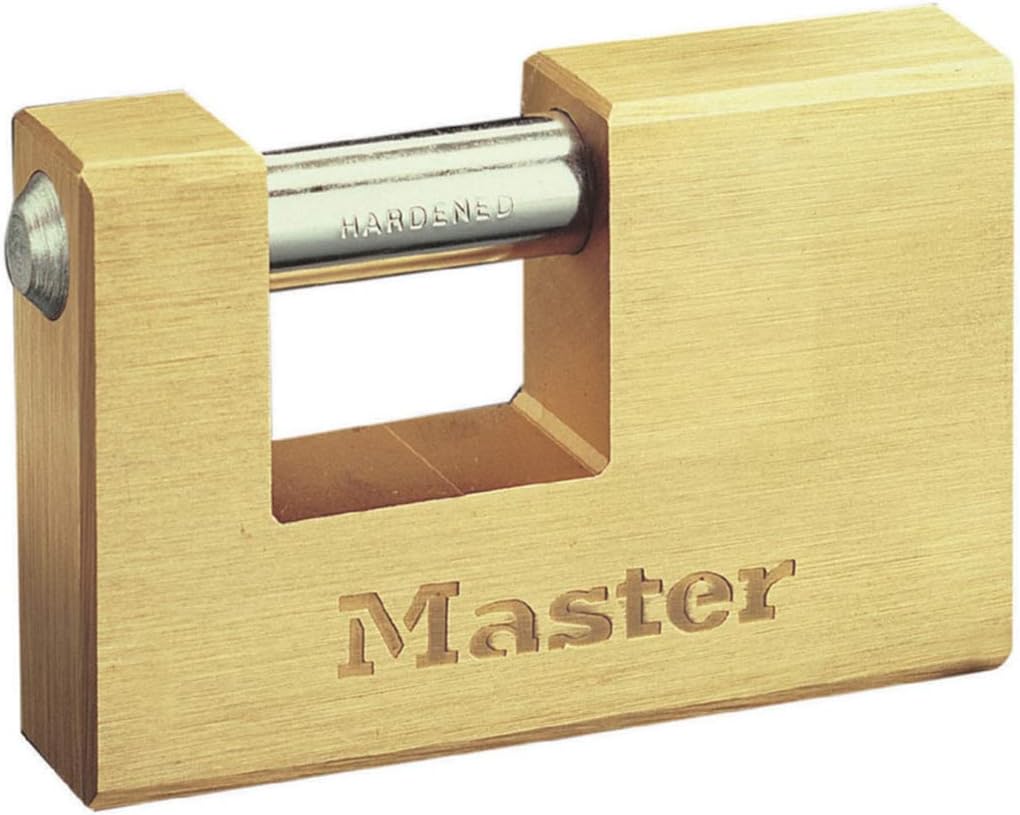
Imaxe: Fronte view of the Master Lock 63mm Rectangular Solid Brass Padlock, showcasing its solid brass body and hardened steel shackle.
Compoñentes do produto
Your Master Lock padlock package includes the following items:
- 1x Master Lock 63mm Rectangular Solid Brass Padlock
- 2 claves
Configuración
The Master Lock padlock is ready for use directly out of the packaging. No assembly is required.
- Inspeccione o cadeado: Before first use, visually inspect the padlock and shackle for any signs of damage or manufacturing defects.
- Test the Keys: Insert one of the provided keys into the keyway and turn it to ensure smooth operation of the locking mechanism.
Operación
Operating your Master Lock padlock is straightforward:
- Para desbloquear:
- Insert one of the provided keys into the keyway.
- Turn the key clockwise (or counter-clockwise, depending on the lock) until the shackle springs open.
- Retire a chave.
- Para bloquear:
- Align the shackle with the padlock body.
- Push the shackle firmly into the padlock body until you hear a click. The shackle should be securely closed.
- Remove the key if it was used to close the shackle (some models allow key removal only when locked).

Image: A Master Lock padlock securing a wooden shed door, illustrating a common application. Icons next to it suggest other uses like securing gates and lockers.
Mantemento
Regular maintenance ensures the longevity and smooth operation of your padlock:
- Lubricación: For optimal performance, especially in outdoor or dusty environments, lubricate the keyway and shackle mechanism periodically (e.g., every 6-12 months) with a graphite-based lubricant or a silicone spray. Avoid oil-based lubricants as they can attract dirt.
- Limpeza: Keep the keyway and shackle free from dirt, dust, and debris. Use a soft cloth to wipe down the padlock body.
- Coidados clave: Do not force the key if it feels stiff. Ensure the key is fully inserted before turning. Avoid using bent or damaged keys.
Resolución de problemas
| Problema | Causa posible | Solución |
|---|---|---|
| A chave é difícil de inserir ou xirar. | Sucidade/restos na chaveta, falta de lubricación, chaveta dobrada. | Clean keyway with compressed air. Apply lubricant. Use a different, undamaged key. |
| Shackle does not open or close smoothly. | Lack of lubrication, corrosion, debris in shackle mechanism. | Lubricate the shackle entry points. Clean any visible debris. |
| Padlock feels loose or insecure. | Improper shackle engagement. | Ensure the shackle is fully pushed into the body until it clicks securely. |
Especificacións
| Característica | Detalle |
|---|---|
| Marca | Master Lock |
| Nome do modelo | 606 EUR |
| Tipo de bloqueo | Bloqueo de teclas |
| Material | Aceiro de aliaxe, latón |
| Cor | Latón |
| Peso do elemento | 0.32 quilogramos (11.1 onzas) |
| Dimensións do produto (L x W x H) | 1.97 x 2.36 x 1.18 polgadas |
| Material de grillete | Aceiro endurecido |
| Tipo de cilindro | High security 5-pin cylinder |
| Compoñentes incluídos | 1 Padlock + 2 Keys |

Image: Technical drawing illustrating the dimensions of the padlock body and shackle, including height, width, and depth measurements.
Información da garantía
Master Lock stands behind the quality of its products. This Master Lock padlock comes with a Garantía limitada de por vida.
This guarantee covers defects in material and workmanship for the life of the product. For specific terms and conditions, or to make a warranty claim, please refer to the official Master Lock websitio ou póñase en contacto co seu servizo de atención ao cliente.

Image: A graphic displaying the Master Lock padlock alongside a "Limited Warranty Lifetime" badge, indicating the product's guarantee.
Atención ao cliente
If you have any questions, require assistance, or need to report an issue with your Master Lock padlock, please contact Master Lock customer support.
For the most up-to-date contact information and resources, please visit the official Master Lock websitio: www.masterlock.com


