Introdución
This manual provides essential instructions for the setup, operation, maintenance, and troubleshooting of your iHome 7-Port USB 2.0 Hub, model IH-U512SP. Please read this guide thoroughly before using the product to ensure proper functionality and longevity.
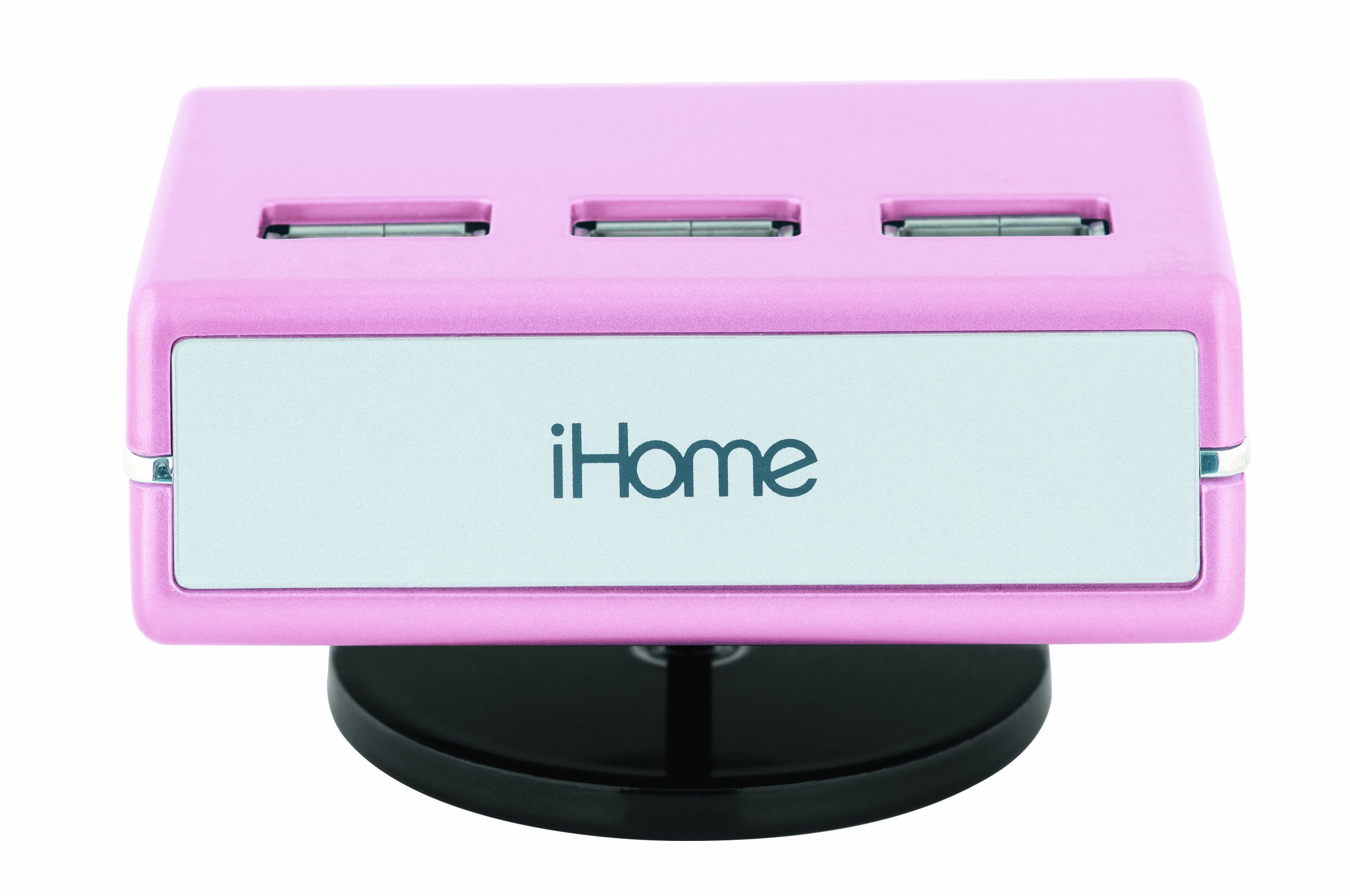
An image of the iHome 7-Port USB 2.0 Hub, featuring its compact design and seven USB 2.0 ports, including three top-loading ports, in a pink finish.
Configuración
Follow these steps to set up your iHome 7-Port USB 2.0 Hub:
- Conecte o adaptador de CA: Plug the included AC adapter into the power input port on the iHome USB hub. Then, plug the other end of the AC adapter into a standard electrical outlet. This provides necessary power for the hub and connected devices.
- Conectar ao ordenador: Use the provided USB cable to connect the iHome USB hub to an available USB port on your computer. Ensure the connection is secure.
- Instalar controladores (se é necesario): For most modern operating systems (Windows, macOS, Linux), the hub should be recognized automatically without additional driver installation. If prompted, follow the on-screen instructions to install any required drivers.
- Conectar dispositivos: You can now connect up to seven USB devices (such as printers, digital cameras, or iPods) to the available USB ports on the hub. The hub features three top-loading ports for convenient access.
Instrucións de funcionamento
The iHome 7-Port USB 2.0 Hub is designed for simple plug-and-play operation:
- Recoñecemento de dispositivos: Once connected, your computer should automatically detect any devices plugged into the hub.
- Transferencia de datos de alta velocidade: The hub supports Hi-Speed USB 2.0 technology, allowing for data transfer rates up to 480 Mbps. Actual speeds may vary depending on the connected devices and your computer's USB capabilities.
- Xestión de enerxía: The included AC adapter ensures sufficient power delivery to all connected devices, which is especially important for power-hungry peripherals.
- Compatibilidade: This hub is ideal for connecting a wide range of USB 2.0 compatible devices, including but not limited to printers, digital cameras, external hard drives, and portable media players like iPods.
Mantemento
To ensure the longevity and optimal performance of your USB hub, follow these maintenance guidelines:
- Limpeza: Disconnect the hub from power and your computer before cleaning. Use a soft, dry, lint-free cloth to wipe the exterior. Do not use liquid cleaners, aerosols, or solvents.
- Almacenamento: Cando non o use, garde o hub nun lugar fresco e seco, lonxe da luz solar directa e de temperaturas extremas.
- Coidado do cable: Avoid bending or crimping the USB and power cables excessively. Always grasp the plug, not the cable, when disconnecting.
- Condicións ambientais: Do not expose the hub to moisture, dust, or corrosive environments.
Resolución de problemas
If you encounter issues with your iHome USB hub, refer to the following common solutions:
- Dispositivo non recoñecido:
- Ensure the hub's AC adapter is securely plugged into both the hub and a working electrical outlet.
- Verify that the USB cable connecting the hub to your computer is firmly connected at both ends.
- Try connecting the problematic device directly to your computer's USB port to confirm the device itself is functioning.
- Connect the hub to a different USB port on your computer.
- Reinicia o teu ordenador.
- Potencia insuficiente: If devices are not functioning correctly or intermittently, ensure the AC adapter is connected. Some high-power devices require the hub's external power supply.
- Transferencia de datos lenta: Ensure both the hub and the connected device are USB 2.0 compatible. Connecting a USB 1.1 device will limit speeds to USB 1.1 rates.
- Compoñentes que faltan: If you believe essential parts are missing for proper functionality (e.g., specific cables for certain operating systems), please contact iHome customer support or your retailer.
Especificacións
| Número de modelo | IH-U512SP |
| Dimensións do produto | 2.9 x 1.6 x 2.1 polgadas |
| Peso do elemento | 10.1 onzas |
| Total de portos USB | 7 |
| Interface de hardware | USB 2.0 |
| Dispositivos compatibles | Digital Cameras, Printers, iPods, and other USB 2.0 devices |
| Fonte de enerxía | Adaptador de CA (incluído) |
Garantía e Soporte
Para obter información sobre a garantía ou asistencia técnica, consulte a documentación incluída coa súa compra ou visite o sitio web oficial de iHome. websitio. Garda o comprobante de compra para reclamacións de garantía.
Fabricante: Tecnoloxía Lifeworks, Inc.
Data de primeira dispoñibilidade: 1 de febreiro de 2009


