Introdución
This manual provides instructions for the iSound 10-in-1 Accessory Bundle designed for the iPhone 3GS. This bundle offers a comprehensive solution for enhancing your device's functionality and protection. Please read these instructions carefully before using the accessories.
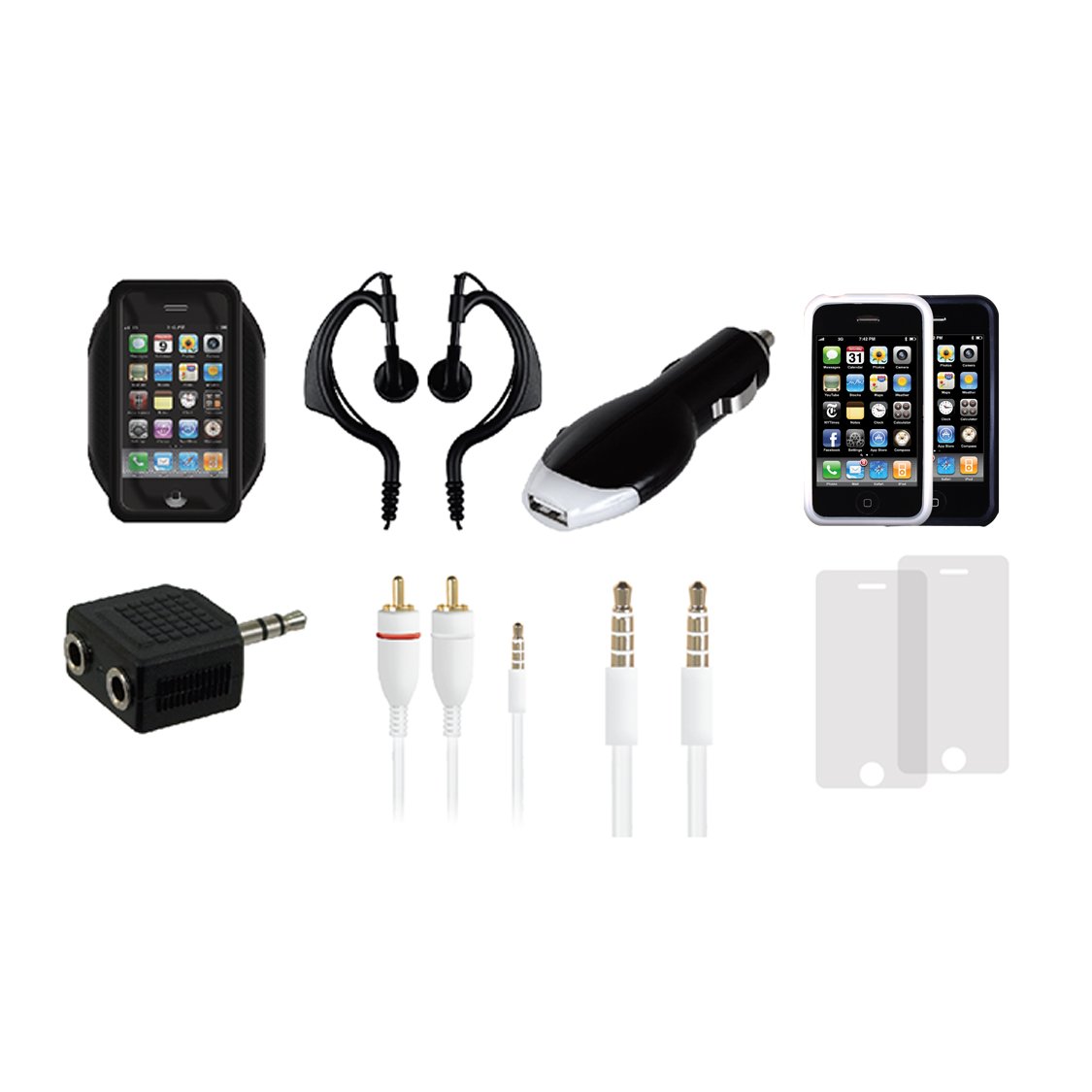
Image: The iSound 10-in-1 iPhone 3GS Accessory Bundle, showing various components in its packaging.
Contido do paquete
The iSound 10-in-1 iPhone 3GS Accessory Bundle includes the following items:
- Cargador de coche USB
- 2 Protective Screen Films
- 13.5 MM Audio Cable
- Divisor de audio
- Additional essential accessories to complete the 10-in-1 bundle.
Instrucións de configuración
Cargador de coche USB
- Insert the USB Car Charger into your vehicle's 12V accessory power outlet (cigarette lighter socket).
- Connect your iPhone 3GS charging cable (not included) to the USB port on the car charger.
- Connect the other end of the charging cable to your iPhone 3GS. The device should begin charging.
Protective Screen Films
- Clean your iPhone 3GS screen thoroughly with a microfiber cloth to remove dust and smudges.
- Carefully peel back a small portion of the protective layer (usually marked '1') from the screen film.
- Align the screen film with the edges of your iPhone 3GS screen, starting from one end.
- Slowly apply the film, using a soft card (like a credit card) to smooth out any air bubbles as you go.
- Once applied, peel off the top protective layer (usually marked '2').
13.5 MM Audio Cable
- Insert one end of the 13.5 MM Audio Cable into the headphone jack of your iPhone 3GS.
- Connect the other end of the audio cable to the auxiliary input of your car stereo, portable speaker, or other audio device.
Divisor de audio
- Insert the male plug of the Audio Splitter into the headphone jack of your iPhone 3GS.
- Connect up to two sets of headphones or speakers into the female jacks of the Audio Splitter.
Instrucións de funcionamento
Uso xeral
- Cargador de coche USB: Once connected, your iPhone 3GS will automatically begin charging. Monitor the charging indicator on your device.
- Protective Screen Films: These films provide a layer of protection against scratches and minor impacts. They do not interfere with touch screen functionality.
- 13.5 MM Audio Cable: After connecting, select the auxiliary input on your external audio device to play audio from your iPhone 3GS.
- Audio Splitter: Allows two users to listen to audio from a single iPhone 3GS simultaneously. Adjust volume on your iPhone and individual headphones as needed.
Mantemento
- Keep all accessories clean and free from dust. Use a soft, dry cloth for cleaning.
- Avoid exposing accessories to extreme temperatures, direct sunlight, or moisture.
- Almacene os cables ordenadamente para evitar enredos e danos.
- Do not use harsh chemicals or abrasive cleaners on any component.
Resolución de problemas
- Car Charger Not Charging: Ensure the car charger is fully inserted into the 12V outlet. Check your vehicle's fuse for the power outlet if no power is detected. Ensure your iPhone charging cable is functional.
- Audio Cable No Sound: Verify both ends of the audio cable are securely connected. Check the volume levels on both your iPhone and the external audio device. Ensure the correct input source is selected on the external audio device.
- Screen Film Bubbles: Small bubbles can often be smoothed out by gently pushing them towards the edge with a soft card. For persistent bubbles, carefully lift a corner of the film and reapply.
- Mal funcionamento xeral: If an accessory is not functioning as expected, ensure it is correctly connected and your iPhone 3GS is operating normally.
Especificacións
- Dimensións do produto: 5 x 1.5 x 7 polgadas
- Peso do artigo: 5.8 onzas
- ASIN: B00336EEWS
- Número de modelo do artigo: DGIPOD-1506
- Fabricante: DreamGEAR (CE)
- Data de primeira dispoñibilidade: 1 de febreiro de 2010
Garantía e Soporte
For information regarding warranty coverage or technical support for your iSound 10-in-1 iPhone 3GS Accessory Bundle, please refer to the documentation included with your purchase or contact the manufacturer, DreamGEAR (CE), directly. Contact details are typically available on the manufacturer's official websitio.


