1. Introdución e finalview
The EPOS PC 7 USB is a lightweight, single-sided wired headset designed for clear communication and audio. It connects via USB, offering plug-and-play functionality for various computer systems. Its noise-cancelling microphone ensures clear conversations, making it suitable for online calls, gaming, and listening to audio while remaining aware of your surroundings.

Figure 1: EPOS PC 7 USB Wired Headset
2. Características do produto
- Micrófono con cancelación de ruído: Provides clear audio transmission by filtering out background noise.
- USB Plug and Play: Simple connection to your computer's USB port for immediate use without additional software installation.
- Single-Sided Wearing Style: Allows you to keep one ear free to stay aware of your environment.
- Deseño lixeiro e cómodo: Engineered for extended periods of use without discomfort.
- Audio de banda ancha: Delivers high-quality sound for both listening and speaking.

Figure 2: Key features of the EPOS PC 7 USB Headset including noise-cancelling microphone, lightweight design, and plug-and-play simplicity.
3. Configuración
- Conectar ao porto USB: Locate an available USB-A port on your computer (Windows, macOS, or Chromebook). Insert the headset's USB connector firmly into the port.
- Recoñecemento automático: Your operating system should automatically detect and install the necessary drivers for the headset. This process typically takes a few moments.
- Verificar a configuración de son: After connection, check your computer's sound settings to ensure the EPOS PC 7 USB is selected as the default input (microphone) and output (speaker) device.
The headset is designed for immediate plug-and-play functionality, requiring no complex installation steps.

Figure 3: Close-up of the single-sided USB headset, highlighting the plug-and-play USB connection and noise-cancelling microphone.
4. Instrucións de funcionamento
4.1 Microphone Adjustment
- Posicionamento: Gently adjust the flexible boom arm to position the microphone approximately 1-2 inches from your mouth for optimal voice pickup.
- Cancelación de ruído: The microphone features noise-cancelling technology to reduce ambient sounds, ensuring your voice is heard clearly.
4.2 Controis en liña
The headset features an inline control unit for convenient management of calls and audio.
- Control de volume: Use the '+' and '-' buttons to increase or decrease the listening volume.
- Silenciar o micrófono: Press the microphone icon button to mute or unmute your microphone.
- Xestión de chamadas: Use the call button (phone icon) to answer or end calls in compatible applications (e.g., Skype, Zoom, Teams).

Figure 4: Detail of the earcup and microphone, designed for clear audio and comfortable fit.
5. Comodidade e deseño
The EPOS PC 7 USB is engineered for user comfort during prolonged use.
- Construción lixeira: The headset's minimal weight reduces pressure on the head and ears.
- On-Ear Earpad: The single earpad rests comfortably on one ear, allowing for situational awareness.
- Diadema axustable: The headband can be adjusted to fit various head sizes securely.

Figure 5: User demonstrating the comfortable fit of the EPOS PC 7 USB Headset during a call.
6. Especificacións
| Característica | Detalle |
|---|---|
| Nome do modelo | PC 7 USB |
| Marca | EPOS |
| Tecnoloxía de conectividade | Con cable (USB-A) |
| Colocación do oído | On Ear (Mono) |
| Factor de forma | Na Orella |
| Control de ruído | Cancelación activa de ruído (micrófono) |
| Resposta en frecuencia | 42 - 17000 Hz |
| Impedancia | 32 ohmios |
| Peso do elemento | 2.19 onzas |
| Material | Plástico |
| Cor | Negro |
| Dispositivos compatibles | Computers (Windows, macOS, Chromebook) |
7. Mantemento
- Limpeza: Usa un pano suave e seco para limpar os auriculares. Evita o uso de produtos químicos agresivos ou materiais abrasivos.
- Almacenamento: Store the headset in a cool, dry place when not in use. Avoid extreme temperatures and direct sunlight.
- Coidado do cable: Do not excessively bend or pull the cable to prevent damage.
8 Solución de problemas
- Sen son/Micrófono non funciona:
- Asegúrate de que o conector USB estea completamente inserido no porto.
- Check your computer's audio settings to confirm the EPOS PC 7 USB is selected as the default input/output device.
- Verify that the microphone is not muted via the inline control unit or your computer's software.
- Try connecting the headset to a different USB port or another computer to rule out port or system issues.
- Mala calidade de audio:
- Axusta o brazo do micrófono máis preto da boca.
- Ensure the earpad is properly positioned on your ear.
- Check for any software conflicts or outdated audio drivers on your computer.
9. Vídeo oficial do produto
Video 1: EPOS PC7 USB Mono Headset for Clear Office Calls. This video provides a visual overview of the headset's features and benefits for office communication.
10. Garantía e soporte
The EPOS PC 7 USB Headset comes with a 2-year warranty, as indicated on the product packaging. For further support, product registration, or warranty claims, please visit the official EPOS websitio ou póñase en contacto co seu servizo de atención ao cliente.
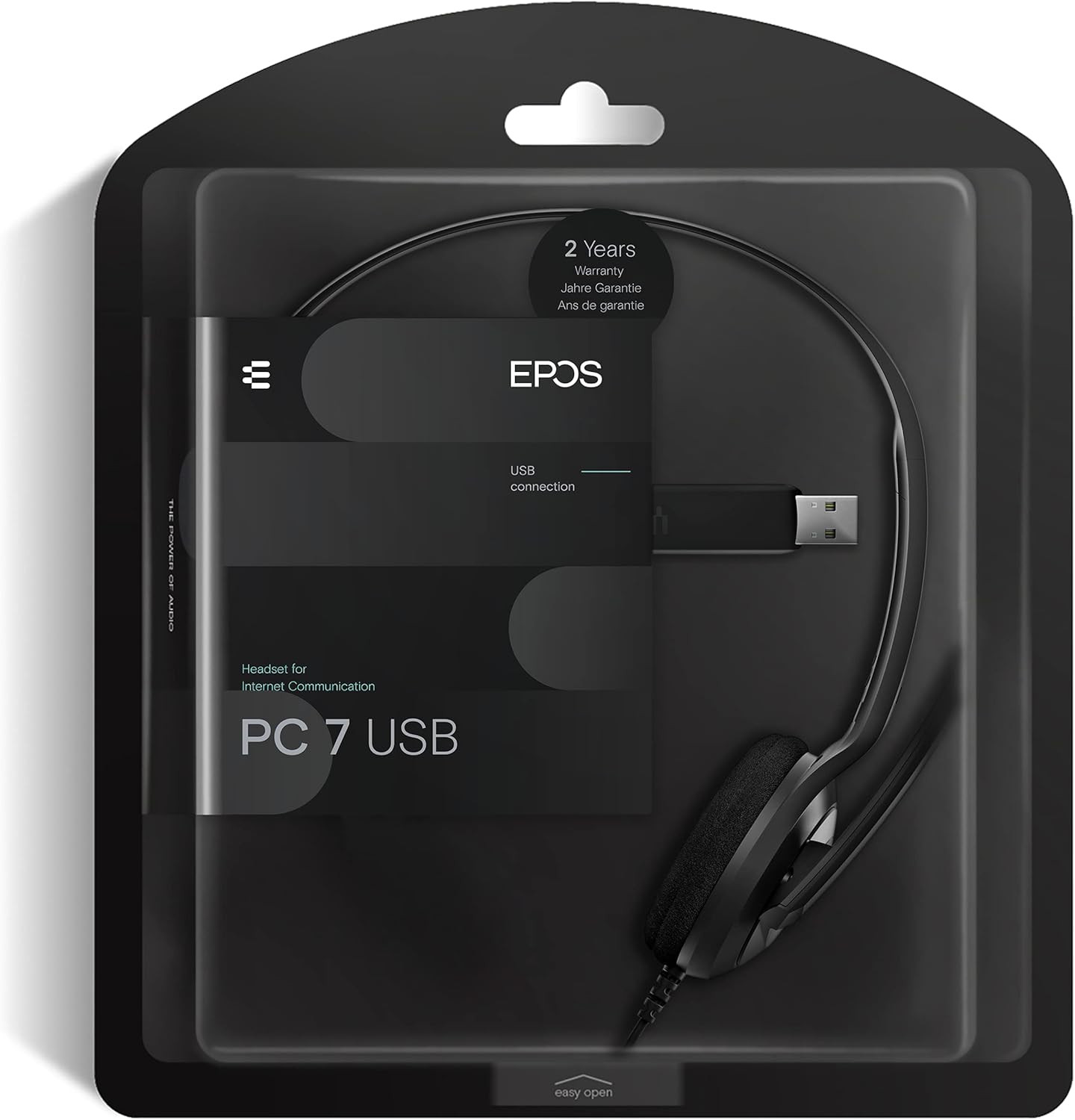
Figure 6: Product packaging highlighting the 2-year warranty information.


