1. Produto rematadoview
O ViewSonic PJD5353 is a short throw DLP projector designed for business and education environments. It offers XGA 1024x768 native resolution, 2500 ANSI lumens brightness, and a 3000:1 contrast ratio for clear and vibrant images. Its short throw lens allows for large images from a minimal distance, making it suitable for various room sizes.
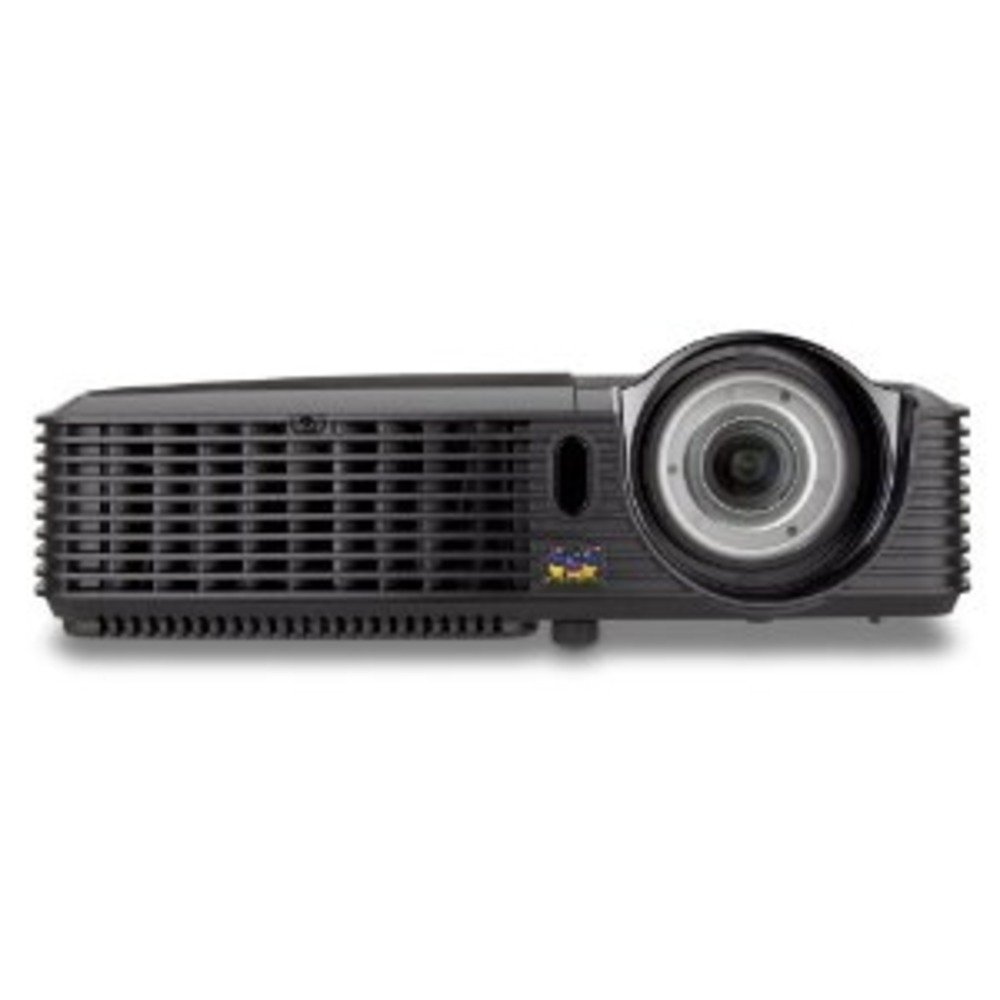
Figura 1.1: ViewSonic PJD5353 DLP Projector. This image displays the projector from an angled perspective, highlighting the projection lens on the front and the control panel located on the top surface.
Características principais:
- XGA 1024x768 DLP projector with 2500 ANSI Lumens and 3000:1 Contrast.
- Short Throw Ratio (TR 0.68) for large images in small spaces.
- Multiple input options: HDMI, dual RGB in, composite, S-video, RGB out, audio in/out, RS232.
- Supports HD 720p and 1080i/p via HDMI.
- 120Hz/3D-Ready technology powered by DLP Link for PC-based 3D applications.
- Digital keystone correction of +/- 40 degrees.
- Altofalante integrado de 1 W.
- Lightweight and portable at 5.7 lbs.
- Lamp life of 5000 hours (Normal mode) / 6000 hours (Eco mode).
- Apple Mac compatible.
- 8 preset picture modes (e.g., bright, cinema, whiteboard).
- Eco Mode for energy savings, extended lamp life, and reduced operating noise.
- Includes remote control with batteries.
2. Configuración
2.1 Desembalaxe e colocación
Carefully remove the projector and all accessories from the packaging. Place the projector on a stable, flat surface. Due to its short throw capability, the projector can be positioned close to the projection screen or wall. For example, a 50-inch image can be achieved from approximately 27 inches away.
2.2 Conexión de enerxía
- Conecte o cable de alimentación á entrada de alimentación do proxector.
- Conecte o outro extremo do cable de alimentación a unha toma eléctrica conectada a terra.
2.3 Conexión de fontes de vídeo
The PJD5353 offers various input ports for connecting different devices:
- HDMI: For high-definition digital video and audio. Supports HD 720p and 1080i/p signals.
- VGA (RGB In): For connecting computers via a VGA cable. Two VGA inputs are available.
- Vídeo composto: Para fontes de vídeo de definición estándar.
- Vídeo S: For improved standard definition video sources.
- Entrada de audio: Para conectar fontes de son externas.
Connect your desired video source (e.g., laptop, DVD player) to the corresponding input port on the projector using the appropriate cable.
2.4 Acendido inicial e axuste do enfoque
- Prema o botón de acendido do proxector ou do control remoto para acender a unidade. A luz indicadora de acendido acenderase.
- Allow a few moments for the projector lamp to warm up and display an image.
- Adjust the focus ring around the lens until the image on the screen is sharp and clear.
- Use the keystone correction function (digital +/- 40 degrees) via the projector's menu or remote control to square the image if the projector is not perfectly perpendicular to the screen.
3. Funcionamento
3.1 Controis básicos
The projector can be controlled using the control panel on the top of the unit or the included remote control.
- Botón de encendido: Acende ou apaga o proxector.
- Botón de orixe: Cycles through available input sources (HDMI, VGA1, VGA2, Video, S-Video).
- Botón de menú: Accesses the on-screen display (OSD) menu for settings adjustments.
- Botóns de frecha: Navigate through OSD menu options.
- Botón Intro: Confirms selections in the OSD menu.
- Keystone Buttons: Adjusts vertical keystone correction.
3.2 Modos de imaxe
The projector features 8 preset picture modes optimized for different viewing environments and content types. These include:
- Brillante
- Cine
- Encerado
- E outros.
Select the appropriate picture mode from the OSD menu to enhance your viewexperiencia ing.
3.3 Modo Eco
Activate Eco Mode to reduce power consumption, extend lamp life, and lower operating noise. This mode is ideal for situations where maximum brightness is not required.
3.4 Funcionalidade 3D
The PJD5353 is 120Hz/3D-Ready, powered by DLP Link. To utilize 3D features, you will need compatible 3D content, a 3D-capable source device (e.g., PC with 3D software), and DLP Link 3D glasses (sold separately).
4. Mantemento
4.1 Lamp Vida e substitución
O proxector lamp has an estimated life of 5000 hours in Normal mode and 6000 hours in Eco mode. When the lamp reaches the end of its life, a warning message may appear, or the lamp indicator light may illuminate. Refer to the full user manual for detailed lamp replacement instructions. Always use genuine ViewSonic replacement lamps.
4.2 Limpeza
- Proxector Casing: Use un suave, damp cloth with a mild detergent to clean the exterior. Avoid abrasive cleaners.
- Lente: Gently wipe the lens with a soft, lint-free cloth specifically designed for optical surfaces. Do not use liquid cleaners directly on the lens.
- Ventos de aire: Comprobe e limpe periodicamente as reixas de ventilación para garantir un fluxo de aire axeitado e evitar o sobrequecemento. Use un cepillo suave ou aire comprimido.
Atención: Desconecte sempre o proxector da toma de corrente antes de limpalo.
5 Solución de problemas
Problemas comúns e solucións:
- Sen imaxe na pantalla:
- Asegúrese de que o proxector estea acendido e que oamp está iluminado.
- Verify that the video cable is securely connected to both the projector and the source device.
- Press the "Source" button on the projector or remote to select the correct input source.
- Check the resolution settings of your source device; ensure it is compatible with the projector's supported resolutions.
- Sen son:
- Se usas HDMI, asegúrate de que o son se envía a través do cable HDMI.
- If using an analog audio cable, ensure it is properly connected to the "Audio In" port.
- Comprobe a configuración de volume tanto no proxector como no dispositivo fonte.
- Ensure the integrated speaker is enabled in the projector's OSD menu.
- O control remoto non funciona:
- Check and replace the batteries in the remote control (2 AA batteries are included).
- Ensure there are no obstructions between the remote control and the projector's IR receiver.
- Apunte o mando a distancia directamente ao proxector.
- A imaxe está distorsionada ou borrosa:
- Axuste o anel de enfoque na lente.
- Use the keystone correction function to correct trapezoidal distortion.
- Ensure the projector is placed on a stable surface and is not vibrating.
For more detailed troubleshooting, refer to the complete user manual or visit the ViewSoporte de Sonic websitio.
6. Especificacións
| Característica | Descrición |
|---|---|
| Número de modelo | PJD5353 |
| Tecnoloxía de visualización | DLP |
| Resolución nativa | XGA (1024 x 768) |
| Brillo | 2500 lúmenes ANSI |
| Relación de contraste | 3000:1 |
| Relación de lanzamento | 0.68 (Short Throw) |
| Corrección Keystone | Digital +/- 40 degrees (Vertical) |
| Lamp Vida (Normal/Ecolóxica) | 5000/6000 horas |
| Conectividade | HDMI, 2x VGA In, Composite Video, S-Video, Audio In/Out, RS232 |
| Soporte HD | 720p, 1080i/p (via HDMI) |
| Listo para 3D | 120Hz/DLP Link |
| Altofalante integrado | 1W |
| Dimensións do produto | 9.2 x 11.2 x 3.2 polgadas |
| Peso do elemento | 5.7 libras |
| Accesorios incluídos | Remote control with 2 AA batteries |
7. Garantía e soporte
7.1 Información da garantía
Isto ViewSonic product is covered by a limited warranty. For specific warranty terms and conditions, including duration and coverage details, please refer to the warranty card included with your product or visit the official ViewSonic websitio. Garda o comprobante de compra para reclamacións de garantía.
7.2 Atención ao cliente
For technical assistance, product registration, or to download the complete user manual, please visit the official ViewSoporte de Sonic website or contact their customer service department. Contact information can typically be found on the ViewSonic websitio ou na embalaxe do produto.