1. Introdución
This manual provides essential information for the safe and efficient operation of your Keystone KSTAD70B 70-Pint Dehumidifier. This unit is designed to remove up to 70 pints of moisture from the air daily, suitable for rooms up to 4500 square feet. Key features include electronic controls with an LED display, a 24-hour timer, a transparent water level indicator, and a full bucket alert with automatic shutoff. It also offers a continuous draining option and a removable, easy-to-clean dust filter with a clean-filter alert. The auto-restart function preserves your settings after a power outage, and rolling casters facilitate easy movement.
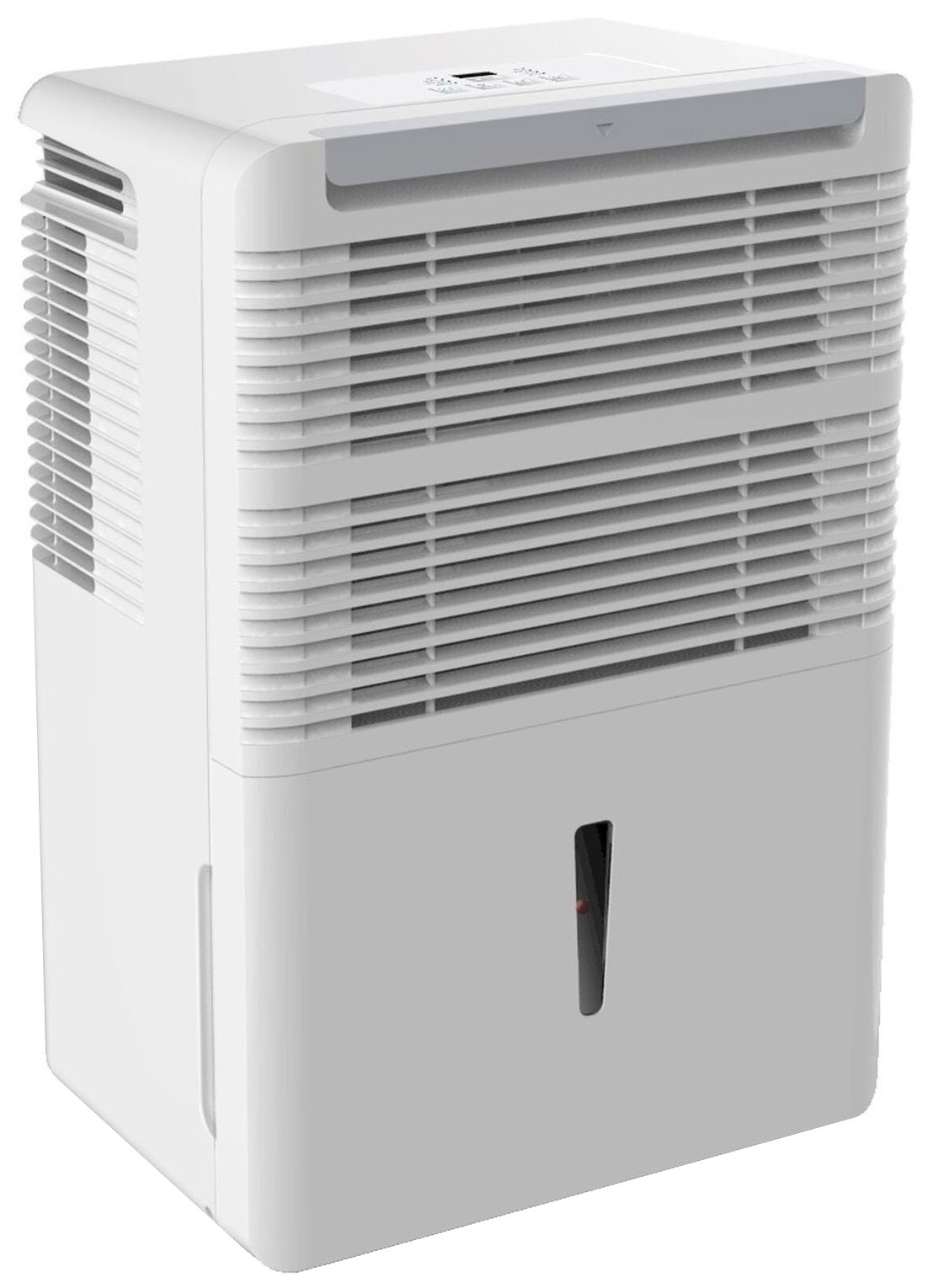
Figura 1: Fronte view of the Keystone KSTAD70B Dehumidifier.
2. Información de seguridade
Please read all safety instructions before operating the dehumidifier to prevent injury or damage. Keep this manual for future reference.
- Always connect the unit to a properly grounded electrical outlet of the correct voltage.
- Non utilice a unidade cun cable de alimentación ou un enchufe danados.
- Ensure adequate clearance (at least 12-18 inches) around the air intake and outlet to prevent overheating and ensure efficient operation.
- Non bloquee as ventilacións.
- Non empregue o deshumidificador preto da auga nin en ambientes excesivamente húmidos.
- Desconecte a unidade antes de limpala ou realizar calquera mantemento.
- Este aparello non está pensado para o seu uso por persoas (incluídos nenos) con capacidades físicas, sensoriais ou mentais reducidas, ou con falta de experiencia e coñecementos, a menos que teñan supervisión ou instrucións sobre o uso do aparello por unha persoa responsable da súa seguridade.
- Non empregue solventes químicos nin produtos de limpeza abrasivos na unidade.
3. Configuración e colocación
3.1 Desembalaxe
Carefully remove the dehumidifier from its packaging. Retain the packaging materials for future storage or transport. Inspect the unit for any shipping damage.
3.2 Colocación
For optimal performance, place the dehumidifier in a location where air can circulate freely around it. The unit circulates air from the sides, not the top. Therefore, avoid placing it directly in a corner or against walls. Maintain a minimum clearance of 12-18 inches (30-45 cm) on all sides to ensure proper airflow.
3.3 Encendido inicial
Conecte o cable de alimentación a unha toma de corrente con conexión a terra. A unidade xa está lista para funcionar.
4. Instrucións de funcionamento
4.1 Panel de control rematadoview

Figure 2: Control panel of the Keystone KSTAD70B Dehumidifier.
The control panel features an LED display and various buttons for setting the dehumidifier's functions:
- Botón de encendido: Acende ou apaga a unidade.
- Botón de ventilador: Adjusts fan speed (typically Low, Medium, High).
- Botón do temporizador: Axusta o temporizador de acendido/apagado de 24 horas.
- Frechas cara arriba/abaixo: Adjust humidity level settings or timer duration.
- Indicador de filtro: Ilumínase cando o filtro de aire precisa limpeza.
- Indicador completo: Ilumínase cando o balde de auga está cheo e precisa ser baleirado.
- Cont. (Continuous) Indicator: Illuminates when the unit is set for continuous operation.
- Modo Turbo: Activates maximum dehumidification.
- Modo normal: Standard dehumidification operation.
- Desconxelación automática: Automatically defrosts the coils if ice builds up.
4.2 Axuste do nivel de humidade desexado
Press the Up or Down arrow buttons to set your desired humidity level. The unit will operate until the set humidity is reached, then cycle on and off to maintain it. The recommended humidity range for comfort is typically between 45% and 55%.
4.3 Funcionamento continuo
To run the dehumidifier continuously, select the 'Cont.' setting. In this mode, the unit will operate regardless of the ambient humidity level. Note that when continuous operation is selected, the humidity setpoint buttons will not respond.
4.4 Función de temporizador
Use the Timer button to program the unit to turn on or off automatically after a set number of hours (up to 24 hours).
4.5 Auto-Restart
The unit features an auto-restart function that saves your settings. In the event of a power outage, the dehumidifier will automatically resume operation with the last settings once power is restored.
5. Mantemento
Un mantemento regular garante un rendemento óptimo e unha maior duración do seu deshumidificador.
5.1 Baleirar o balde de auga
When the water bucket is full, the 'Full' indicator light will illuminate, and the unit will automatically shut off. Carefully remove the bucket and empty the collected water. Reinsert the bucket firmly until it clicks into place to resume operation.

Figura 3: Retirada do balde de recollida de auga.

Figure 4: Transparent water level indicator.
5.2 Continuous Draining Option
For continuous operation without emptying the bucket, you can connect a standard garden hose (not included) to the unit's low-level drain. The unit includes an adapter with a clear hose that pushes onto a smooth plastic fitting inside the unit. This adapter has male hose threads for attaching a garden hose. Ensure the hose is routed downwards to a suitable drain to allow gravity to remove the water.
5.3 Limpeza do filtro de aire
The 'Filter' indicator light will remind you when it's time to clean the air filter. A clean filter ensures efficient operation and better air quality. To clean, lift the filter straight up from the top at the front corner of the unit and slide it out. Wash the filter with warm, soapy water, rinse thoroughly, and allow it to air dry completely before reinserting.

Figure 5: Removing the air filter for cleaning.
6 Solución de problemas
Before contacting support, try these common troubleshooting steps:
| Problema | Causa posible | Solución |
|---|---|---|
| O deshumidificador non se acende. | No power; power cord loose; 'Full' indicator on. | Check power supply; ensure cord is plugged in; empty water bucket. |
| A unidade funciona pero non deshumidifica. | Air filter clogged; room temperature too low; unit size too small for area. | Clean air filter; ensure room temperature is above 41°F (5°C); consider unit placement. |
| A unidade é ruidosa. | Unidade non nivelada; obstrución do ventilador. | Place on a flat, stable surface; check for obstructions in fan area. |
| Fugas de auga da unidade. | Water bucket not properly seated; continuous drain hose loose or clogged. | Ensure bucket is fully inserted; check continuous drain hose connection and clear any blockages. |
7. Especificacións
| Característica | Detalle |
|---|---|
| Marca | Keystone |
| Nome do modelo | KSTAD70B |
| Capacidade de deshumidificación | 70 pintas ao día |
| Tamaño da habitación recomendado | Ata 4500 pés cadrados |
| Cor | Branco |
| Características especiais | Automatic Restart, Automatic Shutoff |
| Número de velocidades | 3 |
| Modo de operación | Normal, Turbo, Auto-Defrost |
| Wattage | 720 vatios |
| Peso do elemento | 40 libras |
| Dimensións do produto (L x W x H) | 11.25 x 15.5 x 23.25 polgadas |
| Usos recomendados | Residencial |
8. Información da garantía
The Keystone KSTAD70B Dehumidifier comes with a 1 ano de garantía on parts and labor, and a garantía limitada de 5 anos on the sealed system. Please refer to the physical warranty card included with your product for full terms and conditions.
9. Atención ao cliente
For product registration, warranty claims, or technical assistance, please refer to the contact information provided in the physical instruction manual that came with your dehumidifier. Online registration or direct manufacturer contact information may not be readily available; therefore, retaining your original manual is important for support inquiries.


