1. Introdución
This manual provides essential information for the proper use and care of your Cable Matters 5Gbps USB 3.0 A to B Cable. This high-performance cable is designed for reliable and fast data transfer between your computer and various USB 3.0 Type-B enabled devices.
2. Características do produto
- USB 3.0 de supervelocidade: Supports data transfer rates up to 5 Gbps, which is 10 times faster than USB 2.0.
- Conectividade versátil: Connects desktop external hard drives, powered USB hubs, USB docking stations, 3.5-inch hard drive enclosures, scanners, and monitors with a Type-B USB 3.0 port to your computer.
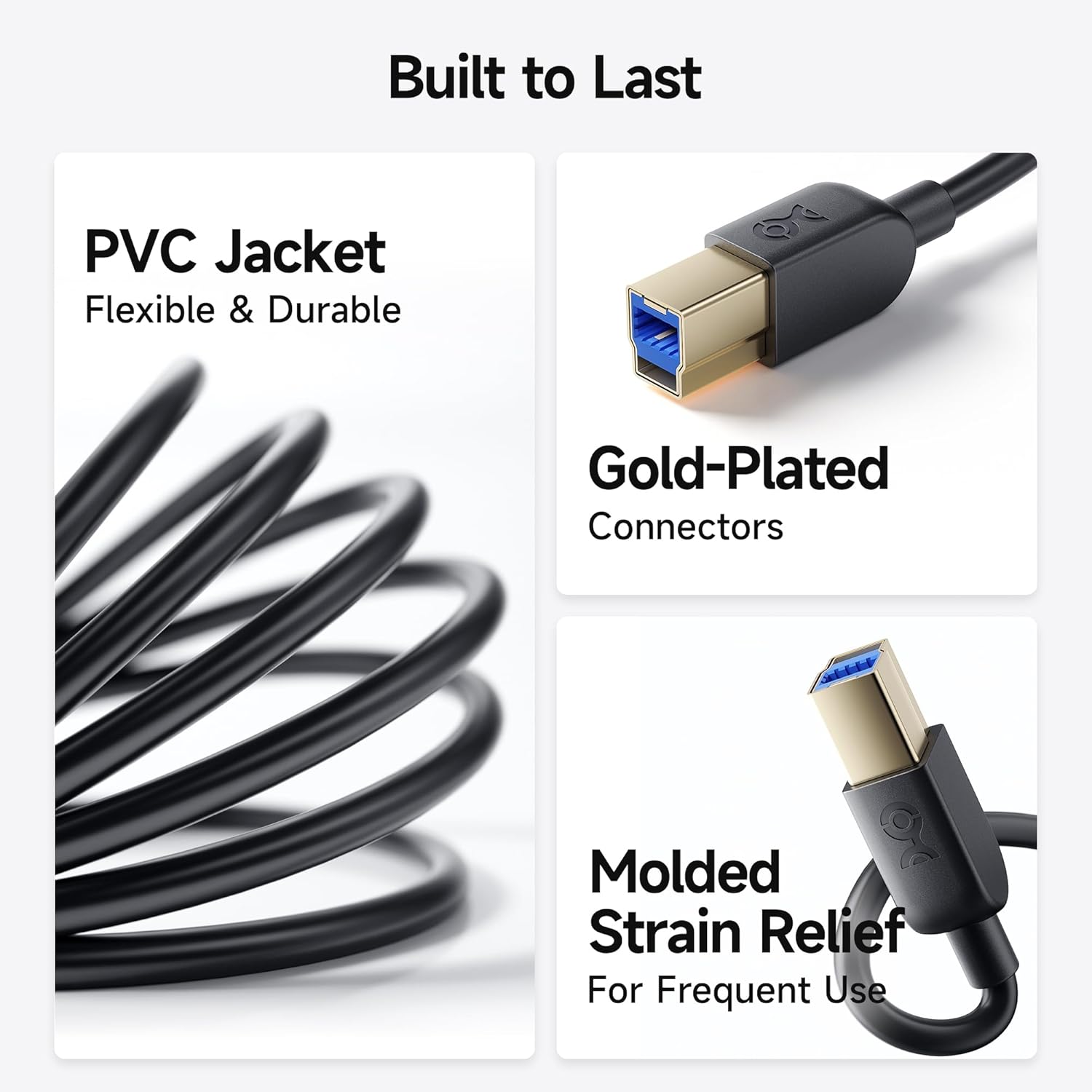
- Construción duradeira: Features molded strain relief connectors for enhanced durability and grip treads for easy plugging and unplugging.
- Rendemento óptimo: Equipped with gold-plated connectors, bare copper conductors, and foil & braid shielding to ensure error-free data transmission and fast charging capabilities.

3. Contido do paquete
- 2 x Cable Matters 5Gbps USB 3.0 A to B Cable (6 feet, Black)
4. Configuración e conexión
- Identify the USB 3.0 Type-A port on your computer (typically blue or marked with a 'SS' symbol).
- Identify the USB 3.0 Type-B port on your peripheral device (e.g., external hard drive, hub, scanner). This port is distinct from USB 2.0 Type-B ports; ensure it has the correct shape and pin configuration for USB 3.0.
- Connect the USB 3.0 Type-A end of the cable to your computer's USB 3.0 Type-A port.
- Connect the USB 3.0 Type-B end of the cable to your peripheral device's USB 3.0 Type-B port.
- Ensure both connections are secure. The cable is designed for a snug fit to maintain stable data transfer.
Note: This is a USB-A to USB-B 3.0 cable and is NOT compatible with USB 2.0 Type-B ports. Attempting to force the connection may damage the ports or the cable.


5. Instrucións de funcionamento
Once connected, your computer should automatically detect the peripheral device. You can then use the device as intended, benefiting from the high-speed data transfer capabilities of USB 3.0.
- Transferencia de datos: For external hard drives or enclosures, drag and drop files between your computer and the device for rapid transfers.
- Uso periférico: For scanners, monitors, or USB hubs, ensure the necessary drivers are installed on your computer for full functionality.
- Carga rápida: The cable supports fast charging speeds for compatible devices when connected to a powered USB 3.0 port.
6. Compatibilidade
The Cable Matters USB 3.0 Type B cable is broadly compatible with devices equipped with a Type-B USB 3.0 port. This includes, but is not limited to:
- Fujitsu ScanSnap iX500 scanner
- Dell S2340T monitor
- Dell USB 3.0 docking station
- HP USB 3.0 port replicator
- Western Digital (WD) desktop USB 3.0 external hard drives
- Seagate desktop USB 3.0 external hard drives
- Various other desktop external hard drives, powered USB hubs, USB docking stations, and 3.5-inch hard drive enclosures.

7. Especificacións
| Atributo | Detalle |
|---|---|
| Marca | Asuntos de cable |
| Nome do modelo | FBA_200007-BLACK-6x2 |
| Tipo de conector | USB Type B (Male-to-Male) |
| Tipo de cable | USB 3.0 |
| Taxa de transferencia de datos | 5 Gigabits Per Second (5 Gbps) |
| Lonxitude do cable | 6 pés (aprox. 1.8 metros) |
| Cor | Negro |
| Material exterior | Cloruro de polivinilo (PVC) |
| Característica especial | Fast Charging, Gold-Plated Connectors, Molded Strain Relief |
| Especificación Met | UL, USB-IF |
| Uso interior/exterior | Interior |
8. Mantemento
- Keep the cable clean and free from dust and debris.
- Avoid sharp bends or kinks in the cable to prevent internal damage.
- Garde o cable nun lugar fresco e seco cando non o use.
- Always grasp the connector head, not the cable itself, when plugging or unplugging to prevent strain on the connections.
9 Solución de problemas
- Dispositivo non recoñecido:
- Asegúrese de que os dous extremos do cable estean ben conectados.
- Verify that your device has a USB 3.0 Type-B port, not a USB 2.0 Type-B port.
- Try connecting the device to a different USB 3.0 port on your computer.
- Restart your computer and the peripheral device.
- Check if the device requires specific drivers and ensure they are installed.
- Transferencia de datos lenta:
- Confirm that both your computer's port and the peripheral device's port are USB 3.0 compatible. If either is USB 2.0, speeds will be limited to USB 2.0 rates.
- Asegúrate de que ningún outro dispositivo de gran ancho de banda estea a usar simultaneamente o mesmo controlador USB no teu ordenador.
- Test with another USB 3.0 cable to rule out a cable issue.
- Conexión intermitente:
- Comprobe se o cable ou os conectores presentan danos físicos.
- Asegúrate de que o cable non estea excesivamente dobrado ou tenso.
- Avoid electromagnetic interference from other electronic devices.
10. Vídeo oficial do produto
11. Garantía e soporte
Cable Matters products are designed for reliability and performance. For specific warranty information and technical support, please refer to the official Cable Matters websitio web ou póñase en contacto directamente co servizo de atención ao cliente. Garde o recibo de compra para reclamacións de garantía.
Para obter máis asistencia, visite o Tenda Cable Matters en Amazon.


