Introdución
The POWER ZONE TNO24111 is an outdoor electromechanical timer designed for controlling two devices simultaneously. It features 24-hour repeat cycle programming, allowing outlets to turn on and off at the same time daily. The timer is programmable in 30-minute intervals, offering 48 setting options within a 24-hour period. Its robust design includes a clear weather guard cover for visibility and protection, and it is compatible with various bulb types including CFL, LED, fluorescent, and incandescent. This timer is ideal for managing outdoor lighting, pool pumps, or other electrical devices requiring scheduled operation.
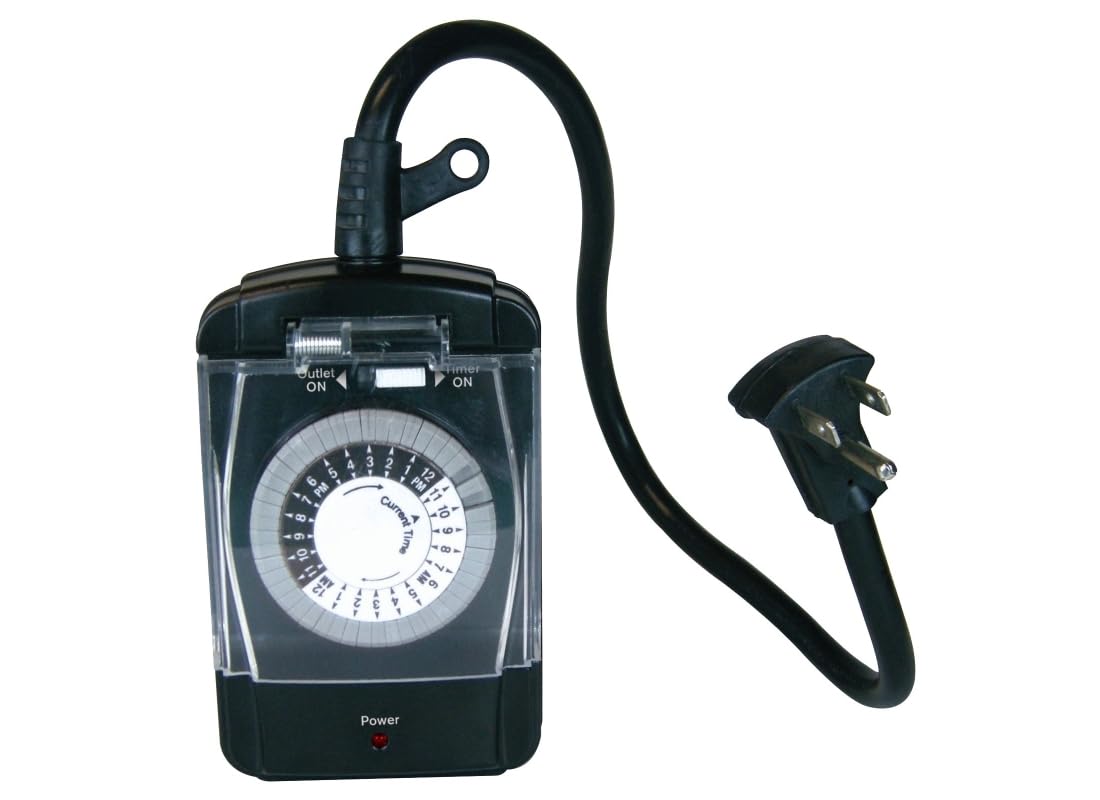
Image: The POWER ZONE TNO24111 outdoor mechanical timer, showing its compact design and integrated power cord.
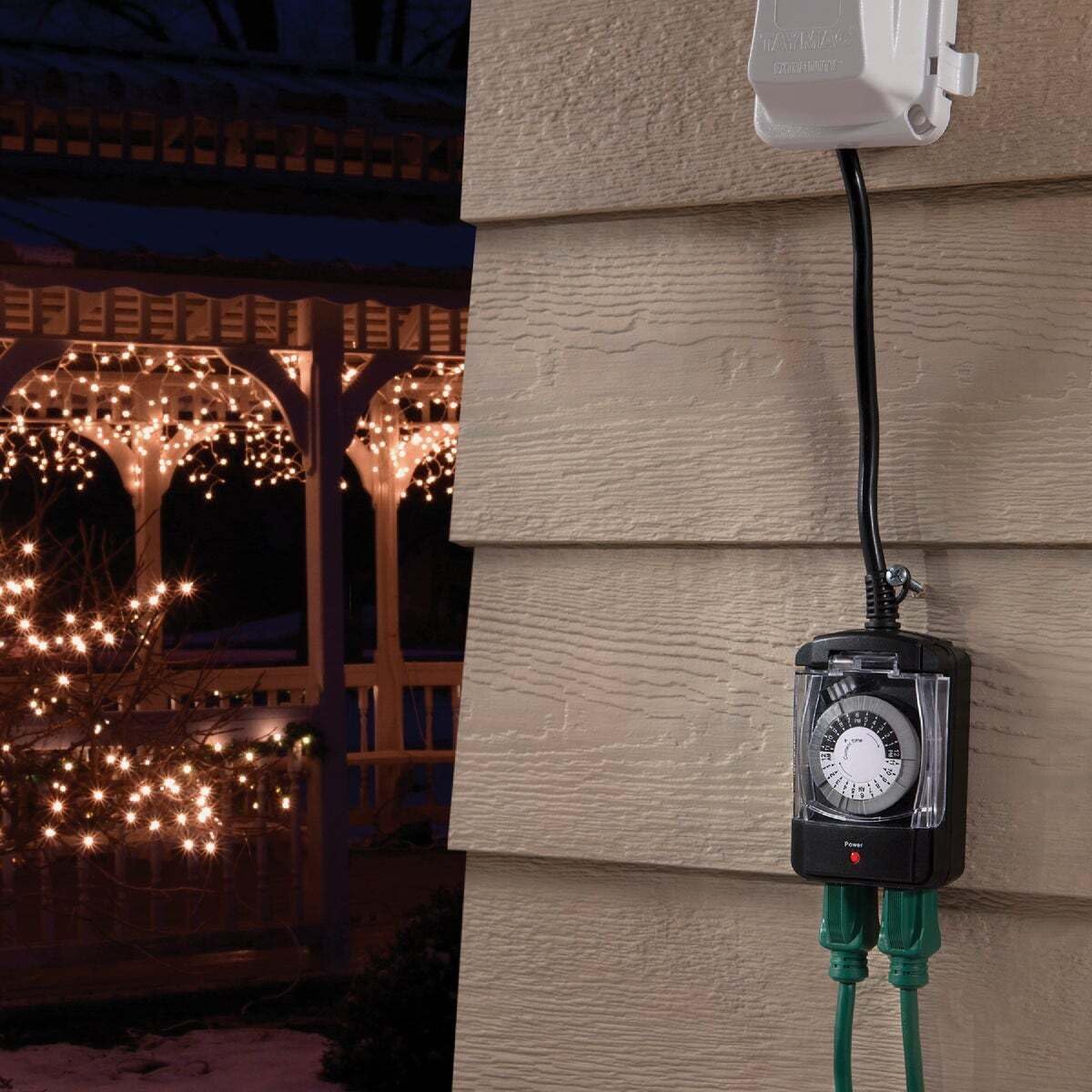
Image: The POWER ZONE TNO24111 timer installed outdoors, controlling a string of decorative lights.
Configuración
- Desempaquetar o temporizador: Retire con coidado o temporizador da súa embalaxe.
- Montaxe (opcional): The timer can be mounted vertically to a wall using the two mounting screw holes on the back. Ensure the unit is mounted in a location that allows for proper drainage and protection from direct heavy rain, as it is weather-resistant but not fully waterproof.
- Conectar dispositivos: Plug your outdoor devices (e.g., lights, pool pump) into the two 3-prong grounded outlets located at the bottom of the timer.
- Enchufar a alimentación: Connect the timer's grounded plug into a suitable outdoor electrical outlet.

Image: The POWER ZONE TNO24111 timer shown with its retail packaging, highlighting its design and features.
Instrucións de funcionamento
- Establecer a hora actual: Open the clear weather guard cover. Rotate the entire dial clockwise until the arrow labeled "Current Time" points to the current time of day. The dial is marked with AM/PM indicators.
- Horarios de activación do programa: The dial has small push-down pins around its circumference. Each pin represents a 30-minute interval. To set an "ON" time, push down the pins corresponding to the desired period when you want the connected devices to be active.
- Horarios de desactivación do programa: Leave the pins in the "up" position for the periods when you want the connected devices to be off.
- Activar temporizador: Ensure the manual override switch (located above the dial) is set to "Timer ON" position. Close the clear weather guard cover to protect the dial from elements.
- Verificar potencia: A red "Power" indicator light at the bottom of the unit will illuminate when the timer is receiving power and operating.
- Bypass Programming (Manual Override): To temporarily bypass the programmed settings and keep the outlets continuously on, slide the manual override switch to the "Outlet ON" position. To resume programmed operation, slide the switch back to "Timer ON".

Imaxe: Primeiro plano view of the timer's dial, showing the 24-hour markings and individual pins for setting ON/OFF intervals.
Mantemento
- Limpeza regular: Periodically wipe the exterior of the timer and the clear cover with a soft, damp cloth to remove dirt and debris. Ensure the unit is unplugged before cleaning.
- Inspeccionar por danos: Regularly check the power cord, plug, and outlets for any signs of wear, cuts, or damage. If any damage is found, discontinue use immediately and replace the unit.
- Protección meteorolóxica: While designed for outdoor use, ensure the clear weather guard cover is always securely closed to protect the internal mechanism from rain, snow, and excessive moisture. Mount the unit vertically to facilitate water runoff.
Resolución de problemas
- O temporizador non se activa/desactiva:
- Comprobe se o temporizador está conectado correctamente a unha toma de corrente que funcione.
- Ensure the "Power" indicator light is illuminated.
- Verify that the manual override switch is set to "Timer ON".
- Confirm that the pins for the desired ON/OFF times are correctly pushed down or left up.
- Check the connected device to ensure it is functioning correctly when plugged directly into a power source.
- Time Slipping/Inaccurate:
- Ensure the current time is accurately set on the dial.
- Mechanical timers can sometimes experience slight time discrepancies over long periods. Reset the current time periodically if needed.
- Outlets Not Providing Power:
- Check the main power source and any circuit breakers.
- Ensure the timer itself is receiving power (red indicator light).
- Confirm the manual override switch is not in the "Outlet ON" position if you expect programmed operation.
Especificacións
| Marca | ZONA DE ENERXÍA |
| Número de modelo | TNO24111 |
| Tipo | Electromechanical Outdoor Timer |
| Puntos de venda | Two 3-prong grounded outlets |
| Ciclo de programación | 24-hour repeat cycle |
| Programming Intervals | 30-minute intervals (48 setting options) |
| Compatibilidade | CFL, LED, Fluorescent, Incandescent bulbs |
| Valoracións eléctricas | 15A Resistive, 10A Tungsten, 1/2 Horsepower |
| Lonxitude do cordón | 18 polgadas (45.7 cm) |
| Dimensións do paquete (L x W x H) | 17.72" x 6.3" x 9.84" |
| Peso do produto | 3.17 onzas (0.09 quilogramos) |
| Material | Plástico |
| Cor | Negro |
Información da garantía
Specific warranty details for the POWER ZONE TNO24111 timer are not provided in the product information. Please refer to the product packaging or contact POWER ZONE customer support for warranty terms and conditions.
Apoio
For further assistance, technical support, or inquiries regarding the POWER ZONE TNO24111 timer, please refer to the contact information provided on the product packaging or the official POWER ZONE websitio.


