1. Información importante de seguridade
This manual contains essential information for the safe installation, operation, and maintenance of the ABB OT40F3 Disconnector Switch. Read and understand all instructions before proceeding with installation or operation. Failure to follow these instructions may result in serious injury, death, or property damage.
- Só persoal cualificado: Installation, wiring, and maintenance must be performed by qualified and authorized electrical personnel in accordance with all national and local electrical codes and regulations.
- De-energize Before Work: Always ensure that the power supply to the circuit is completely disconnected and locked out before performing any work on the disconnector switch. Verify zero voltage with appropriate testing equipment.
- Ferramentas adecuadas: Use only insulated tools suitable for electrical work.
- Condicións ambientais: Ensure the installation environment is suitable for the device's specifications (e.g., temperature, humidity).
- Non modificar: Never attempt to modify the disconnector switch. Unauthorized modifications can compromise safety and void the warranty.
2. Produto rematadoview
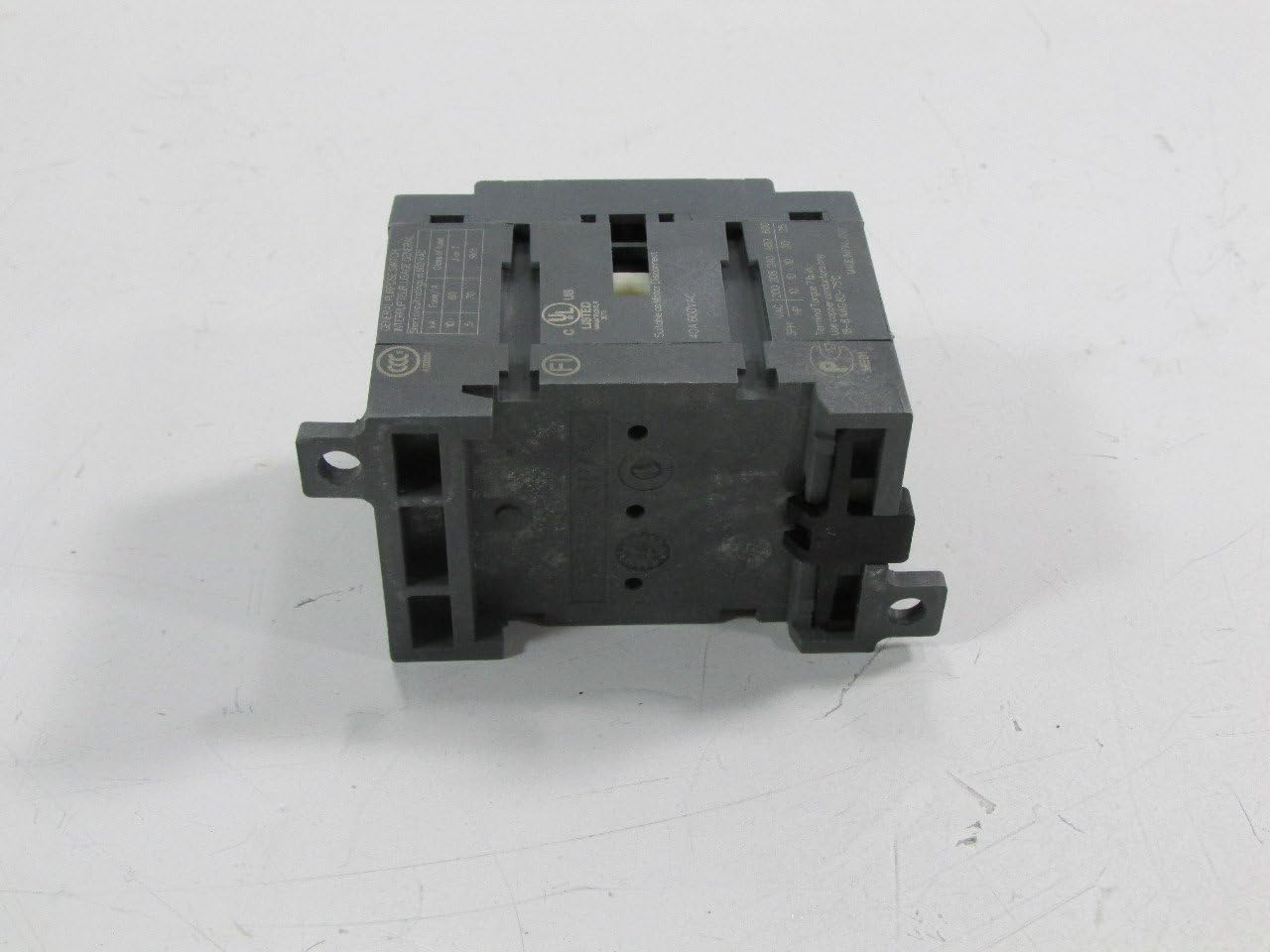
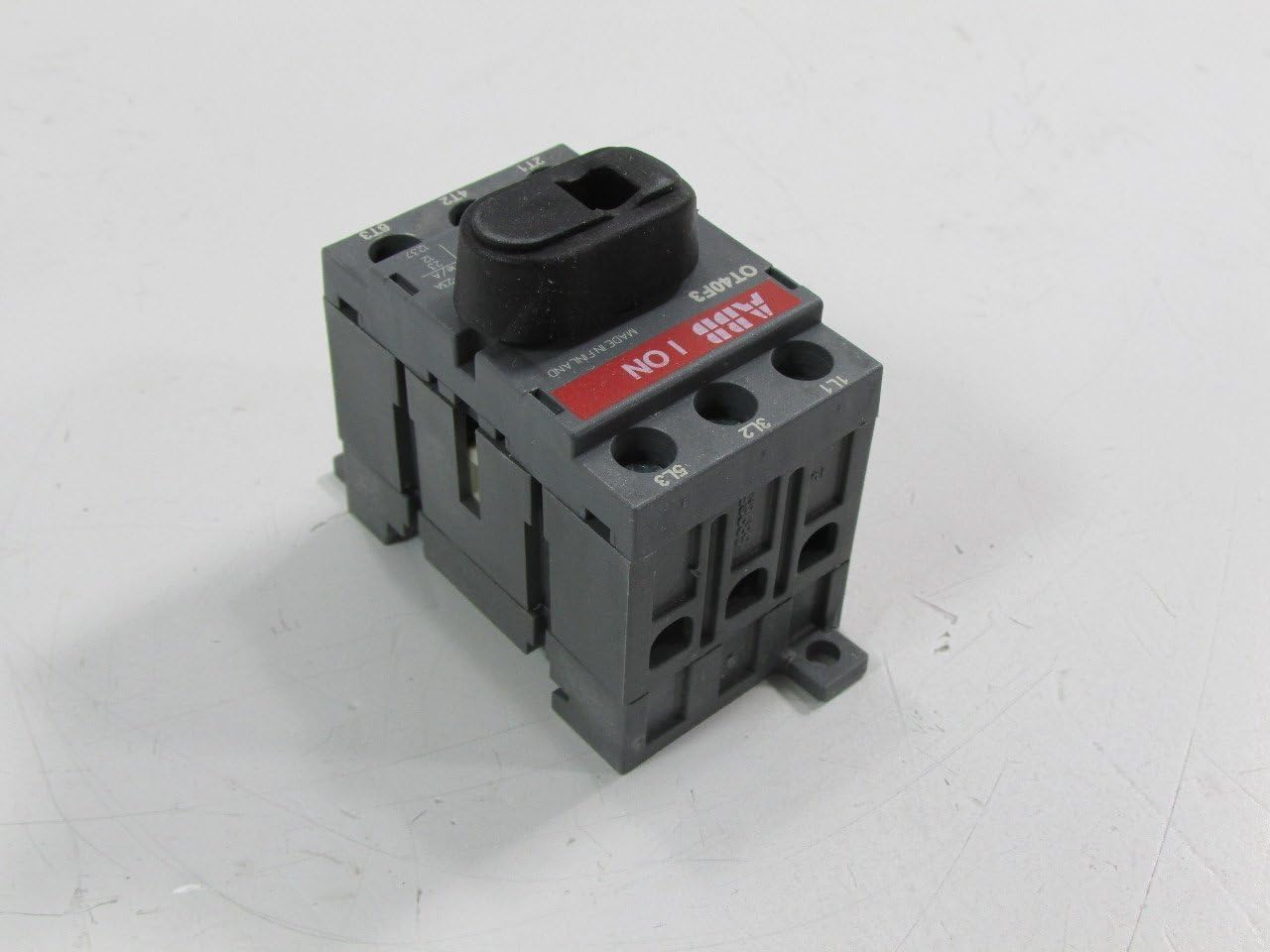
The ABB OT40F3 is a 3-pole, 40 Amp disconnector switch designed for panel mounting. Its primary function is to provide a safe and visible means of isolating electrical circuits, ensuring that downstream equipment can be safely worked on or maintained. This switch is rated for 240 Volts and is UL certified, indicating compliance with specific safety standards.

3. Instalación
3.1 Lista de comprobación previa á instalación
- Verify that the power supply to the installation area is completely de-energized.
- Confirm that the ABB OT40F3 switch specifications (voltage, current, number of poles) match the requirements of the application.
- Ensure all necessary tools (screwdrivers, wire strippers, torque wrench, multimeter) are available and in good condition.
- Inspect the switch for any visible damage that may have occurred during shipping. Do not install damaged equipment.
3.2 Montaxe do interruptor
The ABB OT40F3 is designed for panel mounting. Follow these steps for secure installation:
- Prepare the mounting surface on the electrical panel according to the dimensions provided in the technical specifications.
- Position the disconnector switch on the panel, aligning the mounting holes.
- Secure the switch using appropriate screws or fasteners. Ensure the switch is firmly attached and does not wobble.
3.3 Conexións de cableado
Connect the electrical conductors to the switch terminals. Observe proper polarity and torque specifications.
- Ensure the main power supply is OFF and locked out.
- Strip the insulation from the conductor ends to the recommended length.
- Connect the incoming power lines to the input terminals (typically marked 1L1, 3L2, 5L3).
- Connect the outgoing load lines to the output terminals (typically marked 2T1, 4T2, 6T3).
- Tighten all terminal screws to the torque specified by ABB to ensure secure electrical contact and prevent overheating.
- Verify all connections are secure and free from loose strands.

4. Funcionamento
The ABB OT40F3 Disconnector Switch is operated manually using its rotary handle. The handle clearly indicates the switch's current state (ON or OFF).
4.1 Activación / desactivación
- Para activar: Rotate the handle clockwise until it clicks into the 'ON' position. The indicator on the switch will show 'ON'.
- Para desactivar: Rotate the handle counter-clockwise until it clicks into the 'OFF' position. The indicator on the switch will show 'OFF'.
Ensure the handle is fully engaged in either the 'ON' or 'OFF' position to guarantee proper circuit connection or isolation.
5. Mantemento
Regular maintenance ensures the longevity and reliable operation of your ABB OT40F3 Disconnector Switch. All maintenance procedures must be performed by qualified personnel with the power supply de-energized and locked out.
5.1 Inspección de rutina
Perform visual inspections periodically, or as required by local regulations:
- Check for any signs of physical damage, cracks, or discoloration on the switch body or handle.
- Inspect terminal connections for tightness. Loose connections can cause overheating and arcing.
- Look for any signs of overheating, such as melted insulation or burnt odors.
- Ensure the switch operates smoothly between 'ON' and 'OFF' positions without excessive force or sticking.
5.2 Limpeza
Se é necesaria a limpeza:
- Ensure the power is OFF and locked out.
- Use a clean, dry, lint-free cloth to wipe the exterior of the switch.
- Do not use abrasive cleaners, solvents, or liquids that could damage the plastic components or electrical contacts.
6 Solución de problemas
This section addresses common issues that may arise with the ABB OT40F3 Disconnector Switch. Always ensure safety precautions are followed before attempting any troubleshooting.
6.1 Problemas comúns e solucións
| Problema | Causa posible | Solución |
|---|---|---|
| Switch handle is stiff or difficult to move. | Accumulation of dust or debris; internal mechanical issue. | Clean the exterior of the switch. If stiffness persists, contact qualified personnel for inspection. Do not force the handle. |
| No power to the load when switch is in 'ON' position. | Loose wiring connections; upstream power issue; internal switch failure. | (Power OFF and locked out) Check all wiring connections for tightness. Verify upstream power supply. If connections are secure and upstream power is present, the switch may be faulty and require replacement by qualified personnel. |
| Switch does not fully engage in 'ON' or 'OFF' position. | Obstruction; internal mechanism damage. | Inspect for any external obstructions. If none, the internal mechanism may be damaged. The switch should be replaced by qualified personnel. |
If the problem persists after attempting these solutions, or if you suspect an internal fault, do not attempt further repairs. Contact qualified electrical personnel or ABB customer support for assistance.
7. Especificacións técnicas
The following table details the technical specifications for the ABB OT40F3 Disconnector Switch:
| Especificación | Valor |
|---|---|
| Marca | FIG |
| Número de modelo | OT40F3 |
| Valoración actual | 40 Amps |
| Voltage | 240 voltios |
| Número de polos | 3 |
| Tipo de interruptor automático | Estándar |
| Tipo de montaxe | Montaxe en panel |
| Certificación | UL |
| Peso do elemento | 0.01 onzas |
| Dimensións do paquete | 2.76 x 2.44 x 1.46 polgadas |
8. Garantía e soporte
The ABB OT40F3 Disconnector Switch is manufactured to high-quality standards. For information regarding product warranty, please refer to the official ABB website or contact your authorized ABB distributor. Warranty terms and conditions may vary by region and purchase date.
For technical support, service, or further inquiries, please visit the official ABB website or contact their customer service department. You can find more information about ABB products and support at the ABB Store on Amazon.
9. Eliminación
When the ABB OT40F3 Disconnector Switch reaches the end of its service life, it should be disposed of in accordance with all local environmental regulations and guidelines. Do not dispose of electrical equipment as unsorted municipal waste. Consult local authorities for information on proper recycling and disposal options for electrical and electronic products.


