Introdución
This manual provides comprehensive instructions for the installation, operation, and maintenance of your StarTech.com 4-Port USB 3.0 SuperSpeed Hub (ST4300MINU3B). This portable hub expands your USB connectivity, converting a single USB 3.0 port into four external USB 3.0 ports. Its compact design and integrated cable make it suitable for use with laptops and Ultrabooks.
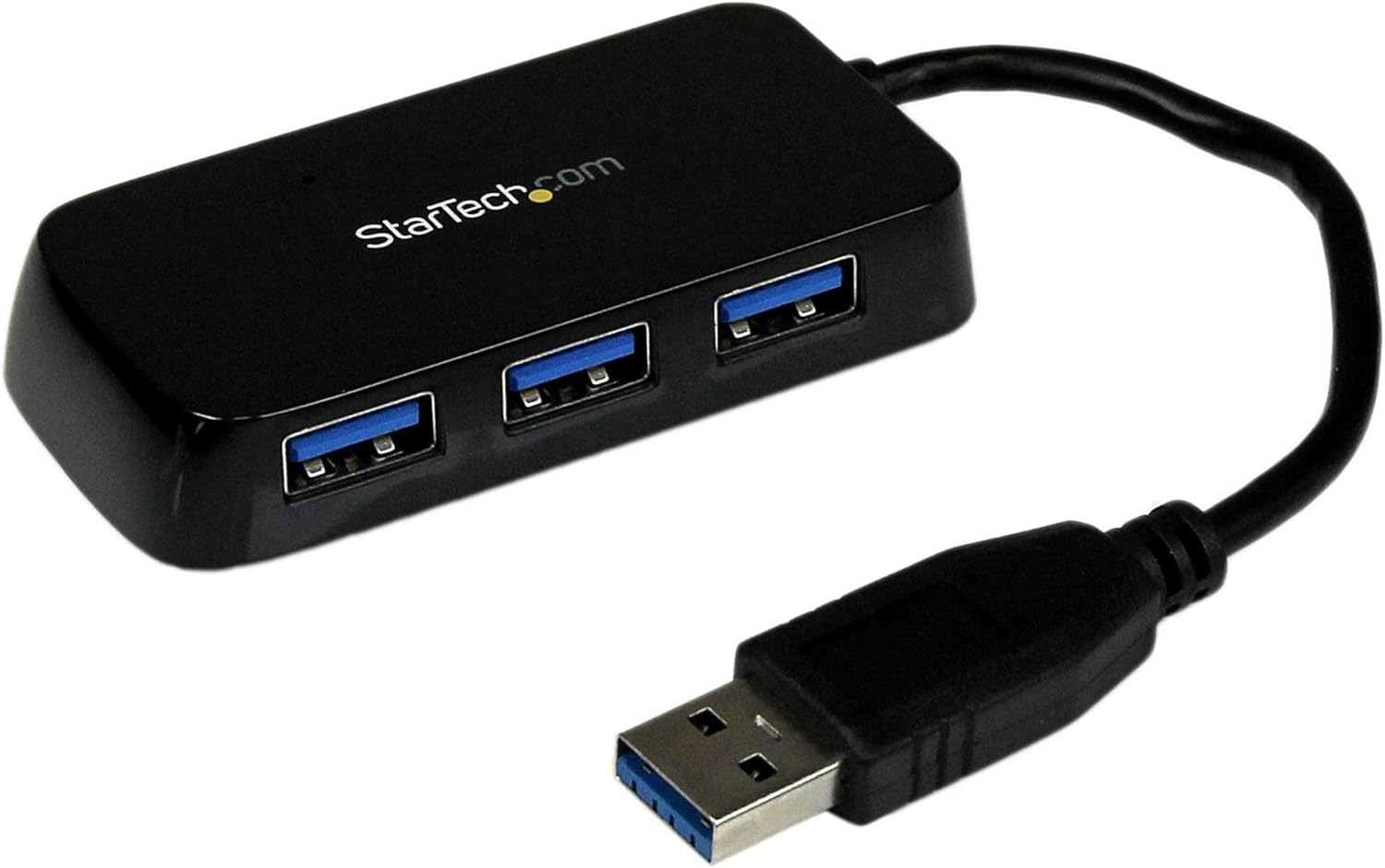
Image: The StarTech.com 4-Port USB 3.0 SuperSpeed Hub, black, with its integrated USB-A cable and four USB-A ports visible.
Contido do paquete
Verifique que o seu paquete conteña os seguintes elementos:
- 1 x StarTech.com 4-Port USB 3.0 SuperSpeed Hub (ST4300MINU3B)
Características do produto
- Adds four external USB 3.0 ports to a computer.
- Compact and portable design, suitable for travel.
- Supports SuperSpeed USB 3.0 data transfer rates up to 5Gbps.
- Backward compatible with USB 2.0 and 1.1 devices.
- USB-powered, requiring no external power adapter.
- Plug-and-play functionality, no additional software or drivers required.
- Compatible with various operating systems.
Configuración
- Conectar o concentrador: Locate an available USB 3.0 port on your computer (PC, Mac, or Ultrabook). Plug the integrated USB-A cable from the ST4300MINU3B hub into this port.
- Recoñecemento do sistema: Your operating system will automatically detect and install the necessary drivers for the hub. This process typically takes a few moments.
- Conectar dispositivos: Once the hub is recognized, you can connect up to four USB devices (e.g., keyboard, mouse, flash drive, external hard drive) to the available USB 3.0 ports on the hub.
The hub is USB-powered and does not require an external power source for most devices. For high-power USB devices, ensure your computer's USB port can supply sufficient power.
Instrucións de funcionamento
The StarTech.com 4-Port USB 3.0 SuperSpeed Hub operates on a plug-and-play basis. Once connected to your computer, it functions as an extension of your computer's USB ports.
- Transferencia de datos: Connect your USB 3.0 compatible devices to the hub for SuperSpeed data transfer rates up to 5Gbps. For optimal performance, ensure both the connected device and your computer's USB port support USB 3.0.
- Compatibilidade do dispositivo: The hub is backward compatible, allowing you to connect older USB 2.0 and USB 1.1 devices. These devices will operate at their respective maximum speeds.
- Indicador LED: The hub may feature an LED indicator to show power and activity status. Refer to the product's physical design for the exact location and behavior of any indicators.
Mantemento
Para garantir a lonxevidade e o rendemento óptimo do seu concentrador USB, siga estas sinxelas pautas de mantemento:
- Limpeza: Usa un pano suave e seco para limpar o exterior do concentrador. Evita usar produtos de limpeza líquidos ou solventes, xa que poden danar o dispositivo.
- Almacenamento: When not in use, store the hub in a cool, dry place, away from direct sunlight and extreme temperatures.
- Manexo: Evita deixar caer o concentrador ou sometelo a impactos fortes. Non intentes desmontar o dispositivo.
Resolución de problemas
If you encounter issues with your StarTech.com USB hub, consider the following troubleshooting steps:
- Dispositivo non recoñecido:
- Ensure the hub's integrated cable is securely plugged into a functioning USB port on your computer.
- Proba a conectar o concentrador a outro porto USB do teu ordenador.
- Connect the USB device directly to your computer's port to verify the device itself is working.
- Reinicia o teu ordenador.
- Transferencia de datos lenta:
- Ensure the hub is connected to a USB 3.0 port on your computer. USB 3.0 ports are typically blue or marked with a 'SS' (SuperSpeed) symbol.
- Verify that the connected USB device also supports USB 3.0.
- Evite conectar varios dispositivos de gran ancho de banda simultaneamente se experimenta problemas de rendemento.
- Potencia insuficiente:
- The ST4300MINU3B is USB-powered. If connecting high-power devices (e.g., some external hard drives), ensure your computer's USB port can provide adequate power. Some devices may require direct connection to a powered USB port on the computer or an externally powered hub.
Especificacións
| Número de modelo | ST4300MINU3B |
| Dimensións do produto | 6.3 x 5.12 x 1.57 polgadas |
| Peso do elemento | 1.3 onzas |
| Interface de hardware | USB, USB 3.0 |
| Número de portos | 4 x USB-A |
| Taxa de transferencia de datos | Ata 5 Gbps (USB 3.0 SuperSpeed) |
| Características especiais | Lightweight, Portable, LED Indication, Powered (USB Bus-Powered) |
| Dispositivos compatibles | Computadoras de escritorio, portátiles |
Información da garantía
StarTech.com products are backed by a manufacturer's warranty. For specific warranty terms and conditions applicable to your ST4300MINU3B hub, please refer to the warranty card included with your product or visit the official StarTech.com websitio. Garda o comprobante de compra para reclamacións de garantía.
Soporte técnico
StarTech.com offers technical support to assist you with any questions or issues regarding your product. For support, please visit the StarTech.com website and navigate to the support section. You may find FAQs, driver downloads, and contact information for technical assistance.


