1. Introdución
Grazas pola compraasing the BigBen TD99 USB Turntable. This device allows you to enjoy your vinyl record collection, listen to FM radio, and connect via USB. This manual provides essential information for safe operation, setup, and maintenance of your turntable.
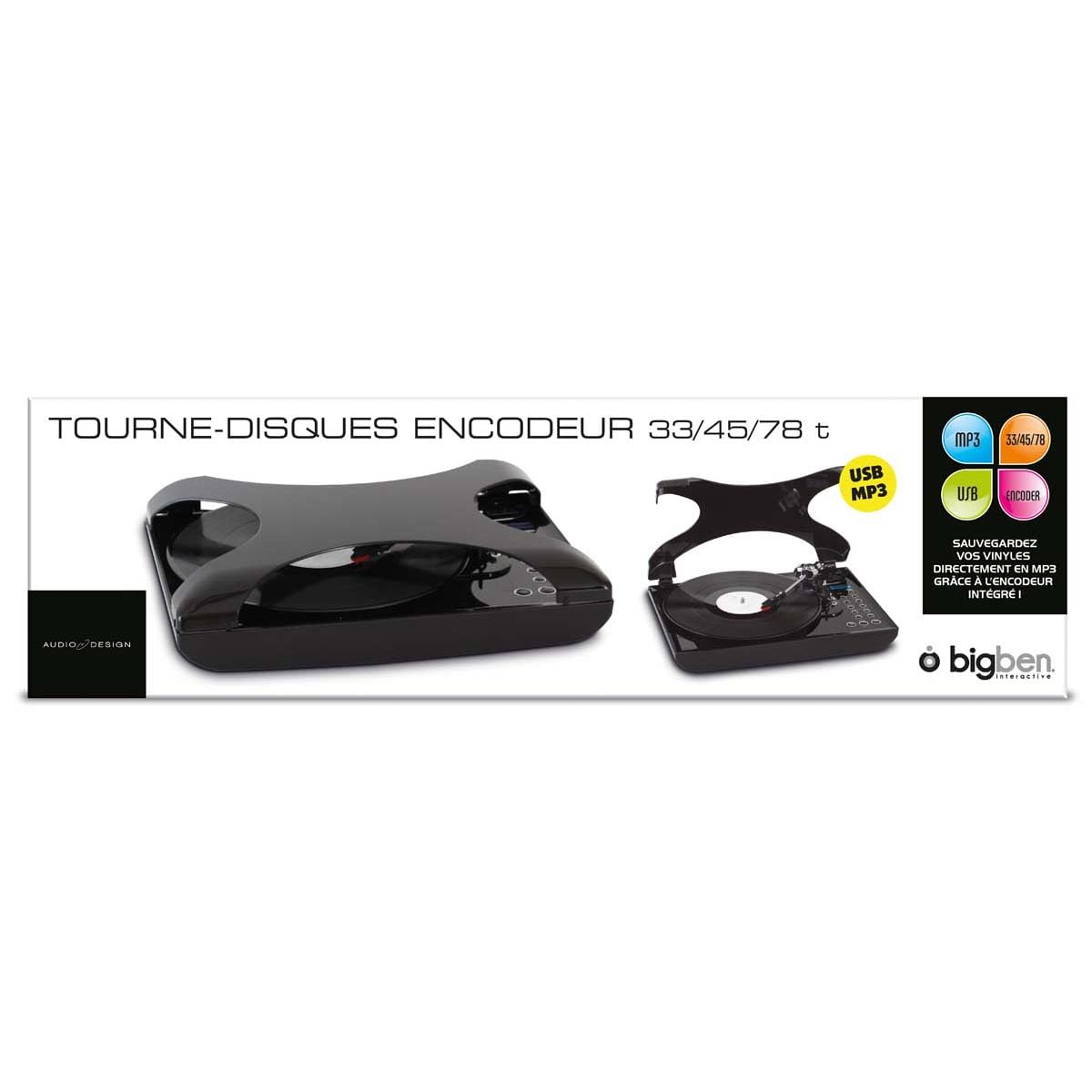
Imaxe 1.1: Fronte view of the BigBen TD99 USB Turntable. This image shows the main unit with the platter, tone arm, and control panel.
2. Instrucións de seguridade importantes
Please read these instructions carefully before using the device and retain them for future reference. Failure to follow these instructions may result in electric shock, fire, or other hazards.
- Fonte de enerxía: Conecte o dispositivo só a unha toma de corrente alterna co volume especificadotage (220 voltios).
- Auga e humidade: Do not expose the device to rain, moisture, or place objects filled with liquids, such as vases, on or near the device.
- Ventilación: Asegúrese de que haxa unha ventilación axeitada. Non bloquee ningunha das aberturas de ventilación.
- Calor: Non coloque o dispositivo preto de fontes de calor como radiadores, rexistros de calor, cociñas ou outros aparellos (incluíndo amplificadores) que producen calor.
- Limpeza: Unplug the device from the wall outlet before cleaning. Use a dry cloth for cleaning.
- Servizo: Non intente atender este produto vostede mesmo. Remita todo o servizo a persoal de servizo cualificado.
- Nenos: Manteña o dispositivo e os seus accesorios fóra do alcance dos nenos.
3. Contido do paquete
Carefully unpack your BigBen TD99 Turntable and ensure all items are present and in good condition. If any items are missing or damaged, contact your retailer.
- BigBen TD99 USB Turntable Unit
- Adaptador de alimentación
- Control remoto
- Manual de usuario (este documento)
4. Produto rematadoview
Familiarize yourself with the components of your BigBen TD99 Turntable:
4.1 Front Panel / Top View
- Funda antipolvo: Protects the platter and tone arm from dust.
- Prato: Where the record is placed.
- Eixo: Holds the record in place on the platter.
- Tone Arm: Sostén o cartucho e o estilete.
- Estilete (agulla): Le os sucos do disco.
- Cue Lever: Lifts and lowers the tone arm.
- Selector de velocidade: Allows selection of 33, 45, or 78 RPM.
- Botóns de función: For mode selection (Phono, FM, USB) and playback control.
- Visualización: Mostra o modo actual, o número da pista ou a frecuencia FM.
- Control de volume: Axusta o nivel de saída de audio.
- Botón de aumento de baixo: Activates or deactivates the bass enhancement feature.
4.2 Panel posterior
- Entrada de enerxía: Conéctase ao adaptador de alimentación.
- Porto USB: For connecting to a computer or USB storage device.
- Saída de son (RCA): For connecting to external speakers or an amplifier (se está dispoñible).
- Antena FM: Para unha mellor recepción da radio FM.
5. Configuración
5.1 Desembalaxe e colocación
- Remove all packaging materials and protective inserts.
- Coloque o prato xiratorio sobre unha superficie estable e nivelada, lonxe da luz solar directa, de fontes de calor e de po ou vibracións excesivas.
- Asegúrese de que haxa espazo suficiente arredor da unidade para a ventilación.
5.2 Conexión de alimentación
- Connect the power adapter cable to the Power Input port on the rear of the turntable.
- Plug the power adapter into a standard 220V AC wall outlet.
5.3 Initial Tone Arm Setup
- Remove the stylus protector from the needle.
- Solte o bloqueo do brazo de ton.
6. Instrucións de funcionamento
6.1 Reproducir un disco de vinilo
- Abra a tapa antipolvo.
- Coloca un disco no prato.
- Select the appropriate speed (33, 45, or 78 RPM) using the speed selector switch. For 45 RPM records, place the included adapter on the spindle first.
- Press the "MODE" button until "PHONO" is displayed.
- Lift the tone arm using the cue lever.
- Manually position the tone arm over the desired starting groove of the record.
- Gently lower the tone arm onto the record using the cue lever. The record will begin to play.
- Axuste o volume usando o botón de control de volume.
- To stop playing, lift the tone arm using the cue lever, return it to its rest, and engage the tone arm lock.
6.2 Uso da radio FM
- Press the "MODE" button until "FM" is displayed.
- Extend the FM antenna for better reception.
- Use the "TUNE" buttons (or corresponding buttons on the remote control) to scan for radio stations.
- The display will show the current frequency.
- Axuste o volume como desexe.
- The device supports program and repeat functions for FM radio, allowing you to save favorite stations or repeat playback. Refer to the remote control section for specific button functions.
Conectividade USB 6.3
The BigBen TD99 features a USB port for various functions, including playback from USB storage devices or connecting to a computer for recording (software not included).
- Reprodución USB: Insert a USB flash drive into the USB port. Press the "MODE" button until "USB" is displayed. Use the playback controls (Play/Pause, Next/Previous) to navigate and play audio files.
- Gravación USB: Connect the turntable to a computer using a USB cable (not included). You will need third-party audio recording software on your computer to digitize your vinyl records. Follow the instructions provided with your chosen software.
6.4 Uso do mando a distancia
The included remote control allows for convenient operation of the turntable from a distance. Functions typically include:
- Encendido/apagado
- Mode Selection (Phono, FM, USB)
- Subir/Baixar o volume
- Play/Pause, Stop, Next/Previous Track (for USB)
- Tuning/Scanning (for FM radio)
- Program/Repeat functions
- Bass Boost activation
Función de aumento de graves 6.5
Press the "BASS BOOST" button on the unit or remote control to enhance the low-frequency audio output. Press it again to deactivate the function.
7. Mantemento e coidados
7.1 Limpeza da unidade
- Desenchufe sempre a unidade da toma de corrente antes de limpala.
- Usa un pano suave e seco para limpar as superficies exteriores. Non empregues produtos de limpeza abrasivos, ceras nin disolventes.
- A cuberta contra o po pódese limpar cun pano suaveamp pano.
7.2 Coidado do punteiro
- The stylus is delicate. Handle it with care.
- Limpe o punteiro periodicamente cun cepillo suave, cepillando suavemente de atrás para adiante.
- A worn stylus can damage records and degrade sound quality. Replace the stylus when necessary.
7.3 Coidado de rexistros
- Keep records clean and free of dust. Use a record brush before each play.
- Garda os discos en vertical nas súas fundas, lonxe da calor e da luz solar directa.
8 Solución de problemas
If you experience problems with your turntable, consult the following table for possible solutions:
| Problema | Causa posible | Solución |
|---|---|---|
| Sen poder | Cable de alimentación non conectado; toma de corrente non activa. | Asegúrate de que o cable de alimentación estea ben conectado; proba a toma de corrente con outro dispositivo. |
| Non hai son dos altofalantes | Volume too low; incorrect mode selected; external speakers not connected/powered. | Increase volume; select correct mode (PHONO, FM, USB); check external speaker connections and power. |
| Velocidade do tocadiscos incorrecta | Seleccionouse unha velocidade incorrecta. | Adjust the speed selector to match the record's RPM (33, 45, or 78). |
| Son con saltos ou distorsión | Dirty record; worn stylus; turntable not level. | Clean record; replace stylus; ensure turntable is on a level surface. |
| Mala recepción FM | Antena non estendida; sinal débil. | Fully extend the FM antenna; try repositioning the unit or antenna. |
9. Especificacións
- Marca: Bigben
- Nome do modelo: TD99
- Número de modelo: AU313635
- Cor: Negro
- Material: Plástico
- Peso do artigo: 2 quilogramos
- Voltage: 220 voltios
- Conexións: USB (1 port)
- Velocidades de rexistro: 33, 45, 78 RPM
- Características: FM Radio, Program/Repeat Function, Bass Boost, Remote Control
- International Article Code (EAN/UPC): 03499550313635
10. Garantía e soporte
This BigBen TD99 USB Turntable comes with a 1 anos de garantía do fabricante desde a data de compra. Esta garantía cobre defectos de fabricación en condicións de uso normal.
A garantía non cobre:
- Damage caused by misuse, accident, modification, or unauthorized repair.
- Normal wear and tear, including stylus wear.
- Danos causados por unha instalación ou un funcionamento incorrectos.
For warranty claims or technical support, please contact your retailer or the Bigben customer service department. Please have your proof of purchase and model number (AU313635) ready.


