1. Introdución
This manual provides essential information for the safe and efficient operation of your LD Systems Road LDRJ8 Portable PA System. Please read this manual thoroughly before using the device to ensure proper setup, operation, and maintenance. Keep this manual for future reference.
The LD Systems Road LDRJ8 is an 8-channel portable PA system designed for versatile audio applications. It features battery-powered operation for mobility and offers multiple connectivity options including XLR, Speakon, Auxiliary, and USB. The system is equipped with a 15-inch Faital Pro neodymium woofer and a 1.4-inch BMS compression driver, delivering a powerful 1400 Watts output. Advanced features include a 1ms predictive peak limiter for distortion-free sound, state-of-the-art analog/digital converters, and an 80-degree x 50-degree rotatable asymmetrical horn flare. Its robust steel construction and integrated wheels make it suitable for various portable sound reinforcement needs.

Figura 1: Fronte view of the LD Systems Road LDRJ8 Portable PA System with its retractable handle extended, showcasina grella do altofalante principal e o panel de control.
2. Instrucións de seguridade
- Fonte de enerxía: Connect the device only to the specified voltage and frequency. Ensure the power cord is not damaged.
- Ventilación: Non bloquee as aberturas de ventilación. Asegúrese de que haxa un fluxo de aire axeitado arredor da unidade para evitar o sobrequecemento.
- Humidade: Do not expose the device to rain or moisture. Avoid placing liquid-filled objects on the unit.
- Limpeza: Disconnect from power before cleaning. Use a dry cloth. Do not use liquid cleaners or aerosols.
- Servizo: Encomende calquera tarefa de mantemento a persoal de servizo cualificado. Non intente reparar a unidade vostede mesmo.
- Colocación: Coloque a unidade sobre unha superficie estable e nivelada. Evite temperaturas extremas, luz solar directa e vibracións fortes.
- Seguridade da batería: The unit is battery-powered. Follow all instructions regarding battery charging and usage. Do not expose batteries to excessive heat.

Figure 2: Rear panel of the LD Systems Road LDRJ8, showing the power input, fuse compartment, voltage selector, and the "SOUNDSYSTEM BATTERY LEVEL" indicator with three LEDs.
3. Contido do paquete
Comprobe o contido do paquete inmediatamente despois de desembalar para asegurarse de que todos os compoñentes estean presentes e non estean danados.
- 1 x LD Systems Road LDRJ8 Portable PA System
- 1 x cable de alimentación
- 1 x Manual de usuario (este documento)
Nota: If any components are missing or damaged, please contact your dealer immediately.
4. Produto rematadoview
4.1. Panel de control

Figura 3: detallada view of the LDRJ8 control panel, featuring input channels (CH 1, CH 2, CH 3/AUX), level controls, EQ (LOW, HIGH), ECHO, MASTER VOL, MP3 player controls, and a display screen.
- CH 1 Input: XLR/TRS combo jack for microphone or line-level sources.
- CH 1 Level: Adjusts the input level for Channel 1.
- CH 2 Input: TRS/TS jack for instrument or line-level sources.
- CH 2 Level: Adjusts the input level for Channel 2.
- CH 3 / AUX Input: RCA stereo input for external audio devices.
- CH 3 / AUX Level: Adjusts the input level for Channel 3 / AUX.
- EQ BAIXA: Bass frequency adjustment.
- EQ ALTO: Treble frequency adjustment.
- ECO: Controls the echo effect level.
- MESTRAL VOL: Overall volume control for the system.
- POTENCIA: LED indicador de alimentación.
- MP3 Player Section:
- Visualización: Shows track information and settings.
- MODO: Switches between MP3, AUX, Bluetooth, and SD card modes.
- ENTRADA USB: Porto USB para reprodución multimedia.
- Ranura para tarxetas SD: Para a reprodución de soportes en tarxetas SD.
- Controis de reprodución: Play/Pause, Stop, Previous/Next Track.
4.2. Panel traseiro
Figure 4: Rear panel of the LDRJ8, detailing the power switch, AC input, fuse, voltage selector, and battery level indicators.
- Interruptor OFF/ON: Interruptor de alimentación principal da unidade.
- Indicador de CARGA: LED indicating battery charging status.
- Entrada AC: Conector para o cable de alimentación.
- FUSIBLE: Portafusibles.
- VOLTAGE Selector: Switch to select between 115V and 230V operation.
- SOUNDSYSTEM BATTERY LEVEL: LED indicators for battery charge status (LOW, 1, 2, 3).
4.3. Características de portabilidade

Figura 5: Lateral view of the LDRJ8, illustrating the retractable handle fully extended and the integrated wheels for easy transport.
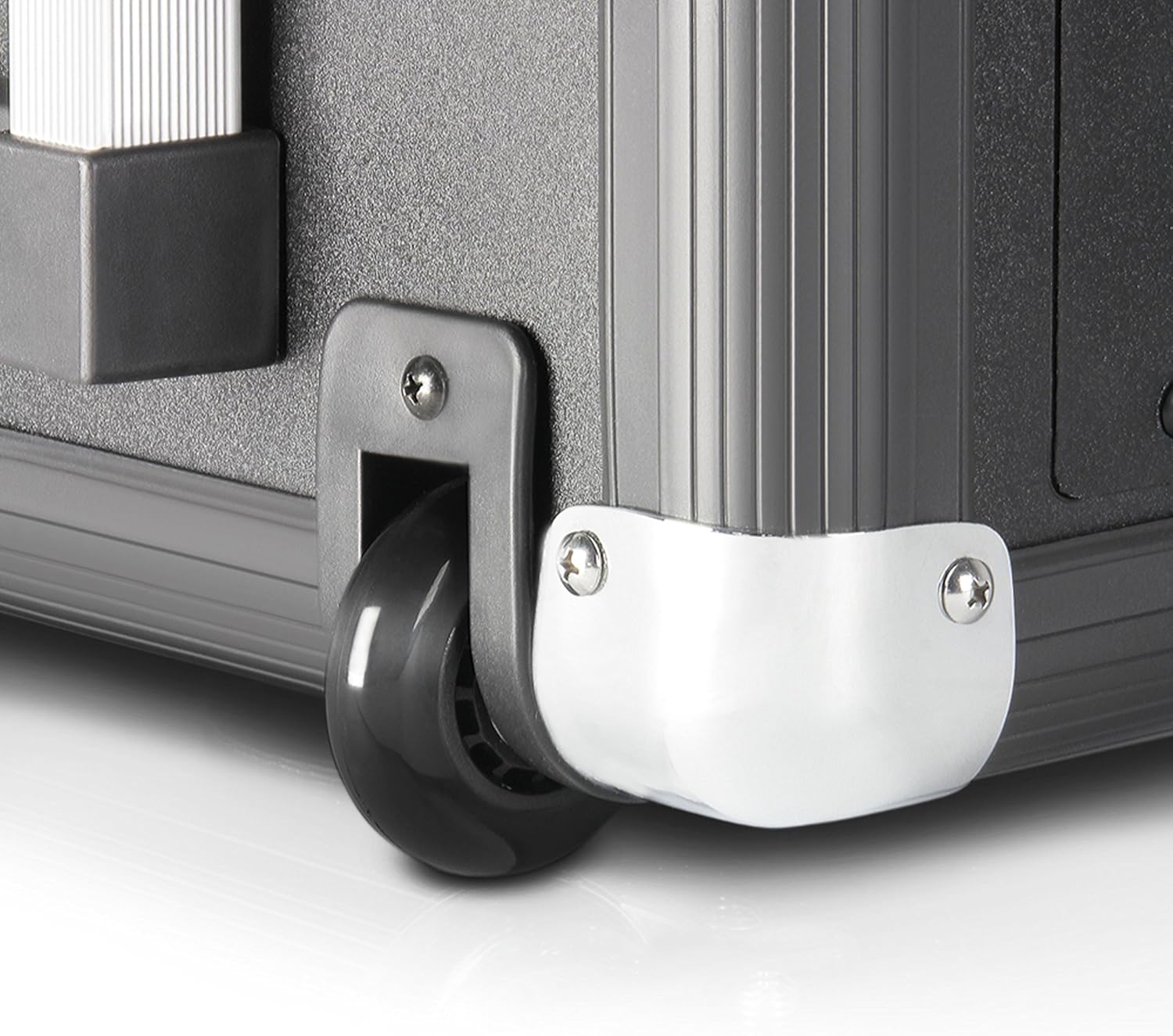
Figure 6: Close-up of one of the durable wheels and a metal corner protector, highlighting the robust construction designed for portability.
The LDRJ8 is designed for easy transport with integrated wheels and a retractable handle, similar to luggage. This allows for convenient movement of the system to various locations.
5. Configuración
5.1. Initial Power-Up and Charging
- Ensure the unit's power switch (OFF/ON) on the rear panel is in the DESACTIVADO posición.
- Verify the VOLTAGE selector on the rear panel matches your local power supply (115V or 230V).
- Connect the supplied power cable to the AC Input on the rear panel and then to a suitable power outlet.
- O CARGAR indicator LED will illuminate, indicating the battery is charging. Allow sufficient time for a full charge before initial battery-powered use.
5.2. Conexión de fontes de son
- Micrófonos/Instrumentos: Connect microphones to CH 1 (XLR) and instruments to CH 2 (TRS/TS). Adjust the respective LEVEL knobs.
- External Audio Devices (e.g., CD Player, Mixer): Connect to CH 3 / AUX using RCA cables. Adjust the CH 3 / AUX LEVEL knob.
- Tarxeta USB/SD: Insert a USB drive into the USB IN port or an SD card into the SD Card Slot for media playback.
- Bluetooth: Refer to the "Operating" section for Bluetooth pairing instructions.
6. Operating the PA System
6.1. Funcionamento básico
- After connecting your audio sources, switch the unit's power to ON. The POWER LED will illuminate.
- Slowly increase the MASTER VOL to a desired listening level.
- Adjust individual channel LEVEL knobs for a balanced mix.
- Use the LOW and HIGH EQ knobs to adjust the bass and treble frequencies of the overall mix.
- Apply ECHO effect as desired using the ECHO knob.
6.2. MP3 Player / Bluetooth Operation
- Preme o MODO button to cycle through available input modes: MP3 (USB/SD), AUX, Bluetooth.
- Reproducción USB/SD:
- Insira unha unidade USB ou unha tarxeta SD con MP3 files.
- Select MP3 mode. The display will show track information.
- Use the Play/Pause, Stop, Previous/Next Track buttons to control playback.
- Emparellamento Bluetooth:
- Select Bluetooth mode. The display will indicate "BT" or "Pairing".
- No teu teléfono intelixente ou tableta, activa o Bluetooth e busca os dispositivos dispoñibles.
- Select "LD Systems LDRJ8" (or similar) from the list to pair.
- Once paired, you can stream audio wirelessly to the PA system.
7. Mantemento
- Limpeza: Usa un pano suave e seco para limpar o exterior da unidade. Non empregues produtos de limpeza abrasivos, solventes nin ceras.
- Almacenamento: When not in use for extended periods, store the unit in a dry, cool place, away from direct sunlight and extreme temperatures.
- Coidado da batería: For optimal battery life, avoid fully discharging the battery frequently. Recharge the battery regularly, even if the unit is not in use, to maintain its capacity.
- Substitución de fusibles: If the unit does not power on, check the fuse on the rear panel. Replace it only with a fuse of the identical type and rating (e.g., T 1 AL / 250V or T 500mA L / 250V).
8 Solución de problemas
| Problema | Causa posible | Solución |
|---|---|---|
| Sen poder |
|
|
| Sen saída de son |
|
|
| Bluetooth non se sincroniza |
|
|
| Son distorsionado |
|
|
9. Especificacións
| Característica | Detalle |
|---|---|
| Modelo | LDRJ8 |
| Marca | Sistemas LD |
| Tipo de montaxe | Piso de pé |
| Fonte de enerxía | Alimentado por batería |
| Tipos de conectores | XLR, Speakon, Auxiliary, USB |
| Material | Aceiro |
| Peso do elemento | 30 libras (aprox. 13.6 kg) |
| Número de canles | 8 |
| Entrada de audio | Various audio input devices |
| Potencia de saídatage | 1400 vatios (RMS) |
| Woofer | 15-inch Faital Pro neodymium |
| Controlador de compresión | 1.4-inch BMS |
| Dispersión | 80 Degree x 50 Degree (rotatable asymmetrical horn flare) |
| Dimensións (L x W x H) | 11 x 15 x 17 polgadas (aprox. 27.9 x 38.1 x 43.2 cm) |
| Tecnoloxía de conectividade | Various (including Bluetooth) |
| Dispositivos compatibles | Smartphone, Tablet, Microphones, Instruments |
| Características especiais | 1ms predictive peak limiter, State-of-the-art analog/digital converters |
10. Información da garantía
Specific warranty details for the LD Systems Road LDRJ8 Portable PA System are typically provided at the point of purchase or within separate documentation included with the product. Please refer to your purchase receipt or the official LD Systems websitio web para obter os termos e condicións de garantía máis precisos e actualizados.
Generally, warranties cover manufacturing defects under normal use. Damage resulting from misuse, accidents, unauthorized modifications, or improper maintenance is usually not covered. Keep your proof of purchase for any warranty claims.
11. Apoio
For technical support, service, or further inquiries regarding your LD Systems Road LDRJ8 Portable PA System, please contact your authorized LD Systems dealer or visit the official LD Systems websitio.
- Recursos en liña: www.ld-systems.com
- Contacto do distribuidor: Refer to your purchase documentation for local dealer contact information.


