1. Introdución
This manual provides instructions for the proper setup, operation, and maintenance of your Amazon Basics Large Portable Bluetooth Speaker (Model BTV3_2). Please read this manual thoroughly before using the product to ensure optimal performance and safety.
2. Información de seguridade
- Non expoñas o altofalante á auga nin a humidade excesiva.
- Evite colocar o altofalante preto de fontes de calor ou baixo a luz solar directa.
- Non intente desmontar nin modificar o altofalante. Isto anulará a garantía.
- Use only the provided AC power adapter for charging.
- Manteña o altofalante lonxe dos nenos.
3. Contido do paquete
Verifica que todos os elementos estean presentes no paquete:
- Amazon Basics Large Portable Bluetooth Speaker
- Adaptador de alimentación de CA.

Descrición: This image shows the Amazon Basics Large Portable Bluetooth Speaker securely placed within its brown cardboard packaging, indicating how the product is received.
4. Produto rematadoview
4.1. Fronte View

Descrición: This image displays the front of the Amazon Basics Large Portable Bluetooth Speaker, featuring a black mesh grille that covers the speaker drivers.
4.2. Controis do panel superior

Descrición: This image shows the top panel of the speaker with four circular buttons and a small LED indicator. From left to right, the buttons are: Volume Down (-), Play/Pause, Volume Up (+), and Bluetooth Pairing/Call Answer. Below the buttons, a small Bluetooth logo and an LED indicator are visible.
- - (Baixar volume): Diminúe o volume de audio.
- Reproducir/Pausa: Reproduce ou detén a reprodución de audio.
- + (Subir volume): Aumenta o volume de audio.
- Bluetooth/Call: Initiates Bluetooth pairing mode or answers/ends phone calls.
- Indicador LED: Displays power and Bluetooth status.
4.3. Side Panel Ports

Descrición: This image shows the right side panel of the speaker, featuring a power switch, a DC input port for charging, and an AUX input port for wired audio connections.
- Interruptor ON / OFF: Acende ou apaga o altofalante.
- Porto DC IN: Connects to the AC power adapter for charging.
- Porto AUX: Connects to audio devices using a 3.5mm stereo cable (not included).
5. Configuración
5.1. Cargando o altofalante
- Connect the provided AC power adapter to the DC IN port on the side of the speaker.
- Conecta o adaptador de corrente alterna a unha toma de corrente.
- The LED indicator will illuminate to show charging status. A full charge provides up to 8 hours of playback.
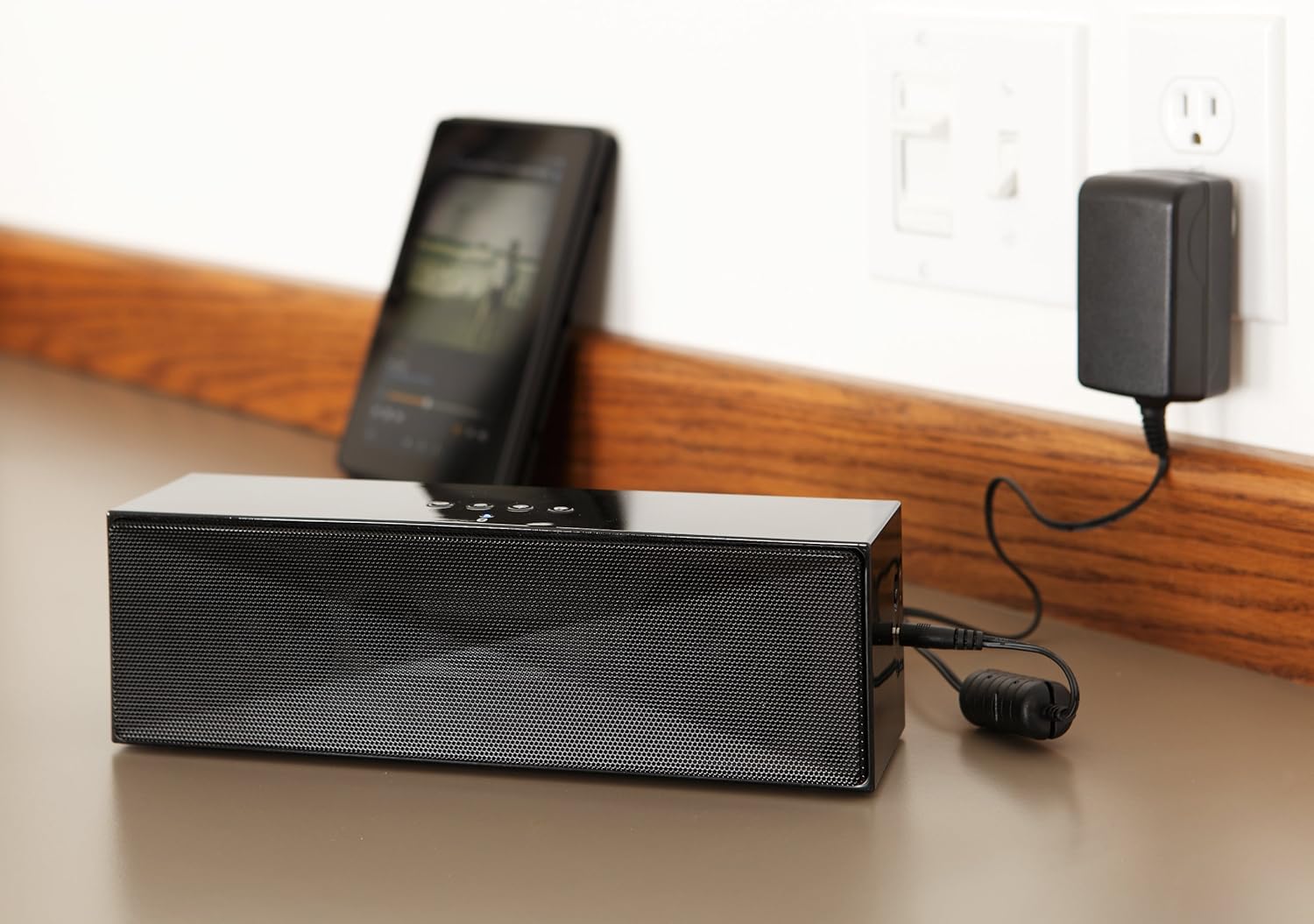
Descrición: This image shows the speaker placed on a surface, with its AC power adapter plugged into a wall outlet, illustrating the charging process.
5.2. Acendido/apagado
Slide the ON/OFF switch located on the side panel to the "ON" position to power on the speaker. Slide it to the "OFF" position to power off.
6. Instrucións de funcionamento
6.1. Emparellamento Bluetooth
- Ensure the speaker is powered on. The LED indicator will flash, indicating it is in pairing mode.
- No teu dispositivo con Bluetooth (teléfono intelixente, tableta, portátil), activa Bluetooth e busca os dispositivos dispoñibles.
- Select "Amazon Basics BTV3_2" from the list of devices.
- Once paired, the LED indicator on the speaker will glow solid blue.
- The speaker can connect to devices up to 30 feet (10 meters) away.

Descrición: This image shows the speaker positioned next to a tablet displaying a music playback interface, demonstrating a typical Bluetooth connection scenario.
6.2. Connecting via AUX Cable
- Connect one end of a 3.5mm stereo audio cable (not included) to the AUX port on the speaker.
- Conecta o outro extremo do cable á toma de saída de audio do teu dispositivo.
- The speaker will automatically switch to AUX input mode.
6.3. Chamadas mans libres
The speaker features a built-in microphone for hands-free calls when connected via Bluetooth.
- Respondendo a unha chamada: Press the Bluetooth/Call button once.
- Finalizando unha chamada: Press the Bluetooth/Call button once during a call.
- Rexeitar unha chamada: Press and hold the Bluetooth/Call button.
7. Mantemento
- Limpa o altofalante cun pano suave e seco. Non empregues produtos de limpeza líquidos nin aerosois.
- Garde o altofalante nun lugar fresco e seco cando non o use durante períodos prolongados.
- Evite deixar caer o altofalante ou sometelo a impactos fortes.
8 Solución de problemas
| Problema | Causa posible | Solución |
|---|---|---|
| O altofalante non se acende. | A batería está esgotada. | Connect the speaker to the AC power adapter and charge it. |
| Non se pode emparellar por Bluetooth. | Speaker is not in pairing mode; device Bluetooth is off; device is out of range. | Ensure speaker LED is flashing; enable Bluetooth on your device; move device closer to the speaker (within 30 feet/10 meters). |
| Sen son ou volume baixo. | Volume on speaker or connected device is too low; incorrect input source. | Increase volume on both the speaker and your connected device. Ensure correct connection (Bluetooth or AUX). |
| Speaker turns off automatically when using AUX. | Automatic power-off feature activated due to prolonged silence. | This model may have an automatic power-off feature after a period of inactivity or silence, even when connected via AUX. To resume playback, power the speaker off and then on again using the side switch. |
| Distorsión do son. | Volume too high; weak battery; interference. | Reduce volume; charge the speaker; move away from other electronic devices. |
9. Especificacións
| Característica | Detalle |
|---|---|
| Número de modelo | BTV3_2 |
| Dimensións (L x W x H) | 10.2 x 2.9 x 3.1 polgadas (25.9 x 7.4 x 7.9 cm) |
| Peso | 1.61 libras (0.73 kg) |
| Saída do altofalante | 2 x 5 W (10 W en total) |
| Conectividade | Bluetooth, 3.5 mm AUX |
| Alcance Bluetooth | Ata 30 pés (10 metros) |
| Duración da batería | Ata 8 horas |
| Capacidade da batería | 8000 mAh |
| Micrófono incorporado | Si |
| Fonte de enerxía | Alimentado por batería, adaptador de CA |
| Material | Plástico |

Descrición: This image provides a visual representation of the speaker's dimensions, showing its length (10.2"), width (2.9"), and height (3.1").
10. Garantía e soporte
For warranty information and customer support, please refer to the documentation included with your purchase or visit the official Amazon Basics websitio. Garda o comprobante de compra para reclamacións de garantía.
Soporte en liña: Amazon Basics Store


