Introdución
This manual provides essential information for the operation and maintenance of your Visual Land Prestige ELITE 7Q-KC tablet. Please read this manual thoroughly before using your device to ensure proper functionality and longevity.
The Prestige ELITE 7Q-KC is a 7-inch Quad Core Android tablet designed for portable use, offering smooth performance for streaming, web browsing, and various applications. It features a 7-inch screen with 5-point capacitive multi-touch and 8GB of internal storage.
Configuración
1. Desembalaxe e inspección inicial
Retire con coidado todos os compoñentes da embalaxe. Comprobe que todos os elementos que se indican a continuación estean presentes e non estean danados:
- Prestige ELITE 7Q-KC Tablet
- Carcasa do teclado
- Adaptador de alimentación
- Cable USB
- Manual de usuario (este documento)
2. Cargando a tableta
Before first use, fully charge the tablet. Connect the power adapter to the tablet's charging port and plug it into a power outlet. The charging indicator will illuminate. A full charge typically takes approximately 3-4 hours.
3. Attaching the Keyboard Case
Align the tablet with the designated slot in the keyboard case. Gently press the tablet into place until it is securely seated. The keyboard connects via a USB port on the tablet.
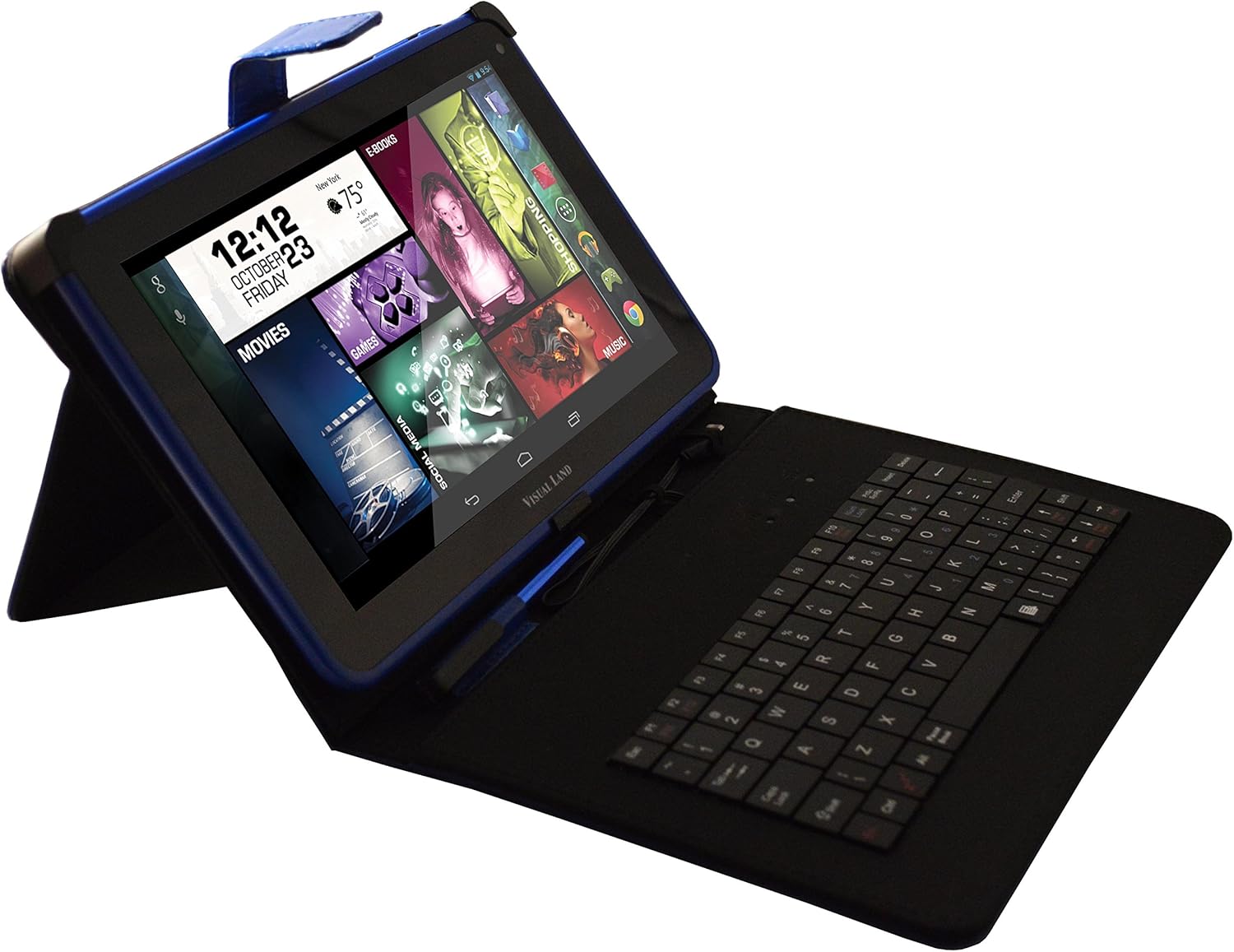
Image: Prestige ELITE 7Q-KC tablet inserted into its matching blue keyboard case, viewed from an angle, showing the tablet screen and the physical keyboard.
4. Acendido e configuración inicial
Press and hold the power button located on the side of the tablet until the screen illuminates. Follow the on-screen prompts to complete the initial setup, including language selection, Wi-Fi connection, and Google account setup.
Instrucións de funcionamento
1. Navegación básica
The tablet operates on Android 4.4 KitKat. Use touch gestures for navigation:
- Toca: Selecciona un elemento ou abre unha aplicación.
- Pasar o dedo: Desprazarse por pantallas ou listas.
- Zoom para pellizcar: Achegar ou afastar imaxes ou web páxinas.
- Presión longa: Acceder a menús contextuais ou mover iconas.
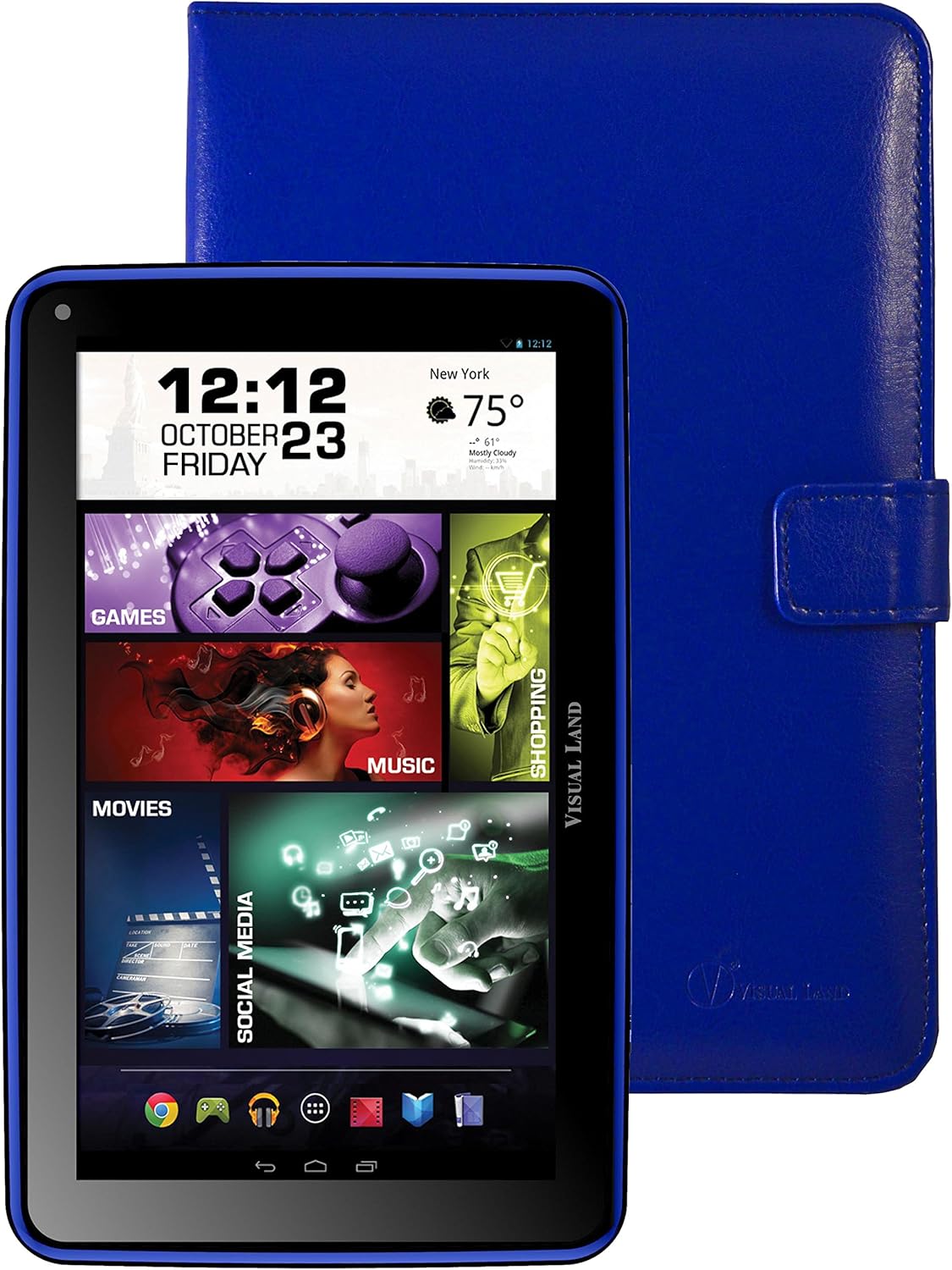
Imaxe: Fronte view of the Prestige ELITE 7Q-KC tablet displaying the Android home screen with various app icons and widgets, including a clock, weather, and media shortcuts.
2. Conectando a wifi
- Ir a Configuración.
- Seleccione Wi-Fi.
- Activar/desactivar Wi-Fi On.
- Seleccione a rede desexada da lista e introduza o contrasinal se é necesario.
3. Using the Keyboard Case
Once connected, the keyboard case functions as a standard external keyboard. Ensure the tablet is properly seated and the USB connection is firm. The keyboard allows for faster typing and navigation within applications.
4. Accessing Google Play Store
The tablet comes with Google Play pre-installed. Tap the Play Store icon to browse and download applications, games, movies, music, and books. A Google account is required for full access.
Mantemento
1. Limpeza da tableta
Usa un pano suave e sen pelusa para limpar a pantalla e o corpo da tableta. Para manchas difíciles, lixeiramenteampEnxágüe o pano con auga ou cun limpador de pantallas deseñado especificamente para dispositivos electrónicos. Evite o uso de produtos químicos agresivos ou materiais abrasivos.
2. Coidado da batería
- Evite expoñer a tableta a temperaturas extremas.
- Non permitas que a batería se descargue completamente con frecuencia.
- Charge the tablet regularly to maintain battery health.
3. Actualizacións de software
Comprobe periodicamente se hai actualizacións do sistema para garantir un rendemento e unha seguridade óptimos. Vaia a Configuración > Sobre a tableta > Actualizacións do sistema.
Resolución de problemas
| Problema | Causa posible | Solución |
|---|---|---|
| A tableta non se acende. | Batería baixa; fallo do sistema. | Charge the tablet for at least 30 minutes. If still unresponsive, press and hold the power button for 10-15 seconds to force a restart. |
| Problemas coa conexión wifi. | Contrasinal incorrecto; fóra de alcance; problema co enrutador. | Verify Wi-Fi password. Move closer to the router. Restart the router and the tablet. |
| A pantalla táctil non responde. | Fallo temporal do software; interferencia do protector de pantalla. | Restart the tablet. Ensure the screen is clean. If using a screen protector, ensure it is properly applied or temporarily remove it to test. |
| O teclado non funciona. | Loose connection; tablet not recognizing. | Ensure the tablet is securely connected to the keyboard case via the USB port. Restart the tablet. |
If problems persist, refer to the support section or contact customer service.
Especificacións
| Característica | Detalle |
|---|---|
| Número de modelo | ME-7Q-KC-8GB-BLU |
| Sistema Operativo | Android 4.4 KitKat |
| Procesador | 1.2 GHz Quad Core (Allwinner chipset) |
| RAM | 1 GB DDR3 |
| Almacenamento interno | 8 GB |
| Tamaño da pantalla | 7 polgadas |
| Resolución de pantalla | 1024 x 600 píxeles |
| Conectividade sen fíos | 802.11bgn Wi-Fi |
| Portos USB | 1 (USB 2.0) |
| Duración da batería | Approximately 8 Hours (average use) |
| Dimensións (LxWxH) | 7.5 x 0.4 x 4.7 polgadas |
| Peso do elemento | 10.6 onzas |
| Cor | Azul |

Imaxe: Traseira view of the Prestige ELITE 7Q-KC tablet, showing the blue textured back panel and port labels for USB, MicroSD, DC, and Mic, along with the "Prestige ELITE 7Q" branding.
Garantía e Soporte
For warranty information and technical support, please refer to the documentation included with your purchase or visit the official Visual Land websitio. Garda o comprobante de compra para reclamacións de garantía.
Visual Land Official Store: Visual Land Store on Amazon


