1. Introdución
This manual provides detailed instructions for the setup, operation, and maintenance of your EMOS E0114 Digital Thermometer and Hygrometer. This device accurately measures indoor temperature and humidity, and also functions as a quartz clock with an alarm, snooze feature, and date display. Please read this manual thoroughly before using the product to ensure correct operation and to prevent damage.
2. Información de seguridade
- Manteña o dispositivo lonxe de temperaturas extremas, luz solar directa e humidade elevada.
- Non expoña o dispositivo á auga ou a outros líquidos.
- Non intente desmontar nin modificar o dispositivo. Isto anulará a garantía.
- Elimina as baterías usadas de forma responsable segundo a normativa local.
- Manteña as pilas fóra do alcance dos nenos.
3. Contido do paquete
Comprobe o contido do paquete ao desembalar:
- EMOS E0114 Digital Thermometer and Hygrometer
- Manual de usuario
Note: 1 AA Mignon 1.5 V battery is required and not included in the package.

Figure 3.1: EMOS E0114 device in its retail packaging.
4. Produto rematadoview
Familiarize yourself with the components of your EMOS E0114 device.
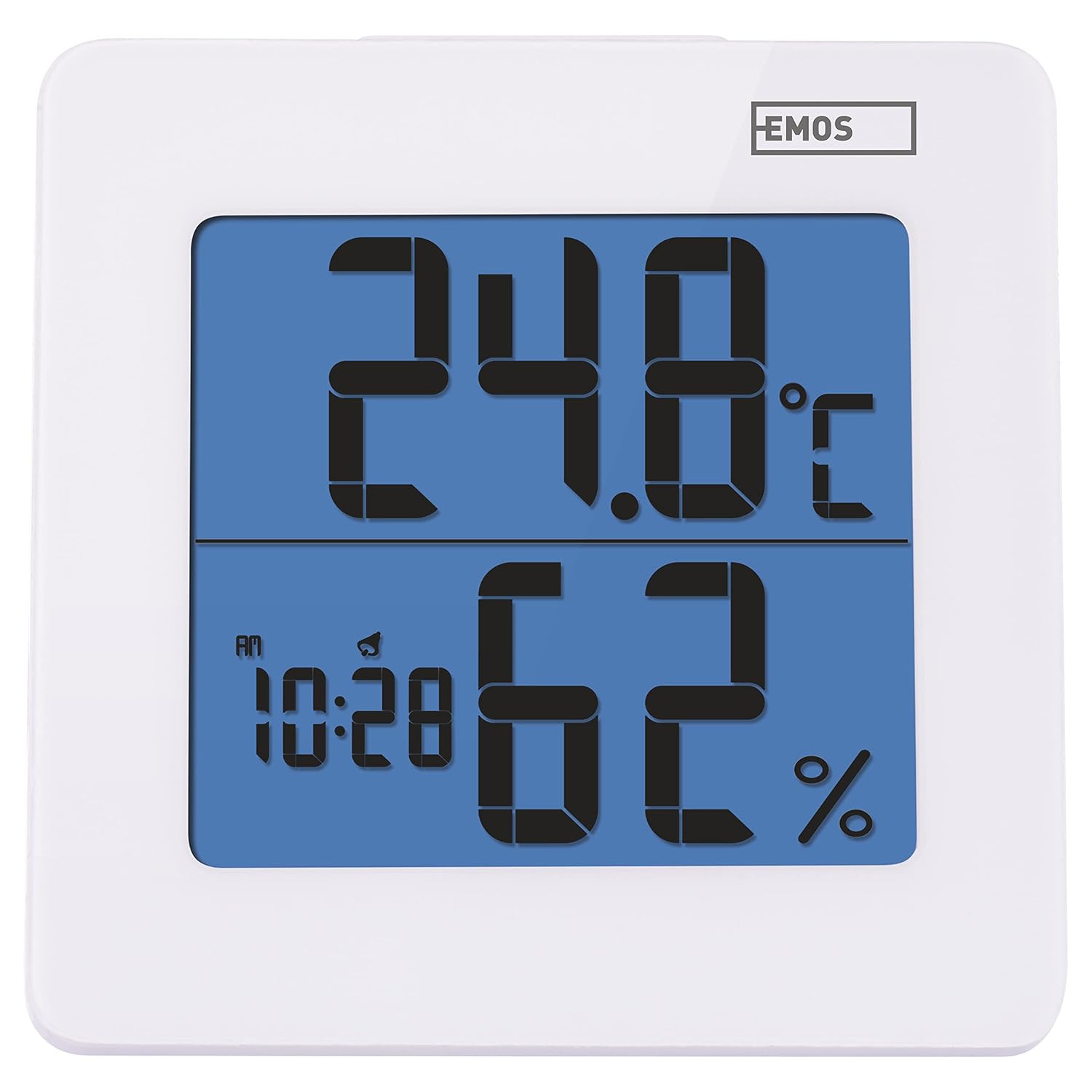
Figura 4.1: Fronte view of the EMOS E0114 display, showing temperature, humidity, and time.

Figura 4.2: Atrás view of the EMOS E0114, highlighting the control buttons and battery compartment.
Botóns de control:
- MODO: Alterna entre a visualización da hora, o axuste da alarma e o axuste da data.
- ARRIBA: Increases values during setting, activates/deactivates alarm.
- MEM: Displays maximum and minimum temperature/humidity records.
- C/F: Alterna entre as unidades de temperatura Celsius e Fahrenheit.
- RESET: Restablece o dispositivo aos valores predeterminados de fábrica.
- SNOOZE/LIGHT (Top Bar): Activates snooze function during alarm, illuminates the display backlight.
5. Configuración
5.1 Instalación da batería
- Localiza o compartimento da batería na parte traseira do dispositivo (consulta a Figura 4.2).
- Abra a tapa do compartimento da batería.
- Insert one (1) AA Mignon 1.5 V battery, ensuring correct polarity (+/-).
- Pecha a tapa do compartimento da batería de forma segura.
5.2 Encendido inicial
Upon battery installation, the device will power on automatically and display the current time (default 12:00 AM), temperature, and humidity. The backlight will briefly illuminate.
6. Instrucións de funcionamento
6.1 Axuste da hora e da data
- No modo de visualización da hora normal, prema MODO unha vez para entrar no modo de axuste da hora. Os díxitos da hora parpadearán.
- Usa o UP botón para axustar a hora.
- Preme MODO again to set the minutes. The minute digits will flash. Use the UP botón para axustar os minutos.
- Preme MODO again to set the year. The year digits will flash. Use the UP botón para axustar o ano.
- Continúa presionando MODO to set the month and then the day, adjusting each with the UP botón.
- Despois de axustar o día, prema MODO to exit setting mode and return to normal time display.
6.2 Axustar a alarma
- No modo de visualización da hora normal, prema MODO button twice to enter alarm setting mode. The alarm time will be displayed, and the hour digits will flash.
- Usa o UP botón para axustar a hora da alarma.
- Preme MODO again to set the alarm minutes. The minute digits will flash. Use the UP botón para axustar os minutos da alarma.
- Preme MODO para saír do modo de configuración da alarma.
- Para activar ou desactivar a alarma, prema o botón UP button once in normal time display mode. An alarm icon will appear on the display when activated.
6.3 Using Snooze and Backlight
- Cando soe a alarma, prema o botón SNOOZE / LUZ bar on top of the device to activate the snooze function. The alarm will pause for approximately 5 minutes and then sound again.
- To turn off the alarm completely, press any other button (MODE, UP, MEM, C/F) on the back of the device.
- Preme o SNOOZE / LUZ bar at any time to briefly illuminate the display backlight for better visibility in low light conditions.
6.4 Unidades de temperatura de conmutación (°C/°F)
No modo de visualización normal, prema C / F button on the back of the device to toggle between Celsius (°C) and Fahrenheit (°F) temperature readings.
6.5 Viewing Maximum and Minimum Records
The device stores the maximum and minimum temperature and humidity values recorded since the last reset or battery change.
- Preme o MEM button once to display the maximum recorded temperature and humidity.
- Preme o MEM button again to display the minimum recorded temperature and humidity.
- Preme MEM a third time to return to the current temperature and humidity display.
- To clear the maximum/minimum records, press and hold the MEM botón durante aproximadamente 3 segundos mentres viewing os rexistros.
7. Mantemento
7.1 Limpeza
- Limpa o dispositivo cun pano suave e seco.
- Do not use abrasive cleaners, solvents, or chemical agents, as these may damage the display or casing.
7.2 Substitución da batería
When the display becomes dim or the device stops functioning, it is time to replace the battery.
- Abra a tapa do compartimento da batería na parte traseira do dispositivo.
- Retire a pila AA vella.
- Insert a new AA Mignon 1.5 V battery, observing correct polarity.
- Pecha a tapa do compartimento da batería.
- You may need to reset the time and date after battery replacement.
8 Solución de problemas
| Problema | Causa posible | Solución |
|---|---|---|
| Sen pantalla ou pantalla escura | Batería baixa ou descargada; instalación incorrecta da batería. | Replace the battery with a new AA 1.5V battery. Ensure correct polarity. |
| Hora/data incorrectas | Time/date not set correctly after battery installation or reset. | Follow instructions in Section 6.1 to set the time and date. |
| Temperature/humidity readings seem inaccurate | Device placed in an unsuitable location (e.g., near heat source, vent, direct sunlight). | Relocate the device to a stable indoor environment away from direct influences. Allow 30 minutes for readings to stabilize. |
| A alarma non soa | A alarma non está activada. | Ensure the alarm icon is visible on the display (refer to Section 6.2). |
| O dispositivo non responde | Fallo electrónico temporal. | Preme o RESET button on the back of the device using a thin object (e.g., paperclip). Note: This will clear all settings. |
9. Especificacións
- Modelo: E0114
- Marca: EMOS
- Rango de medición de temperatura: 0 ° C a +50 ° C (32 ° F a 122 ° F)
- Resolución de temperatura: 0.1 °C / 0.1 °F
- Rango de medición de humidade: 20% a 90% de humidade relativa (HR)
- Resolución de humidade: 1% RH
- Reloxo: Quartz with 12/24 hour format
- Alarma: Si, con función de repetición
- Visualización: LCD retroiluminado
- Función de memoria: Temperatura e humidade máxima/mín
- Fonte de alimentación: 1 x AA Mignon 1.5 V battery (not included)
- Dimensións (L x W x H): 3.7 x 9.3 x 9.3 cm (aproximadamente 1.46 x 3.66 x 3.66 polgadas)
- Dimensións da pantalla: 60 x 65 mm (approximately 2.36 x 2.56 inches)
- Peso: 109 gramos (aproximadamente 3.84 onzas)
- Tipo de montaxe: Wall mountable (integrated stand)
- Cor: White (with blue display backlight)

Figure 9.1: Dimensions of the EMOS E0114 device.
10. Garantía e soporte
EMOS products are designed for reliability and performance. For warranty information or technical support, please refer to the warranty card included with your purchase or visit the official EMOS websitio. Garde o comprobante de compra para calquera reclamación de garantía.


