Introdución
The Superior Electronics Freedom 2in1 is a universal programmable remote control designed to operate up to two different audio/video devices. This manual provides comprehensive instructions for setup, operation, maintenance, and troubleshooting to ensure optimal performance and longevity of your device.
Información de seguridade
- Non expoña o mando a distancia á luz solar directa, a fontes de calor nin a temperaturas extremas.
- Evite deixar caer o mando a distancia ou sometelo a impactos fortes.
- Non mergulle o mando a distancia en auga nin en ningún outro líquido.
- Manteña as pilas fóra do alcance dos nenos. En caso de ingestión, busque atención médica inmediata.
- Elimina as baterías usadas segundo a normativa local.
Contido do paquete
Comprobe que todos os elementos estean presentes no paquete:
- Superior Electronics Freedom 2in1 Universal Remote Control
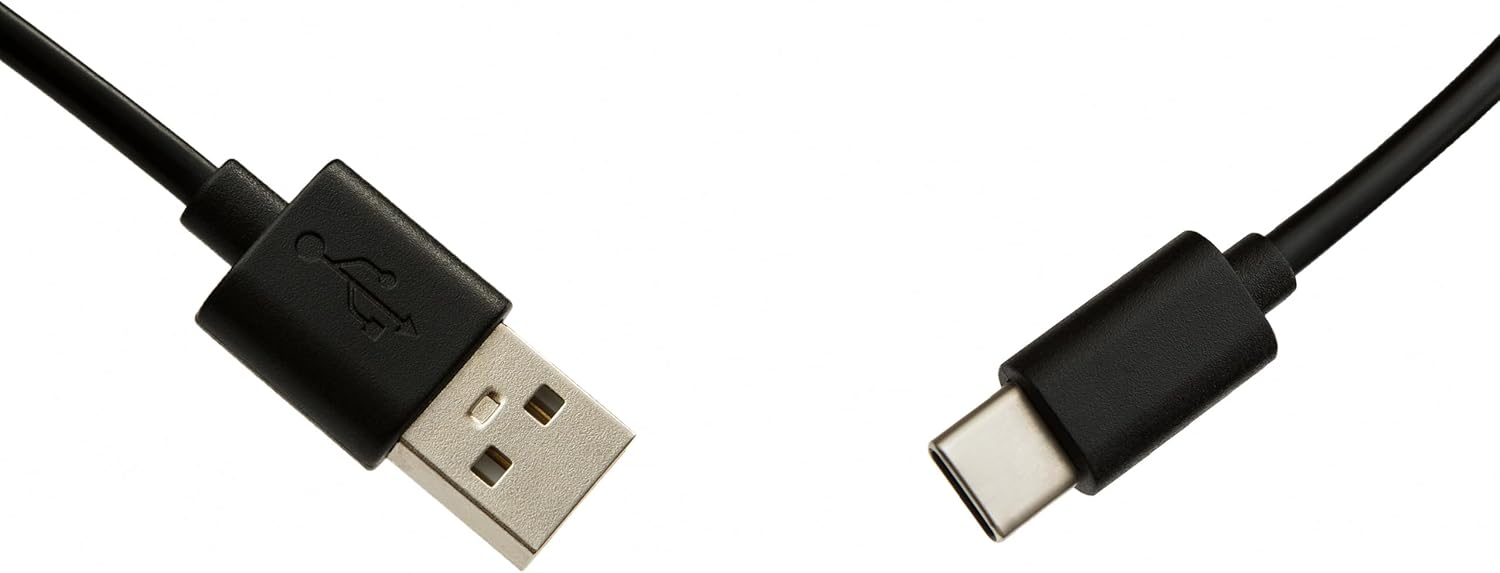
- USB-C Cable for programming
- Manual de usuario (este documento)
Configuración
1. Instalación da batería
O mando a distancia require dúas pilas AAA (non incluídas). Para instalalo:
- Abra a tapa do compartimento da batería na parte traseira do mando a distancia.
- Introduza dúas pilas AAA, asegurándose de manter a polaridade correcta (+ e -).
- Pecha a tapa do compartimento da batería de forma segura.
2. Programming Your Remote Control
The Superior Electronics Freedom 2in1 remote control is programmable via a computer using the included USB-C cable and Superior's dedicated software. This allows for quick and accurate setup for a wide range of devices.
- Descarga de software: Visit the official Superior Electronics website to download the latest programming software for your Freedom 2in1 remote.
- Conectar o control remoto: Connect the remote control to your computer using the provided USB-C cable.
- Software de inicio: Open the Superior programming software on your computer.
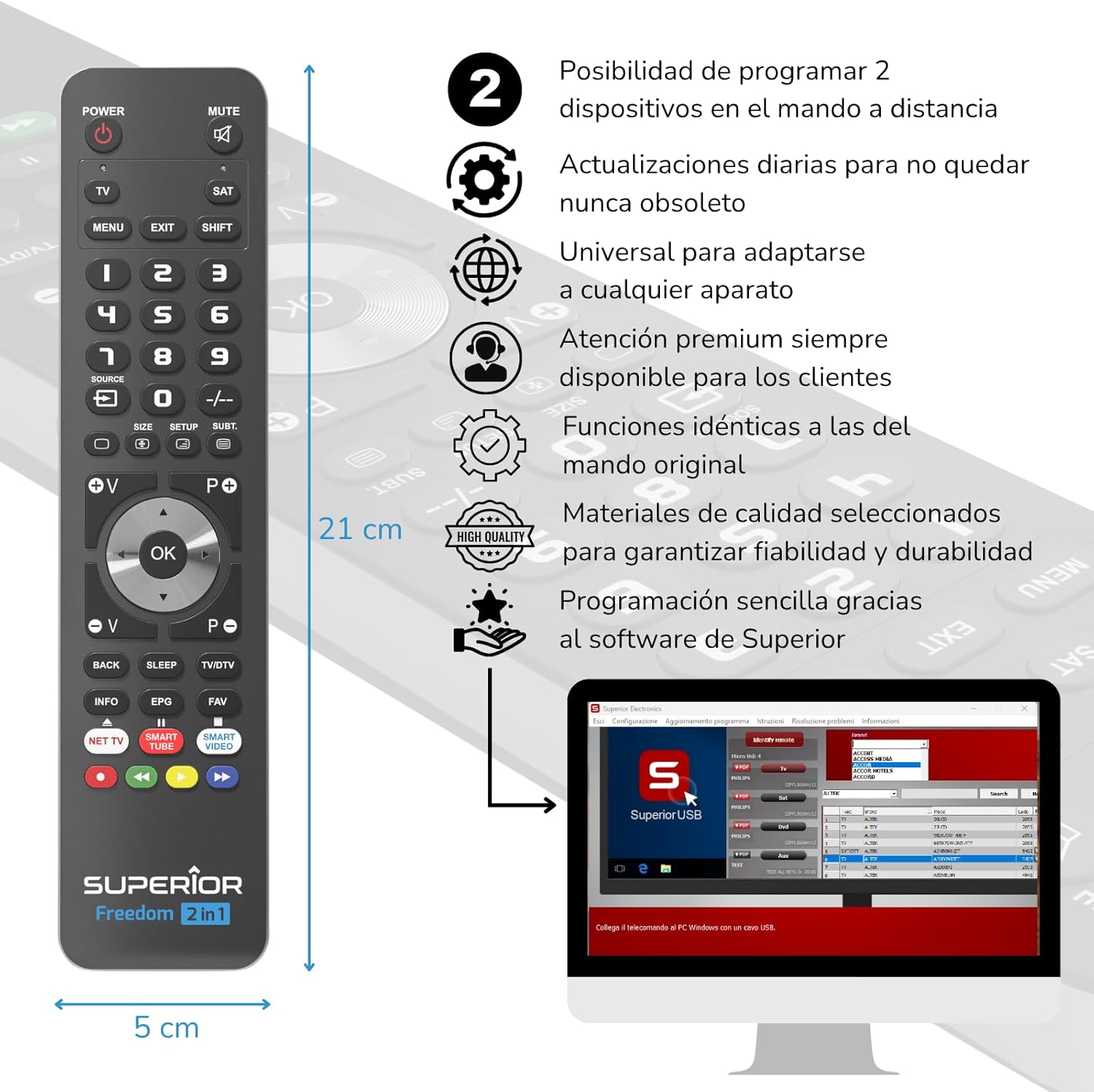
- Seleccione o dispositivo: Follow the on-screen instructions to select the brand and model of the device you wish to control (e.g., TV, SAT, DVD, Soundbar). The software utilizes a leading European database with over 260,000 compatible devices.
- Programa: Initiate the programming process. Programming is typically completed in less than one minute by double-clicking the desired brand and model within the software.
- MAP Function: The dedicated MAP function allows you to recover the original remote control functions on the Superior Freedom keypad, ensuring all original functionalities are available.

Instrucións de funcionamento
Once programmed, your Superior Electronics Freedom 2in1 remote control is ready for use. It can control up to two devices, such as TVs, Smart TVs, decoders, DVD players, projectors, and soundbars.

Funcións dos botóns rematadasview:
- POTENCIA: Acende ou apaga o dispositivo seleccionado.
- MUTO: Silencia ou activa o audio.
- TV / SAT: Selects the device to be controlled (e.g., TV or Satellite receiver).
- MENU / EXIT: Accesses or exits the device's menu.
- CAMBIAR: Activates secondary functions of certain buttons.
- 0-9: Number buttons for direct channel input.
- FONTE: Cambia a fonte de entrada do teu televisor.
- +/-: Adjusts channel up/down or navigates through menus.
- SIZE / SETUP / SUBT.: Specific functions depending on the device.
- Volume (V+/-) / Channel (P+/-): Axusta o volume e cambia de canle.
- Navegación (Arriba, Abaixo, Esquerda, Dereita, OK): Navega polos menús e confirma as seleccións.
- BACK / SLEEP / TV/DTV: Returns to previous screen, sets sleep timer, or switches between TV/Digital TV modes.
- INFO / EPG / FAV: Displays information, Electronic Program Guide, or Favorite channels.
- NET TV / SMART TUBE / SMART VIDEO: Dedicated buttons for smart TV applications.
- Botóns de cores (vermello, verde, amarelo, azul): Used for specific functions within menus or smart TV apps.
The maximum operating range of the remote control is 10 meters.
Mantemento
Limpeza
To clean the remote control, use a soft, dry cloth. Do not use abrasive cleaners, solvents, or chemical agents, as these may damage the surface or internal components.
Substitución da batería
When the remote control's performance diminishes or it stops responding, it is likely time to replace the batteries. Follow the battery installation steps outlined in the Setup section.
Resolución de problemas
- O mando a distancia non responde: Ensure batteries are correctly inserted and not depleted. Replace batteries if necessary.
- Device not controlling: Verify that the remote is pointed directly at the device's IR receiver. Ensure there are no obstructions between the remote and the device.
- Incorrect functions: The remote may not be programmed correctly for your specific device model. Re-program the remote using the Superior Electronics software and ensure you select the correct brand and model.
- Funcionalidade limitada: If some functions are missing, use the MAP function in the programming software to ensure all original remote functions are mapped to the Freedom 2in1.
If issues persist after following these steps, please contact Superior Electronics customer support.
Especificacións
| Número de modelo | SUPTUB002 |
| Marca | Superior Electronics |
| Dimensións | 23 x 5 x 1.5 cm |
| Peso | 80 g |
| Pilas necesarias | 2 x AAA (non incluído) |
| Conectividade | USB-C (for programming) |
| Maximum Devices Supported | 2 |
| Rango máximo | 10 metros |
| Dispositivos compatibles | TVs, Smart TVs, Decoders, DVD players, Projectors, Soundbars, Hi-Fi systems |
Garantía e Soporte
Superior Electronics is committed to providing high-quality products and excellent customer service.
- Actualizacións de software: Enjoy free and constant updates for your remote control's programming database, ensuring compatibility with new devices.
- Atención ao cliente: Premium customer assistance is available 7 days a week to address any questions or issues you may encounter.
For further assistance, please visit the official Superior Electronics websitio web ou póñase en contacto directamente co servizo de atención ao cliente.


