Introdución
Welcome to the user manual for your Bose SoundLink Around Ear Wireless Headphones II. These headphones are designed to provide a high-quality audio experience with the convenience of wireless connectivity. This manual will guide you through the setup, operation, maintenance, and troubleshooting of your device.

Image: Bose SoundLink Around Ear Wireless Headphones II in black, worn by a woman listening to music.
O que hai na caixa
- Bose SoundLink Around Ear Wireless Headphones II
- Cable de carga USB
- Backup Audio Cable
- Estuche de transporte duro
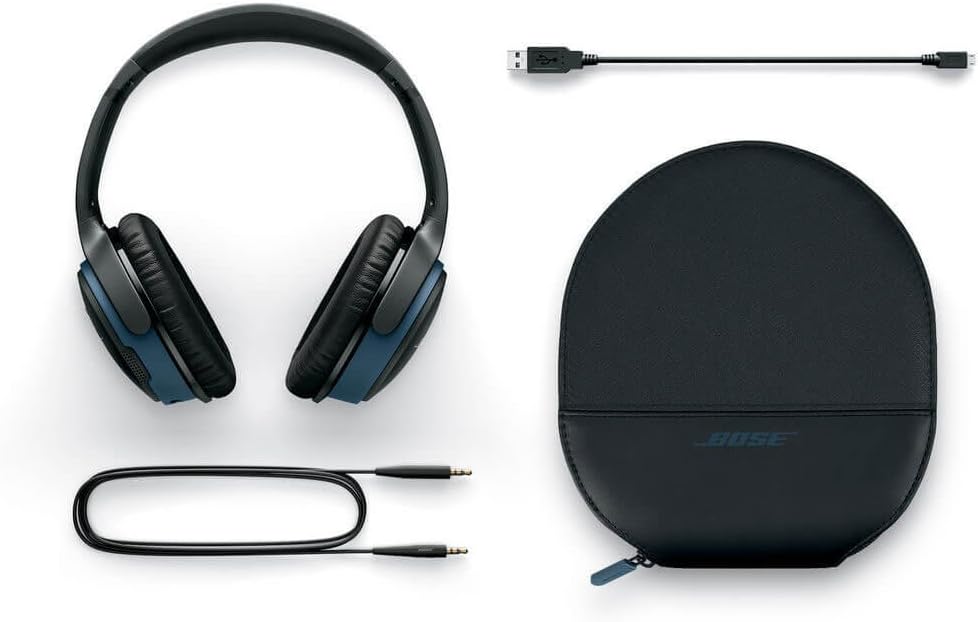
Image: Bose SoundLink Around Ear Wireless Headphones II, USB charging cable, backup audio cable, and hard carrying case laid out.
Configuración
Cargando os auriculares
- Connect the provided USB charging cable to the micro-USB port on the headphones.
- Plug the other end of the USB cable into a USB wall charger or a computer's USB port.
- A full charge takes approximately 3 hours. A 15-minute quick charge provides up to 2 hours of playtime.
Emparejamento cun dispositivo Bluetooth
- Slide the Power/Bluetooth switch to the 'On' position. The Bluetooth indicator light will blink blue.
- On your mobile device, go to the Bluetooth settings and ensure Bluetooth is enabled.
- For NFC-enabled devices, simply tap the right ear cup of the headphones to your device to initiate pairing.
- For other devices, select "Bose SoundLink AE II" from the list of available Bluetooth devices.
- A voice prompt will confirm when the headphones are successfully connected and will announce the battery level.
Video: An official product video demonstrating the features and usage of the Bose SoundLink Around Ear Wireless Headphones II.
Funcionamento dos auriculares
Controis e funcións
The headphones feature intuitive controls located on the right ear cup for easy management of your audio and calls.
- Botón multifunción: The large center button can be used to play/pause music, answer/end calls, and activate your device's voice assistant.
- Botóns de volume: Usa os botóns "+" e "-" para axustar o volume de escoita.
- Indicacións de voz: The headphones provide helpful voice prompts for battery status, connection status, and caller ID.
Conectividade multidispositivo
The SoundLink Around Ear Wireless Headphones II can connect to two Bluetooth devices simultaneously, allowing for seamless switching between them. For example, you can watch a video on a tablet and automatically switch to your smartphone to answer an incoming call.
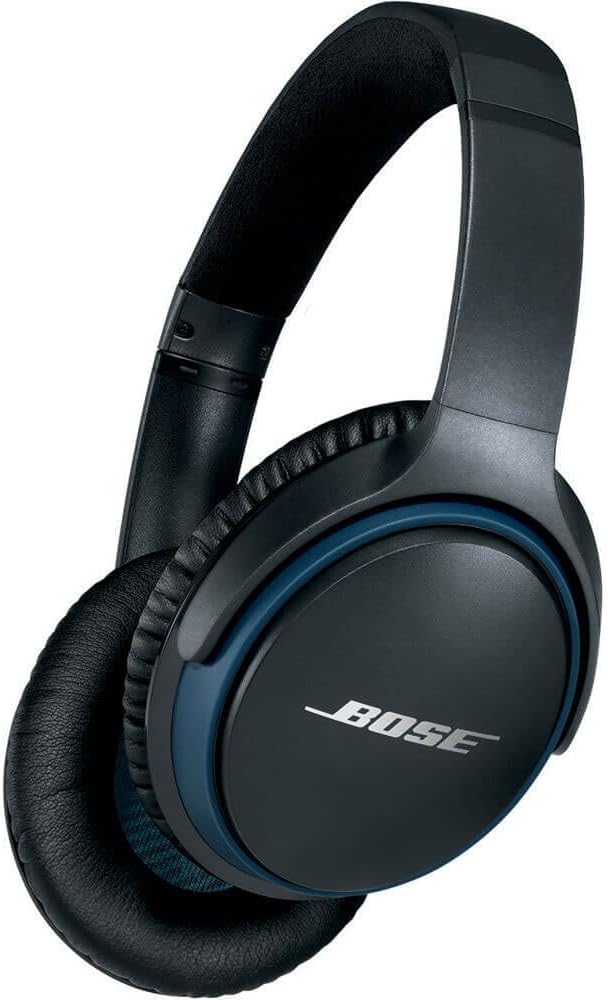
Image: Close-up of the right ear cup of the Bose SoundLink Around Ear Wireless Headphones II, showing the control buttons and charging port.
Comodidade e Deseño
Designed for extended listening sessions, these headphones are lightweight and feature soft, plush ear cushions that provide a comfortable fit around your ears. The headband is adjustable to accommodate various head sizes, ensuring a secure yet gentle fit.
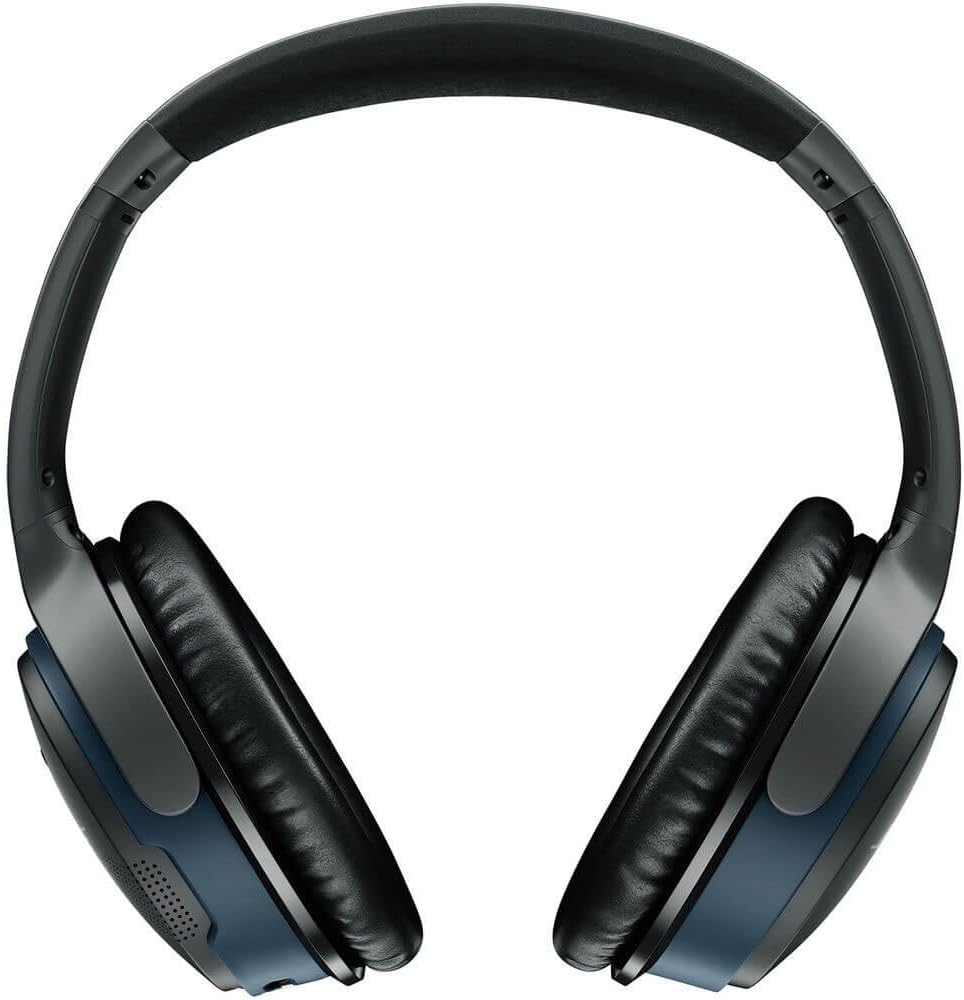
Image: Bose SoundLink Around Ear Wireless Headphones II from the top, highlighting the adjustable headband and ear cups.
Sound Quality and Microphone
Experience deep, immersive sound across all volume levels, enhanced by improved equalization. The advanced dual-microphone system is engineered to reject noise and wind, ensuring your voice is heard clearly during calls. The enhanced sidetone feature makes your own voice sound more natural during conversations.
Duración da batería
The rechargeable lithium-ion battery provides up to 15 hours of playtime on a single charge. A quick 15-minute charge can provide up to 2 hours of listening time, making them ideal for on-the-go use.
Portability and Protection
The headphones feature a foldable design, allowing them to be compactly stored in the included hard carrying case. This case provides excellent protection, ensuring the headphones remain in good condition during travel and storage.
Mantemento
Limpeza
- Use a soft, dry cloth to clean the surfaces of the headphones.
- Avoid using liquids, sprays, or harsh chemicals, as these may damage the components.
Almacenamento
- When not in use, store the headphones in their provided hard carrying case to protect them from dust, scratches, and impacts.
- Evite o almacenamento en temperaturas extremas ou alta humidade.
Resolución de problemas
- Problemas de conectividade Bluetooth: If you experience difficulty connecting, turn off the Bluetooth function on your mobile device for a few minutes, then turn it back on and attempt to pair again.
- Retraso de son: If you notice a slight audio/video synchronization delay, try turning the headphones off and then back on.
- Headphone Overheating: During prolonged use, if the headphones feel warm, remove them and allow them to cool down before continuing use.
Especificacións
| Característica | Especificación |
|---|---|
| Nome do modelo | SOUNDLINK AE WIRELESS HP II B |
| Tecnoloxía de conectividade | Bluetooth, con cable |
| Tecnoloxía de comunicación sen fíos | Bluetooth |
| Duración da batería | 15 horas |
| Tempo de carga | 3 horas |
| Alcance Bluetooth | 30 pés (9 metros) |
| Peso do elemento | 6.88 onzas |
| Dimensións do produto | 1.5 x 6 x 7.5 polgadas |
| Colocación do oído | Sobre orella |
| Tipo de control | Control táctil, por voz |
| Compoñentes incluídos | SoundLink around-ear wireless headphones II, USB charging cable, Backup audio cable, Carry case |
Garantía e soporte
For detailed warranty information, product registration, or technical support, please visit the official Bose websitio web ou póñase en contacto directamente co servizo de atención ao cliente de Bose. Garde o comprobante de compra para reclamacións de garantía.


