1. Introdución
This manual provides detailed instructions for the setup, operation, and maintenance of your Cobra ACXT360 Water Resistant Walkie Talkies. These two-way radios are designed for reliable communication in various environments, featuring water resistance, multiple channels, and NOAA weather alerts.

Imaxe: Fronte view of a Cobra ACXT360 Walkie Talkie, displaying its screen and control buttons.
2. Contido do paquete
Verifique que todos os elementos que se indican a continuación estean incluídos no seu paquete:
- 3 x Cobra ACXT360 Walkie Talkies
- 9 x AAA Rechargeable NiMH Batteries
- 3 x Clips para cinto
- 1 x USB-Y Cable for charging
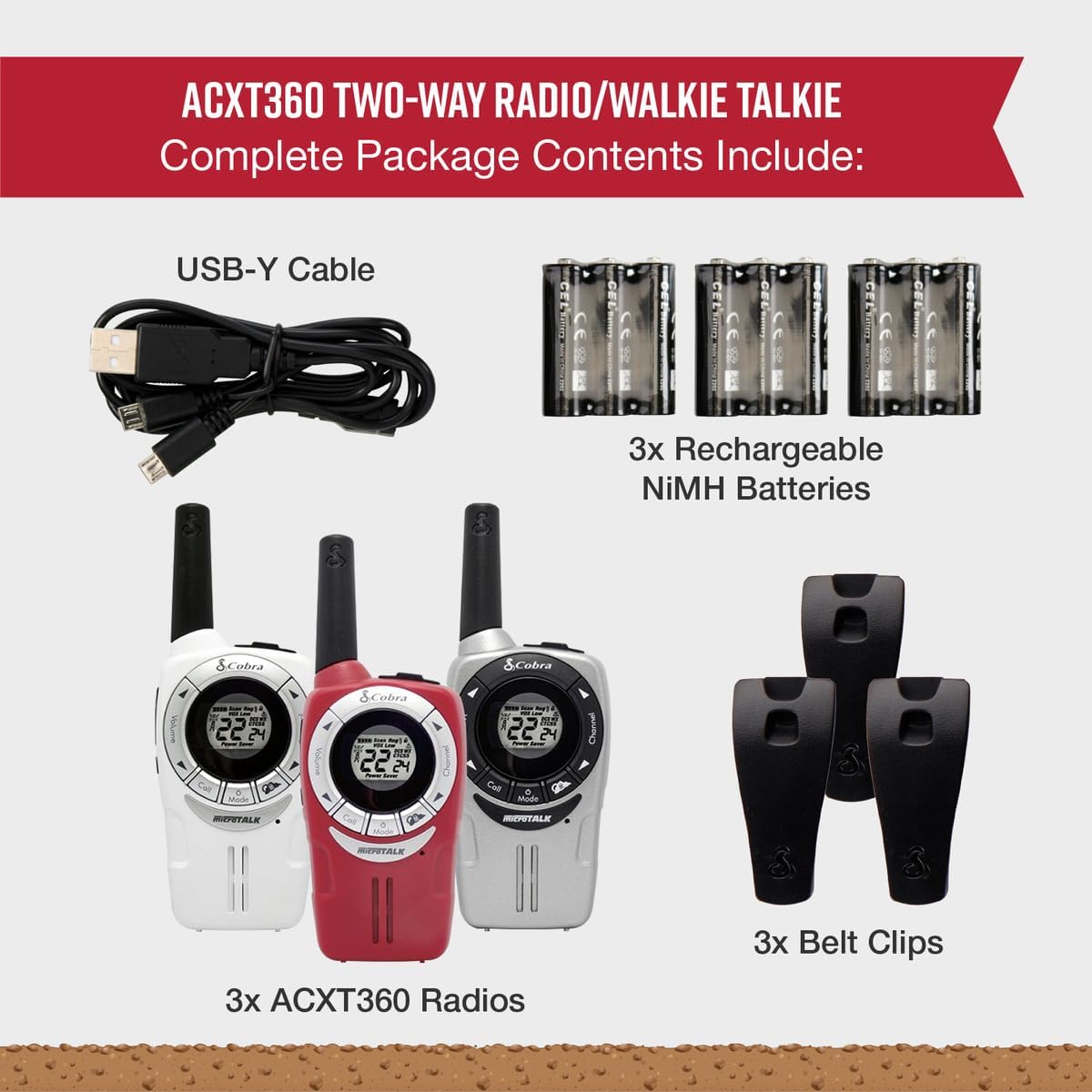
Image: A visual representation of the Cobra ACXT360 package contents, showing three radios, batteries, belt clips, and the charging cable.
3. Configuración
3.1 Instalación da batería
- Asegúrate de que a radio estea apagada.
- Localiza a tapa do compartimento da batería na parte traseira da radio.
- Prema o pestillo e deslice a tapa para retirala.
- Insert 3 AAA rechargeable NiMH batteries into each radio, observing the polarity markings (+/-).
- Volva colocar a tapa do compartimento da batería, asegurándose de que encaixe correctamente no seu lugar.
3.2 Carga das baterías
The included NiMH batteries are rechargeable. For optimal performance, fully charge the batteries before first use.
- Connect the USB-Y cable to the charging port on the radio.
- Connect the other end of the USB-Y cable to a compatible USB power source (e.g., computer USB port, USB wall adapter).
- O indicador da batería na pantalla da radio mostrará o estado de carga.
- O tempo de carga pode variar. Desconecta o cable unha vez que a carga estea completa.
4. Instrucións de funcionamento
4.1 Encendido/apagado
- Para acender: Manteña prema o botón Potencia / Menú botón ata que se ilumine a pantalla.
- Para apagar: Manteña premido o botón Potencia / Menú botón ata que a pantalla se apague.
4.2 Axuste de volume
- Usa o Subir volume e Baixar o volume buttons (typically located on the side or front) to adjust the listening volume.
4.3 Selección de canles
Your ACXT360 radios operate on 22 FRS/GMRS channels.
- Preme o Canle cara arriba or Canal abaixo botóns para percorrer as canles dispoñibles.
- The selected channel number will be displayed on the screen.
4.4 Transmisión e recepción
- Para transmitir: Prema e manteña prema o botón Preme para falar (PTT) botón. Fale con claridade ao micrófono. Solte o botón PTT para deter a transmisión.
- To receive: Ensure the PTT button is not pressed. The radio will automatically receive transmissions on the selected channel.
4.5 Códigos de privacidade (CTCSS/DCS)
The radios support 121 privacy codes (38 CTCSS and 83 DCS) to help reduce interference from other users on the same channel.
- To set a privacy code: With the radio on, press the Menú button until the privacy code setting flashes. Use the Canle arriba/abajo buttons to select a code. Press Menú de novo para confirmar.
- Both radios must be set to the same channel and privacy code to communicate.
4.6 VOX (Voice-Activated Transmission)
VOX allows for hands-free operation, transmitting automatically when you speak.
- To enable/disable VOX: Press the Menú button until the VOX icon flashes. Use the Canle arriba/abajo buttons to select a VOX sensitivity level (1-5) or turn it off. Press Menú para confirmar.
4.7 tons de chamada
You can select from 5 different call tones to alert other users.
- To select a call tone: Press the Menú button until the call tone setting flashes. Use the Canle arriba/abajo botóns para preview and select a tone. Press Menú para confirmar.
- To send a call tone: Briefly press the Chamar botón.
4.8 canles meteorolóxicas NOAA
Access 24/7 NOAA weather channels for alerts and updates.
- To access NOAA channels: Refer to your radio's specific menu options for weather channel access. This is typically a dedicated button or a menu option.
4.9 Escaneo de canles
The scan feature allows you to automatically scan all 22 channels for activity.
- To activate scan: Press the Escanear button (often labeled 'S' or integrated with another button). The radio will scan channels until activity is detected.
- To stop scan: Press the Escanear button again or the PTT button.
5. Funcións máisview
The Cobra ACXT360 radios offer several features for enhanced communication:
- Weather-Resistant (IPX2): Designed to withstand light splashes and rain, ensuring reliable operation in various outdoor conditions.
- 22 canles e 121 códigos de privacidade: Proporciona ample communication options and helps minimize interference.
- Alertas meteorolóxicas da NOAA: Keeps you informed of changing weather conditions.
- VOX Transmission: Permite a comunicación mans libres.
- Tons de chamada personalizables: Allows for distinct alerts from different callers.
- Escaneo de canles: Quickly finds active channels.
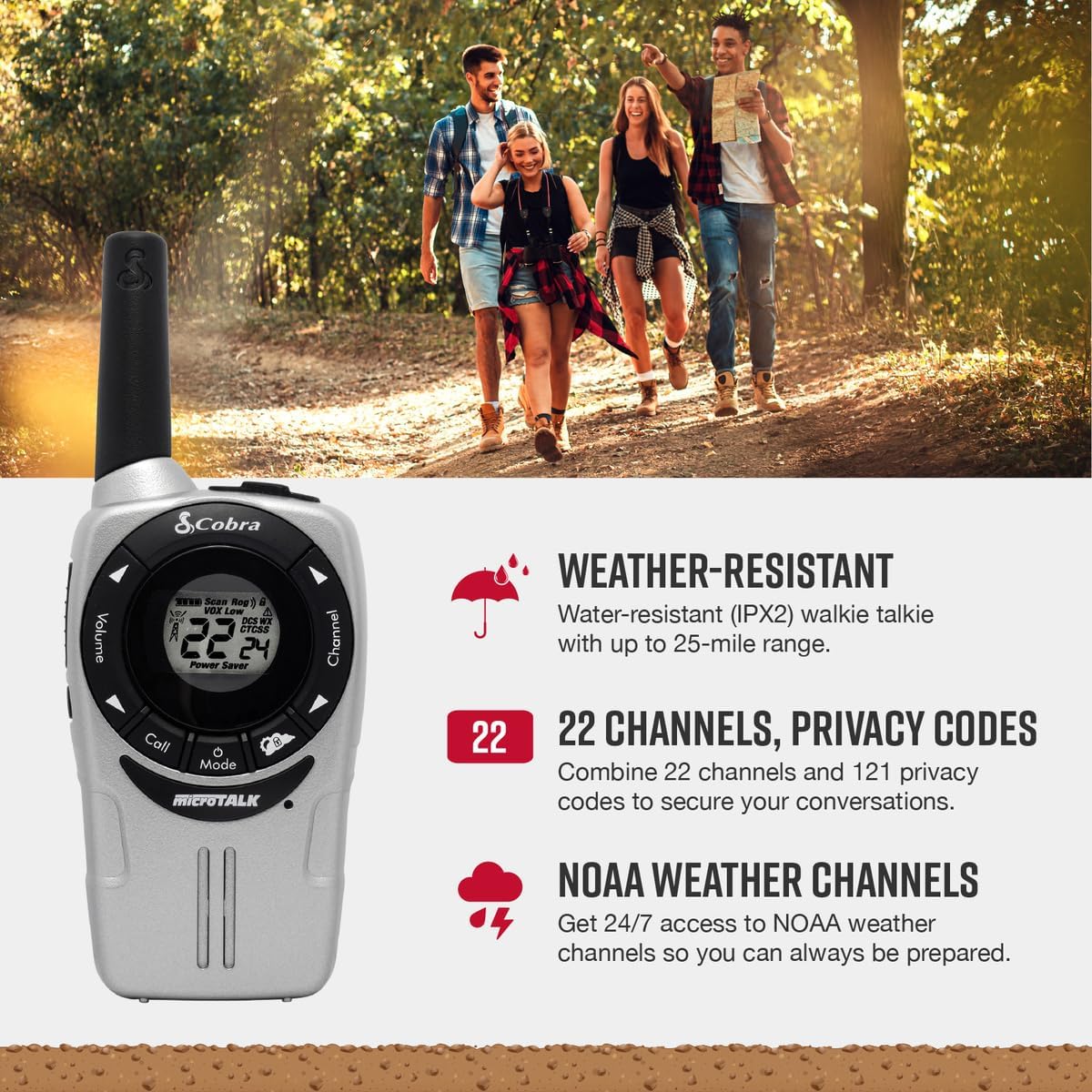
Image: A Cobra ACXT360 radio with icons indicating weather resistance, 22 channels, and NOAA weather alerts.

Image: A Cobra ACXT360 radio with icons indicating VOX transmission, call tones, and channel scan features.
5.1 Understanding Range
The maximum range of a walkie talkie is tested under ideal conditions, such as flat, open terrain with a clear line of sight and no obstructions. The actual usable range can be significantly affected by environmental factors.
- Rango máximo: Achieved in optimal conditions with no obstructions.
- Usable Range: Influenced by weather, landscape (hills, valleys), radio signals, elevation, and physical obstructions like trees, foliage, buildings, and mountains.

Image: An illustration explaining the difference between maximum theoretical range and actual usable range for walkie talkies, listing influencing factors.
6. Mantemento
6.1 Coidados xerais
- Avoid exposing the radios to extreme temperatures, direct sunlight for prolonged periods, or excessive moisture beyond their IPX2 rating.
- Do not drop or subject the radios to severe impacts.
6.2 Limpeza
- Wipe the radio surfaces with a soft, damp pano. Non use produtos de limpeza ou disolventes abrasivos.
- Asegúrese de que o porto de carga estea limpo e libre de residuos.
6.3 Coidado coa batería
- Use only the specified AAA rechargeable NiMH batteries.
- Se vai gardar as radios durante un período prolongado, retire as baterías para evitar fugas.
- Desfágase das baterías vellas segundo a normativa local.
7 Solución de problemas
| Problema | Posible Solución |
|---|---|
| A radio non se acende. | Check battery installation and ensure batteries are charged. Replace batteries if necessary. |
| Non se pode transmitir nin recibir. | Ensure both radios are on the same channel and privacy code. Check battery level. Verify PTT button is functioning. |
| Mala calidade de audio ou estática. | Move closer to the other radio. Check for obstructions. Adjust volume. Ensure antenna is not obstructed. |
| Gama limitada. | Range is affected by terrain, weather, and obstructions. Try moving to a higher or more open area. |
| VOX non se activa. | Adjust VOX sensitivity level in the menu. Speak louder or closer to the microphone. |
8. Especificacións
| Característica | Detalle |
|---|---|
| Número de modelo | ACXT360 |
| Dimensións do produto | 1.25 x 2 x 5 polgadas (3.18 x 5.08 x 12.7 cm) |
| Peso do elemento | 3.76 onzas (106.6 gramos) |
| Baterías | 6 AAA NiMH rechargeable batteries (3 per radio) |
| Número de canles | 22 canles FRS/GMRS |
| Códigos de privacidade | 121 (38 CTCSS, 83 DCS) |
| Rango de frecuencias | 400-512 MHz (estimated) |
| Rango de conversación máximo | Up to 25 Miles (under ideal conditions) |
| Nivel de resistencia á auga | IPX2 (resistente á auga) |
| Características especiais | Battery Strength Indicator, Dust Proof, Long Range, Rechargeable |
9. Información da garantía
Cobra products are designed and manufactured to high standards. For specific warranty details, including coverage period and terms, please refer to the warranty card included with your product or visit the official Cobra websitio. Garda o comprobante de compra para reclamacións de garantía.
10. Apoio
If you encounter any issues or have questions not covered in this manual, please refer to the following resources:
- Soporte en liña: Visit the official Cobra website for FAQs, product registration, and additional support documentation.
- Atención ao cliente: Contact Cobra customer service directly for technical assistance. Contact information can typically be found on the manufacturer's websitio ou embalaxe do produto.


