1. Introdución
The Arrowmax AEH4000-M9 Split D-Ring Headphone is designed for use with compatible Motorola multi-pin connector two-way radios. This earpiece features an inline Push-to-Talk (PTT) button and microphone, providing clear communication and comfortable wear for extended periods. Its flexible design and durable construction ensure reliable performance in various professional environments.

Image 1.1: The Arrowmax AEH4000-M9 Split D-Ring Headphone, showcasino seu deseño ergonómico.
2. Características do produto
- Split D-Ring Earpiece: Offers enhanced flexibility and comfort, adapting to various ear sizes and shapes.
- Moldable Earhooks: The earhooks can be reshaped to achieve a personalized and secure fit.
- Rotación vertical de 180°: Provides greater movement range and optimal positioning for the earpiece.
- Inline PTT/Microphone: Integrated Push-to-Talk button and microphone for convenient communication. Features a durable metal clip for secure attachment to clothing.
- Cable duradeiro: Super flexible PU cable reinforced with Kevlar for maximum durability and longevity.
- Material cómodo: Soft, skin-friendly materials ensure comfort during long periods of wear.
3. Configuración e instalación
3.1 Conexión á radio
- Ensure your Motorola two-way radio is powered off before connecting the earpiece.
- Align the multi-pin connector of the AEH4000-M9 earpiece with the accessory port on your compatible Motorola radio.
- Gently push the connector firmly into the radio's port until it is securely seated. Do not force the connection.
- Once connected, power on your radio.

Imaxe 3.1: Primeiro plano view of the multi-pin connector, designed for compatible Motorola radios.
3.2 Wearing the Earpiece
- Place the D-ring earpiece over your ear. The split design allows for easy adjustment.
- Gently mold the earhooks to fit the contour of your ear for a comfortable and secure fit. The earpiece can rotate 180° vertically to optimize positioning.
- Clip the inline PTT/microphone unit to your lapel or collar using the metal clip, ensuring it is easily accessible for communication and the microphone is positioned near your mouth.
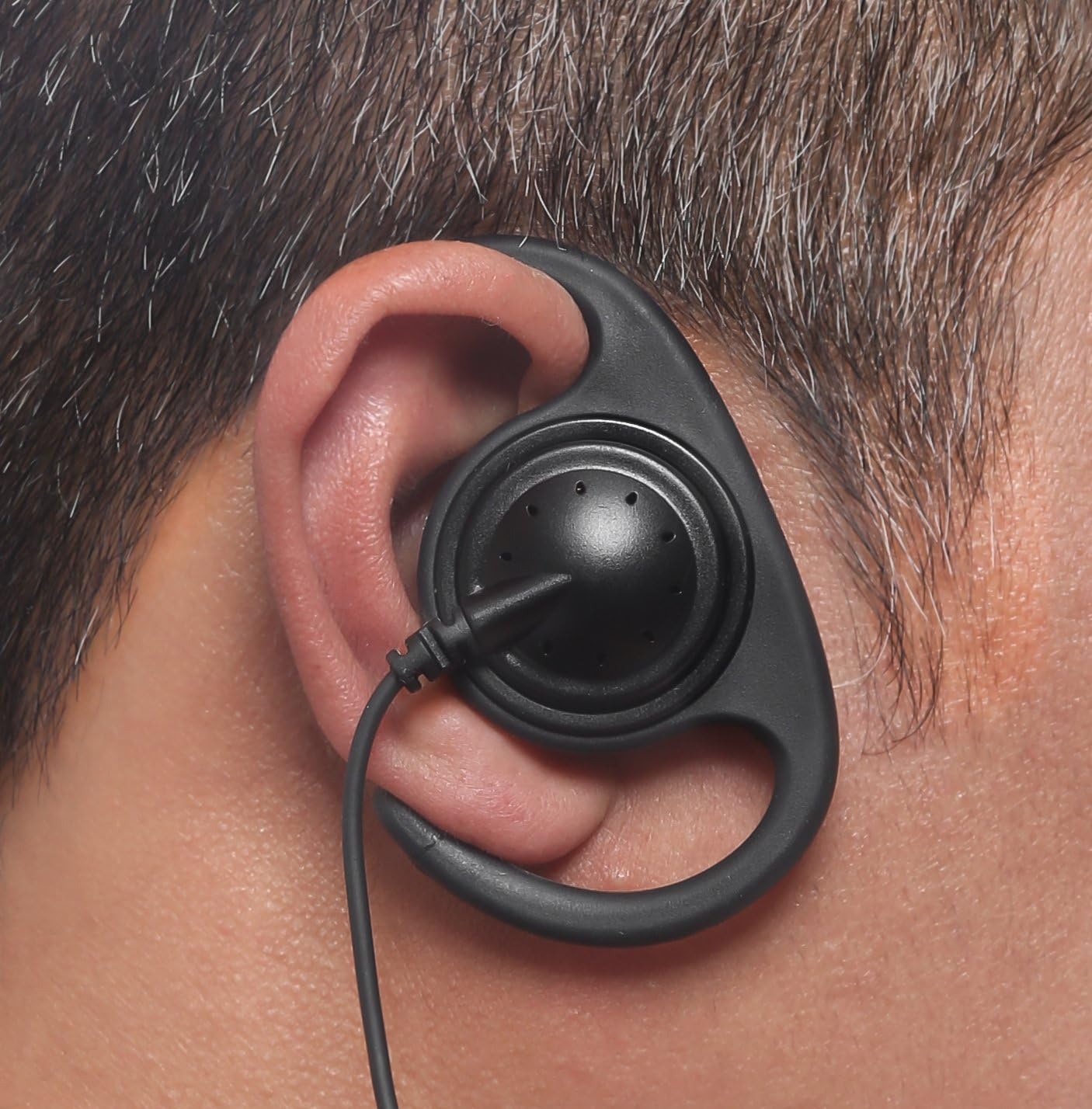
Image 3.2: The D-ring earpiece correctly worn on the ear, demonstrating its ergonomic fit.
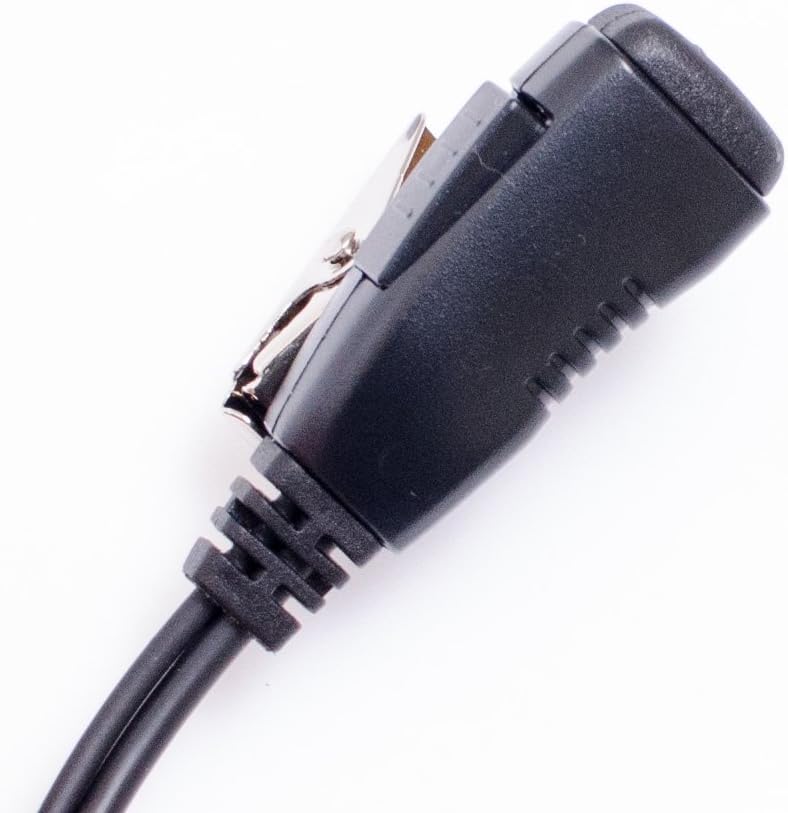
Image 3.3: The inline PTT/microphone unit with its metal clip for attachment to clothing.
4. Instrucións de funcionamento
4.1 Transmisión (Premer para falar)
To transmit your voice, press and hold the PTT button located on the inline unit. Speak clearly into the microphone. Release the PTT button to stop transmitting and return to receive mode.
4.2 Recepción de audio
When the PTT button is not pressed, the earpiece will receive incoming audio from your radio. Adjust the radio's volume control to a comfortable listening level.
5. Mantemento e coidados
- Limpeza: Regularly wipe the earpiece and PTT unit with a soft, damp cloth. Avoid using harsh chemicals or abrasive cleaners. Ensure the earpiece is dry before use.
- Coidado do cable: While the cable is reinforced with Kevlar for durability, avoid excessive pulling, twisting, or sharp bending to prevent internal damage.
- Almacenamento: Store the earpiece in a clean, dry place away from extreme temperatures and direct sunlight when not in use.
- Protección do conector: Keep the multi-pin connector clean and free of debris. Avoid exposing it to moisture.
6 Solución de problemas
| Problema | Causa posible | Solución |
|---|---|---|
| No audio from earpiece. | Earpiece not fully connected. Radio volume too low. Earpiece or radio malfunction. | Ensure connector is fully seated. Increase radio volume. Test with another earpiece/radio if available. |
| Microphone not transmitting. | PTT button not pressed. Earpiece not fully connected. Microphone malfunction. | Press and hold PTT button firmly. Ensure connector is fully seated. Test with another earpiece/radio. |
| Earpiece is uncomfortable. | Improper fit or adjustment. | Re-mold earhooks and adjust the D-ring for a better fit. Utilize the 180° rotation feature. |
| Intermittent audio/transmission. | Loose connection. Damaged cable. | Check and secure the connector. Inspect the cable for visible damage. If damaged, replace the earpiece. |
7. Especificacións
- Número de modelo: AEH4000-M9
- Fabricante: Arrowmax
- Característica especial: Microphone Included (Inline PTT)
- Característica do cable: Retractable, Kevlar Reinforced PU
- Tipo de auricular: Split D-Ring
- Cable Length (Connector to Earphone): Approximately 118 cm (46.5 in), stretches comfortably to 130 cm (51.2 in)
- Peso do artigo: 1.6 onzas (aprox. 45 gramos)
- Compatibilidade: Designed for Motorola Multi-Pin Connector radios, including but not limited to:
- Motorola APX P25 Series: APX900, APX1000, APX2000, APX3000, APX4000, APX5000, APX6000, APX7000, SRX2200
- Motorola DP Series: DP3400, DP3401, DP3600, DP3601, DP4400, DP4401, DP4600, DP4601, DP4800, DP4801 (including 'e' and 'EX' variants)
- Motorola XPR6000 Series: XPR6100, XPR6300, XPR6350, XPR6380, XPR6500, XPR6550, XPR6580
- Motorola XPR7000 / XPR7000e Series: XPR7350, XPR7380, XPR7550, XPR7580 (including 'e' and 'IS Global' variants)
- Motorola DGP Series: DGP4150, DGP6150, DGP5050, DGP5550, DGP8050, DGP8550 (including 'e' and 'EX' variants)
- Motorola XiR P Series: XiR P8200, XiR P8208, XiR P8268, XiR P8600, XiR P8608, XiR P8620, XiR P8628, XiR P8660 (including 'i' and 'EX' variants)
- Motorola TETRA Terminal: MTP830S, MTP850S, MTP6550, MTP6750, ATEX MTP8500EX, ATEX MTP8550EX
8. Garantía e soporte
For warranty information, please refer to the documentation provided at the time of purchase or contact your retailer. For technical support or further assistance, please reach out to Arrowmax customer service through their official channels.


