1. Introdución
This manual provides detailed instructions for the installation, operation, and maintenance of your Kicker IQ500.4 Q-Class Amplificador. Lea este manual detidamente antes de tentar a instalación ou o funcionamento para garantir un uso correcto e evitar danos.
The Kicker IQ500.4 is a 4-channel car amplifier featuring advanced digital signal processing (DSP) capabilities, designed to deliver high-quality audio performance in automotive environments.
2. Información de seguridade
Observe sempre as seguintes precaucións de seguridade:
- Disconnect the vehicle's battery before making any power connections.
- Asegurar a posta a terra adecuada para evitar riscos eléctricos.
- Non expoña o amphumidade ou temperaturas extremas.
- Empregue un cableado do calibre axeitado para as conexións de alimentación e altofalantes, tal e como se especifica na sección de instalación.
- Consulta cun instalador profesional se tes algunha dúbida sobre algunha parte do proceso de instalación.
- Este produto contén substancias químicas que o Estado de California sabe que causan cancro e defectos conxénitos ou outros danos reprodutivos (advertencia da Proposición 65).
3. Contido do paquete
Verifica que todos os elementos estean presentes no paquete:
- Kicker IQ500.4 Clase Q Ampmáis vivo
- Hardware de montaxe
- Manual de usuario (este documento)
- USB Cable (for TWEEQ app connection)
4. Configuración e instalación
4.1 Montaxe do Ampmáis vivo
Select a dry, stable location for mounting the amplifier, ensuring adequate ventilation. Avoid mounting in direct sunlight or areas prone to vibration.
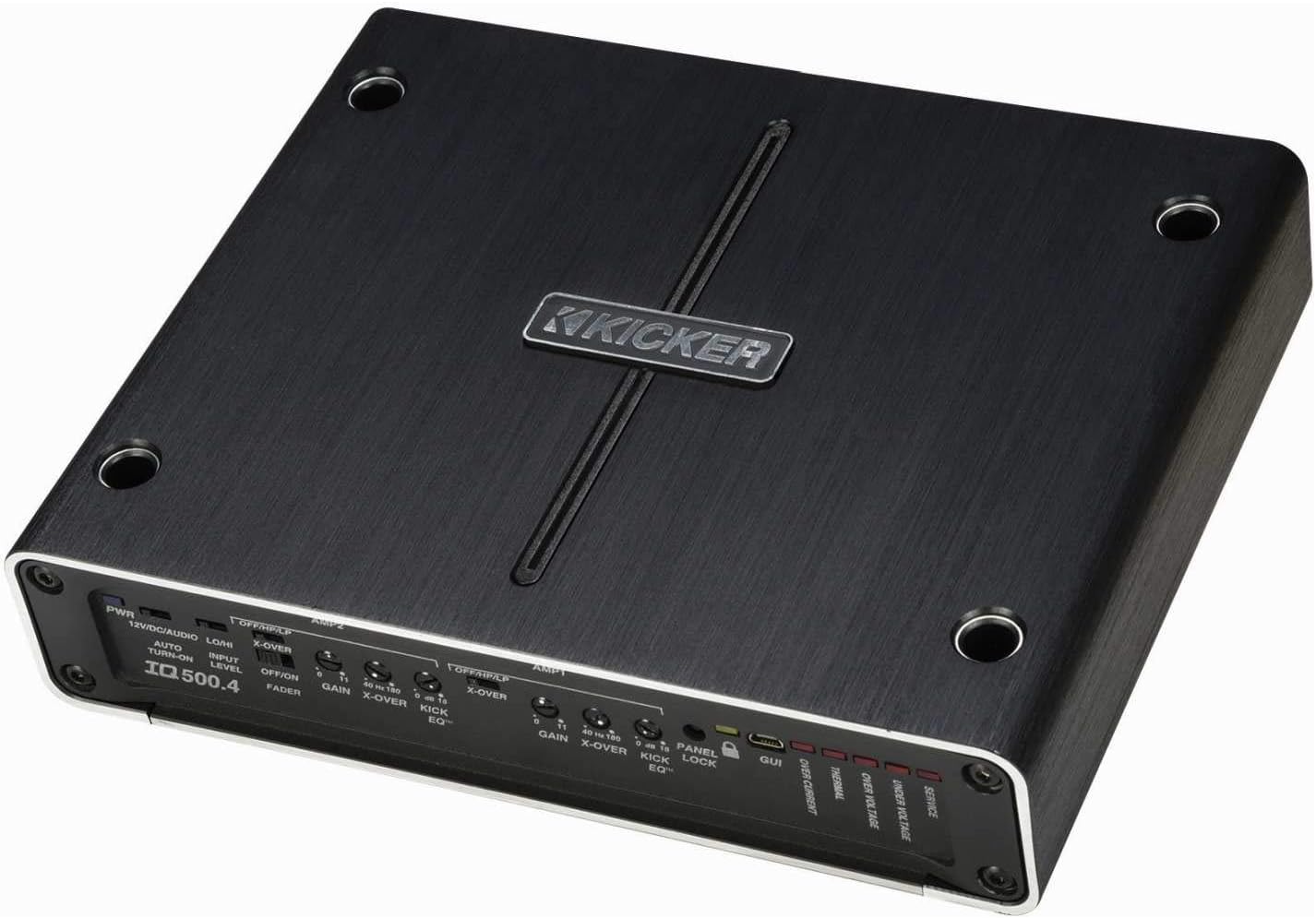
Figura 4.1: Arriba view of the Kicker IQ500.4 Q-Class Amplifier, highlighting the control panel and overall design.
4.2 Conexións de cableado
Ensure all connections are secure and properly insulated. Refer to the diagram below for typical wiring configurations.

Figura 4.2: Traseira view of the Kicker IQ500.4 Q-Class Amplifier, detailing the power, ground, remote, input, and output connections.
Conexións de alimentación:
- +12V (Potencia): Connect to the positive terminal of the vehicle's battery using appropriate gauge wire (e.g., 4-gauge for optimal performance).
- GND (terra): Connect to a clean, unpainted metal surface of the vehicle chassis. Ensure a solid connection.
- REM (activación remota): Connect to the remote turn-on lead from your head unit.
Conexións de entrada/saída:
- Entrada (RCA): Connect to the RCA outputs of your head unit or signal processor.
- Output (Speaker): Connect to your speakers. The amplifier supports 4-ohm stable bridged mode.
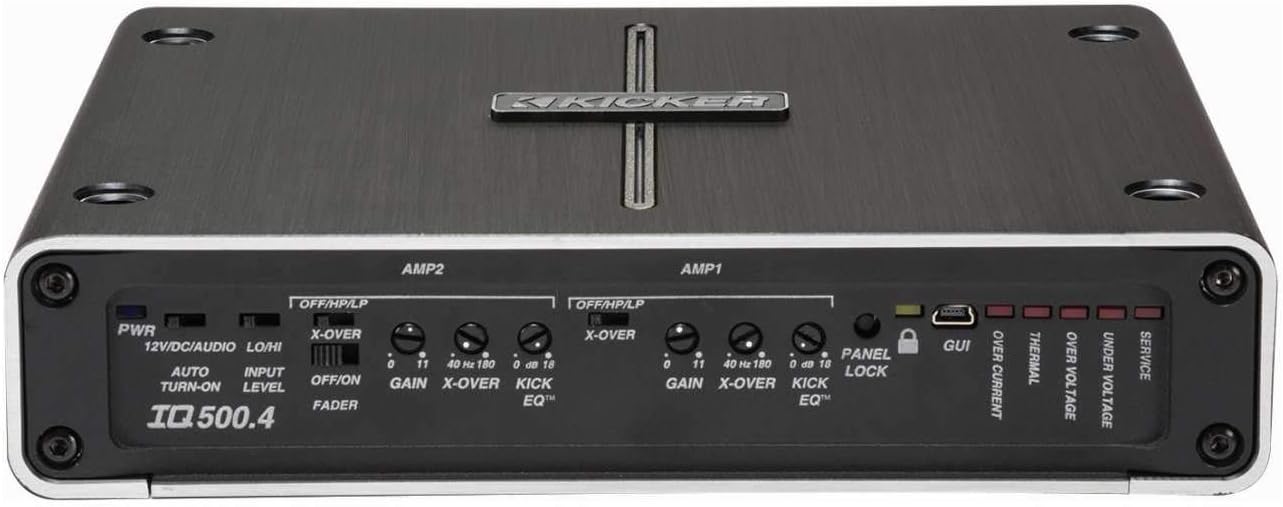
Figura 4.3: detallada view da amplifier's control panel, showing gain, crossover, and KickEQ adjustments.

Figure 4.4: Close-up of the input and output terminals, including RCA inputs and speaker wire connections.
5. Funcionamento do Ampmáis vivo
5.1 Initial Setup and Gain Matching
After installation, set the gain controls to match the output voltage of your head unit. Start with the gain at minimum and slowly increase until distortion is heard, then back off slightly.
5.2 Digital Signal Processing (DSP) with TWEEQ App
The IQ500.4 features advanced DSP capabilities accessible via the TWEEQ app for PC, iOS, or Android. Download the app from kicker.com/tweeq. Connect your device to the amplifier a través de USB.
TWEEQ App Features:
- TWEEQ Wizard: Automatically sets basic tune, including speaker type/size and time-alignment based on listening position.
- Input Signal Routing and Mixing: Customize signal paths.
- Variable High- and Low-Pass Filters: Adjustable from 10-20,000 Hz with selectable crossover characteristics (Butterworth, Linkwitz) and slopes (6, 12, 18, 24 dB/octave).
- Variable KickEQ+ Bass Boost: Adjustable from 0-18 dB, 24-80 Hz, with 0.5-10 Q.
- Atraso axustable: Fine-tune sound staging (0-20 ms in 0.02, 0.1, and 1.0 ms increments).
- Ecualizador gráfico de 31 bandas: +/-12 dB/band for precise frequency adjustments.
- Dynamic Compressor/Limiter: Fully adjustable (1:1 to 10:1 ratio).
The Panel Lock function disables onboard controls when using the TWEEQ app, ensuring settings are managed digitally.
6. Mantemento
- Manteña o ampManteña o refrigerador limpo e sen po. Use un pano suave e seco para a limpeza.
- Garantir unha ventilación adecuada ao redor amplifier para evitar o sobrequecemento.
- Comprobe periodicamente todas as conexións do cableado para comprobar se están ben apertadas e se presentan corrosión.
7 Solución de problemas
| Problema | Causa posible | Solución |
|---|---|---|
| Sen Poder | Fusible fundido; conexión de alimentación/terra solta; sen sinal de acendido remoto. | Check/replace fuse; Secure connections; Verify remote wire connection to head unit. |
| Sen saída de audio | Incorrect input/output connections; Gain set too low; Speaker wires shorted. | Verify RCA and speaker connections; Adjust gain; Check speaker wiring for shorts. |
| Son distorsionado | Ganancia axustada demasiado alta; Axustes de crossover incorrectos; Desaxuste de impedancia do altofalante. | Reduce gain; Adjust crossover settings via TWEEQ app; Ensure speaker impedance is compatible. |
| Ampsobrequecemento do lificador | Insufficient ventilation; Low impedance load; Prolonged high-volume use. | Ensure clear airflow around amplifier; Check speaker impedance; Reduce volume or allow cool-down period. |
8. Especificacións
| Característica | Detalle |
|---|---|
| Modelo | IQ500.4 |
| Canles | 4 canles |
| RMS Power (4 ohms) | 65 watts x 4 |
| RMS Power (2 ohms) | 125 watts x 4 |
| RMS Power (Bridged 4 ohms) | 250 watts x 2 |
| Conforme coa CEA-2006 | Si |
| Variable High-Pass Filter | 40-180 Hz, 24 dB/octave |
| Variable Low-Pass Filter | 40-180 Hz, 24 dB/octave |
| KickEQ Bass Boost | 0-18 dB a 40 Hz |
| Procesamento de sinal dixital (DSP) | Via TWEEQ app (PC, iOS, Android) |
| Ecualizador | 31-band graphic (+/-12 dB/band) |
| Retraso de tempo | 0-20 ms |
| Dimensións (L x W x H) | 9.45 x 7.52 x 2.05 polgadas |
| Peso do elemento | 6.67 libras |
| Voltage | 14.4 voltios |
9. Garantía e soporte
For warranty information and technical support, please refer to the official Kicker website or contact Kicker customer service directly. Keep your proof of purchase for warranty claims.
Kicker Official Websitio: www.kicker.com


