1. Introdución
Thank you for choosing the Renkforce 4161c12 Radio Controlled Alarm Clock. This manual provides essential information for the safe and efficient operation of your device. Please read these instructions carefully before use and retain them for future reference.
2. Instrucións de seguridade
- Non expoñas o dispositivo a temperaturas extremas, luz solar directa nin humidade elevada.
- Evite deixar caer o dispositivo ou sometelo a fortes impactos.
- Manteña o dispositivo lonxe da auga e doutros líquidos.
- Only use the specified battery type (AA). Ensure correct polarity when inserting batteries.
- Retire as pilas se non vai usar o dispositivo durante un período prolongado para evitar fugas.
- Non intente desmontar nin modificar o dispositivo. Encargue calquera mantemento a persoal cualificado.
3. Contido do paquete
Please check that all items listed below are present and in good condition:
- Renkforce 4161c12 Radio Controlled Alarm Clock
- Manual de usuario (este documento)
Note: 1 AA battery is required for operation and is not included.
4. Produto rematadoview
The Renkforce 4161c12 is a compact radio-controlled alarm clock designed for clear time display and reliable alarm functions. Its sleek black design and easy-to-read display make it suitable for any bedside table or desk.
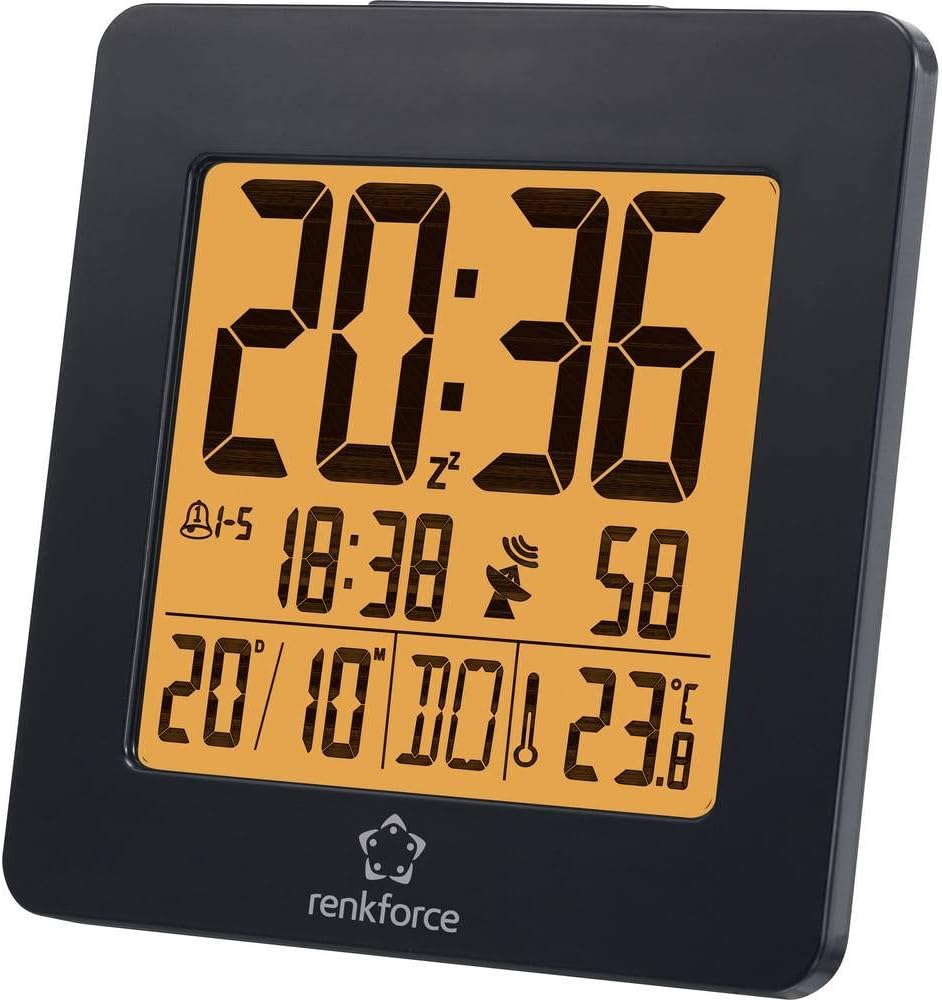
Figura 4.1: Fronte view of the Renkforce 4161c12 Radio Controlled Alarm Clock. The display shows the current time (20:36), alarm indicators, date (20/10), and temperature (23.8°C). The Renkforce logo is visible at the bottom.
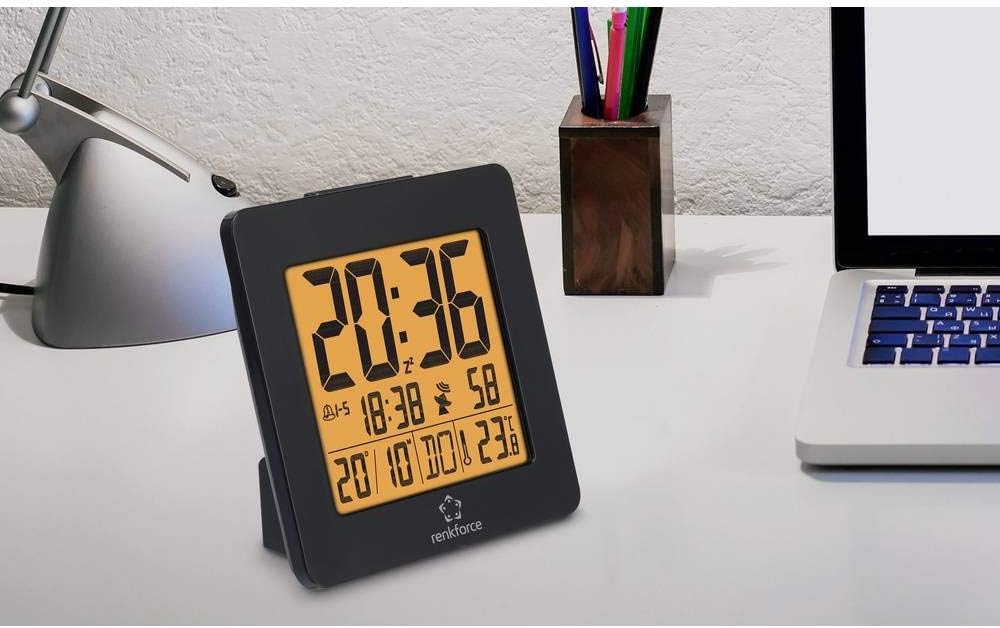
Figura 4.2: The alarm clock positioned on a desk, demonstrating its compact size and suitability for various environments. It is shown alongside a laptop and a desk lamp.

Figura 4.3: Traseira view of the alarm clock, highlighting the control buttons for settings and the battery compartment cover. This view is crucial for understanding how to operate the device.
5. Configuración
5.1. Instalación da batería
- Locate the battery compartment cover on the back of the alarm clock (refer to Figure 4.3).
- Deslice ou levante a tapa para abrir o compartimento.
- Insira unha (1) pila AA, asegurándose de manter a polaridade correcta (+ e -) como se indica no interior do compartimento.
- Coloque a tapa do compartimento da batería de forma segura.
5.2. Initial Setup and Radio Signal Reception
Upon battery insertion, the alarm clock will automatically attempt to receive the radio time signal (DCF77 in Europe). This process may take several minutes. During reception, a signal icon (often a tower or antenna symbol) will typically flash on the display.
- Place the alarm clock near a window for optimal signal reception.
- Avoid placing it near electronic devices that may cause interference (e.g., TVs, computers, mobile phones).
- Once the signal is successfully received, the time and date will be automatically set and synchronized. The signal icon will appear solid on the display.
- If the signal is not received within a few minutes, try repositioning the clock or manually setting the time (see Section 6.1). The clock will continue to attempt signal reception periodically.
6. Instrucións de funcionamento
Familiarize yourself with the buttons on the back of the device (refer to Figure 4.3 for general location). Common buttons include MODE, SET, UP/+, DOWN/-, ALARM, SNOOZE/LIGHT.
6.1. Axuste manual da hora
If radio reception is unavailable or you wish to set the time manually:
- Manteña premido o MODO or SET button for a few seconds until the time display starts flashing.
- Usa o ARRIBA/+ e ABAIXO/- botóns para axustar as horas.
- Preme MODO or SET again to move to minutes, then adjust using ARRIBA/+ e ABAIXO/-.
- Continúa presionando MODO or SET to cycle through other settings like year, month, date, and 12/24-hour format, adjusting each as needed.
- Preme MODO or SET one last time, or wait for a few seconds, to exit the setting mode.
6.2. Configuración de alarmas (alarma 1 e alarma 2)
This alarm clock supports two independent alarms. To set an alarm:
- Preme o ALARMA button once to display Alarm 1 time. Press again for Alarm 2 time.
- While the desired alarm time is displayed, press and hold the ALARMA botón ata que a hora da alarma comece a parpadear.
- Use ARRIBA/+ e ABAIXO/- para configurar a hora de alarma desexada.
- Preme ALARMA again to move to minutes, then adjust using ARRIBA/+ e ABAIXO/-.
- Preme ALARMA one last time, or wait, to confirm and exit.
- Para activar/desactivar unha alarma, prema o botón ALARMA button repeatedly until the alarm icon (e.g., a bell) appears or disappears for the respective alarm.
6.3. Función de repetición e retroiluminación
- Cando soe unha alarma, prema o botón grande SNOOZE / LUZ botón para silenciar temporalmente a alarma. A alarma volverá soar despois duns minutos (normalmente de 5 a 10 minutos).
- Para desactivar a alarma completamente, prema calquera outro botón (por exemplo, ALARMA or MODO).
- To activate the backlight for a few seconds, press the SNOOZE / LUZ button when the alarm is not sounding.
6.4. Weekend Function
This model may feature a weekend function, allowing the alarm to be active only on weekdays (Monday-Friday) or to have different settings for weekdays and weekends. Consult the display for specific indicators (e.g., "1-5" for weekdays) and use the MODO or ALARMA buttons in conjunction with ARRIBA/+ or ABAIXO/- to cycle through alarm modes (e.g., everyday, weekday, weekend).
7. Mantemento
- Limpeza: Limpe o dispositivo cun pano suave e seco. Non empregue produtos de limpeza abrasivos nin disolventes.
- Substitución da batería: Replace the AA battery when the display dims or the clock stops functioning correctly. Follow the battery installation steps in Section 5.1.
8 Solución de problemas
| Problema | Causa posible | Solución |
|---|---|---|
| A pantalla está en branco ou escura. | Batería baixa ou esgotada. Instalación incorrecta da batería. | Replace the AA battery. Ensure correct polarity (+/-). |
| A hora é incorrecta ou non se axusta automaticamente. | Mala recepción do sinal de radio. Interferencias doutros dispositivos electrónicos. | Move the clock closer to a window. Keep away from electronic devices. Manually set the time (Section 6.1). |
| Non soa a alarma. | Alarm is not activated. Alarm volume is too low (if adjustable). Incorrect alarm time set. | Ensure the alarm icon is displayed (Section 6.2). Verify alarm time. |
| A retroiluminación non funciona. | Backlight is momentary and requires button press. | Press the SNOOZE/LIGHT button to activate the backlight (Section 6.3). |
9. Especificacións
| Característica | Detalle |
|---|---|
| Marca | Renkforce |
| Número de modelo | 4161c12 |
| Cor | Negro |
| Característica especial | Radio Controlled Time (DCF77) |
| Fonte de enerxía | Alimentado por batería |
| Tipo de batería | 1 x AA (non incluído) |
| Forma | Round (display), Square (overall casing) |
| Material | Acrilonitrilo butadieno estireno (plástico) |
| Tipo de montaxe | Mesa |
| Dimensións do produto | 3.66 x 1.42 x 3.66 polgadas (aprox. 9.3 x 3.6 x 9.3 cm) |
| Peso do elemento | 5 onzas (aprox. 142 gramos) |
| Reloxo despertador | Yes, with 2 wake-up times and Snooze function |
| Modo de operación | Electrical (battery-powered) |
10. Garantía e soporte
Renkforce products are designed for reliability and performance. For information regarding warranty terms, technical support, or service, please refer to the warranty card included with your purchase or visit the official Renkforce website. Please have your model number (4161c12) and purchase details ready when contacting support.


