1. Introdución
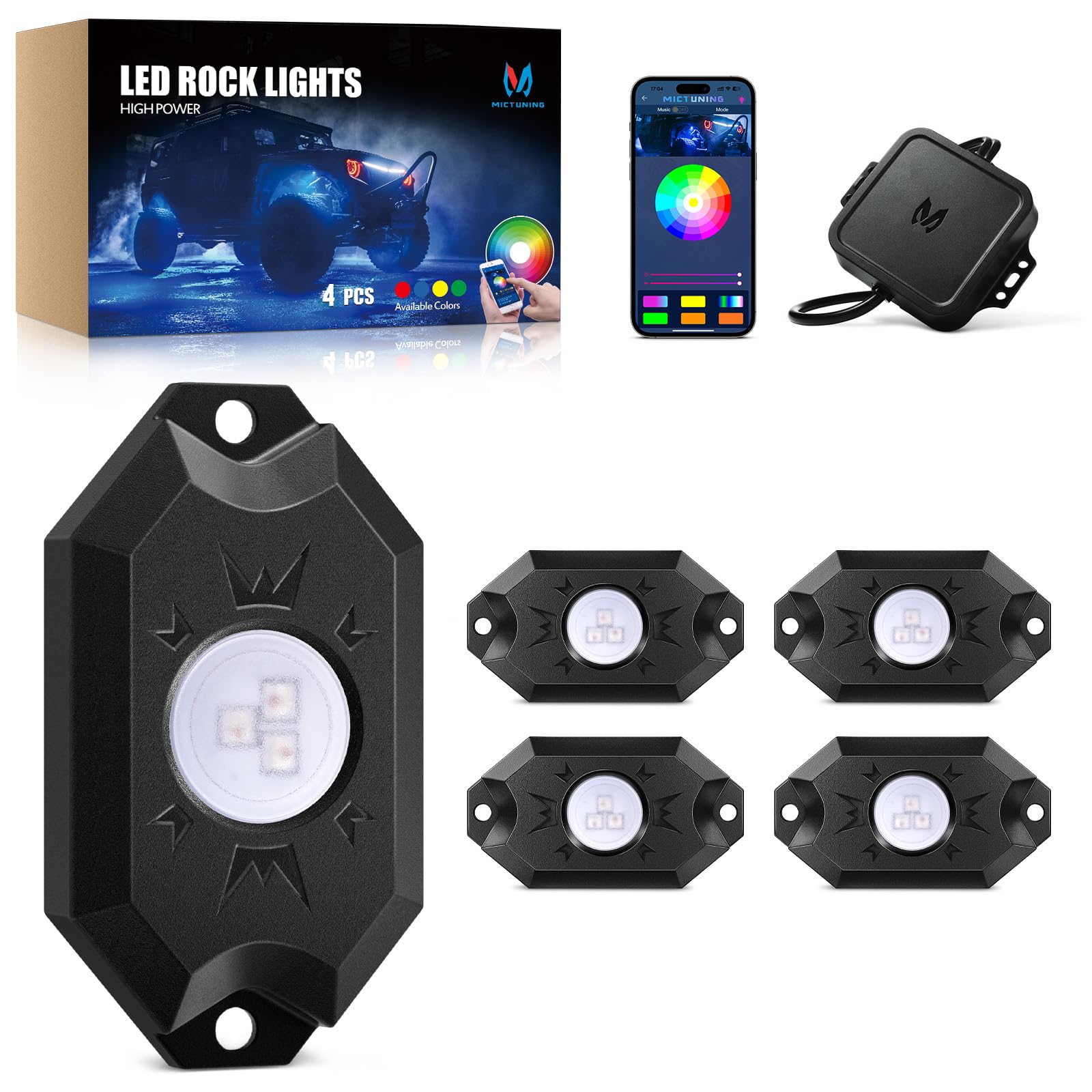
Welcome to your MICTUNING 2nd-Gen CM RGB Rock Lights. This manual provides essential information for the safe and effective installation, operation, and maintenance of your 4-pod waterproof multicolor LED underglow kit. Designed for trucks, pickups, UTVs, SUVs, and ATVs, these lights feature Bluetooth app control and a music mode for customizable lighting effects.
2. Que hai na caixa
Comprobe que todos os compoñentes estean presentes antes de comezar a instalación:
- 4x LED Rock Lights
- 1x Caixa de control
- 1x Wire Connector (4-Pin)
- 4 almofadas de goma
- Fasteners (Screws and Nuts)
- Manual de usuario (este documento)

3. Características clave
- True Bright RGB: High-brightness 3-in-1 LED diodes for smooth, uniform color. Frosted lens for 80% light transmittance, ensuring vibrant, natural glow.
- Conectividade Bluetooth estable: Automotive-grade controller chip ensures instant and stable Bluetooth pairing for reliable control.
- Clasificación de impermeabilidade IP68: Die-cast aluminum housings are dustproof, shockproof, and IP68 waterproof, built for durability in harsh conditions and over 50,000 hours of use.
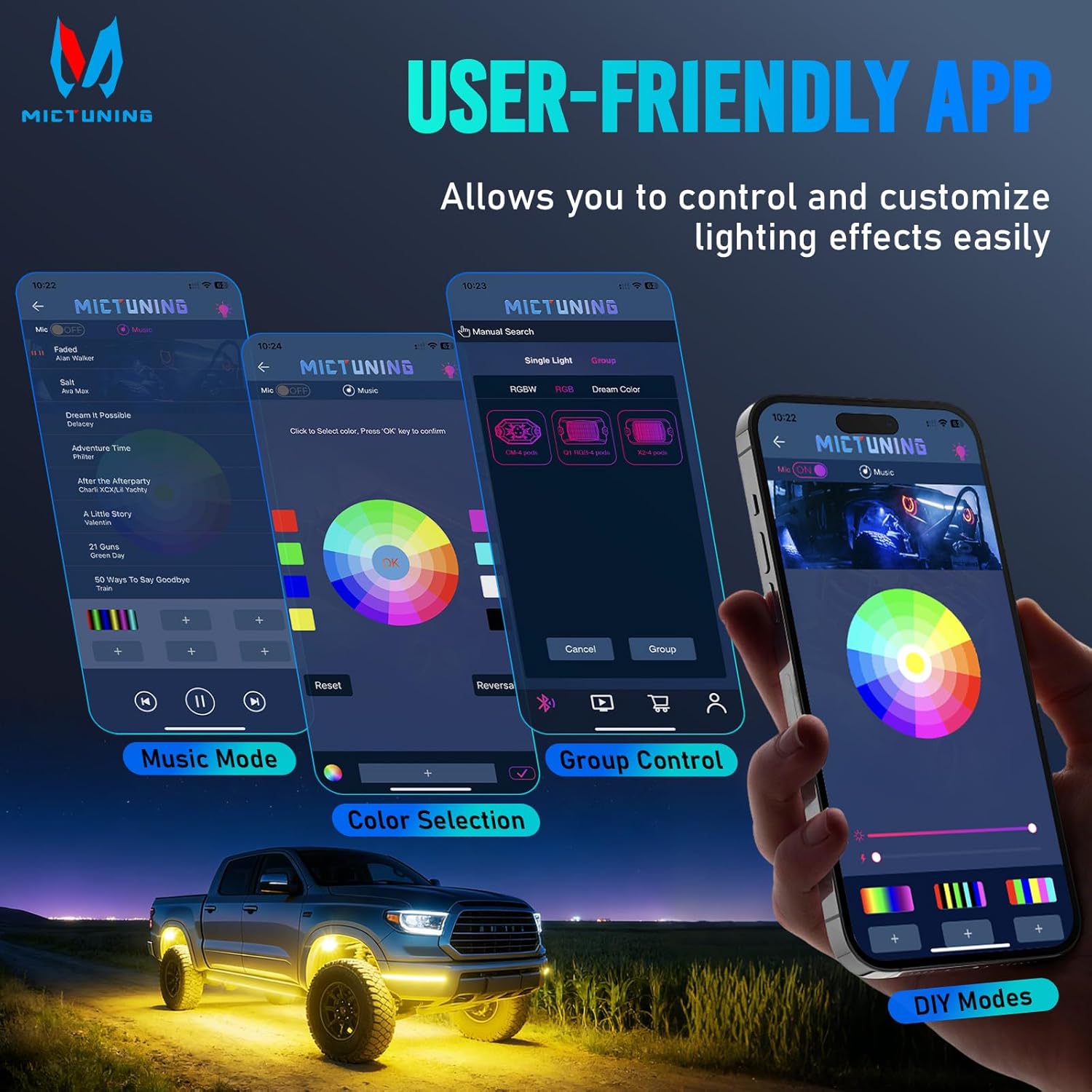
- MagicLink App Control: Control up to 4 sets of MICTUNING lights (X2/CM/Q1 models) simultaneously from one sleek app interface. Customize colors, strobes, and sync to music.
- Fácil instalación: Compact 3.1''x1.8'' rock lights with straightforward wiring for a hassle-free setup process.

4. Configuración e instalación
Proper installation is crucial for optimal performance and longevity. Always ensure the vehicle's power is disconnected before starting installation.
4.1 Diagrama de cableado
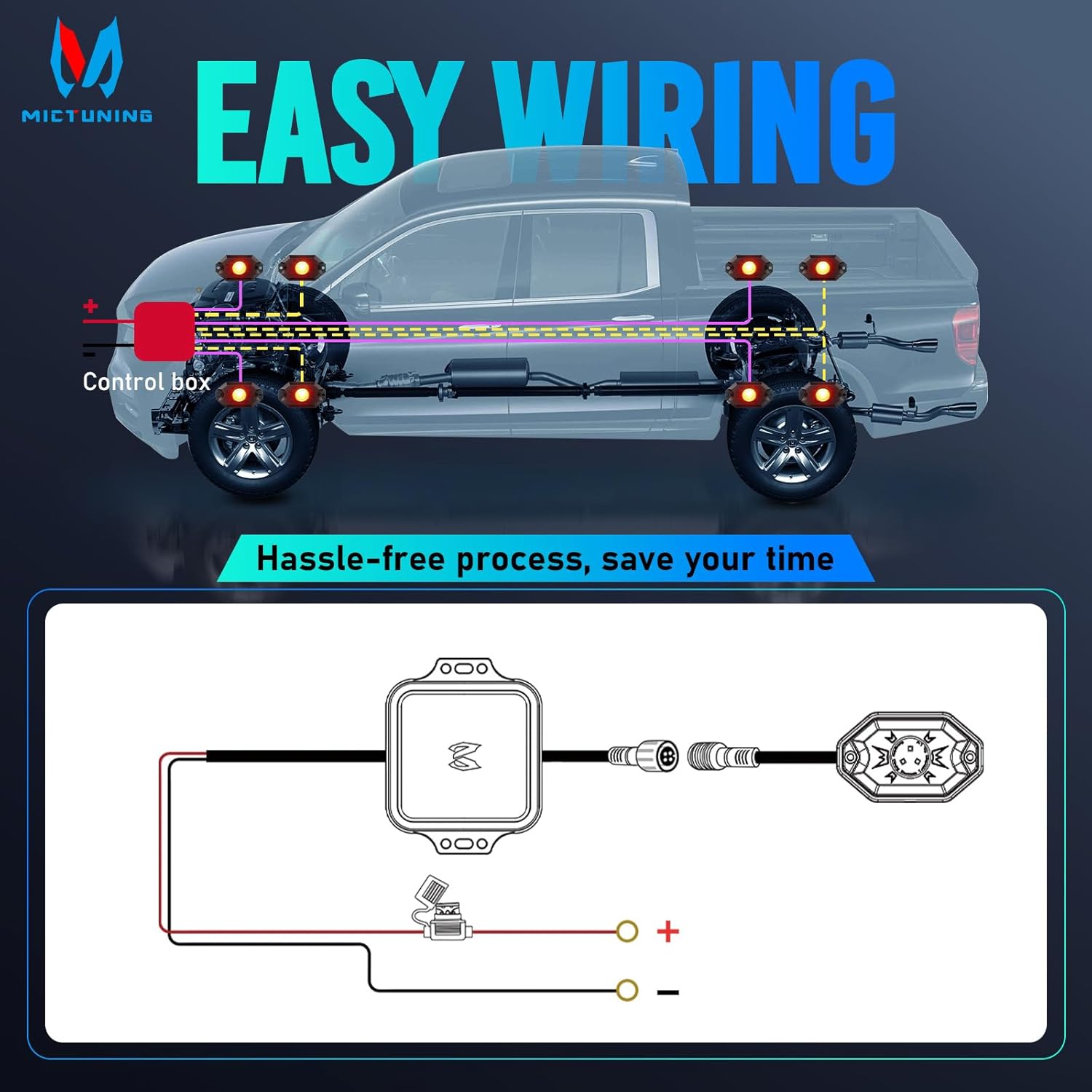
Consulte o diagrama seguinte para coñecer as conexións de cableado correctas:
4.2 Pasos da instalación
- Lugar de montaxe: Choose suitable locations for each rock light pod, typically under the vehicle, ensuring they are securely fastened and do not interfere with moving parts. The lights are 3.1''x1.8'' in size.
- Secure Pods: Use the provided fasteners and rubber pads to mount each rock light pod. Ensure a tight fit to prevent vibration and water ingress.
- Conectar cableado: Connect the rock light pods to the control box using the 4-pin wire connector. Ensure all connections are secure.
- Conexión de alimentación: Connect the control box to your vehicle's 12V power source. It is recommended to use a fuse for protection, as indicated in the wiring diagram.
- Cables de ruta: Securely route all cables away from hot engine parts, sharp edges, and moving components to prevent damage. Use cable ties if necessary.
- Descarga da aplicación: Scan the QR code on the user manual or control box to download the "Mictuning" app.
- Emparellamento Bluetooth: Open the app and connect to the Bluetooth device. Follow the in-app instructions to pair your rock lights.
5. Funcionamento
Your MICTUNING rock lights are controlled via the MagicLink mobile application.
5.1 Funcións da aplicación
- Selección de cor: Choose from 16 million colors using the color wheel in the app.
- Axuste de brillo: Axusta a intensidade da luz ao teu gusto.
- Velocidade estroboscópica: Control the speed of strobe effects.
- Modo de música: Sync your lights to music for dynamic lighting effects.
- Modos DIY: Create and save custom lighting patterns.
- Control de grupo: Control multiple sets of MICTUNING rock lights (X2/CM/Q1 models) simultaneously from a single app.
6. Mantemento
Regular maintenance ensures the longevity and optimal performance of your rock lights.
- Limpeza regular: Periodically clean the light pods with a soft cloth and mild soap to remove dirt and debris. Avoid abrasive cleaners.
- Inspeccionar o cableado: Regularly check all wiring connections for signs of wear, corrosion, or damage. Ensure connections remain tight.
- Integridade do selo: Although IP68 rated, inspect the housing and seals for any cracks or damage that could compromise water resistance, especially after off-road use.
- Actualizacións de software: Check the app store for any available updates to the MICTUNING MagicLink app to ensure optimal performance and access to new features.
7 Solución de problemas
Se tes algún problema, consulta a táboa seguinte para ver os problemas e as solucións máis habituais.
| Problema | Causa posible | Solución |
|---|---|---|
| As luces non se acenden | Sen conexión de alimentación | Check power supply, fuse, and wiring connections. |
| As luces non se acenden | Conexión solta | Ensure all connectors are securely plugged in. |
| Conexión Bluetooth inestable | Interferencia ou distancia | Ensure your phone is within range of the control box. Avoid strong electromagnetic interference. |
| As luces non responden á aplicación | Problema con aplicación ou dispositivo | Restart the app, restart your phone's Bluetooth, or restart the control box by cycling power. |
| Pantalla en cor inconsistente | LED ou cableado defectuoso | Inspect individual light pods for damage. Check wiring for shorts or breaks. |
| As luces parpadean | Enerxía inestable ou conexión solta | Verify stable 12V power supply. Check all wiring connections for tightness. |
If issues persist, contact MICTUNING customer support for further assistance.
8. Especificacións
| Característica | Detalle |
|---|---|
| Marca | MICTUNING |
| Número de modelo | 8542101658 |
| Dimensións do artigo (L x W x H) | 7.87 x 5.12 x 5.71 polgadas |
| Peso do elemento | 2.64 libras |
| Cor | RGB |
| Factor de forma | Pod |
| Usos recomendados | Vehicle Exterior, Vehicle Interior, Party Lighting, Decorative Lighting |
| Posición de pezas de automóbiles | Interior |
| Material | Aluminio |
| Nivel de resistencia á auga | Impermeable IP68 |
| Número de pezas | 4 |
| Tipo de ajuste automotriz | Ajuste universal |
| Voltage | 12 voltios |
| Tipo de fonte de luz | LED |
| Características especiais | Control 1-4 sets rock light together with one phone, easy app to use, easy to install, many color options, super bright and fantastic light |

9. Garantía e soporte
Garantía: This MICTUNING product comes with a two-year warranty from the date of purchase.
Atención ao cliente: If you encounter any issues while using your product, please do not hesitate to contact MICTUNING customer support. Our responsive team is committed to assisting you within 24 hours to resolve your problems.
For further assistance, visit the official MICTUNING websitio web ou consulte a información de contacto proporcionada coa súa compra.


