Introdución
The ThermoPro TP20 is a 500FT wireless meat thermometer designed to help you monitor food and oven temperatures remotely. Featuring dual probes, preset USDA-recommended temperatures, and a built-in timer, it simplifies cooking for perfect results every time. This manual provides detailed instructions for setup, operation, and maintenance to ensure optimal performance of your device.

O que hai na caixa
- 1 x ThermoPro TP20 Transmitter Unit
- 1 x ThermoPro TP20 Receiver Unit
- 2 x Stainless Steel Food Probes
- 1 x Grill Clip
- 4 pilas AAA (incluídas)
Configuración
- Instalación da batería: Open the battery compartments on both the transmitter and receiver units. Insert the included AAA batteries, ensuring correct polarity (+/-). Close the compartments securely.
- Conexión da sonda: Insert the stainless steel probes into the corresponding numbered jacks on the side of the transmitter unit.
- Encendido: Press the power button on both the transmitter and receiver units to turn them on. The units are pre-paired and should connect automatically.

Instrucións de funcionamento
Monitorización da temperatura
The TP20 allows you to monitor two different temperatures simultaneously using its dual probes. One probe can be used for meat, and the other for ambient oven/grill temperature using the included grill clip.

Axustar temperaturas
- Selecting Meat Type: Preme o CARNE button on the receiver to cycle through preset meat types (Beef, Pork, Lamb, Chicken, Fish, Poultry, Ham, Veal, BBQ, Program).
- Selecting Doneness (Taste): After selecting a meat type, press the SABOR button to choose your desired doneness level (Rare, Medium Rare, Medium, Medium Well, Well Done).
- Configuración de temperatura personalizada: To set a custom target temperature, select 'Program' under the MEAT setting. Use the UP e ABAIXO arrows to adjust the target temperature for Probe 1 or Probe 2.

Selección de unidades de temperatura
Preme o °F/°C button on the receiver to switch between Fahrenheit and Celsius temperature displays.
Función de temporizador
The TP20 includes a built-in timer that can count up or count down. Press the MODO button to switch to Timer mode. Use the UP e ABAIXO arrows to set the countdown time. Press S./S. to start/stop the timer. The timer can display hours/minutes or minutes/seconds.

Función de alarma
When the probe reaches the set target temperature, the receiver will beep and flash, alerting you that your food is ready. This feature helps prevent overcooking and ensures food safety.

Monitorización Remota
The TP20 offers a wireless range of up to 500 feet, allowing you to monitor your cooking from a distance. The receiver unit features a backlight for easy reading in low-light conditions.


Vídeos oficiais de produtos
TP20S Classical Wireless Meat Thermometer Video
Este vídeo ofrece unha información detallada sobreview and demonstration of the ThermoPro TP20S wireless meat thermometer's features and operation.
ThermoPro Live Exclusive Stream
An extended video from ThermoPro, showcasing various aspects and uses of their products, including the TP20 thermometer.
Mantemento
- Cleaning Probes: Always clean the stainless steel probes thoroughly after each use with hot soapy water. Do not immerse the probe connectors or the main unit in water.
- Limpeza da unidade: Wipe the transmitter and receiver units with a damp pano. Non use produtos de limpeza abrasivos nin mergullo en auga.
- Almacenamento: Store the thermometer and probes in a dry place when not in use. Remove batteries if storing for extended periods to prevent leakage.
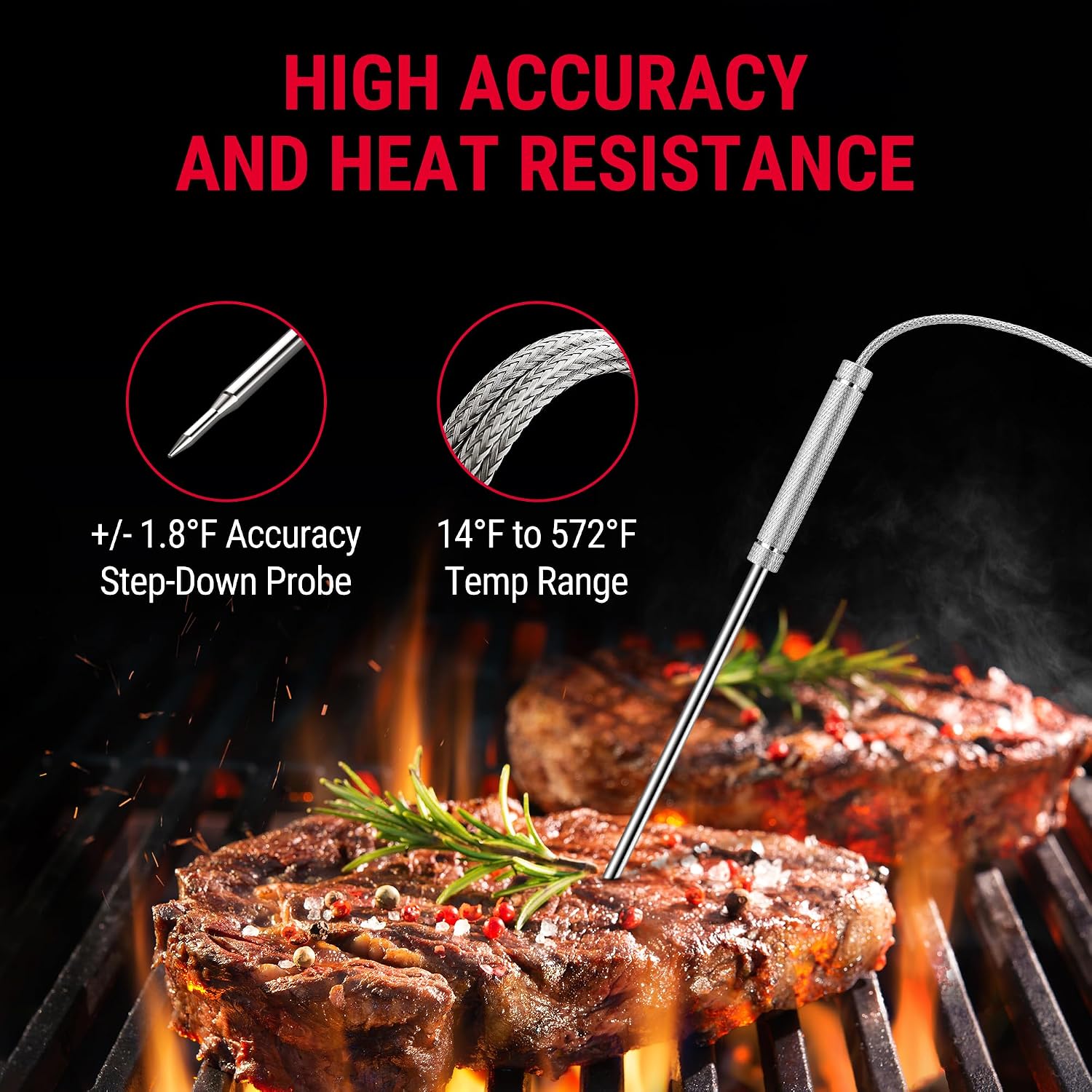
- Coidados da sonda: Avoid bending or kinking the probe wires excessively, as this can damage the internal wiring. The probe wires can withstand temperatures up to 716°F (380°C).
Resolución de problemas
- No Signal/Connection Issues:
- Ensure both transmitter and receiver units are turned on and have fresh batteries.
- Verify that the probes are securely plugged into the transmitter.
- Move the receiver closer to the transmitter to check if the signal improves. Large metal objects or thick walls can interfere with the signal.
- Lecturas de temperatura inexactas:
- Ensure the probe tip is inserted into the thickest part of the meat, avoiding bone or gristle.
- Check if the probe wire is damaged. If so, replacement probes may be needed.
- Calibrate the thermometer if an option is available (refer to the full PDF manual for specific calibration steps if needed).
- A pantalla non funciona:
- Substitúa as pilas en ambas unidades.
- Asegúrese de que os contactos da batería estean limpos e libres de corrosión.
Especificacións
| Característica | Detalle |
|---|---|
| Marca | ThermoPro |
| Nome do modelo | TP-20 |
| Tecnoloxía de conectividade | Radio Frecuencia (RF) |
| distancia wireless | Ata 500 pés |
| Número de sondas | 2 (Dual Probe) |
| Rango de temperatura | 14 °F a 572 °F (-10 °C a 300 °C) |
| Precisión | ± 1.8 ° F (± 1 ° C) |
| Tempo de resposta | 3 segundos |
| Fonte de enerxía | 4 pilas AAA (incluídas) |
| Tipo de visualización | Dixital con retroiluminación |
| Material exterior | Stainless Steel (probes) |
| Peso do elemento | 9.7 onzas |
Garantía e soporte
ThermoPro products are designed for durability and performance. For detailed warranty information and customer support, please refer to the official ThermoPro website or the full user manual. You can download the complete user manual in PDF format for more in-depth information and specific troubleshooting steps:
Descargar o manual de usuario completo (PDF)
For further assistance, please contact ThermoPro customer service directly.


