1. Produto rematadoview
The Bose SoundLink Color II is a compact, portable Bluetooth speaker designed to deliver bold sound wherever you go. Its durable, water-resistant design and soft-touch silicone exterior make it ideal for various environments, from poolside to patio. The speaker features a built-in microphone for speakerphone functionality and offers intuitive controls for seamless audio management.

Image 1.1: The Bose SoundLink Color II speaker, showcasing its compact design and Aqua Blue color.
Características principais:
- Bold Sound: Innovative Bose technology delivers full-range audio from a small speaker.
- Resistente á auga: Durable design allows for use in various outdoor and wet environments.
- Deseño portátil: Compact and lightweight (1.2 pounds) with a soft silicone texture for easy handling.
- Batería de longa duración: Ata 8 horas de xogo cunha soa carga.
- Micrófono incorporado: Enables clear speakerphone calls.
- Conectividade sinxela: Bluetooth pairing with voice prompts and NFC for quick tap-to-pair functionality.
- Emparellamento de varios altofalantes: Connect two SoundLink speakers for Party Mode or Stereo Mode, or use Bose SimpleSync with Bose Smart Home Family devices.
2. Que hai na caixa
Upon unboxing your Bose SoundLink Color II, you should find the following items:
- Bose SoundLink Color Bluetooth speaker II
- USB cable (Micro-B)
3. Instrucións de configuración
3.1 Carga do altofalante
Before initial use, fully charge your speaker. The lithium-ion battery provides up to 8 hours of playtime.
- Connect the small end of the Micro-B USB cable to the charging port on the side of the speaker.
- Conecta o outro extremo do cable USB a un cargador de parede USB (non incluído) ou ao porto USB dun ordenador.
- The battery indicator lights will illuminate during charging. A full charge typically takes 8 hours.

Imaxe 3.1: Lateral view of the speaker highlighting the Micro-B USB charging port and auxiliary input.
3.2 Acendido/Apagado
- Para acender, prema Botón de acendido (
 ) no panel superior.
 - Para apagalo, manteña premido o botón Botón de acendido until the speaker turns off.
3.3 Emparejamento Bluetooth
The speaker uses voice prompts to guide you through the pairing process.
- Power on the speaker. It will announce its battery level and indicate if it's ready to pair.
- On your mobile device, enable Bluetooth and select "Bose Color II" from the list of available devices.
- Once connected, the speaker will announce the device name.
For NFC-enabled devices, simply tap the NFC touchpoint on your device to the top of the speaker for quick pairing.

Image 3.2: Top panel of the speaker showing the power, Bluetooth, input mode, volume, and multi-function buttons.
4. Instrucións de funcionamento
4.1 Controis
The top panel of the speaker features several control buttons:
- Botón de encendido: Activa ou desactiva o altofalante.
- Botón Bluetooth: Inicia o modo de emparellamento Bluetooth.
- Botón de modo de entrada: Switches between connected audio sources.
- Baixar o volume (-): Diminúe o volume.
- Multi-function Button (...): Controls playback (play/pause, skip tracks) and manages calls.
- Subir volume (+): Aumenta o volume.
4.2 Funcionalidade do altofalante
The built-in microphone allows you to take calls directly through the speaker:
- Para responder a unha chamada, prema o botón Botón multifunción unha vez.
- Para finalizar unha chamada, prema o botón Botón multifunción unha vez.
- To decline a call, press and hold the Botón multifunción.
4.3 Party Mode and Stereo Mode
Enhance your listening experience by connecting two Bose SoundLink speakers:
- Modo de festa: Play audio simultaneously through two speakers for a louder, more expansive sound.
- Modo estéreo: Designate one speaker as the left channel and the other as the right channel for a stereo sound experience.
- Use the Bose Connect app for an additional way to pair your Bose speakers and manage these modes.
5. Mantemento
5.1 Limpeza
The speaker's soft-touch silicone exterior is easy to clean. Use a soft, damp cloth to wipe down the surface. Avoid using harsh chemicals or abrasive cleaners.
5.2 Resistencia á auga
The SoundLink Color II is water-resistant, meaning it can withstand splashes and light rain. It is not designed to be submerged in water. Ensure the charging port cover is securely closed when exposed to moisture.
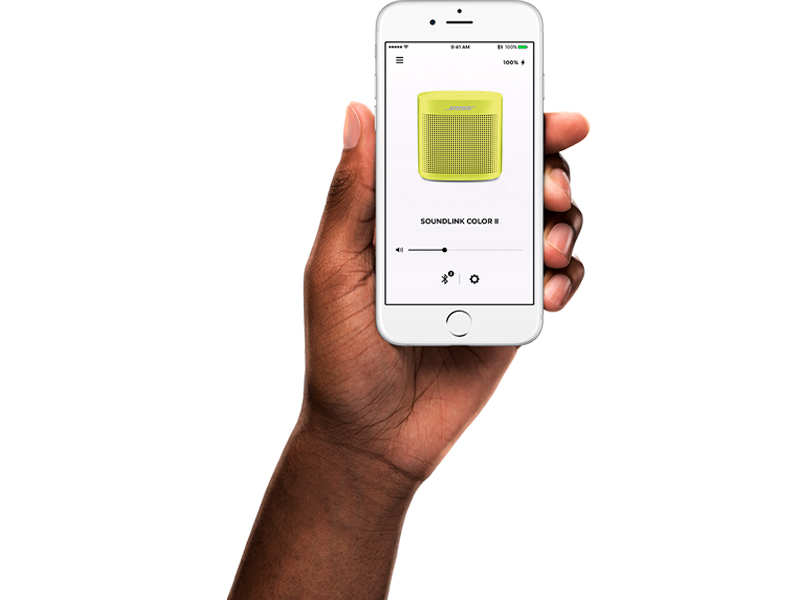
Image 5.1: The speaker's water-resistant design makes it suitable for outdoor use, such as by the pool.
6 Solución de problemas
6.1 Speaker Won't Pair with Mobile Device
- No teu dispositivo móbil, desactiva e despois activa a función Bluetooth.
- Remove your speaker from the Bluetooth list on your mobile device. Then, attempt to pair your mobile device again.
- Clear your speaker’s pairing list: Press and hold the Botón Bluetooth for 10 seconds. Delete your Bose SoundLink speaker from the Bluetooth list on your device. Pair again.
- Try pairing a different device to confirm the speaker's functionality.
- Reset your speaker (refer to the full owner's guide for specific reset instructions).
6.2 Speaker Won't Pair with NFC
- Unlock your device and ensure both Bluetooth and NFC features are turned on.
- Tap the NFC Touchpoint on the back of your device to the top of your speaker.
- If NFC pairing fails, use the standard Bluetooth pairing method.
6.3 Bose Speakers Do Not Pair Together Manually (for Party/Stereo Mode)
- Download the Bose Connect app for an additional and recommended way to pair your Bose speakers for Party or Stereo mode.
- Verify that your second speaker supports Stereo or Party mode. Refer to its owner’s guide for compatibility.
7. Especificacións
| Característica | Detalle |
|---|---|
| Nome do modelo | SoundLink Color II |
| Número de modelo | 752195-0500 |
| Dimensións (D x W x H) | 2.24" x 5" x 5.24" |
| Peso do elemento | 1.2 libras |
| Cor | Azul Aqua |
| Material | Silicona |
| Tecnoloxía de conectividade | Bluetooth, NFC |
| distancia wireless | Ata 30 pés |
| Fonte de enerxía | Alimentado por batería (polímero de litio) |
| Duración da batería | Ata 8 horas |
| Tempo de carga | 8 horas |
| Nivel de resistencia á auga | Waterproof (IPX4 rated for splashes) |
| Modo de saída de audio | Mono |
| Potencia de saída máxima do altofalante | 5 vatios |
| Compoñentes incluídos | SoundLink Color Bluetooth speaker II, USB cable |
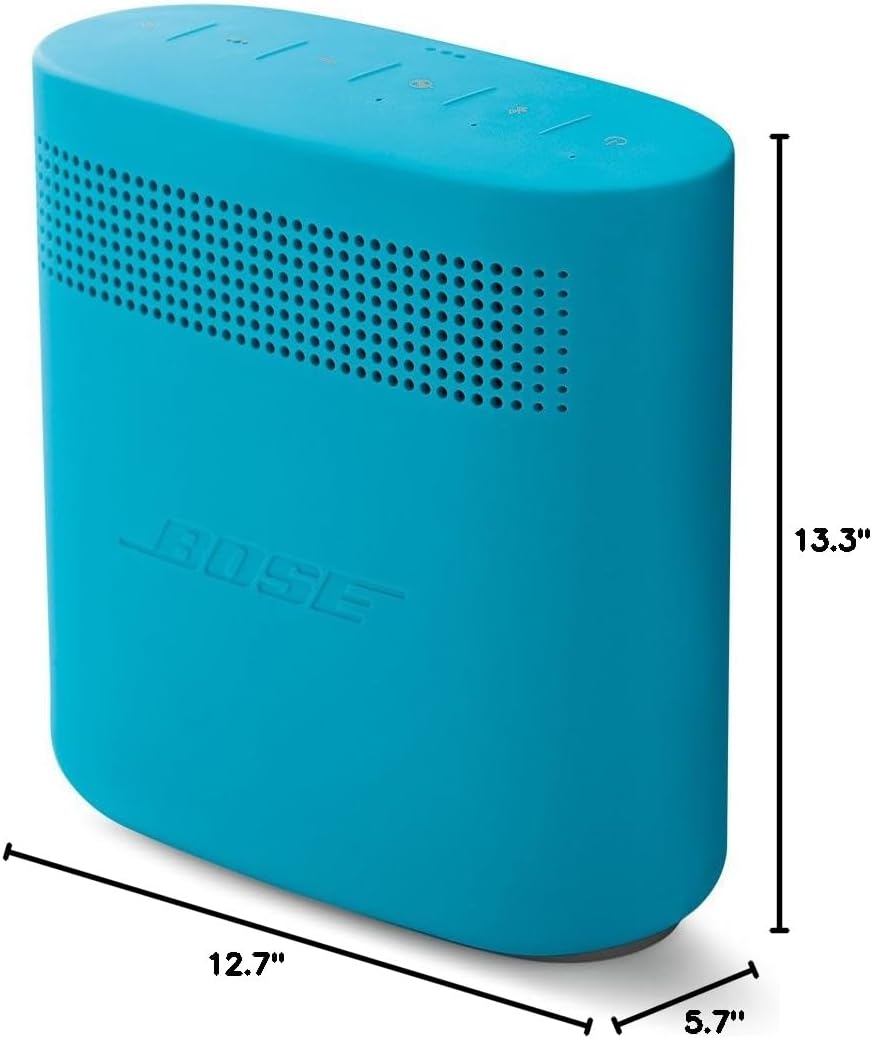
Image 7.1: Visual representation of the speaker's dimensions.
8. Vídeos oficiais de produtos
Vídeo 8.1: Un overview of the Bose SoundLink Color II Portable Bluetooth Wireless Speaker, highlighting its features and design.
Video 8.2: A demonstration of the speaker's reliability and portability, emphasizing its robust build quality.
Vídeo 8.3: Presentaciónasing the perfect size and portability of the Bose SoundLink Color II for everyday use.
Video 8.4: Highlighting the great sound quality, travel-friendly design, and water-resistant features of the speaker.
Video 8.5: A user demonstrating how they travel with their Bose SoundLink Color II speaker everywhere.
9. Garantía e soporte
The Bose SoundLink Color II comes with a full manufacturer's warranty. For detailed warranty information, product registration, or technical support, please visit the official Bose websitio web ou póñase en contacto co servizo de atención ao cliente. Garde o comprobante de compra para reclamacións de garantía.


