1. Introdución
Thank you for choosing MICTUNING 2nd-Gen RGB LED Rock Lights. This kit provides vibrant, customizable lighting for your vehicle's exterior, enhancing visibility and aesthetics. Designed with high-brightness RGB 3-in-1 LEDs, a stable Bluetooth controller, and an IP68 waterproof rating, these lights are built for durability and performance in various conditions. This manual provides essential information for installation, operation, maintenance, and troubleshooting to ensure optimal use of your product.

Imaxe 1.1: Acabadoview of the MICTUNING 2nd-Gen RGB LED Rock Lights kit, including the 8 LED pods, control box, and wiring.
2. Información de seguridade
Please read and understand all safety instructions before installation and operation. Failure to follow these instructions may result in electrical shock, fire, or serious injury.
- Desconecte sempre a batería do vehículo antes de comezar calquera instalación eléctrica.
- Asegúrate de que todas as conexións do cableado estean seguras e debidamente illadas para evitar curtocircuítos.
- Non modifique o produto de ningún xeito. As modificacións non autorizadas poden anular a garantía e supoñer riscos para a seguridade.
- Keep the control box and wiring away from extreme heat, moving parts, and sharp edges.
- Consulta cun profesional se tes algunha dúbida sobre algunha parte do proceso de instalación.
3. Contido do paquete
Verify that all components are present in your package before beginning installation:
- 8 x RGB LED Rock Light Pods
- 1 caixa de control Bluetooth
- Arneses de cableado
- Mounting Hardware (screws, nuts, rubber pads)
- Manual de usuario

Imaxe 3.1: Detallada view of all items included in the package, such as the LED pods, control box, wiring, and various mounting accessories.
4. Configuración e instalación
Follow these steps for proper installation of your MICTUNING RGB LED Rock Lights:
- Planificación da maquetación: Determine the optimal placement for each of the 8 LED pods on your vehicle's undercarriage. Consider areas that will provide even illumination and are protected from direct impact.
- Mounting the Pods: Securely mount each LED pod using the provided screws and rubber pads. Ensure the mounting surface is clean and flat. The sturdy aluminum housing provides durability.
- Montaxe da caixa de control: Choose a dry, secure location for the Bluetooth control box, such as under the hood or inside the cabin. Ensure it is easily accessible for wiring and protected from water and excessive heat. The control box features a built-in automotive-grade chip for stable Bluetooth connection.
- Conexións de cableado:
- Connect the wiring harnesses from each LED pod to the control box.
- Connect the main power and ground wires from the control box to your vehicle's 12V power source (e.g., battery). It is recommended to use an inline fuse (a safety protection fuse is included) for circuit protection.
- Ensure all connections are tight and insulated to prevent corrosion and short circuits.
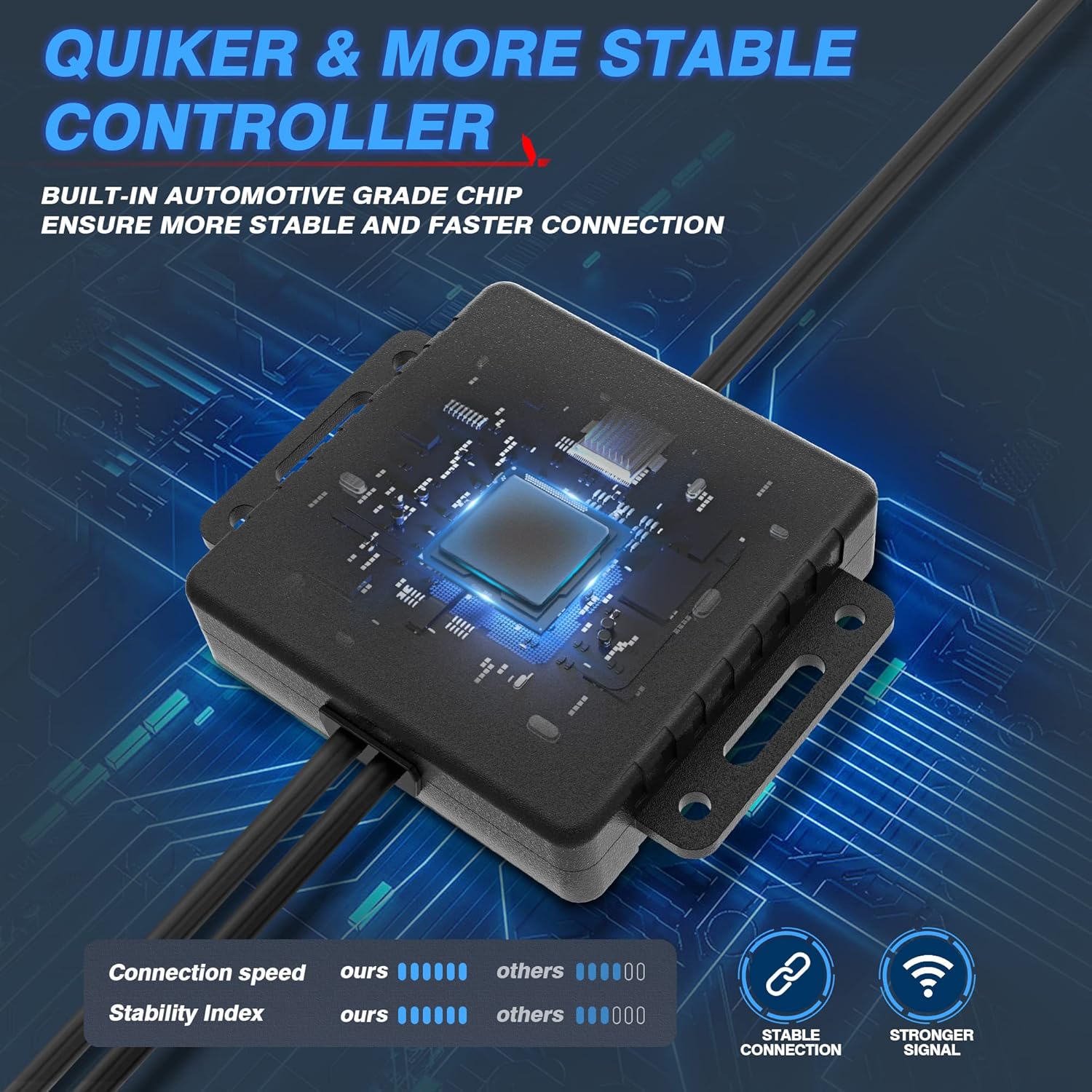
Image 4.1: The Bluetooth control box, highlighting its internal automotive-grade chip for stable and fast connection.

Image 4.2: A MICTUNING LED rock light submerged in water, demonstrating its IP68 waterproof rating and durable aluminum housing with an integrated safety fuse.
- Encendido e proba: Reconnect the vehicle's battery. The lights should briefly illuminate.
- Descarga da aplicación: Scan the QR code on the control box or in the user manual to download the "Mictuning" app from your smartphone's app store.
5. Instrucións de funcionamento
Your MICTUNING RGB LED Rock Lights are controlled via the exclusive MagicLink App. This app allows for comprehensive customization of your lighting experience.
- Conectar mediante Bluetooth: Open the MagicLink App on your smartphone. Ensure Bluetooth is enabled. The app will automatically search for and connect to your MICTUNING control box.
- Seleccionar modos de iluminación: The app offers various lighting modes, including:
- Cores estáticas: Escolle entre unha ampla gama de cores usando a roda de cores.
- Modos dinámicos: Select from pre-programmed flashing, strobing, fading, and chasinefectos g.
- Modo de música: Synchronize the lights with music playing on your phone or through the app's microphone.
- Función de temporización: Set schedules for the lights to turn on/off automatically.
- Axuste de brillo: Adjust the brightness level to your preference within the app.
- Control multidispositivo: The MagicLink App allows you to control multiple sets of MICTUNING lights of the same type (e.g., up to 6 sets of X2 CM Q1 RGB rock lights) from a single phone.
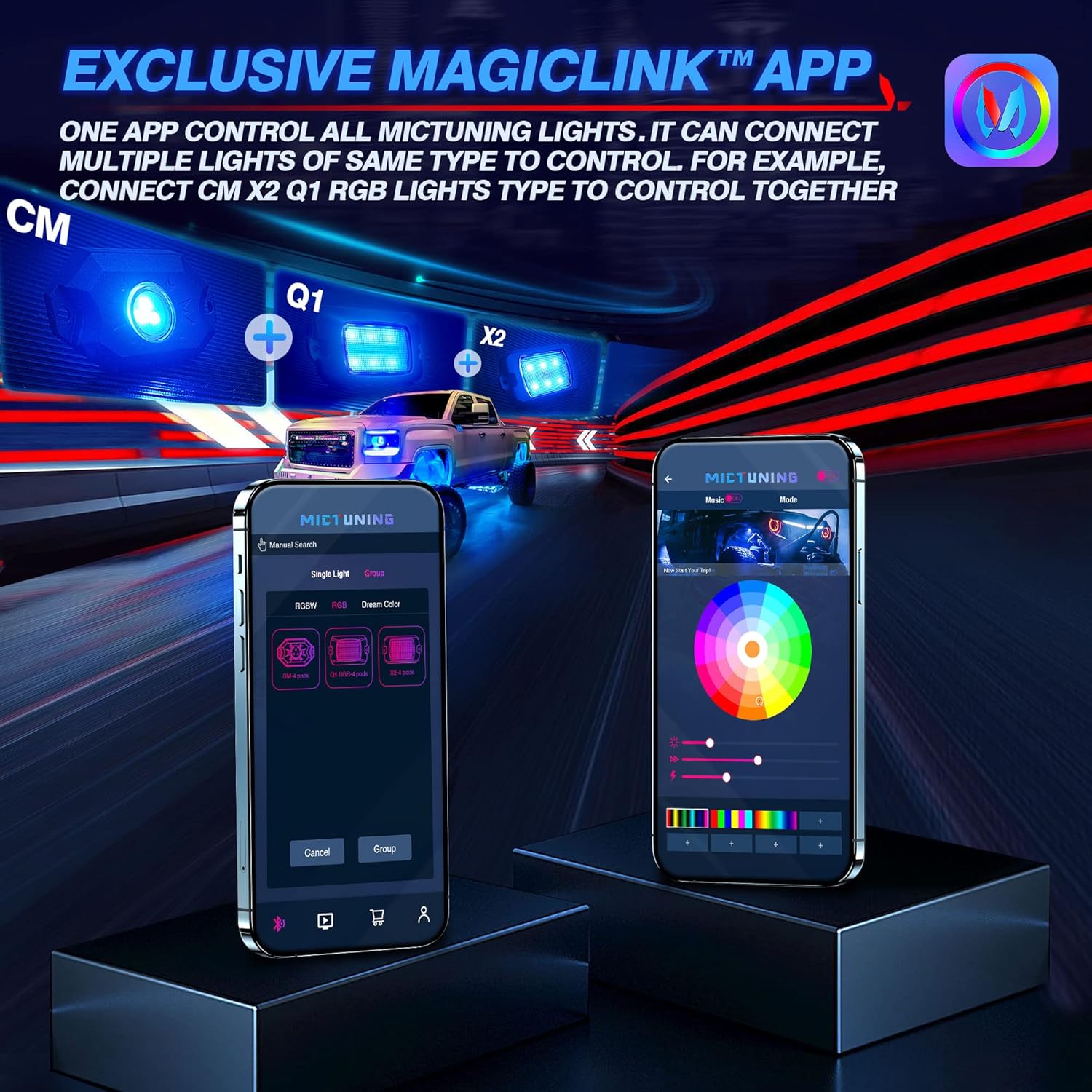
Image 5.1: The MagicLink App interface, showing options for single light or group control, and a color wheel for custom light selection.
6. Mantemento
Regular maintenance will help prolong the lifespan and performance of your rock lights:
- Limpeza: Periodically clean the LED pods with a soft cloth and mild soap and water. Avoid abrasive cleaners or high-pressure washers directly on the lights.
- Inspección: Regularly inspect the wiring for any signs of wear, fraying, or damage. Check all connections to ensure they remain secure.
- Integridade impermeable: While the lights are IP68 waterproof, ensure that the connections to the control box remain dry and free from moisture buildup.
7 Solución de problemas
If you encounter issues with your MICTUNING RGB LED Rock Lights, refer to the following common problems and solutions:
| Problema | Causa posible | Solución |
|---|---|---|
| As luces non se acenden. | Sen electricidade, conexión solta, fusible fundido. | Check power connections to the battery. Ensure all wiring is secure. Inspect the inline fuse and replace if blown. |
| Bluetooth connection is unstable or slow. | Interference, app issues, distance from control box. | Ensure your phone's Bluetooth is on. Restart the app and your phone. Move closer to the control box. Ensure the app has necessary permissions (e.g., location access). |
| Colors are inconsistent or mottled. | Individual LED pod issue, wiring problem. | Check the connections to the affected pod. Ensure the app is updated to the latest version. |
| Lights do not respond to app commands. | App not connected, control box issue. | Verify Bluetooth connection in the app. Restart the control box by disconnecting and reconnecting power. |
8. Especificacións
| Característica | Detalle |
|---|---|
| Número de modelo | MIC-CDL-002-82 |
| Cor | RGB |
| Material | Aluminio |
| Peso do elemento | 4.4 libras |
| Dimensións do produto | 7.87 x 5.12 x 5.71 polgadas |
| Nivel de resistencia á auga | Impermeable IP68 |
| Tecnoloxía de conectividade | Bluetooth |
| Número de pezas | 8 vainas |
| Vida útil | Ata máis de 50,000 horas |
9. Garantía e soporte
MICTUNING stands behind the quality of its products. Your MICTUNING 2nd-Gen RGB LED Rock Lights come with a garantía de dous anos desde a data de compra.
If you encounter any issues or have questions regarding your product, please do not hesitate to contact MICTUNING customer support. Our responsive team is committed to assisting you within 24 hours to resolve any problems.
Información de contacto:
- Visit the official MICTUNING website for support resources and contact details: MICTUNING Store
- Refer to the user manual for additional contact methods.


