Introdución
This manual provides comprehensive instructions for the installation, operation, and maintenance of your One For All Full Motion TV Bracket, model WM2251. This bracket is designed to securely mount televisions ranging from 13 to 40 inches, offering flexible viewing angles with its swivel and tilt capabilities.

Image: The One For All Full Motion TV Bracket, model WM2251, showcasing its robust design and articulating arm.
Información de seguridade
Please read all safety warnings and instructions carefully before installation and use. Failure to do so may result in property damage, serious injury, or death.
- Ensure the mounting surface can safely support the combined weight of the bracket and the television.
- Use appropriate tools and follow all drilling and mounting instructions precisely.
- Do not exceed the maximum weight capacity of 30kgs (66 lbs).
- Verify VESA compatibility (75x75, 100x100, 200x100, 200x200) with your TV before installation.
- Manteña os nenos e as mascotas afastados durante a instalación.
- Se tes algunha dúbida sobre algunha parte da instalación, consulta cun profesional cualificado.
Contido do paquete
Verifique que estean presentes todos os compoñentes antes de comezar a instalación.
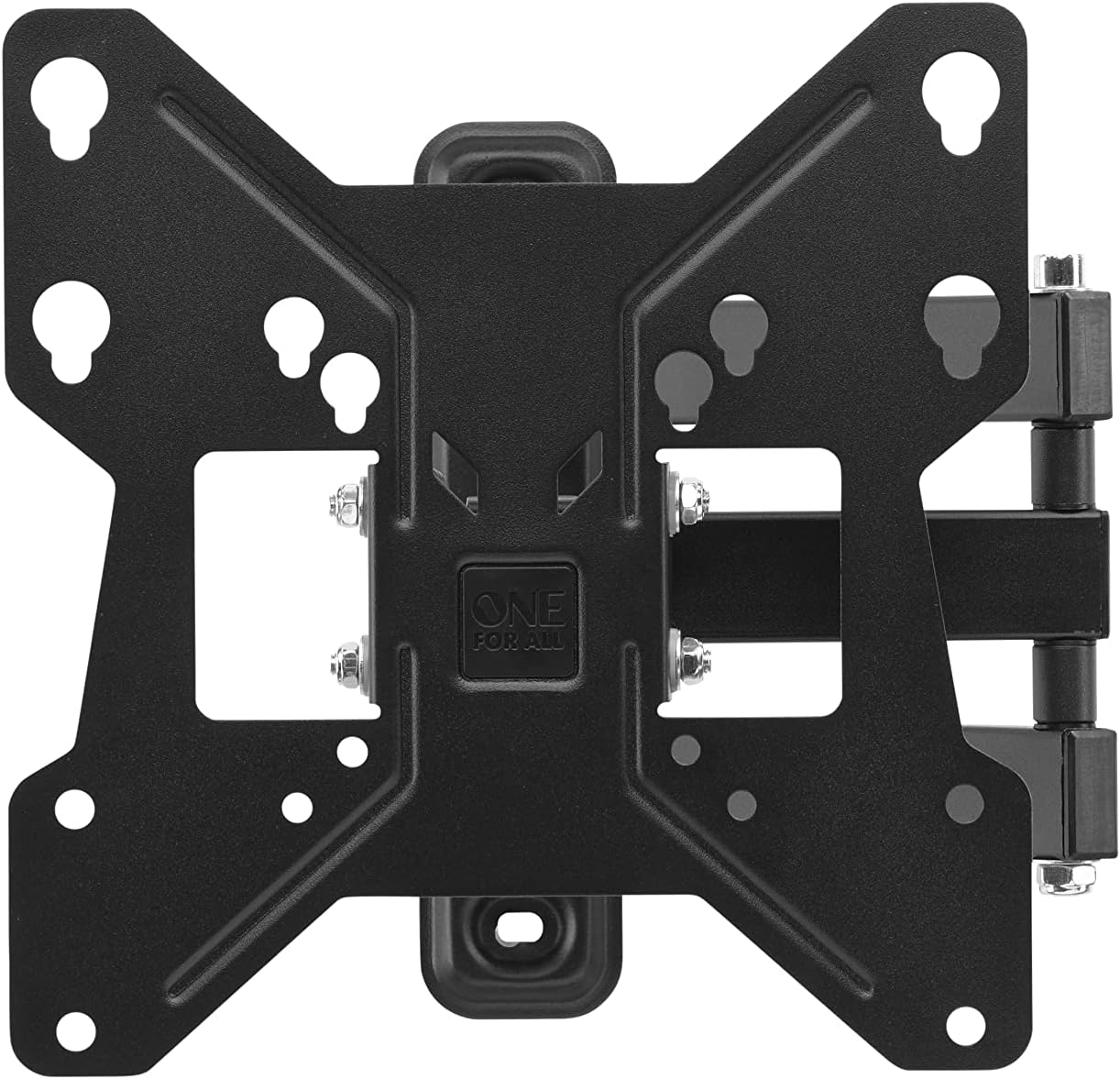
Imaxe: De arriba abaixo view of the One For All TV Bracket, showing the main mounting plate and articulating arm.
- TV Wall Mount Bracket Assembly
- Mounting Hardware (screws, concrete anchors, spacers)
- Manual de instrucións
Configuración e instalación
Lista de verificación previa á instalación
- Confirm your TV's screen size is between 13 and 40 inches.
- Check your TV's VESA mounting pattern: 75x75, 100x100, 200x100, or 200x200.
- Ensure your TV's weight does not exceed 30kgs.
- Identify the type of wall (wood stud, concrete, brick) and use appropriate anchors.
Pasos de instalación
- Attach Bracket to TV: Secure the TV-side bracket components to the back of your television using the provided screws that match your TV's VESA pattern. Ensure a snug fit.
- Posición da marca na parede: Determine the desired height for your TV. Hold the wall plate against the wall and mark the drilling points. Use a spirit level to ensure it is perfectly horizontal.
- Perforación: Drill pilot holes at the marked locations. For wood studs, drill directly. For concrete or brick, insert the provided concrete anchors.
- Placa de montaxe na parede: Secure the wall plate to the wall using the appropriate screws. Ensure it is firmly attached and stable.
- Colgar a televisión: Carefully lift the TV with the attached bracket and hook it onto the wall plate. Ensure it is securely seated.
- Fixar o televisor ao montaxe: Tighten any safety screws or locking mechanisms to prevent accidental dislodging of the TV from the mount.

Imaxe: Un example of the TV bracket installed on a wall, demonstrating its discreet presence above a living space.
For additional assistance, you can download the One For All Toolbox app (available for iOS and Android), which includes tools like a spirit level and flashlight to aid installation.
Operating the TV Bracket
The One For All Full Motion TV Bracket allows for flexible adjustment of your television's viewángulo de ing.
- Swivel (180°): Gently push or pull the TV to rotate it horizontally up to 180 degrees (90 degrees left or right from center). This is ideal for viewing from different areas of a room.
- Tilt (15°): Adjust the vertical angle of the TV up to 15 degrees (up or down). This feature helps reduce glare and optimize viewing from various heights.
- Xestión de cables Utilize the integrated cable management system to route and conceal cables for a tidy appearance.
Mantemento
To ensure the longevity and proper function of your TV bracket:
- Periodically check all screws and bolts to ensure they remain tight.
- Clean the bracket with a soft, dry cloth. Avoid abrasive cleaners or solvents.
- Do not hang objects from the bracket or apply excessive force when adjusting the TV.
Resolución de problemas
| Problema | Causa posible | Solución |
|---|---|---|
| Televisión non nivelada | Wall plate not level during installation | Re-adjust wall plate using a spirit level. |
| Bracket feels loose | Screws are not tightened sufficiently or wall anchors are inadequate | Re-tighten all mounting screws. Ensure correct wall anchors were used for your wall type. |
| O televisor non se adapta ao soporte | Incorrect VESA size or TV size/weight | Verify your TV's VESA pattern and ensure it is within the 13-40 inch screen size and 30kg weight limit. |
Especificacións
- Modelo: WM2251
- Compatibilidade do tamaño da pantalla: 13-40 polgadas
- Capacidade máxima de peso: 30 kg (66 lb)
- Compatibilidade VESA: 75x75, 100x100, 200x100, 200x200
- Ángulo de giro: Ata 180°
- Ángulo de inclinación: Ata 15°
- Cor: Negro
- Material: Plástico
- Dimensións do produto: 9.45 x 1.93 x 9.8 polgadas
Garantía e Soporte
For warranty information and technical support, please refer to the official One For All websitio web ou póñase en contacto co servizo de atención ao cliente. Garde o recibo da compra como proba de compra.
You can also visit the One For All Store on Amazon for more products and information: One For All Store.


