1. Introdución
The ThermoPro TP02S is a digital food thermometer designed for quick and accurate temperature readings of various foods. It features a long stainless steel probe, a clear digital display, and simple operation, making it suitable for cooking, baking, grilling, and candy making. This manual provides instructions for proper use and care of your TP02S thermometer.
2. Produto rematadoview
The ThermoPro TP02S thermometer consists of the main unit with a digital display and a stainless steel probe, along with a protective probe cover.

Figure 2.1: ThermoPro TP02S Digital Food Thermometer and its protective probe cover.

Figure 2.2: Labeled diagram of the ThermoPro TP02S components, including the clear LCD display, 5.3-inch super long stainless steel probe, instant sensitive probe tip, ON/OFF button, °C/°F button, pocket clip, and battery compartment.
Compoñentes:
- Thermometer Unit: Main body with digital display and control buttons.
- Sonda de aceiro inoxidable: 5.3-inch long probe for temperature measurement.
- Protective Probe Cover: For safe storage and protection of the probe tip.
- Pila LR44: One LR44 battery is included and pre-installed.
3. Configuración
3.1. Instalación da batería
The ThermoPro TP02S comes with one LR44 battery pre-installed. If replacement is needed, follow these steps:
- Localice o compartimento das pilas na parte traseira da unidade do termómetro.
- Use a small screwdriver or coin to open the battery cover.
- Insert one new LR44 battery, ensuring the correct polarity (+/-).
- Pecha a tapa da batería de forma segura.

Figure 3.1: Illustration of the battery compartment and LR44 battery for the ThermoPro TP02S.
3.2. Limpeza inicial
Before first use, and after each subsequent use, clean the stainless steel probe with a damp cloth or sponge. Do not immerse the entire unit in water.
4. Funcionamento
The ThermoPro TP02S is designed for straightforward temperature measurement.

Figure 4.1: Visual guide for operating the ThermoPro TP02S, including cleaning, power on, unit selection, probe insertion, and reading temperature.
4.1. Toma de lectura de temperatura
- Preme o ON/OFF botón para acender o termómetro.
- Para alternar entre valores Celsius (°C) e Fahrenheit (°F), prema o botón ° C / ° F button located on the back of the unit.
- Introduza a sonda de aceiro inoxidable na parte máis grosa do alimento, evitando os ósos ou as cartílagos.
- Wait for 4-7 seconds for the temperature reading to stabilize on the digital display.
- Once the desired temperature is reached, remove the probe from the food.
- Preme o ON/OFF button to turn off the thermometer, or it will automatically power off after 10 minutes of inactivity to conserve battery life.

Figure 4.2: The ThermoPro TP02S provides fast (4-7 seconds) and accurate (±0.9°F / ±0.5°C) temperature readings.
4.2. Temperature Range and Applications
The thermometer has a wide temperature range of -58°F to 572°F (-50°C to 300°C), making it suitable for various culinary tasks.

Figura 4.3: Examples of the ThermoPro TP02S's versatility in measuring temperatures for steak, candy making, home baking, and coffee brewing.
5. Mantemento
5.1. Limpeza e coidado
- Always clean the stainless steel probe after each use with a damp pano ou esponxa.
- A unidade é non impermeable. Do not immerse the thermometer unit or the probe's plug-in hole in any liquid. This can lead to damage and inaccurate readings.
- Avoid exposing the unit to extreme heat or direct flame for extended periods.
5.2. Almacenamento
Store the thermometer in a dry place when not in use.
- Always use the protective probe cover to prevent physical damage to the probe tip.
- The thermometer features a hanging hole for convenient storage on kitchen hooks.
- The probe cover includes a pocket clip for easy portability.
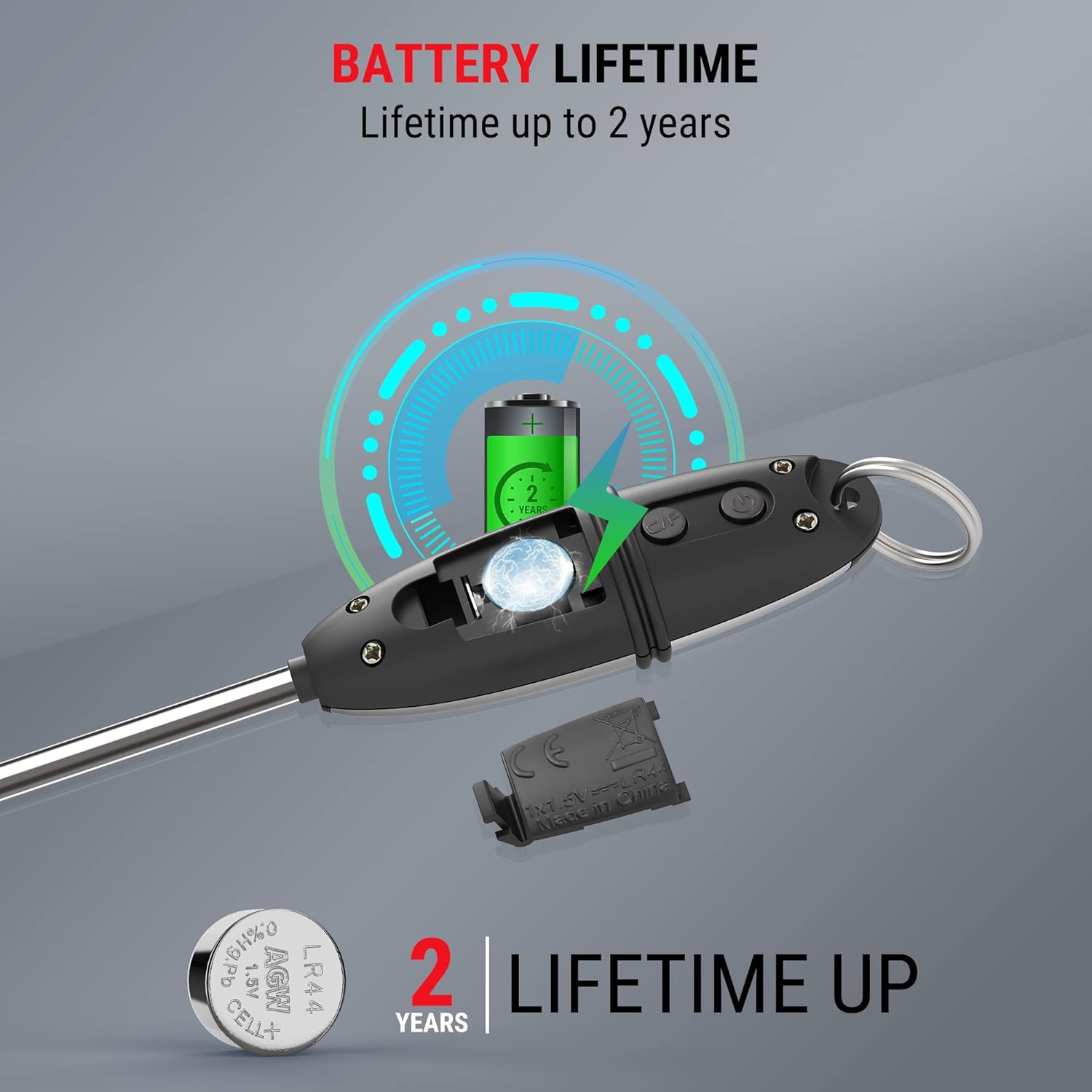
Figure 5.1: The protective probe cover can be used to extend the handle or for safe storage.
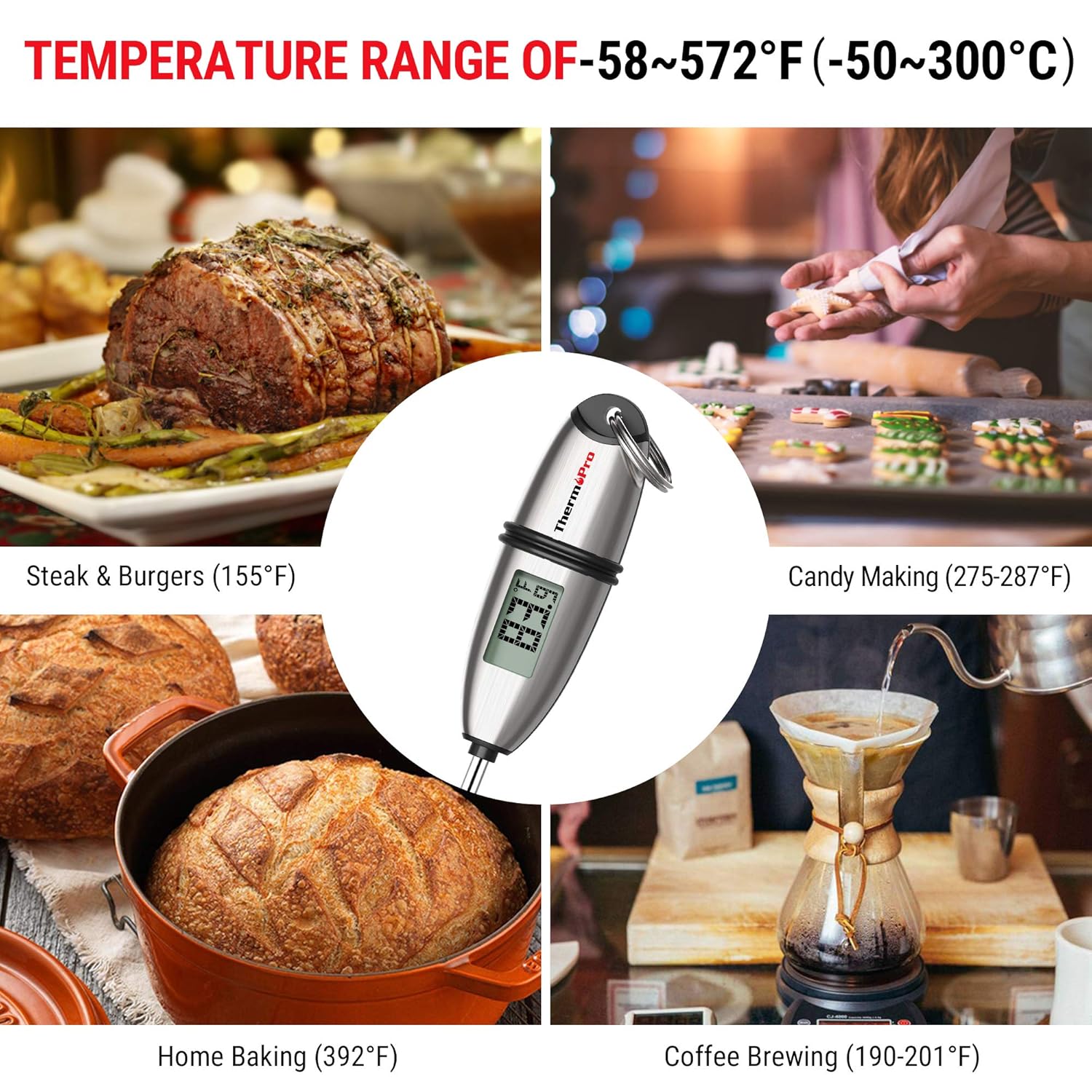
Figure 5.2: Multiple mounting and storage options for the ThermoPro TP02S, including hanging, pocket clip, and drawer storage.
6 Solución de problemas
6.1. Displaying Error Codes
- If the LCD screen displays HHH, the measured temperature is above the thermometer's measurable range.
- If the LCD screen displays LLL, the measured temperature is below the thermometer's measurable range.
6.2. Lecturas inexactas
- Ensure the probe is inserted into the thickest part of the food and not touching bone, gristle, or the bottom of the cooking vessel.
- Verify the battery has sufficient power. Replace if necessary.
6.3. A unidade non se acende
- Comprobe se a batería está instalada correctamente coa polaridade axeitada.
- Substitúa a batería por unha batería LR44 nova.
7. Especificacións
| Característica | Especificación |
|---|---|
| Número de modelo | TP-02S |
| Rango de temperatura | -58 °F a 572 °F (-50 °C a 300 °C) |
| Precisión | ± 0.9 ° F (± 0.5 ° C) |
| Readout Speed | 4-7 segundos |
| Lonxitude da sonda | 5.3 polgadas |
| Fonte de enerxía | 1 x LR44 battery (included) |
| Apagado automático | 10 minutos de inactividade |
| Material | Aceiro inoxidable (sonda) |
| Dimensións do produto | 8.6 x 1.2 x 1.2 polgadas |
| Peso | 0.8 onzas |
| Certificacións | CE, FCC, NSF |
8. Garantía e soporte
ThermoPro provides a warranty for its products. For specific warranty details, registration, or technical support, please refer to the official ThermoPro websitio web ou póñase en contacto directamente co servizo de atención ao cliente. Garde o recibo da compra como proba de compra.
Información de contacto: Por favor visite o ThermoPro Store on Amazon or the official ThermoPro websitio para obter a información de soporte máis actualizada.


