Introdución
This manual provides detailed instructions for the installation, operation, and maintenance of your Mars Gaming MPII850 850W ATX PC Power Supply. Please read this manual carefully before installation and use to ensure proper functionality and safety.
Instrucións de seguridade
- Always disconnect the power supply from the main power outlet before installation or maintenance.
- Non abra a fonte de alimentación. Alto volumetagHai elementos no interior que poden provocar unha descarga eléctrica.
- Asegúrate dunha conexión a terra axeitada do teu sistema informático.
- Instale a fonte de alimentación nunha zona ben ventilada para evitar o sobrequecemento.
- Evite expoñer a unidade á humidade ou a temperaturas extremas.
- Empregue só os cables incluídos coa fonte de alimentación.
Contido do paquete
Verifica que todos os elementos estean presentes no paquete:
- Mars Gaming MPII850 850W ATX Power Supply Unit
- Modular Cable Set (PCI-E, SATA, PATA, FDD)
- Cable de alimentación de CA
- Parafusos de montaxe
- Manual de usuario (este documento)
Configuración e instalación
Follow these steps to install your power supply unit:
1. Prepara o teu sistema
- Apaga o ordenador e desconecta o cable de alimentación da toma de corrente.
- Abre a carcasa do teu ordenador.
- If replacing an existing power supply, disconnect all cables from the old PSU and remove it from the case.
2. Install the Power Supply
- Carefully place the Mars Gaming MPII850 into the power supply bay of your computer case.
- Fixe a fonte de alimentación á caixa usando os parafusos de montaxe proporcionados.

Image: Mars Gaming MPII850 Power Supply unit, showcasing its modular cable ports and fan grill. This view helps identify where to connect the modular cables.
3. Conecte os cables
The MPII850 features a semi-modular cabling system. The main motherboard and CPU power cables are fixed, while other peripheral cables are modular.
- 20+4 Pin Main Power Connector: Connect this fixed cable to your motherboard's main power socket.
- 4+4 Pin 12V CPU Power Connector: Connect this fixed cable to your motherboard's CPU power socket.
- 6+2 Pin PCI-E Connectors (x2): For graphics cards. Connect these modular cables to your graphics card(s) as required.
- SATA Connectors (x6): For SATA hard drives, SSDs, and optical drives. Connect these modular cables to your storage devices.
- PATA Connectors (x4): For older IDE devices or case fans. Connect these modular cables as needed.
- FDD Connector (x1): For floppy disk drives or other legacy peripherals. Connect this modular cable if necessary.

Image: Mars Gaming MPII850 Power Supply unit, showing the fixed main power cables and the modular ports for additional components like graphics cards and storage drives.
Ensure all connections are secure. Utilize cable management features in your case to keep cables tidy and improve airflow.
4. Pasos finais
- Pecha a caixa do ordenador.
- Conecte o cable de alimentación de CA á fonte de alimentación e despois a unha toma de parede.
- Flip the power switch on the back of the PSU to the "ON" position.
Instrucións de funcionamento
The Mars Gaming MPII850 is designed for reliable and efficient operation. Once installed, it will provide stable power to your PC components.
- Encendido/apagado: Use the power button on your computer case to turn the system on or off. The PSU's rear switch should remain in the "ON" position during normal operation.
- Funcionamento do ventilador: The 12cm fan features intelligent speed control, adjusting its rotation based on temperature to maintain optimal cooling and minimize noise.
- Eficiencia: With an efficiency rating of up to 85% and Active Power Factor Correction (PFC), the MPII850 ensures stable power delivery and energy savings.
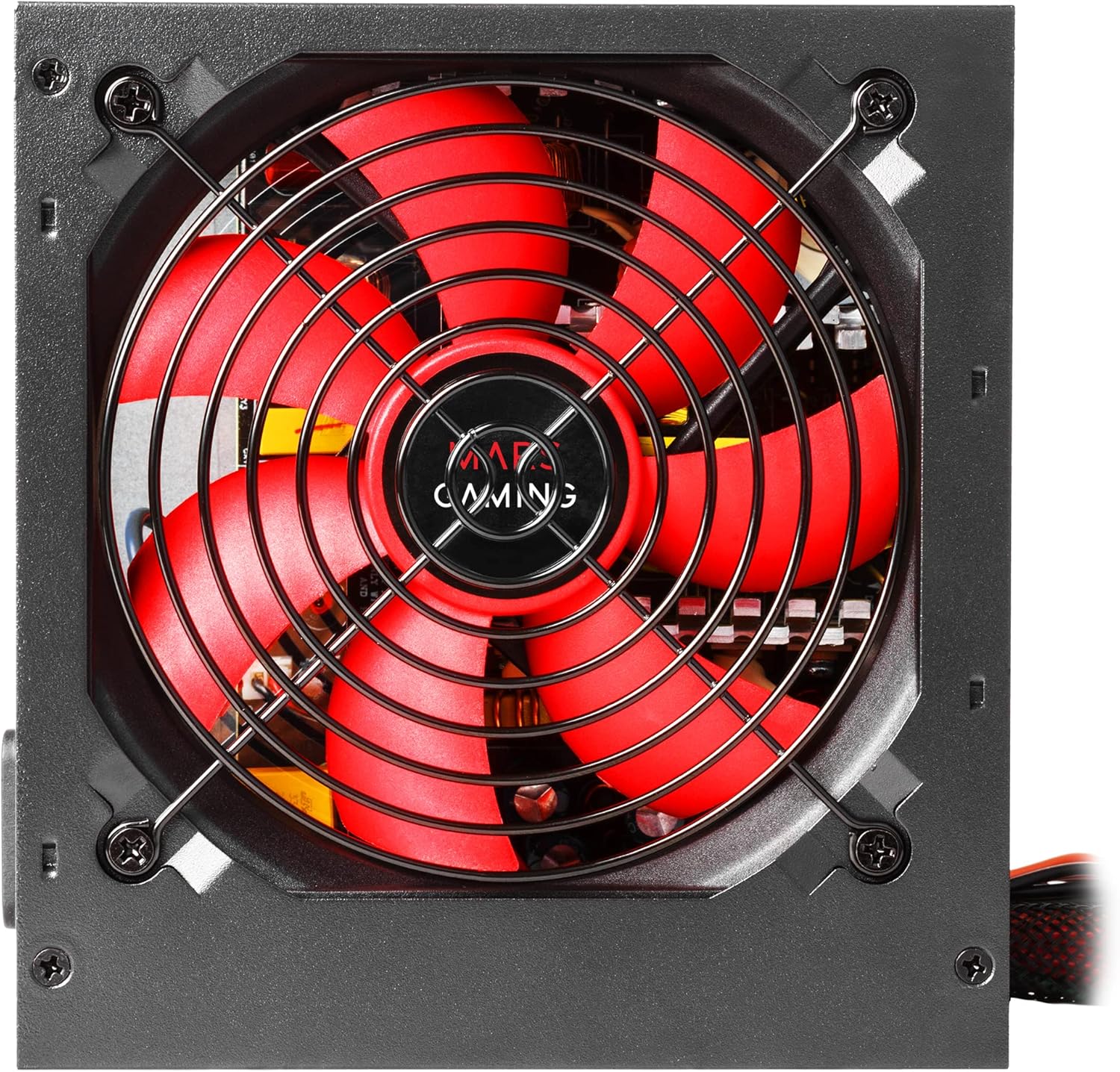
Imaxe: Unha detallada view of the 12cm fan on the Mars Gaming MPII850 power supply, highlighting its red blades and protective grill, designed for quiet and efficient cooling.
Mantemento
To ensure the longevity and optimal performance of your power supply, follow these simple maintenance guidelines:
- Limpeza do po: Periodically clean the fan and ventilation grilles of the power supply to prevent dust buildup, which can hinder airflow and lead to overheating. Use compressed air or a soft brush. Ensure the PSU is powered off and unplugged before cleaning.
- Xestión de cables Regularly check that all cables are securely connected and not obstructing airflow within the PC case.
- Ambiente: Keep your computer in a clean, dry, and well-ventilated environment.
Resolución de problemas
If you encounter issues with your Mars Gaming MPII850 power supply, refer to the following common problems and solutions:
| Problema | Causa posible | Solución |
|---|---|---|
| O ordenador non se acende. |
|
|
| O sistema reiníciase inesperadamente. |
|
|
| Ruído do ventilador forte. |
|
|
If the problem persists after trying these solutions, please contact Mars Gaming customer support.
Especificacións
| Característica | Detalle |
|---|---|
| Número de modelo | MPII850 |
| Marca | Marte Xogos |
| Factor de forma | ATX |
| Potencia de saída | 850 vatios |
| Eficiencia | Ata o 85% |
| PFC | PFC activo |
| Método de arrefriamento | Air (12cm intelligent speed control fan) |
| Nivel de ruído | Approximately 14 dB (at low load) |
| Conector de alimentación principal | 1x 20+4 Pin |
| Conector de alimentación da CPU | 1x 12V 4+4 Pin |
| PCI-E Connectors | 2x 6+2 Pin |
| Conectores SATA | 6x |
| PATA Connectors | 4x |
| Conector FDD | 1x |
| Dispositivos compatibles | Ordenador persoal |
| Dimensións (L x W x H) | 188 x 90 x 275 mm (approximate, based on product data) |
| Peso | 1.3 quilogramos |
Garantía e Soporte
Mars Gaming products are designed for durability and performance. For warranty information and technical support, please refer to the official Mars Gaming websitio web ou póñase en contacto co seu distribuidor local.
Soporte en liña: www.marsgaming.eu
Please have your product model number (MPII850) and purchase details ready when contacting support.