1. Introdución
Thank you for choosing the Flexispot EB2B Electric Height-Adjustable Desk Frame. This manual provides essential information for the safe and efficient assembly, operation, and maintenance of your new desk frame. Please read this manual thoroughly before installation and keep it for future reference.
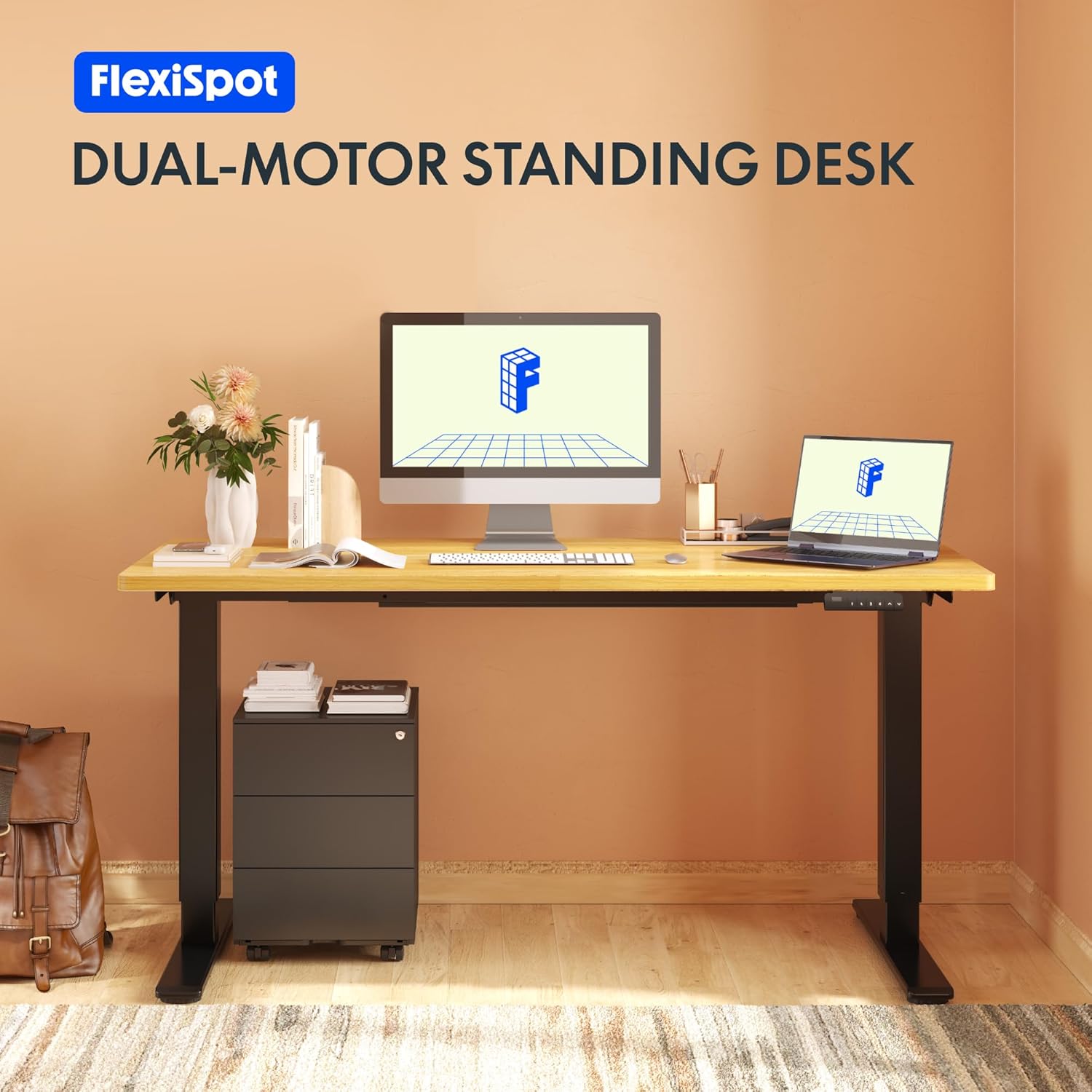
Image: The Flexispot EB2B desk frame supporting a complete desk setup, highlighting its dual-motor design.
2. Información de seguridade
Para garantir un funcionamento seguro e evitar danos, observe as seguintes precaucións de seguridade:
- Asegúrese de que todos os compoñentes estean ben fixados antes do uso.
- Non exceda a capacidade de peso máxima de 100 kg (220 lb).
- Keep children and pets away from the desk during operation to prevent injury from moving parts.
- Ensure there are no obstructions in the desk's path when adjusting height. The anti-collision system is designed to prevent damage, but manual vigilance is always recommended.
- Do not disassemble or modify the desk frame or its electrical components. Contact qualified personnel for repairs.
- Desconecte a alimentación antes de limpar ou realizar calquera mantemento.

Image: Visual representation of the anti-collision system, showing the desk rebounding upon detecting an obstruction.
3. Contido do paquete
Comprobe que estean presentes todas as pezas antes de comezar a montaxe:
- Patas de escritorio (2)
- Pés (2)
- Barra transversal (1)
- Soportes Laterais (2)
- Caixa de control (1)
- Handset/Control Panel (1)
- Adaptador de alimentación (1)
- Cable de alimentación (1)
- Cable Management Clips (4)
- Assembly Hardware (screws, Allen keys, etc.)

Image: All main components of the Flexispot EB2B desk frame, including the dual legs, crossbar, and control panel.
4. Configuración e montaxe
Follow these steps to assemble your Flexispot EB2B desk frame. It is recommended to have two people for assembly.
- Preparar a zona: Clear a spacious area for assembly. Lay down a soft cloth or cardboard to protect the desk frame and your floor.
- Unir os pés ás pernas: Securely attach the feet to the bottom of each desk leg using the provided screws.
- Montar a barra transversal: Connect the two desk legs to the adjustable crossbar. Ensure the crossbar is extended to the desired width to accommodate your tabletop (Min: 110cm, Max: 180cm).
- Instalar os soportes laterais: Attach the side brackets to the top of the desk legs, which will support your tabletop.
- Montar a caixa de control: Secure the control box to the designated area under the crossbar.
- Cables de conexión: Connect the motor cables from each leg to the control box. Connect the handset cable to the control box. Finally, connect the power adapter to the control box and the power cord to the adapter.
- Fixar a mesa: Carefully place your tabletop (not included) onto the assembled frame. Ensure it is centered and aligned. Secure the tabletop to the frame using appropriate screws (ensure screws are not too long to penetrate the tabletop surface). The frame is compatible with tabletops from 110 cm to 180 cm wide and 50 cm to 80 cm deep.
- Xestión de cables Use the provided cable management clips to organize and secure all cables, preventing them from dangling or getting caught.

Image: A diagram illustrating the adaptable desktop sizes (width and depth) that the Flexispot EB2B desk frame can accommodate.
5. Instrucións de funcionamento
The Flexispot EB2B features a user-friendly control panel for height adjustment and memory functions.
5.1. Basic Height Adjustment
- Subir escritorio: Manteña premido o UP (^) button to raise the desk to your desired height.
- Escritorio inferior: Manteña premido o DOWN (v) button to lower the desk to your desired height.
- The LED display will show the current height in centimeters. The desk operates smoothly and quietly, with a noise level below 50 dB and a lifting speed of 3.2 cm/sec.
5.2. Preconfiguracións de memoria
The control panel allows you to save up to four preferred height settings.
- Axuste o escritorio á altura desexada usando os botóns ARRIBA/ABAIXO.
- Preme o M. button (or 'S' depending on the model) followed by the desired preset number (1, 2, 3 ou 4). The display will show 'S-' then the number, indicating the height has been saved.
- To recall a saved height, simply press the corresponding preset number (1, 2, 3 ou 4). O escritorio moverase automaticamente á posición gardada.
5.3. Sedentary Reminder System
The advanced control panel includes a sedentary reminder system to encourage healthy work habits. Consult your specific control panel's instructions for activating and setting reminder intervals.
5.4. Anti-Collision System
The desk is equipped with an anti-collision system. If the desk encounters an obstruction during height adjustment, it will automatically stop and reverse slightly to prevent damage. You can adjust the sensitivity of this system (refer to the detailed control panel manual for specific steps).

Imaxe: Unha detallada view of the control panel, showing the LED display, up/down buttons, and four memory preset buttons.
6. Mantemento
Regular maintenance ensures the longevity and optimal performance of your desk frame.
- Limpeza: Limpar a estrutura do escritorio cun pano suave eamp cloth. Avoid using harsh chemicals or abrasive cleaners. Ensure the desk is unplugged before cleaning.
- Inspección: Comprobe periodicamente todos os parafusos e conexións para asegurarse de que estean ben axustados. Volva a apertalos se é necesario.
- Comprobación do cable: Asegúrese de que todos os cables estean conectados de forma segura e sen danos.
- Lubricación: The lifting mechanism is designed for maintenance-free operation. Do not apply lubricants unless specifically instructed by Flexispot support.
7 Solución de problemas
If you encounter issues with your Flexispot EB2B desk frame, refer to the following common problems and solutions:
| Problema | Causa posible | Solución |
|---|---|---|
| O escritorio non se move. | Power cable disconnected; control box error. | Check all cable connections. Unplug and replug the power cord. Perform a reset (see below). |
| O escritorio móvese de forma irregular ou fai un ruído inusual. | Conexións soltas; distribución desigual do peso. | Check all screws and ensure they are tight. Redistribute weight evenly on the tabletop. |
| Error code on display (e.g., E01, E02). | System error; overload; motor issue. | Refer to the specific error code in the detailed control panel manual. Often, a reset can resolve these. |
| Anti-collision system triggers too often. | High sensitivity setting. | Adjust the anti-collision sensitivity via the control panel settings (refer to control panel manual). |
7.1. Procedemento de restablecemento
If the desk is not functioning correctly, a reset may resolve the issue:
- Manteña premido o DOWN (v) button until the desk reaches its lowest position and slightly rebounds. Continue holding for approximately 5-10 seconds until the display shows 'RST' or 'RESET'.
- Release the button. The desk will then move slightly up and down to calibrate. Once the display shows the lowest height (e.g., 71.0), the reset is complete.
8. Especificacións
| Característica | Detalle |
|---|---|
| Número de modelo | EB2B (E2B-DE / EB2B-EU) |
| Height Range (without tabletop) | 71 cm - 119 cm (27.9" - 46.8") |
| Frame Width (extensible) | 110 cm - 180 cm (43.3" - 70.8") |
| Compatible Tabletop Width | 110 cm - 180 cm (43.3" - 70.8") |
| Compatible Tabletop Depth | 50 cm - 80 cm (19.7" - 31.5") |
| Capacidade de carga máxima | 100 kg (220 lb) |
| Velocidade de elevación | 3.2 cm/sec (1.26"/sec) |
| Nivel de ruído | < 50 dB |
| Motores | Dual-motor system |
| Panel de control | Advanced all-in-one keyboard with 4 memory presets and sedentary reminder. |
| Anti-Collision System | Si |
| Material | Aceiro de aliaxe |
| Cor | Negro |

Image: The Flexispot EB2B frame demonstrating its large height adjustment range (70-119 cm) and anti-collision feature.
9. Garantía e soporte
Flexispot stands behind the quality of its products.
- Garantía do cadro: The desk frame is covered by a 5 ano de garantía.
- Motor and Controller Warranty: The motors and controllers are covered by a 3 ano de garantía.
For warranty claims, technical support, or any questions not covered in this manual, please contact Flexispot customer service through their official website or your point of purchase. Please have your model number (EB2B) and purchase information ready.

Image: Visual representation of the warranty terms: 5 years for the desk frame and 3 years for controllers and motors.


