Introdución
This manual provides detailed instructions for the installation, setup, and operation of your LUX Kono KN-S-MG1 Smart Thermostat. Please read this manual thoroughly before beginning installation or operation to ensure proper functionality and safety.
The LUX Kono KN-S-MG1 is a programmable smart thermostat designed to personalize your home comfort and optimize energy savings through features like geofencing and remote control via the LUX app.
Información de seguridade
AVISO: Risco de descarga eléctrica
- Desconecte sempre a alimentación do sistema de calefacción e refrixeración no disxuntor principal ou na caixa de fusibles antes de instalar ou realizar o mantemento do termostato.
- Improper wiring can cause damage to the thermostat or the HVAC system.
- Se non tes claros algúns pasos, a instalación debe ser realizada por un técnico cualificado.
- Ensure all wiring connections are secure and insulated.
Contido do paquete
Verifica que todos os elementos estean presentes no teu paquete:
- LUX Kono KN-S-MG1 Smart Thermostat
- Ferraxes de montaxe (tornillos, ancoraxes de parede)
- LUX Power Bridge (for systems without a C-wire)
- Guía de instalación (este documento)
Instalación
Before installation, ensure the power to your HVAC system is turned off at the circuit breaker.
1. Retirar o termostato antigo
- Turn off power to your HVAC system at the circuit breaker.
- Retire a tapa do termostato antigo.
- Fai unha foto das conexións do cableado como referencia.
- Disconnect the wires one by one, labeling each wire with the corresponding terminal letter (e.g., R, C, Y, G, W).
- Remove the old thermostat's backplate from the wall.
2. Wiring the Kono KN-S-MG1
The Kono KN-S-MG1 requires a C-wire for continuous power. If your system does not have a C-wire, use the included LUX Power Bridge.
Compatibilidade:
- Forced air, gas, oil & electric furnaces (up to 2 Heat/1 Cool stagé)
- Heat pump systems (with or without auxiliary/emergency heat)
Refer to the wiring diagram specific to your HVAC system type. Connect the labeled wires to the corresponding terminals on the Kono backplate.
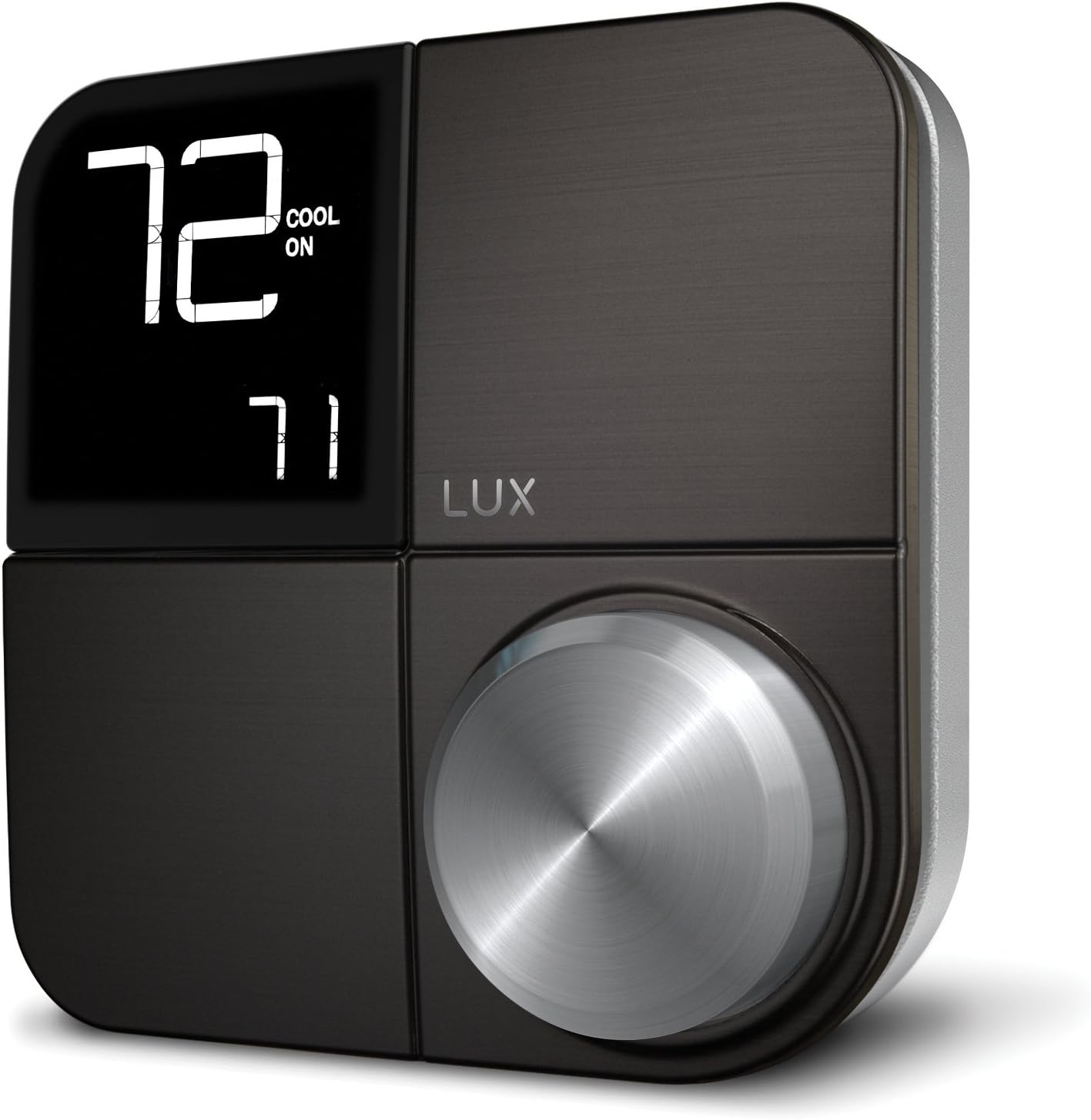 Imaxe: Fronte view of the LUX Kono KN-S-MG1 Smart Thermostat, displaying its digital screen and control knob.
3. Montaxe do termostato
- Mount the Kono backplate to the wall using the provided screws and anchors. Ensure it is level.
- Carefully push any excess wire back into the wall opening.
- Align the Kono thermostat body with the backplate and gently push it into place until it clicks securely.
 Image: The LUX Kono KN-S-MG1 Smart Thermostat installed on a wall, blending into a modern dining room environment.
Initial Setup and Wi-Fi Connection
- Encendido: Restore power to your HVAC system at the circuit breaker. The thermostat display should illuminate.
- Download the LUX App: Download the official LUX app from your smartphone's app store.
- Crear conta: Follow the in-app instructions to create a new user account or log in if you already have one.
- Conectar a wifi: The app will guide you through connecting your Kono thermostat to your home Wi-Fi network. Ensure your Wi-Fi network is 2.4GHz compatible.
- Configuración do Sistema: The app will prompt you to configure your HVAC system type (e.g., conventional, heat pump) and other settings.
Instrucións de funcionamento
Operación básica
- Axuste da temperatura: Use the control knob on the thermostat or the LUX app to set your desired temperature.
- Modo do sistema: Switch between Heat, Cool, Auto, and Off modes using the thermostat interface or the app.
- Modo de ventilador: Select Fan On (continuous operation) or Fan Auto (fan runs only when heating/cooling) via the thermostat or app.
Horarios de programación
The Kono KN-S-MG1 allows you to create custom heating and cooling schedules to optimize comfort and energy usage. Schedules are typically managed through the LUX app for ease of use.
- Open the LUX app and navigate to the scheduling section.
- Create daily or weekly schedules with different temperature settings for various times of the day (e.g., Wake, Away, Home, Sleep).
- Save your schedules to activate them on the thermostat.
Funcións avanzadas
- Geofencing (Home & Away Aware): This feature uses your smartphone's location to automatically adjust the thermostat when you leave or approach your home, saving energy when away and ensuring comfort upon return. Enable and configure this feature within the LUX app.
- Control remoto: Control your thermostat from anywhere using the LUX app on your smartphone.
- Control de voz: The Kono KN-S-MG1 supports integration with certain smart home platforms like Android and Vera for voice control. Note: This product does NOT work with Amazon Alexa or Apple HomeKit.
Mantemento
- Limpeza: Limpe o exterior do termostato cun pano suave eamp pano. Non use produtos de limpeza ou disolventes abrasivos.
- Actualizacións de software: Ensure your LUX app and thermostat firmware are up to date for optimal performance and new features. Updates are typically managed through the LUX app.
- Non se necesitan pilas: The Kono KN-S-MG1 is powered by your HVAC system (C-wire) or the LUX Power Bridge, so no battery replacement is necessary.
Resolución de problemas
| Problema | Causa posible | Solución |
|---|---|---|
| A pantalla do termostato está en branco. | Sen corrente ao termostato. | Check the circuit breaker for your HVAC system. Ensure the C-wire or LUX Power Bridge is correctly installed and connected. |
| O sistema de climatización non responde ao termostato. | Incorrect wiring; system mode incorrect; power issue. | Verify wiring connections. Ensure the system mode (Heat/Cool/Auto) is correctly selected. Check power to the HVAC unit. |
| Cannot connect to Wi-Fi or app shows "no internet". | Incorrect Wi-Fi password; router issues; 5GHz network. | Ensure correct Wi-Fi password. Restart your router. Confirm your Wi-Fi network is 2.4GHz. Re-attempt Wi-Fi setup through the LUX app. |
| Temperature not maintained as programmed. | Incorrect schedule settings; geofencing interference; system limitations. | Review your schedules in the LUX app. Check geofencing settings. Ensure your HVAC system is functioning correctly. |
For further assistance, please contact LUX customer support.
Especificacións
| Marca | LUX |
| Nome do modelo | KN-S-MG1 |
| Dimensións do produto | 2.8 x 6.5 x 6 polgadas |
| Peso do elemento | 9.6 onzas |
| Cor | Negro |
| Material | Plástico |
| Fonte de enerxía | Electric (System C-wire or LUX Power Bridge) |
| Voltage | 230 voltios (CA) |
| Tecnoloxía de conectividade | Wi-Fi (2.4 GHz) |
| Tipo de controlador | Android, Vera (Note: Does NOT work with Amazon Alexa or Apple HomeKit) |
| Característica especial | Geofencing: Home & Away Aware |
| Tipo de visualización | LCD con retroiluminación |
| Tipo de control | Control por botón, voz |
| Tipo de montaxe | Soporte de parede |
| UPC | 021079170098 |
Garantía e Soporte
For warranty information and technical support, please refer to the official LUX website or contact LUX customer service directly. Keep your purchase receipt as proof of purchase.
 Image: The retail packaging for the LUX Kono Smart Thermostat, showing the product image and key features.


