1. Introdución
Grazas pola compraasing the Coby CSB04 Bluetooth Soundbar Speaker. This manual provides important information regarding the setup, operation, and maintenance of your new soundbar. Please read this manual thoroughly before using the device and retain it for future reference.
The Coby CSB04 is a sleek and compact soundbar designed to enhance your audio experience. It features wireless Bluetooth connectivity, an RCA line input, and comes with a remote control for convenient operation.
2. Información de seguridade
Ten en conta as seguintes precaucións de seguridade para evitar danos no dispositivo ou lesións a ti mesmo:
- Non expoñas a barra de son á choiva, á humidade nin a temperaturas extremas.
- Non abras a c.asing. Encomende todo o mantemento a persoal cualificado.
- Asegúrate de que o adaptador de corrente sexa compatible coa túa fonte de alimentación local.
- Keep the soundbar away from heat sources and direct sunlight.
- Limpar só cun pano seco.
3. Contido do paquete
Carefully unpack your Coby CSB04 Soundbar and check that all items are present and in good condition. If any items are missing or damaged, contact your retailer.
- Coby CSB04 Bluetooth Soundbar Speaker
- Adaptador de alimentación de CA.
- Cabo RCA
- Control remoto
- Manual de usuario (este documento)

Image 3.1: Coby CSB04 Soundbar packaging. The box displays the Coby logo and "Slim 2.0 Sound Bar" text.
4. Produto rematadoview
Familiarize yourself with the components and controls of your Coby CSB04 Soundbar.
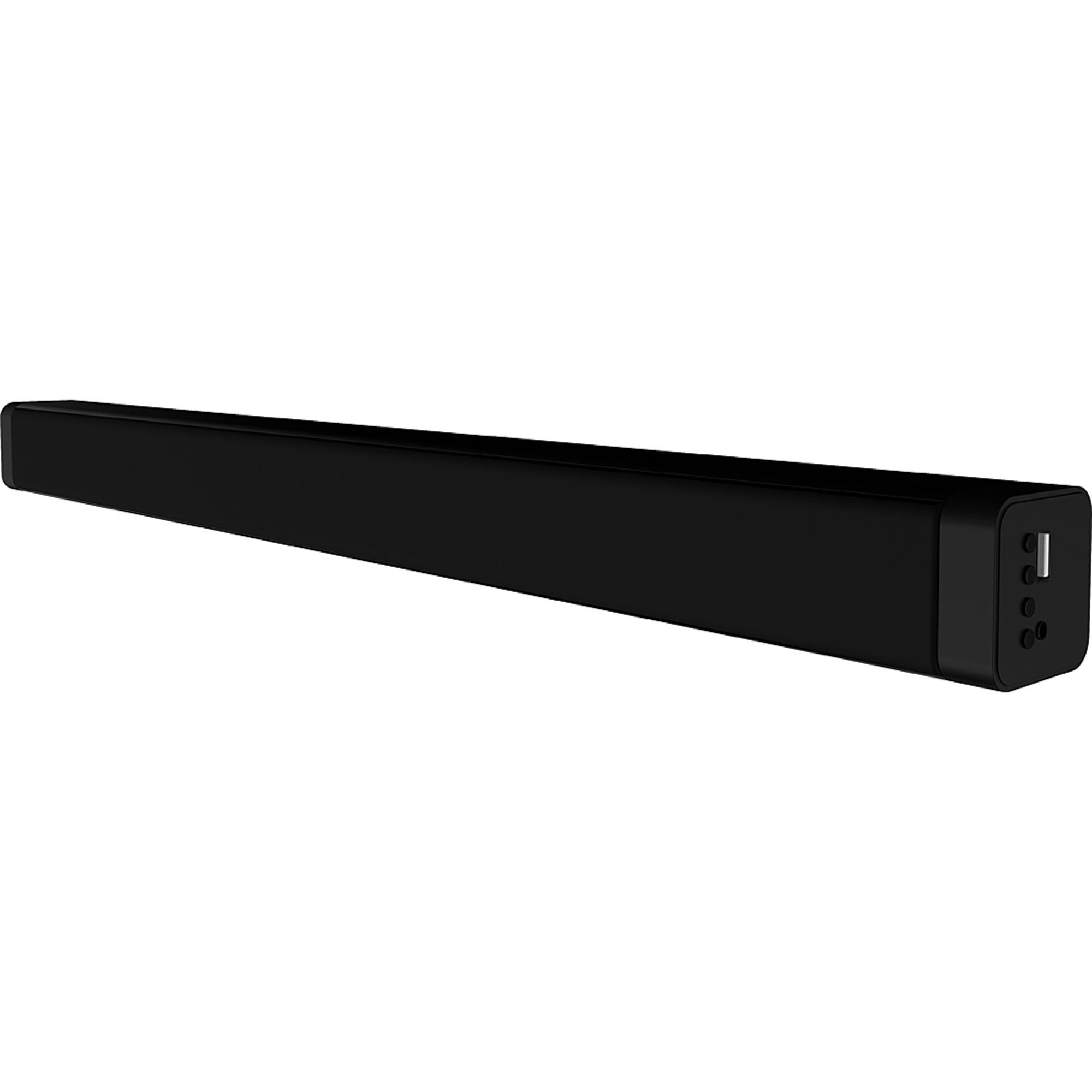
Imaxe 4.1: Fronte view of the Coby CSB04 Bluetooth Soundbar. The soundbar is black and rectangular.

Imaxe 4.2: Lateral view of the Coby CSB04 Soundbar, showing a USB port and other connection points.
4.1. Front Panel / Top Panel Controls
- Botón de encendido: Activa ou desactiva a barra de son.
- Subir/Baixar o volume: Axusta o nivel de volume.
- Botón de modo: Switches between input modes (Bluetooth, RCA).
- Indicador LED: Shows current status (e.g., Bluetooth pairing, input mode).
4.2. Conexións do panel traseiro
- DC IN: Conecte aquí o adaptador de alimentación de CA.
- RCA L/R Input: Connect external audio devices using the RCA cable.
- Porto USB: For potential firmware updates or specific media playback (functionality may vary).
4.3. Control remoto
The included remote control allows for convenient operation of the soundbar from a distance. Functions typically include Power, Volume Up/Down, Mode Selection, Mute, and Playback controls for Bluetooth mode.
5. Configuración
5.1. Conexión de alimentación
- Connect the AC power adapter to the DC IN porto na parte traseira da barra de son.
- Conecte o outro extremo do adaptador de corrente alterna a unha toma de corrente.
- The soundbar will enter standby mode.
5.2. Conexión de audio
You can connect audio sources to the soundbar via Bluetooth or RCA cable.
5.2.1. Conexión Bluetooth
- Power on the soundbar using the Power button on the unit or remote control.
- Preme o Modo button repeatedly until the LED indicator shows Bluetooth mode (usually a blinking blue light).
- No teu teléfono intelixente ou noutro dispositivo con Bluetooth, activa Bluetooth e busca os dispositivos dispoñibles.
- Select "CSB04" (or similar name) from the list of devices.
- Unha vez emparellado, o indicador LED acenderase en azul fixo e escoitarás un ton de confirmación.
- Agora podes reproducir audio desde o teu dispositivo a través da barra de son.
5.2.2. Conexión RCA
- Connect one end of the RCA cable to the Entrada RCA L / R portos na barra de son.
- Connect the other end of the RCA cable to the audio output ports (usually "Audio Out" or "L/R Out") of your TV, DVD player, or other audio source.
- Acende a barra de son.
- Preme o Modo button repeatedly until the LED indicator shows RCA mode (e.g., a green light).
- Reproduce audio desde o teu dispositivo conectado.
6. Instrucións de funcionamento
6.1. Acendido/apagado
Preme o Poder botón da barra de son ou do mando a distancia para acender ou apagar a unidade.
6.2. Axuste do volume
Usa o Subir volume (+) e Baixar volume (-) botóns da barra de son ou do mando a distancia para axustar o nivel do son.
6.3. Changing Input Mode
Preme o Modo button on the soundbar or remote control to cycle through available input sources: Bluetooth, RCA.
6.4. Reprodución por Bluetooth
Once paired, your Bluetooth device will automatically connect to the soundbar when both are powered on and within range. Use your device's controls or the soundbar's remote control (if applicable) for playback functions like Play/Pause, Next Track, and Previous Track.
7. Mantemento
Un mantemento axeitado garante a lonxevidade e o rendemento óptimo da túa barra de son.
- Limpeza: Use a soft, dry cloth to wipe the exterior of the soundbar. Do not use liquid cleaners or aerosols.
- Almacenamento: Se vai gardar a barra de son durante un período prolongado, desconéctea da corrente e gárdea nun lugar fresco e seco.
- Ventilación: Ensure the soundbar has adequate ventilation and is not covered, to prevent overheating.
8 Solución de problemas
If you encounter issues with your Coby CSB04 Soundbar, refer to the following common problems and solutions:
| Problema | Causa posible | Solución |
|---|---|---|
| Sen poder | O adaptador de corrente non está conectado ou a toma de corrente está defectuosa. | Ensure the power adapter is securely connected to the soundbar and a working power outlet. Try a different outlet. |
| Sen son | Incorrect input mode, low volume, or incorrect cable connection. |
|
| Fallou o emparejamento por Bluetooth | A barra de son non está en modo de emparellamento, o dispositivo está demasiado lonxe ou hai interferencias. |
|
| O control remoto non funciona | Baterías descargadas ou obstrución. | Replace the batteries in the remote control. Ensure there is no obstruction between the remote and the soundbar's sensor. |
9. Especificacións
Here are the technical specifications for the Coby CSB04 Bluetooth Soundbar Speaker:
- Modelo: CSB04
- Tipo de altofalante: Barra de son
- Tecnoloxía de conectividade: Bluetooth
- Potencia máxima de saída do altofalante: 10 vatios
- Dispositivos compatibles: Smartphone (and other Bluetooth/RCA audio sources)
- Método de control: Control remoto
- Fonte de enerxía: Electric Cable (AC Adapter)
- Cor: Negro
- Dimensións: 85.09 x 14.22 x 38.35 cm (aproximadamente 33.5 x 5.6 x 15.1 polgadas)
- Peso: 1.54 kg (aproximadamente 3.4 libras)
- Tipo de montaxe: Soporte de escritorio
10. Garantía e soporte
Para obter información sobre a garantía e asistencia técnica, consulte a tarxeta de garantía incluída co produto ou visite o sitio web oficial de Coby websitio. Garde o recibo da compra como xustificante da mesma.
Para obter máis axuda, podes contactar co servizo de atención ao cliente de Coby a través das súas canles oficiais.


