Introdución
This manual provides comprehensive instructions for the safe and proper installation, operation, and maintenance of your Amazon Basics Heavy-Duty Tilting TV Wall Mount and High-Speed HDMI Cable. This wall mount is designed to securely hold flat-panel televisions ranging from 37 inches to 80 inches, with a maximum weight capacity of 120 pounds. The included HDMI cable supports Ethernet, 3D, and 4K video, along with Audio Return Channel (ARC) for versatile connectivity.
Please read this manual thoroughly before beginning installation to ensure correct setup and to prevent damage to the product or injury.
Información de seguridade
AVISO: Failure to read and follow all instructions can result in personal injury or property damage. The manufacturer is not responsible for damage or injury caused by incorrect mounting, incorrect assembly, or incorrect use.
- Ensure the wall structure can safely support the combined weight of the mount and the television. Consult a qualified professional if unsure.
- Non exceda a capacidade de peso máxima de 120 libras (54.4 kg).
- Este soporte está deseñado para usarse con televisores de pantalla plana de entre 37 e 80 polgadas.
- Always use appropriate safety gear, including eye protection, during installation.
- Verify the location of electrical wires, water pipes, and gas lines behind the wall before drilling.
- Two people are recommended for installation due to the size and weight of TVs.
- Manteña todas as pezas pequenas e os materiais de embalaxe fóra do alcance dos nenos.
Contido do paquete
Carefully unpack the box and ensure all components are present and undamaged. If any parts are missing or damaged, do not attempt to install. Contact customer support for assistance.
- Wall Plate Assembly (1)
- Soportes de montaxe para TV (2)
- High-Speed HDMI Cable (1)
- Kit de ferraxes (varios parafusos, arandelas, espazadores, ancoraxes)
- Manual de instrucións (este documento)


Configuración e instalación
Ferramentas necesarias (non incluídas):
- Buscador de studs
- Perforar con brocas axeitadas (madeira/formigón)
- Level (though one is built into the mount)
- Destornillador de cabeza Phillips
- Chave de tubo ou chave inglesa axustable
- Lapis
- Cinta métrica
Paso 1: Determine a localización de montaxe
Choose a location on your wall that is structurally sound and free from electrical wires, water pipes, or gas lines. Use a stud finder to locate wood studs if mounting to drywall, or ensure you have appropriate concrete anchors if mounting to masonry.
Paso 2: Montar a placa de parede
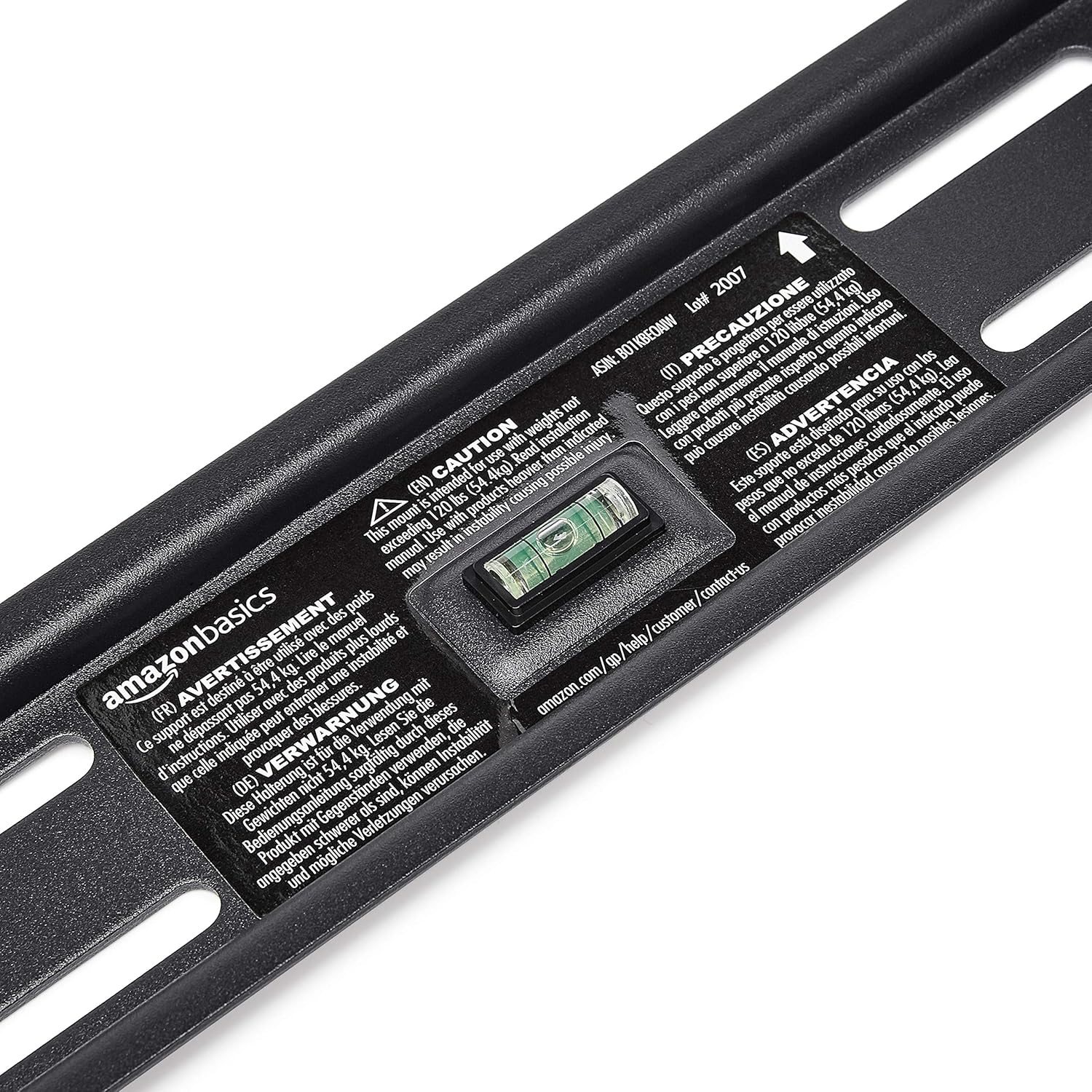
- Hold the wall plate against the wall at the desired height. Use the built-in level to ensure it is perfectly horizontal.
- Mark the drilling locations through the holes on the wall plate with a pencil.
- Drill pilot holes at the marked locations. The size of the drill bit will depend on your wall type and the anchors/lag bolts being used.
- Fixa a placa de parede á parede cos parafusos e arandelas proporcionados. Asegúrate de que estea firmemente fixada e nivelada.

Paso 3: Fixar os soportes de montaxe do televisor ao televisor
- Lay your TV face down on a soft, clean surface to prevent screen damage.
- Identifique os orificios de montaxe VESA na parte traseira do televisor.
- Selecciona os parafusos, arandelas e espazadores axeitados do kit de ferraxes que se axusten aos orificios de montaxe do teu televisor.
- Attach the two vertical TV mounting brackets to the back of your TV, ensuring they are centered and aligned with the VESA pattern. The hooks on the brackets should face upwards.

Paso 4: Montar o televisor na placa de parede
- Con axuda, levante con coidado o televisor e enganche os soportes no bordo superior da placa de parede.
- Gently lower the TV until the brackets fully engage with the wall plate. You should hear a click or feel it lock into place.
- Pull the release strings (if applicable) to ensure the TV is securely latched to the mount. Some models have safety screws to further secure the TV; tighten these if present.


Step 5: Connect HDMI Cable
Connect one end of the included High-Speed HDMI cable to the HDMI output port on your source device (e.g., Blu-ray player, game console, streaming device) and the other end to an HDMI input port on your TV.

Instrucións de funcionamento
Tilting the TV:
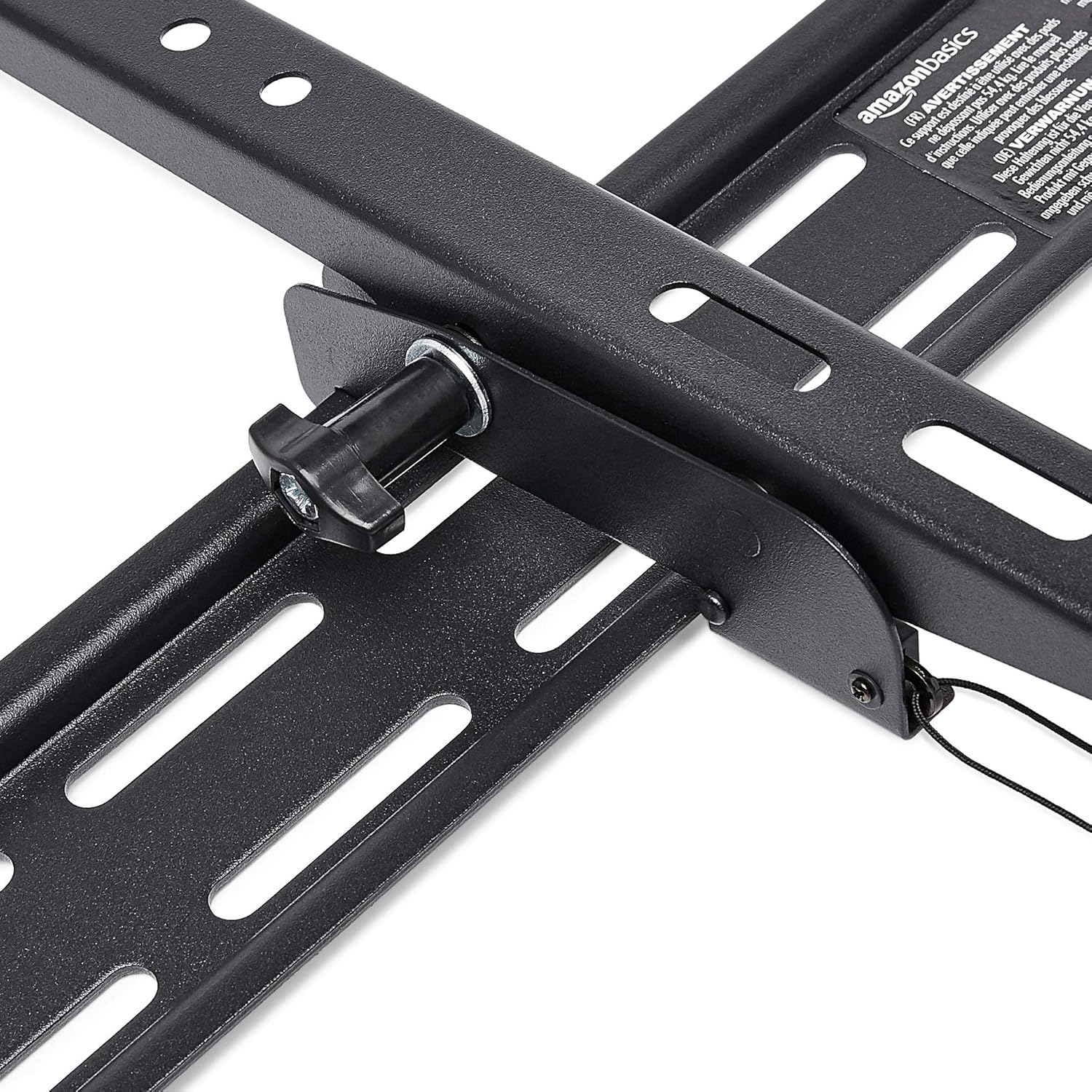
This wall mount allows for 18 degrees of tilt, ranging from +15 degrees (upward) to -3 degrees (downward), to achieve an optimal viewing angle and reduce glare. To adjust the tilt:
- Locate the tilt adjustment knobs or levers on the side of the TV mounting brackets.
- Loosen the knobs or levers to allow the TV to tilt freely.
- Incline o televisor con coidado ao ángulo desexado.
- Tighten the knobs or levers to secure the TV in place.
Mantemento
- Periodically check all screws and bolts to ensure they remain tight and secure.
- Clean the mount and HDMI cable with a soft, dry cloth. Avoid abrasive cleaners or solvents.
- Do not hang anything from the mount or TV that exceeds the weight capacity.
Resolución de problemas
| Problema | Causa posible | Solución |
|---|---|---|
| Televisor non nivelado despois da instalación. | A placa de parede non está nivelada durante a instalación. | Carefully remove TV, loosen wall plate screws, adjust level using built-in bubble level, and re-tighten. Re-mount TV. |
| TV not securely attached to mount. | Brackets not fully engaged or safety screws not tightened. | Ensure brackets are fully seated on the wall plate. Tighten any safety screws on the bottom of the brackets. |
| No picture/sound via HDMI. | Incorrect input selected on TV, loose cable connection, or faulty source device. | Verify TV input matches the connected HDMI port. Ensure HDMI cable is firmly connected at both ends. Test with another HDMI cable or source device if possible. |
Especificacións
- Marca: Conceptos básicos de Amazon
- Modelo: Heavy-Duty Tilting TV Wall Mount & High-Speed HDMI Cable
- ASIN: B074SVCYZY
- Tipo de montaxe: Inclinación
- Tamaños de TV compatibles: 37 a 80 polgadas
- Capacidade máxima de peso: 120 libras (54.4 kg)
- Ángulo de inclinación: +15 to -3 degrees (18 degrees total)
- Lonxitude do cable HDMI: 10 pés
- Características HDMI: Supports Ethernet, 3D, 4K video, Audio Return Channel (ARC)
Garantía e Soporte
For warranty information and customer support, please refer to the official Amazon Basics website or contact Amazon customer service directly. Keep your purchase receipt for warranty claims.
Websitio: Amazon Basics Store


