Introdución
Grazas pola compraasing the Muse M-1520 SBT Soundbar. This device is designed to enhance your audio experience with 50W of power and versatile connectivity options including Bluetooth, AUX-IN, RCA, and Optical inputs. Please read this manual carefully before use to ensure proper setup and operation.

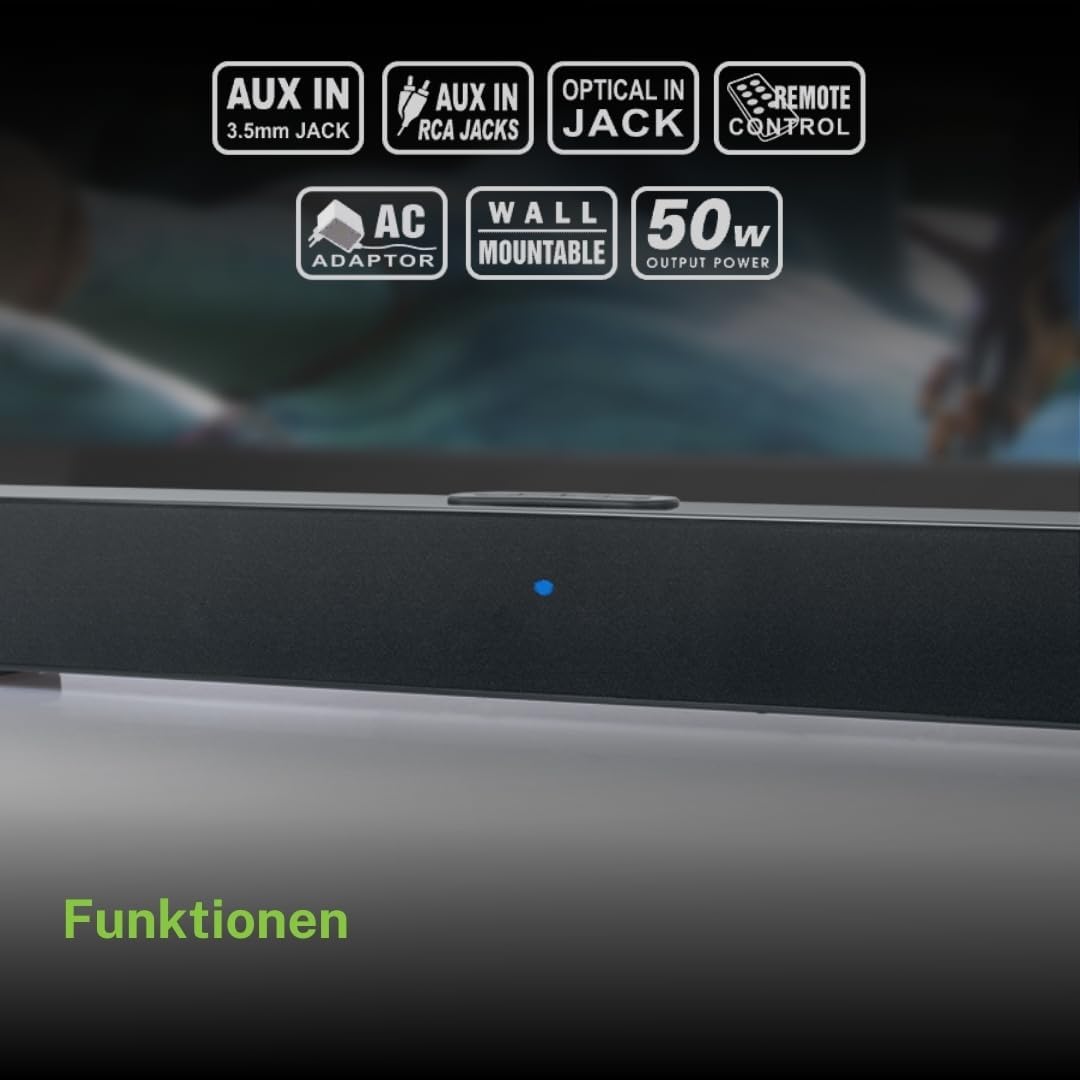
The Muse M-1520 SBT Soundbar integrated into a home entertainment setup.
Instrucións de seguridade
- Non expoña a unidade á choiva nin á humidade.
- Non abras a c.asing; encomende todo o mantemento a persoal cualificado.
- Garantir unha ventilación adecuada ao redor da unidade.
- Manteña a unidade lonxe da luz solar directa, de fontes de calor e de campos magnéticos fortes.
- Use só o adaptador de alimentación proporcionado.
- Non coloque obxectos pesados enriba da barra de son.
- Deseche as baterías de forma responsable.
Contido do paquete
Comprobe que todos os elementos que se indican a continuación estean incluídos no seu paquete:
- Muse M-1520 SBT Soundbar
- Adaptador de alimentación de CA.
- Cabo RCA
- 3.5 mm Aux-In Cable
- Control remoto
- 2 pilas AA (para o control remoto)

All accessories included with the Muse M-1520 SBT Soundbar.
Controis e conexións
Conexións do panel traseiro

Detallado view of the soundbar's rear input ports.
- AUX 1 (3.5mm): Conecta dispositivos de son externos cun cable de son de 3.5 mm.
- AUX 2 (RCA L/R): Connect external audio devices using an RCA stereo cable.
- ÓPTICO: Connect to a TV or other device with an optical digital audio output.
- DC 12 V: Connect the provided AC power adapter.
Top Panel Controls and Indicators
Top panel controls and LED indicator for the soundbar.
The top panel features buttons for power, volume control, and source selection. A blue LED indicator shows the current status or selected input.
Configuración
1 Colocación
Place the soundbar on a stable, flat surface in front of your television, or mount it on the wall below your TV. Ensure there are no obstructions blocking the sound.
2. Conexión de alimentación
- Connect the AC power adapter to the DC 12V input on the rear of the soundbar.
- Conecta o adaptador de corrente alterna a unha toma de corrente.
3. Conexión de audio
Escolla un dos seguintes métodos para conectar a barra de son á súa fonte de son (por exemplo, televisor, reprodutor de DVD):
- Conexión óptica: For best audio quality, connect an optical cable (not included) from your TV's optical output to the OPTICAL input on the soundbar.
- Conexión RCA: Connect the supplied RCA cable from your audio source's RCA L/R output to the AUX 2 (RCA) input on the soundbar.
- 3.5mm AUX-IN Connection: Connect the supplied 3.5mm Aux-In cable from your audio source's headphone jack or AUX output to the AUX 1 (3.5mm) input on the soundbar.
Instrucións de funcionamento
Encendido/apagado
- Preme o POTENCIA button on the remote control or the soundbar's top panel to turn the unit on or off.
Selección da fonte
- Preme o FONTE button on the remote control or the soundbar's top panel repeatedly to cycle through input sources: Bluetooth, AUX 1, AUX 2, Optical.
- The LED indicator will change color or pattern to indicate the selected source.
Control de volume
- Preme o VOL+ or VOL- buttons on the remote control or the soundbar's top panel to adjust the volume.
Emparejamento Bluetooth
- Turn on the soundbar and select the Bluetooth input source. The LED indicator will flash, indicating it is in pairing mode.
- Activa o Bluetooth no teu dispositivo móbil (teléfono intelixente, tableta, etc.).
- Busca available Bluetooth devices. The soundbar will appear as "M-1520 SBT".
- Select "M-1520 SBT" to pair. Once connected, the LED indicator will stop flashing and remain solid.
- Agora podes reproducir audio desde o teu dispositivo a través da barra de son.
Nota: Se se lle solicita un contrasinal, introduza "0000".
Montaxe en parede
The Muse M-1520 SBT Soundbar is designed to be wall-mountable. Mounting hardware (screws, anchors) is not typically included and must be purchased separately based on your wall type.
Importante: Ensure the wall can support the weight of the soundbar (approximately 1.2 kg). Consult a professional if you are unsure about wall mounting.
Mantemento
- Limpeza: Usa un pano suave e seco para limpar a superficie da barra de son. Non empregues produtos de limpeza líquidos nin materiais abrasivos.
- Almacenamento: Se vai gardar a unidade durante un período prolongado, desconéctea da toma de corrente e gárdea nun lugar fresco e seco.
Resolución de problemas
| Problema | Causa posible | Solución |
|---|---|---|
| Sen poder | Power adapter not connected or wall outlet not active. | Ensure the power adapter is securely connected to the soundbar and a working wall outlet. |
| Sen son | Incorrect input source selected, volume too low, or audio cable not connected properly. | Select the correct input source. Increase the volume. Check all audio cable connections. Ensure the TV/source audio output is enabled. |
| O emparejamento por Bluetooth falla | A barra de son non está en modo de emparellamento, o dispositivo está demasiado lonxe ou hai interferencias. | Ensure the soundbar is in Bluetooth pairing mode (flashing LED). Move your device closer to the soundbar. Turn off other Bluetooth devices to reduce interference. |
| O control remoto non funciona | As baterías están gastadas ou inseridas incorrectamente, ou a liña de visión está bloqueada. | Replace the batteries (2 x AA). Ensure batteries are inserted with correct polarity. Remove any obstructions between the remote and the soundbar. |
Especificacións
| Nome do modelo | M-1520 SBT |
| Potencia de saída | 50 vatios |
| Conectividade | Bluetooth, AUX-IN (3.5mm), RCA, Optical |
| Tecnoloxía sen fíos | Bluetooth |
| Dispositivos compatibles | TV, smartphone, PC, tablet |
| Dimensións (L x W x H) | 66 x 6 x 5.9 cm (25.98 x 2.36 x 2.32 polgadas) |
| Peso | 1.2 kg (2.65 lb) |
| Método de control | Control remoto |
| Fonte de enerxía | AC Adapter (12V DC) |
| Cor | Negro |

Dimensional diagram of the Muse M-1520 SBT Soundbar.
Garantía e Soporte
Specific warranty information for the Muse M-1520 SBT Soundbar is not available in the provided product details. Please refer to the warranty card included in your product packaging or contact your retailer for details regarding warranty coverage and customer support.


