1. Introdución
Grazas pola compraasing the Genius GX Wired Gaming Keyboard, Scorpion K220. This manual provides detailed instructions for setting up, operating, and maintaining your new gaming keyboard. Designed for PC gaming, the Scorpion K220 features a sleek design, compact construction, and vibrant backlighting for an enhanced gaming experience.

Figura 1.1: Fronte view of the Genius GX Wired Gaming Keyboard Scorpion K220, showcasing its design and colorful backlighting.
2. Información de seguridade
Please read the following safety precautions carefully before using the device to ensure optimal performance and prevent damage.
- Non expoñas o teclado á auga nin a outros líquidos.
- Avoid extreme temperatures (hot or cold) and high humidity.
- Non intente desmontar nin modificar o teclado. Isto anulará a garantía.
- Keep the keyboard away from strong magnetic fields.
- Use only a dry, soft cloth for cleaning.
- Ensure the USB cable is not pinched or damaged during setup and use.
3. Contido do paquete
Verifica que todos os elementos estean presentes no paquete:
- Genius GX Wired Gaming Keyboard (Scorpion K220)
- Manual de usuario (este documento)
4. Configuración
4.1 Conexión do teclado
The Scorpion K220 keyboard uses a standard USB connection for compatibility with PCs and Laptops. No additional drivers are typically required for basic functionality.
- Localiza un porto USB dispoñible no teu ordenador (PC ou portátil).
- Carefully insert the USB connector of the Scorpion K220 keyboard into the USB port.
- O teu sistema operativo debería detectar e instalar automaticamente os controladores necesarios. Este proceso pode tardar uns intres.
- Once installation is complete, the keyboard will be ready for use. The backlighting should illuminate.

Figure 4.1: The Genius GX Wired Gaming Keyboard Scorpion K220, ready for connection to a PC or laptop via its integrated USB cable.
5. Instrucións de funcionamento
5.1 Funcións básicas do teclado
The Scorpion K220 functions as a standard QWERTY keyboard. All standard keys (alphanumeric, function keys, navigation keys, and numeric keypad) operate as expected.
Control de retroiluminación 5.2
The Scorpion K220 features vibrant backlighting to enhance your gaming and typing experience. The backlighting is always on when the keyboard is connected and powered.
- Axuste de brillo: Look for dedicated keys or key combinations (often Fn + Scroll Lock or similar) to adjust backlight brightness. Refer to the keyboard's key legends for specific controls.
- Modos de iluminación: Some models may offer different lighting effects or static color modes. Experiment with function key combinations (e.g., Fn + F1-F12 or dedicated lighting keys) to cycle through available modes.
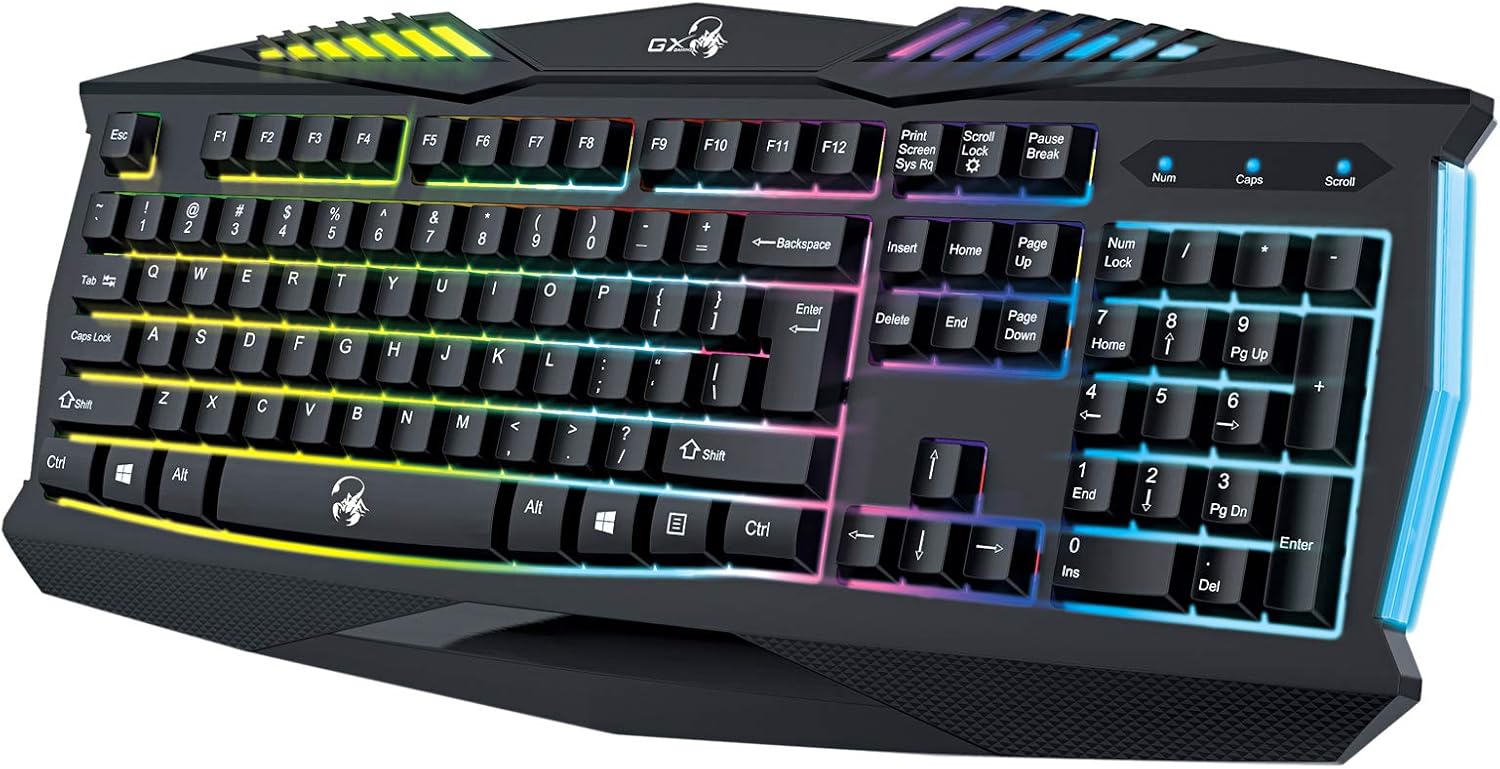
Imaxe 5.1: Primeiro plano view of the Genius GX Wired Gaming Keyboard Scorpion K220, highlighting the illuminated keys and vibrant backlighting.
5.3 Características dos xogos
The Scorpion K220 is designed for gaming with a responsive membrane switch type and a comfortable layout. While it does not feature programmable macro keys, its robust design and anti-ghosting capabilities (where applicable) ensure reliable performance during intense gaming sessions.
6. Mantemento
Un mantemento axeitado garante a lonxevidade e o rendemento óptimo do teu teclado.
- Limpeza:
- Desconecte o teclado do ordenador antes de limpalo.
- Use a soft, dry, lint-free cloth to wipe down the surface of the keyboard.
- Para o po e os residuos entre as teclas, use aire comprimido.
- Non empregue produtos químicos agresivos, produtos de limpeza abrasivos nin disolventes.
- Almacenamento: Garde o teclado nun lugar fresco e seco, lonxe da luz solar directa e de temperaturas extremas, cando non o use durante períodos prolongados.
7 Solución de problemas
If you encounter issues with your Scorpion K220 keyboard, refer to the table below for common problems and solutions.
| Problema | Causa posible | Solución |
|---|---|---|
| O teclado non responde | Conexión USB solta, porto USB defectuoso, problema co controlador. |
|
| A retroiluminación non funciona | Keyboard not powered, specific lighting mode selected. |
|
| As teclas están pegañentas ou non responden | Dirt or debris under the keys. |
|
8. Especificacións
Detailed technical specifications for the Genius GX Wired Gaming Keyboard Scorpion K220:
| Característica | Detalle |
|---|---|
| Marca | Xenio |
| Número de modelo | K220 |
| Dimensións do produto | 23 x 49 x 4 cm |
| Peso do elemento | 980 g |
| Fabricante | Xenio |
| Fonte de enerxía | Eléctrico con cable |
| Pilas incluídas | Non |
| Dispositivos compatibles | PC, Laptop |
| Tecnoloxía de conectividade | USB |
| Descrición do teclado | Xogos |
| Características especiais | Retroiluminado |
| Material | Materiais Mixtos |
| Tipo de cambio | Membrana |
| Disposición do teclado | QWERTY |
| Orientación das mans | Ambidiestro |
9. Garantía e soporte
Genius products are manufactured to the highest quality standards. For information regarding warranty coverage, technical support, or service, please refer to the warranty card included with your product or visit the official Genius websitio.
For further assistance, you may contact Genius customer support through their official channels. Please have your product model number (K220) and purchase details ready when contacting support.
Oficial Websitio: www.geniusnet.com


