1. Introdución
This manual provides detailed instructions for the safe and proper installation, operation, and maintenance of your Sanus Premium Series Tilting TV Wall Mount, model BLT2-B1. This mount is designed to securely hold most 42" to 90" flat-panel televisions, offering a tilting feature for optimal viewángulos de inclinación. Lea atentamente todas as instrucións antes de comezar a instalación.
2. Información de seguridade
WARNING: Failure to read and follow these instructions may result in serious personal injury, property damage, or voiding of your warranty.
- Asegúrate de que a superficie de montaxe poida soportar con seguridade o peso combinado do soporte e do televisor.
- Always use a stud finder to locate the center of wall studs for secure mounting.
- Do not exceed the maximum weight capacity of the mount. Refer to the Specifications section for details.
- Professional installation is recommended for complex installations or if you are unsure about your wall structure.
- Manteña todas as pezas pequenas e os materiais de embalaxe fóra do alcance dos nenos.
3. Contido do paquete
Verify that all components are present and undamaged before installation. The package typically includes:
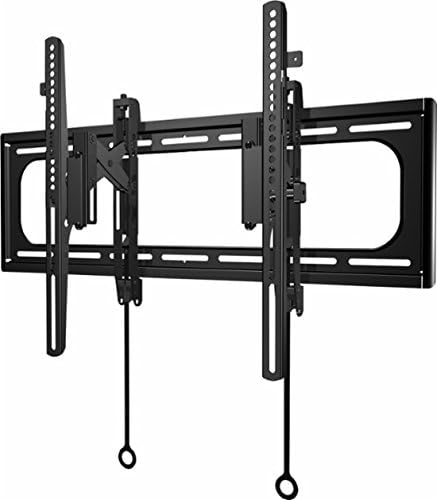
- Wall plate assembly
- TV brackets (left and right)
- Mounting hardware kit (various screws, washers, spacers for TV and wall attachment)
- Installation template (may be included)

Image: The Sanus BLT2-B1 Tilting TV Wall Mount showing its main components including the wall plate and TV brackets.
4. Configuración e instalación
Follow these steps for a secure installation. It is recommended to have a second person assist during the installation process.
- Prepara a televisión: Attach the TV brackets to the back of your television using the appropriate screws and spacers from the hardware kit. Ensure the brackets are securely fastened and level.
- Localizar montantes de parede: Use a reliable stud finder to locate the center of two adjacent wall studs where you intend to mount the TV. Mark these locations precisely.
- Posición da placa de parede: Hold the wall plate against the wall, aligning its mounting holes with the marked stud centers. Use a level to ensure the wall plate is perfectly horizontal. Mark the drill points.
- Perforar buratos piloto: Drill pilot holes at the marked locations. The size of the drill bit will depend on the lag bolts provided; refer to the hardware instructions for exact specifications.
- Fixar a placa de parede: Secure the wall plate to the wall using the lag bolts and washers. Tighten them firmly, but do not overtighten.
- Colgar a televisión: With assistance, carefully lift the television and hook the TV brackets onto the top edge of the installed wall plate. Gently lower the TV until the brackets engage with the wall plate.
- Fixar o televisor ao montaxe: Locate the safety screws or locking mechanisms on the bottom of the TV brackets. Tighten these to secure the TV to the wall plate, preventing accidental dislodgement.
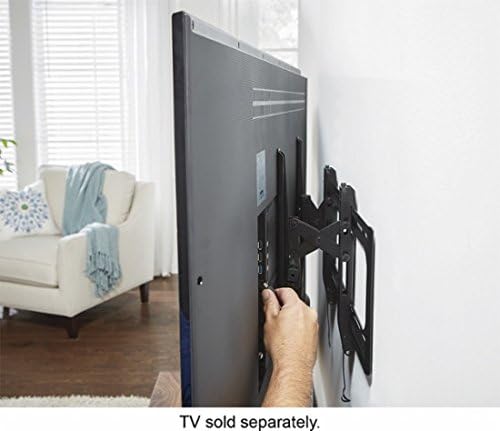
Imaxe: Un lado view of a television mounted on the wall, illustrating the space created by the mount for easy access to cables and ports.
5. Instrucións de funcionamento
The Sanus BLT2-B1 mount allows for easy tilting of your television to achieve the best viewángulo de visión e reducir o brillo.
- Tilting the TV: Gently grasp the top or bottom edge of your television and push or pull to adjust the tilt angle. The mount is designed for smooth, friction-based tilting.
- Axuste de nivelación: Some models may include a post-installation leveling feature. If your TV appears slightly unlevel after installation, consult the specific instructions provided with your hardware kit for minor rotational adjustments.
- Desprazamento lateral: Once mounted, the TV can often be shifted horizontally along the wall plate to center it precisely. Gently slide the TV left or right as needed.
Imaxe: Un lado view of a television mounted on the wall, demonstrating the downward tilt capability of the mount.
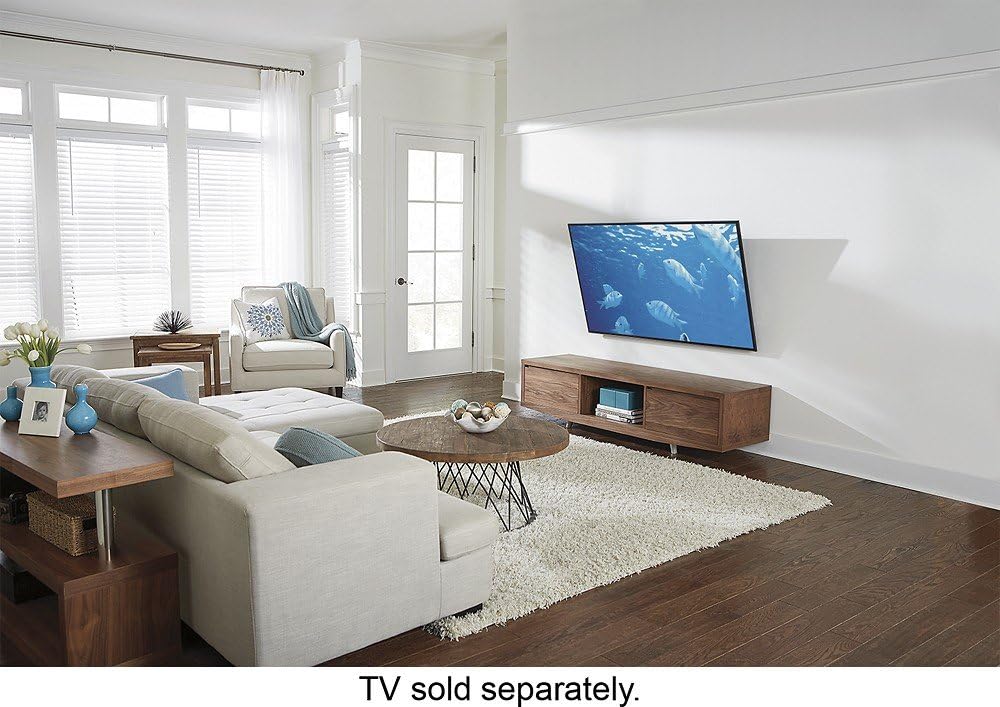
Image: A diagram showing the range of motion for the TV mount, including vertical tilt and horizontal lateral shift capabilities.
6. Mantemento
Un mantemento regular garante a lonxevidade e o funcionamento seguro do soporte de parede para TV.
- Inspección periódica: Annually, inspect all mounting hardware and connections to ensure they remain tight and secure.
- Limpeza: Limpa a montura cun pano suave e seco. Evita produtos de limpeza abrasivos ou solventes que poidan danar o acabado.
- Lubricación: The tilting mechanism is generally maintenance-free. Do not apply lubricants unless specifically instructed by Sanus support.
7 Solución de problemas
If you encounter issues with your Sanus TV wall mount, consider the following:
- A televisión non está nivelada: Check the wall plate installation for levelness. If your mount has a post-installation leveling feature, adjust it as per instructions.
- TV feels loose: Ensure all TV bracket screws and wall plate lag bolts are securely tightened. Verify the safety screws/locking mechanisms are engaged.
- Dificultade de inclinación: Ensure no cables are obstructing the tilting mechanism. If the mount is new, the mechanism may require a few adjustments to loosen slightly.
For further assistance, contact Sanus customer support.
8. Especificacións
| Marca | Sanus |
| Número de modelo | BLT2-B1 |
| Tipo de montaxe | Soporte de parede |
| Tipo de movemento | Inclinación |
| Tamaños de TV compatibles | Most 42" - 90" Flat-Panel TVs |
| Material | Acrilonitrilo Butadieno Estireno (ABS) |
| Cor | Negro |
| Peso do elemento | 5 libras |
| Dimensións do produto | 42 x 11 x 4 polgadas |
| Ángulo de inclinación máximo | 1 arc sec (typical range for tilting mounts) |
| UPC | 793795530950 |
9. Garantía e soporte
Sanus products are designed for durability and reliability. For specific warranty information, please refer to the warranty card included with your product or visit the official Sanus website. For technical support, installation assistance, or to inquire about replacement parts, please contact Sanus customer service through their official channels.


